
BOGASING Era S9 Pro
BOGASING Era S9 Pro Bluetooth Speaker User Manual
Model: Era S9 Pro
Introduction
Thank you for choosing the BOGASING Era S9 Pro Bluetooth Speaker. This manual provides essential information for setting up, operating, and maintaining your speaker to ensure optimal performance and longevity. Please read this manual thoroughly before using the product.
Product Overview
The BOGASING Era S9 Pro is a portable Bluetooth speaker designed to deliver detailed and dynamic sound. It features a 2-channel audio system, long battery life, and multiple connectivity options.
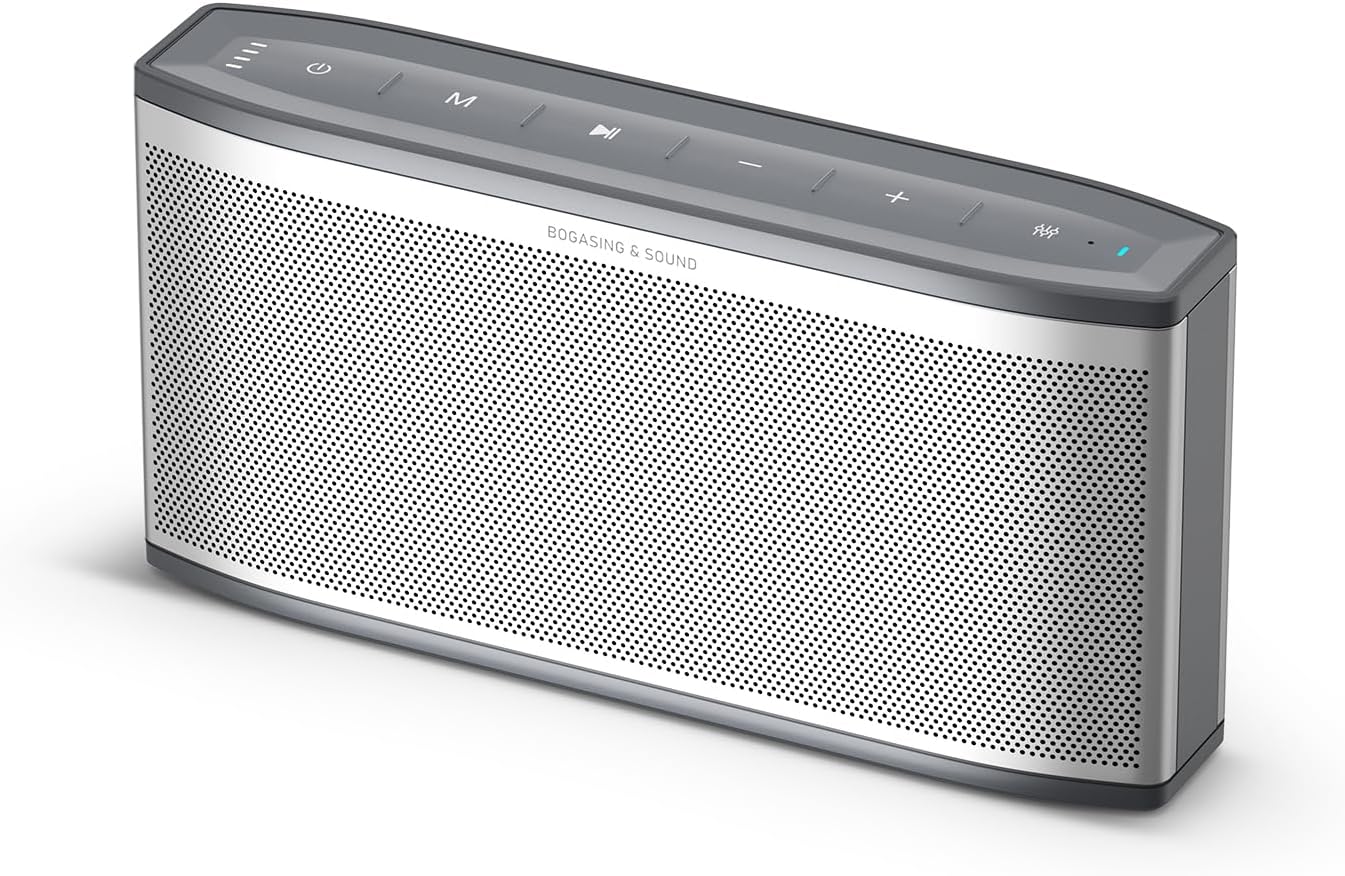
Figure 1: BOGASING Era S9 Pro Speaker. This image displays the speaker's sleek silver design with its top-mounted control buttons and perforated front grille.
Key Features:
- Enhanced Audio System: Features a 2-way system with a large-diameter driver, silk dome tweeter, and dual passive radiators for rich bass and clear details.
- Extended Playtime: Up to 48 hours of continuous music playback on a single charge.
- Durable Design: High-quality metal mesh grilles and acoustic mesh fabric for improved frequency response and robust construction.
- Multiple Sound Effects: Choose between Super Bass, Vocal, and 3D Stereo modes to suit your listening preference.
- True Wireless Stereo (TWS): Pair two Era S9 Pro speakers for an immersive, wide soundstage.
- Advanced Connectivity: Bluetooth 5.3 for stable wireless connection, supports TF card, USB-C, and AUX input.
- Built-in Microphone: Allows for hands-free calling.
Package Contents
Please check the package for the following items:
- BOGASING Era S9 Pro Bluetooth Speaker
- USB-C Charging Cable
- AUX Cable
- User Manual (this document)
If any items are missing or damaged, please contact BOGASING customer service.
Setup
1. Charging the Speaker
Before first use, fully charge the speaker. Connect the provided USB-C cable to the speaker's charging port and the other end to a USB power adapter (not included) or a computer's USB port.
- The LED indicator light on the speaker will show charging status.
- A full charge provides up to 48 hours of playtime, depending on volume and usage.

Figure 2: Connectivity Ports and LED Indicator. This image highlights the TF card slot, USB-C charging port, AUX input, and the LED indicator light on the speaker.
2. Powering On/Off
Press and hold the power button on the top panel of the speaker to turn it on or off. You will hear an audible prompt indicating the power status.
Operating Instructions
1. Bluetooth Pairing
- Turn on the Era S9 Pro speaker. It will automatically enter Bluetooth pairing mode, indicated by a flashing LED light.
- On your device (smartphone, tablet, laptop), enable Bluetooth and search for available devices.
- Select "BOGASING Era S9 Pro" from the list of devices.
- Once connected, the LED light will become solid, and you will hear a confirmation sound.
The speaker will automatically reconnect to the last paired device when powered on, if the device is within range and Bluetooth is enabled.
2. Playing Music
- Bluetooth Mode: After successful pairing, play music from your connected device. Use the speaker's volume buttons (+/-) to adjust volume, and the play/pause button to control playback.
- TF Card Mode: Insert a TF (microSD) card with audio files into the TF card slot. The speaker will automatically switch to TF card mode and begin playback.
- AUX Mode: Connect your audio device to the speaker's AUX input using the provided 3.5mm AUX cable. The speaker will automatically switch to AUX mode.
3. Sound Effect Modes
The Era S9 Pro offers three distinct sound modes. Press the EQ button on the top panel to cycle through them:
- Super Bass: Enhances low frequencies for a powerful bass experience.
- Vocal: Optimizes mid-range frequencies for clear vocal reproduction.
- 3D Stereo: Creates a wider, more immersive soundstage.

Figure 3: Three Sound Effect Modes. The speaker is shown in a casual setting, emphasizing its versatility for different audio preferences.
4. True Wireless Stereo (TWS) Pairing
To achieve a true wireless stereo experience, you can pair two BOGASING Era S9 Pro speakers:
- Ensure both Era S9 Pro speakers are powered on and not connected to any Bluetooth device.
- On one speaker (this will be the primary speaker), press and hold the TWS button (often indicated by two interlocking circles or a similar icon) until you hear a prompt.
- The primary speaker will search for the secondary speaker. Once connected, you will hear a confirmation sound, and the LED indicators on both speakers will change to indicate TWS mode.
- Now, connect your device to the primary speaker via Bluetooth as described in "Bluetooth Pairing" (Step 1).
- Audio will now play in stereo through both speakers.

Figure 4: True Wireless Stereo Setup. This image demonstrates how two speakers can be positioned to create an immersive stereo sound experience.
5. Hands-Free Calling
When connected via Bluetooth to your smartphone, the built-in microphone allows you to answer or end calls directly from the speaker.
- Answer/End Call: Press the Play/Pause button once.
- Reject Call: Press and hold the Play/Pause button.
Maintenance
- Cleaning: Use a soft, dry cloth to clean the speaker's surface. Do not use abrasive cleaners, alcohol, or other chemical solvents, as these may damage the finish.
- Storage: Store the speaker in a cool, dry place away from direct sunlight and extreme temperatures.
- Battery Care: To preserve battery life, fully charge the speaker at least once every three months if not in regular use. Avoid fully discharging the battery frequently.
- Water Resistance: The speaker is waterproof (IPX7 rated). While it can withstand immersion in water up to 1 meter for 30 minutes, it is not designed for continuous underwater use. Ensure charging ports are dry before charging.
Troubleshooting
| Problem | Possible Cause | Solution |
|---|---|---|
| Speaker does not turn on. | Battery is low or depleted. | Charge the speaker fully using the provided USB-C cable. |
| Cannot pair with Bluetooth device. | Speaker is not in pairing mode; device's Bluetooth is off; speaker is already connected to another device; device is too far. | Ensure speaker is in pairing mode (flashing LED). Turn on Bluetooth on your device. Disconnect from other devices. Move device closer to speaker (within 10 meters). |
| No sound or low volume. | Volume on speaker or device is too low; incorrect input mode; connection issue. | Increase volume on both speaker and connected device. Ensure correct input mode (Bluetooth, TF, AUX). Re-pair Bluetooth or re-insert cables. |
| Sound distortion. | Volume is too high; audio source quality is poor; speaker is too far from device. | Reduce volume. Try a different audio source. Move device closer to speaker. |
| TWS pairing fails. | Speakers are too far apart; one speaker is already paired to a device. | Ensure both speakers are close to each other and not connected to any other Bluetooth device before initiating TWS pairing. |
Specifications
| Feature | Detail |
|---|---|
| Model Name | Era S9 Pro |
| Brand | BOGASING |
| Connectivity Technology | Bluetooth 5.3, TF Card, AUX |
| Speaker Type | Portable Bluetooth Speaker (2-Channel Audio) |
| Speaker Maximum Output Power | 50 Watts |
| Frequency Response | 20 KHz (upper limit, typical for full range) |
| Playtime | Up to 48 hours (at 10-30% volume) |
| Power Source | Battery Powered (1 Lithium Ion battery included) |
| Material | Metal |
| Color | Silver |
| Product Dimensions (D x W x H) | 2.55" x 11.66" x 4.33" |
| Item Weight | 0.88 Kilograms (1.94 pounds) |
| Waterproof Rating | IPX7 |
| Special Features | Built-in Microphone, Hi-Res Audio, EQ Sound Modes (Super Bass, Vocal, 3D Stereo), True Wireless Stereo (TWS) |
Warranty and Support
Warranty Information
BOGASING provides an 18-month warranty for the Era S9 Pro speaker. This warranty covers manufacturing defects and ensures professional after-sales service. Please retain your proof of purchase for warranty claims.
Customer Support
If you have any questions or require assistance with your BOGASING Era S9 Pro speaker, please contact our customer service team. We aim to resolve your inquiries within 24 hours.
How to contact BOGASING customer service:
- Go to your order history on the platform where you purchased the product.
- Find the BOGASING order for your Era S9 Pro speaker.
- Select your order and choose the relevant topic from the displayed options (e.g., "Product Support," "Return Item," etc.).
- Select "Contact us" to send a message to our support team.
For more information, you may also visit the official BOGASING store page: BOGASING Store
Related documentsEra S9 Pro


Ask a question about this manual
Ask about setup, troubleshooting, compatibility, parts, safety, or missing instructions. Manuals+ will review the question and use this page’s manual context to help answer it.