
1. Introduction
Thank you for choosing the SIXTOP 1 DIN Car Radio. This manual provides essential information for the safe and efficient operation of your new car audio system. Please read it thoroughly before installation and use, and keep it for future reference.
2. Safety Information
- Ensure proper installation by a qualified professional to prevent damage to the unit or vehicle.
- Do not operate the unit in a way that distracts you from driving.
- Avoid exposing the unit to extreme temperatures, direct sunlight, or moisture.
- Use only the specified voltage (10V-14.4V) for power supply.
- Disconnect the car battery's negative terminal before installation to prevent electrical shorts.
3. Package Contents
Verify that all items are present in the box:
- SIXTOP 1 DIN Car Radio Unit
- Power Cable
- Speaker Cable
- Remote Control
- User Manual (this document)
- Memory Card (64GB)

Image: Contents of the package, including the radio unit and accessories.
4. Product Overview
The SIXTOP 1 DIN Car Radio is designed to fit standard single DIN openings. It features a VALCD display and various input options for a versatile audio experience.
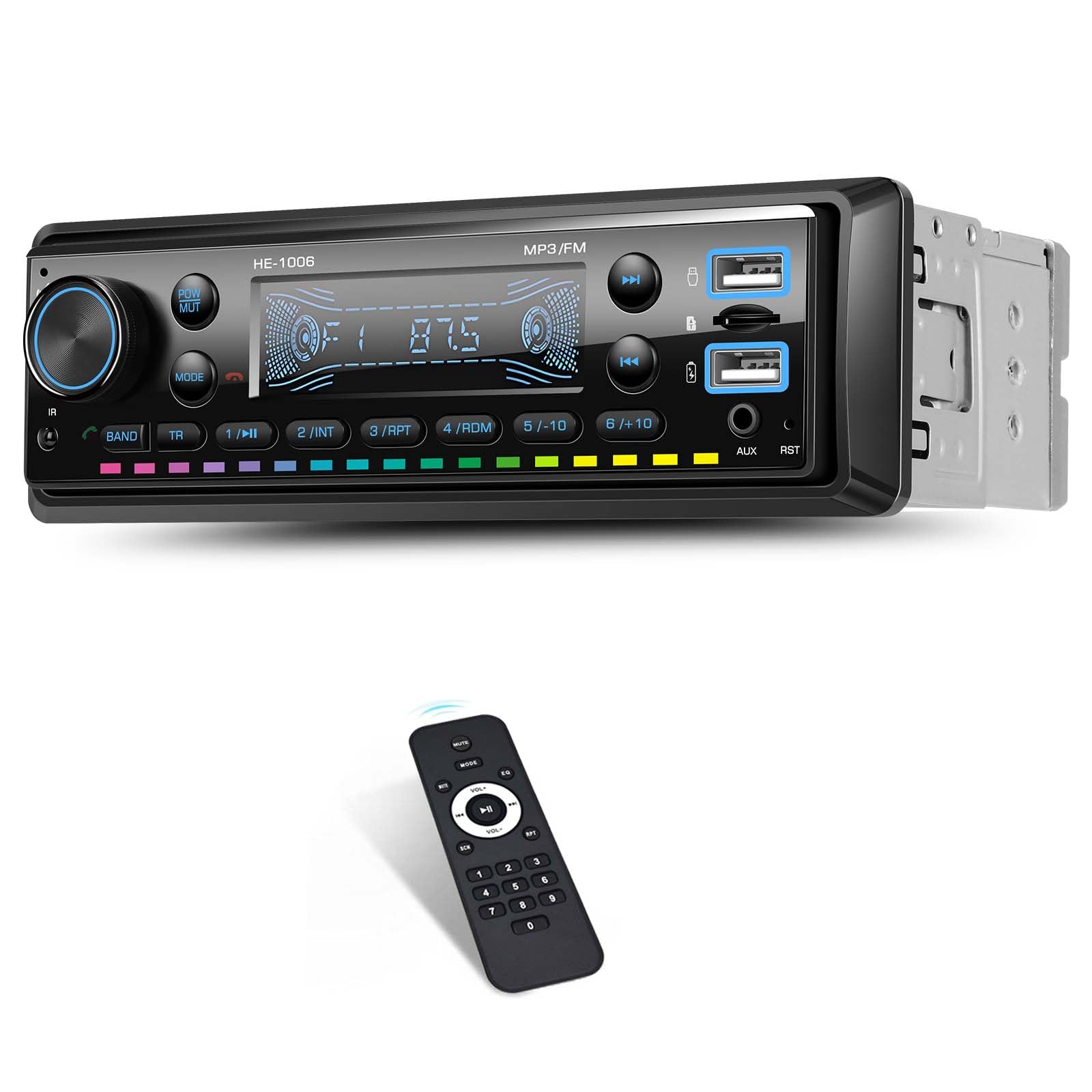
Image: Front panel of the car radio.
Front Panel Controls and Ports
- Power/Mute Button: Press to turn on/off, short press to mute/unmute.
- Volume Knob: Rotate to adjust volume. Press to cycle through modes (FM, BT, USB, AUX, TF).
- Band Button: Selects radio bands (FM1, FM2, FM3).
- TR Button: Track selection / Seek.
- USB Ports: Two USB ports for media playback and charging.
- AUX Input: 3.5mm jack for external audio devices.
- TF Card Slot: For TF card media playback.
- Reset Button (RST): Small button to reset the unit (requires a pointed object).
5. Setup and Installation
Proper installation is crucial for optimal performance and safety. It is recommended to have the unit installed by a professional.
Wiring Connection
Refer to the wiring diagram provided in the package. Ensure all connections are secure and correctly matched to your vehicle's wiring harness. The unit includes intelligent wiring protection that cuts power if cables are reversed, preventing damage.

Image: Wiring protection feature. Incorrect wiring (top) results in power failure protection, while correct wiring (bottom) ensures normal operation.
Key Connections:
- Power Cable: Connect to the vehicle's power supply (constant 12V, accessory 12V, and ground).
- Speaker Cable: Connect to your vehicle's speakers. Ensure correct polarity.
- Antenna: Connect your car's FM antenna.
- AUX Input: For external audio sources.
6. Operating Instructions
Power On/Off
Press the POW/MUT button to turn the unit on or off. A short press will mute or unmute the audio.
FM Radio Operation
Press the MODE button until 'FM' is displayed. Use the BAND button to switch between FM1, FM2, and FM3 bands. Use the seek buttons (TR) to automatically search for stations. You can manually tune by holding the seek buttons.

Image: FM Radio function showing frequency display.
Bluetooth Function
The unit supports Bluetooth version 5.0 for wireless music streaming and hands-free calls.
- Pairing: Ensure Bluetooth is enabled on your mobile device. Select 'BT' mode on the car radio. Search for available devices on your phone and select 'CAR BT' or similar. Enter '0000' if a PIN is required.
- Music Playback: Once paired, you can stream audio from your device to the car radio. Use the radio's controls or your phone to play/pause and skip tracks.
- Hands-Free Calling: When a call comes in, the radio will display the caller ID. Press the answer button on the radio or remote to accept. Use the built-in microphone for communication.
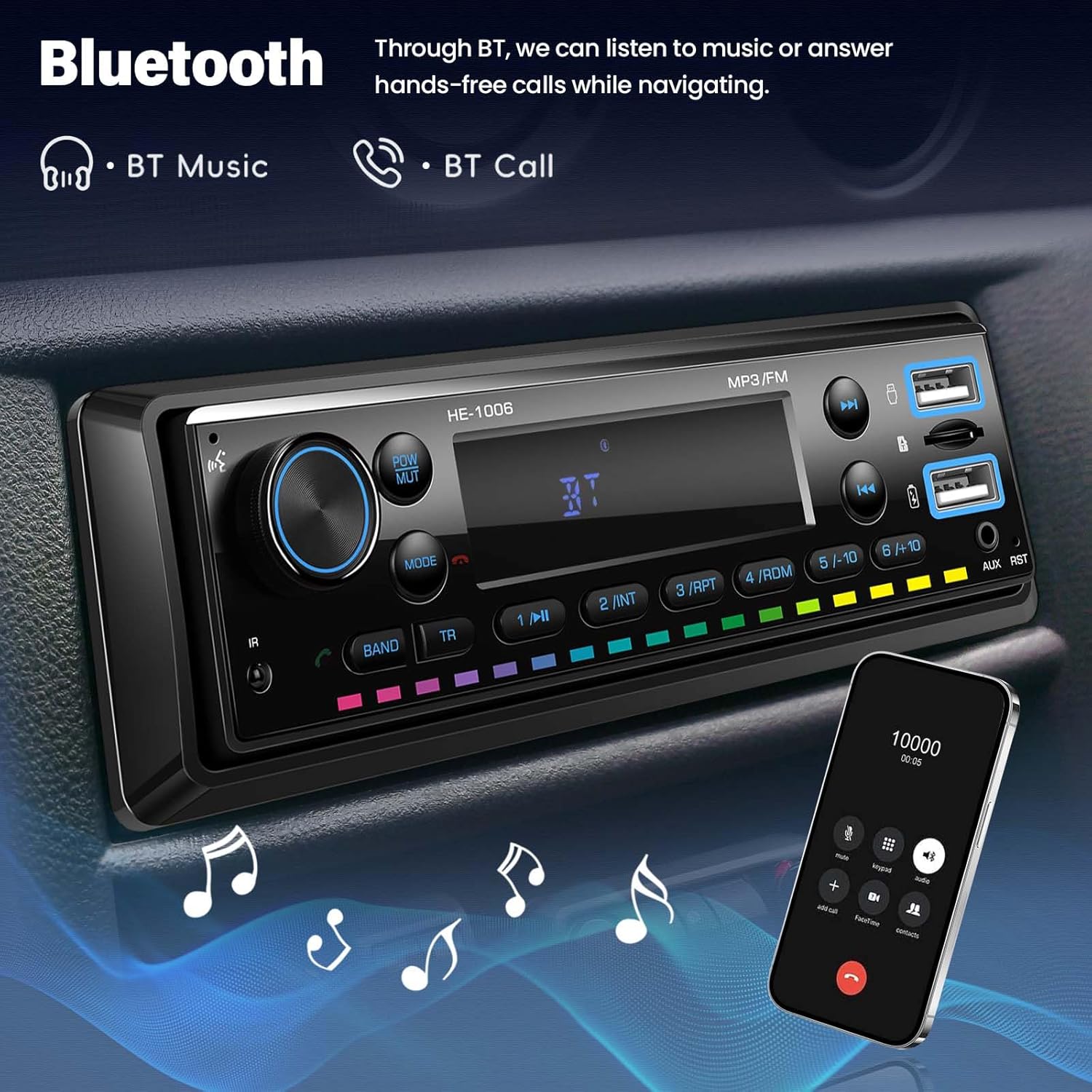
Image: Bluetooth functionality for music and calls.
USB/TF Card Playback
Insert a USB drive or TF card into the respective slot. The unit will automatically switch to USB or TF mode and begin playing compatible audio files (MP3/WMA/WAV/FLAC).

Image: Multiple playback options including USB, TF card, and AUX input.
AUX Input
Connect an external audio device (e.g., smartphone, MP3 player) to the 3.5mm AUX input jack using an audio cable. Press the MODE button until 'AUX' is displayed. Audio will play from your connected device.
USB Charging
The USB port supports charging with true 3A current, 9V voltage, and 25W fast charging. It automatically detects 5V and 9V devices.
Image: USB charging feature in use.
7-Color Key Light
The button backlights can cycle through 7 colors: Red, Green, Blue, Yellow, Cyan, Purple, and White. This setting can usually be adjusted through the menu options (refer to the detailed menu guide in the full manual if available).

Image: 7-Color Key Light feature.
Remote Control
The included remote control allows convenient operation of the radio from a distance, including power, volume, mode selection, and track control.
7. Maintenance
To ensure the longevity and optimal performance of your car radio, follow these simple maintenance guidelines:
- Cleaning: Use a soft, dry cloth to clean the unit's surface. For stubborn dirt, dampen the cloth slightly with water. Avoid harsh chemicals or abrasive cleaners.
- Avoid Liquids: Do not spill liquids on the unit.
- Temperature: Operate the unit within the specified temperature range (-10 to 60 °C).
- Connections: Periodically check all wiring connections to ensure they are secure.
8. Troubleshooting
| Problem | Possible Cause | Solution |
|---|---|---|
| No power | Incorrect wiring; Blown fuse; Loose connection | Check power cable connections; Check vehicle's fuse box; Ensure all wires are secure. |
| No sound | Volume too low; Mute activated; Incorrect speaker wiring | Increase volume; Press MUTE button; Check speaker connections and polarity. |
| Bluetooth not connecting | Bluetooth not enabled on phone; Incorrect pairing; Interference | Ensure phone's Bluetooth is on; Re-pair the device; Move closer to the unit. |
| USB/TF card not playing | Unsupported file format; Card/drive not inserted correctly; Corrupted files | Ensure files are MP3/WMA/WAV/FLAC; Reinsert card/drive; Try a different card/drive. |
| Radio reception poor | Weak signal; Antenna not connected; Interference | Check antenna connection; Move to an area with better signal; Avoid sources of interference. |
9. Specifications
| Feature | Specification |
|---|---|
| Model Number | 769256238482 |
| Manufacturer | SIXTOP |
| Display Material | VALCD |
| Output Power | 4 x 45 W (Amplifier: 7388) / 180 Watts (Total) |
| Operating Voltage | 10 V - 14.4 V |
| Radio Frequency | 87.5 - 108 MHz (FM Band) |
| Operating Temperature | -10 to 60 °C |
| Audio Format Support | MP3/WMA/WAV/FLAC |
| Bluetooth Version | 5.0 |
| Microphone | Supported (Built-in) |
| Video Format | Not Supported |
| Image Format | Not Supported |
| TF Card Support | Yes |
| AUX Input | Yes (3.5mm Jack) |
| USB Charging Output | Yes (3A, 9V, 25W Fast Charging) |
| Colored Lights | 7-Color Key Light |
| Control Method | Manual Control, Remote Control |
| Audio Output Mode | Stereo (2.0 or 2.1 channels) |
10. Warranty and Support
SIXTOP is committed to providing quality products and customer satisfaction.
- Warranty: 2 Years repair or replacement.
- Returns: 30-Day replacement policy.
- Customer Service: 18-hour online response for inquiries.
- Technical Support: Lifetime technical support is provided.
For any questions or support needs, please contact SIXTOP customer service through the platform where you purchased the product or via the contact information provided with your purchase.

