
1. Product Overview
The COWSAR Portable Spot Cooler, Model OL-A016AB20N4, is a versatile 3-in-1 unit designed to provide cooling, dehumidification, and fan functions. It features a powerful 2.0kW cooling capacity, suitable for spaces up to 8 tatami mats (approximately 7.3 square meters), with a temperature setting range of 16-32°C. The unit operates quietly at approximately 53dB, making it suitable for various environments including bedrooms and offices. Its installation-free design and portability allow for flexible placement and easy movement between rooms.
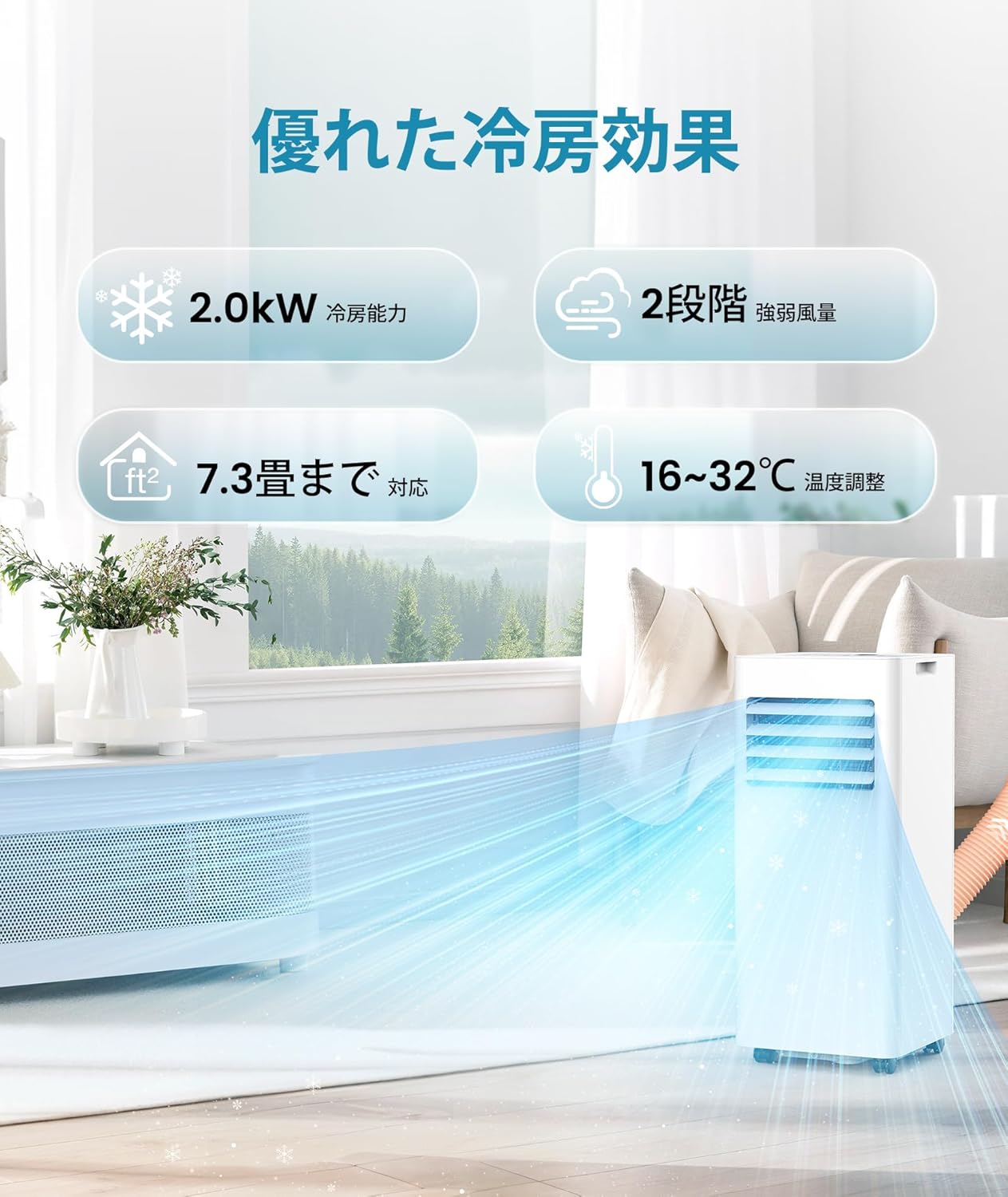
Image 1.1: The COWSAR Portable Spot Cooler effectively cools a living space, distributing air for comfort.

Image 1.2: The unit offers three primary functions: cooling, dehumidification, and fan-only operation.
2. Safety Information
Before operating the unit, please read all safety instructions carefully to prevent injury or damage. Keep this manual for future reference.
- Ensure the power supply matches the unit's requirements (100V).
- Do not block the air intake or exhaust vents.
- Keep the unit upright during operation and transport.
- Do not operate the unit with wet hands.
- Unplug the unit before cleaning or maintenance.
- Keep children and pets away from the unit during operation.
3. Setup and Installation
This portable spot cooler is designed for easy, installation-free setup. No permanent wall modifications or outdoor units are required.
3.1 Unpacking and Placement
- Carefully remove the unit and all accessories from the packaging.
- Place the unit on a flat, stable surface.
- Ensure there is adequate space around the unit for proper airflow (at least 20cm from walls or furniture).
- The unit is equipped with 360-degree rotating casters for easy movement.
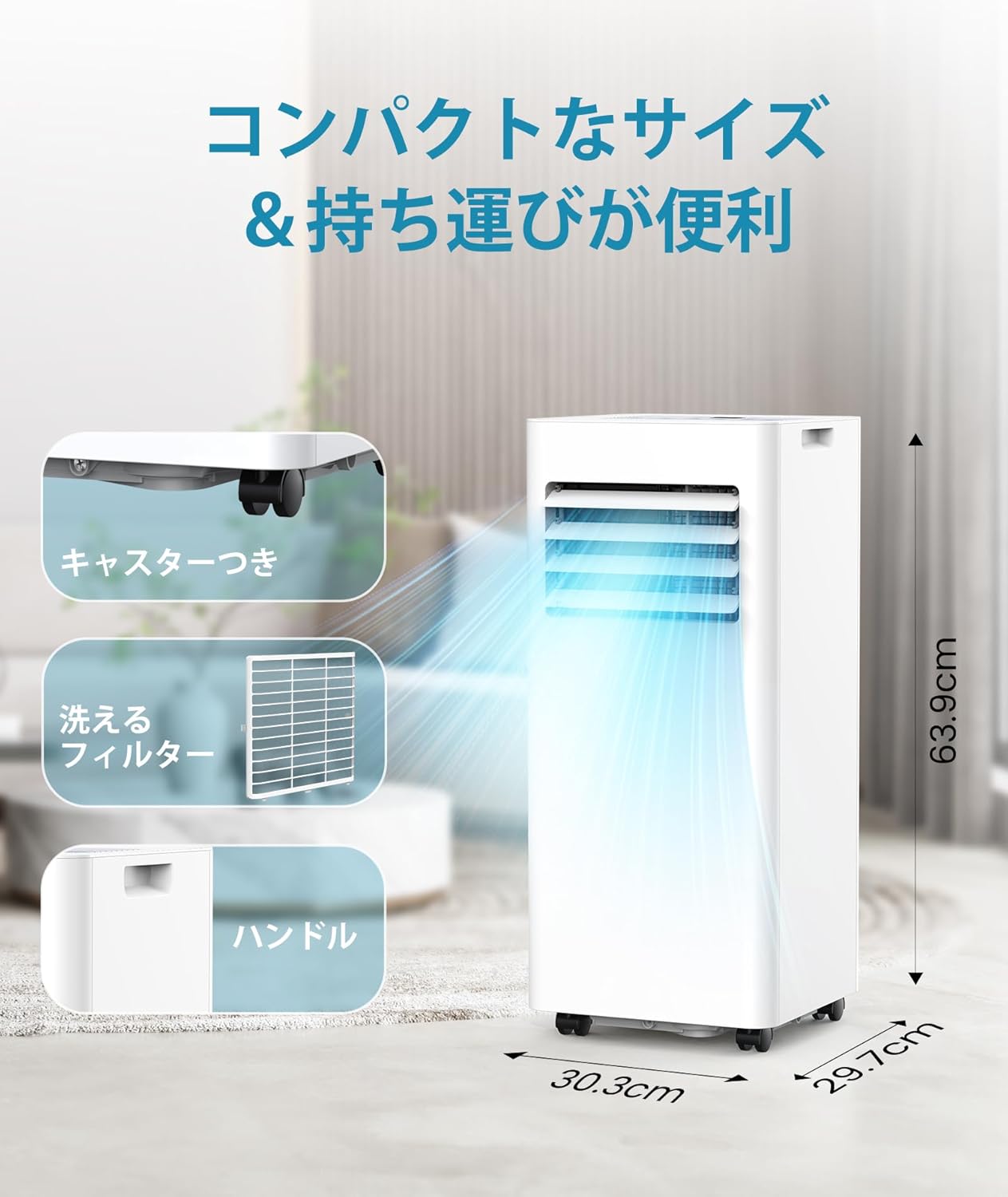
Image 3.1: The compact design includes casters for mobility and a handle for easy lifting.
3.2 Exhaust Hose and Window Panel Installation
To ensure efficient cooling, the exhaust duct must be properly installed to vent hot air outside.
- Attach the exhaust duct to the unit's exhaust port.
- Assemble the window panel kit according to your window type (sliding or double-hung). The window panel is adjustable to fit window heights from 65cm to 125cm.
- Secure the exhaust duct to the window panel.
- Ensure the window is sealed around the panel to prevent hot air from re-entering the room.

Image 3.2: The unit can be easily set up with the included window panel kit, compatible with various window styles.

Image 3.3: The window kit supports both sliding and double-hung window types, accommodating heights from 65cm to 125cm.

Image 3.4: Included accessories: main unit, remote control, window panel, instruction manual, fixing screws, drain hose, and exhaust duct.
4. Operating Instructions
The unit can be operated using the control panel on top of the unit or the included remote control.
4.1 Control Panel and Remote Control
The control panel features intuitive buttons for power, mode selection, temperature adjustment, fan speed, timer, sleep mode, and child lock. The remote control provides convenient access to all functions from a distance.

Image 4.1: The unit features a clear control panel and a remote control for easy operation.

Image 4.2: Operate the unit conveniently from a distance using the remote control.
4.2 Mode Selection
Press the 'Mode' button to cycle through the available operating modes:
- Cooling Mode: Provides powerful cooling to lower room temperature.
- Dehumidification Mode: Removes excess moisture from the air, with a capacity of approximately 20 liters per day.
- Fan Mode: Circulates air without cooling or dehumidifying.
4.3 Temperature and Airflow Adjustment
- Temperature: In Cooling mode, use the 'Up' and 'Down' arrows to set the desired temperature between 16°C and 32°C.
- Airflow: Select between 2 fan speed levels (strong/weak) using the 'Fan Speed' button.
- Louver Adjustment: The vertical airflow direction can be manually adjusted by moving the louvers on the front of the unit.
4.4 Sleep Mode and Timer
- Sleep Mode: Activates a quiet operation setting for comfortable sleep.
- 24H Timer: Use the 'Timer' button to set a 24-hour on/off schedule, allowing you to program the unit to operate according to your daily routine and save energy.

Image 4.3: The sleep mode and 24-hour timer ensure quiet operation and energy efficiency, even during rest.

Image 4.4: Enjoy a peaceful night's sleep with the unit's quiet operation (under 53dB) and programmable 24-hour timer.
4.5 Child Lock
Activate the child lock function to prevent accidental changes to settings.
5. Maintenance
Regular maintenance ensures optimal performance and longevity of your spot cooler.
5.1 Cleaning the Air Filter
The unit features a removable and washable air filter. Clean the filter regularly (e.g., every two weeks or as needed) to maintain airflow and cooling efficiency.
- Unplug the unit from the power outlet.
- Carefully remove the filter cover and pull out the air filter.
- Wash the filter with lukewarm water and a mild detergent. Rinse thoroughly.
- Allow the filter to air dry completely before reinserting it into the unit.
Video 5.1: This video demonstrates how to remove and clean the washable air filter, ensuring easy maintenance and optimal performance.

Image 5.1: The unit features a washable filter for easy maintenance, along with other user-friendly design elements.
5.2 Drainage
The COWSAR spot cooler features a non-drain structure in cooling mode, where condensed water is evaporated internally. However, during dehumidification mode, or if the internal tank fills up, manual drainage or continuous drainage is required.
- Continuous Drainage: For extended dehumidification, connect the included drain hose to the unit's drainage port and direct it to a suitable drain.
- Manual Drainage: If the internal water tank becomes full, the unit will alert you. Unplug the unit and carefully move it to a drain location to empty the tank.

Image 5.2: The unit's powerful dehumidification function helps reduce humidity, especially useful in areas like bathrooms or during rainy seasons.
6. Troubleshooting
If you encounter any issues with your COWSAR Portable Spot Cooler, please refer to the following common troubleshooting steps:
- Unit does not turn on: Check if the power cord is securely plugged into a working outlet. Ensure the power button is pressed.
- No cooling: Verify that the unit is in Cooling mode and the temperature setting is lower than the ambient room temperature. Check if the exhaust hose is properly installed and venting hot air outside. Ensure the air filter is clean.
- Weak airflow: Clean the air filter. Ensure there are no obstructions to the air intake or exhaust vents.
- Water leakage: Check if the drain hose is properly connected for continuous drainage, or if the internal water tank needs to be emptied.
- Unusual noise: Ensure the unit is placed on a flat, stable surface. Check for any foreign objects in the air vents.
If the problem persists after attempting these steps, please contact customer support.
7. Specifications
| Feature | Specification |
|---|---|
| Brand | COWSAR |
| Model Number | OL-A016AB20N4 |
| Cooling Capacity | 2.0 kW (for 6-8 Tatami Mats) |
| Dehumidification Capacity | 20 Liters/day |
| Temperature Setting Range | 16 - 32 °C |
| Airflow Levels | 2 (Strong/Weak) |
| Operating Noise Level | 53 dB |
| Refrigerant | R-410A |
| Voltage | 100 Volts |
| Wattage | 870 W |
| Power Consumption | 520 kWh/year |
| Control Method | Touch Control, Remote Control |
| Product Dimensions (D x W x H) | 29.7 x 30.3 x 69.3 cm |
| Item Weight | 21 kg |
| Installation Type | Installation-Free/Freestanding |
| Outdoor Unit Required | No |
| Country of Origin | China |
8. Warranty and Support
The COWSAR Portable Spot Cooler comes with a 1-year manufacturer's warranty from the date of purchase. This warranty covers defects in materials and workmanship under normal use.
8.1 What is Covered
- Manufacturing defects.
- Malfunctions occurring during normal operation.
8.2 What is Not Covered
- Damage caused by improper installation or use.
- Damage from accidents, abuse, or neglect.
- Normal wear and tear.
- Unauthorized repairs or modifications.
8.3 Contacting Support
For warranty claims, technical assistance, or any questions regarding your product, please contact COWSAR customer support. Refer to your purchase documentation for specific contact details or visit the COWSAR store on Amazon.

Image 8.1: COWSAR customer support details for assistance with product issues or returns.


