
1. Introduction
Thank you for choosing the Waterdrop WD-A1 Countertop Reverse Osmosis System. This innovative appliance provides purified water at hot, cold, and room temperatures, offering convenience and superior filtration without the need for complex installation. It features a 5-stage filtration process, an intuitive OLED smart display, and a no-installation design, making it ideal for various indoor spaces. This manual provides essential information for the safe and efficient operation and maintenance of your new water dispenser.
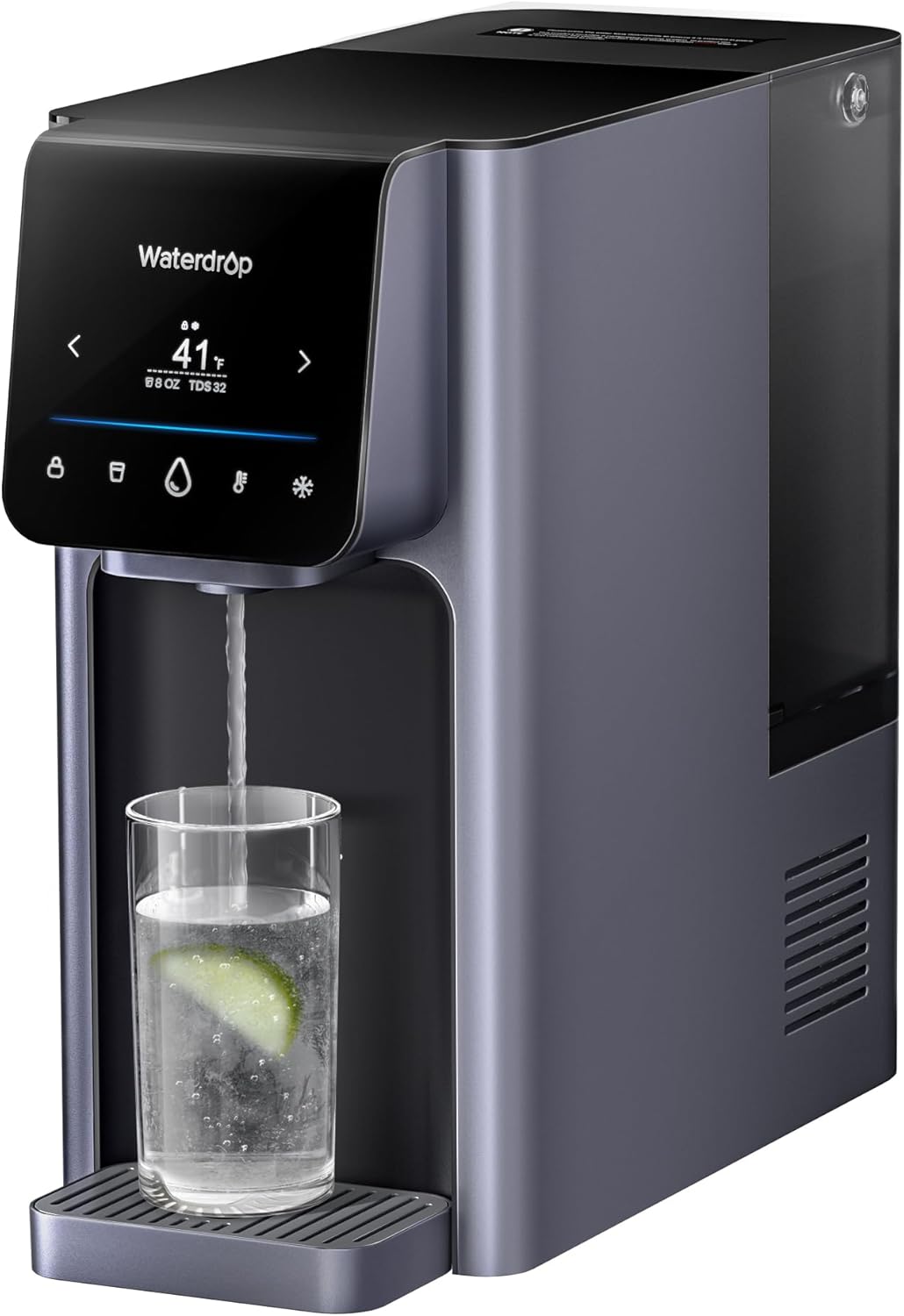
Figure 1: Waterdrop WD-A1 Countertop Reverse Osmosis System. This image shows the sleek, dark grey countertop unit with a glass of water being dispensed, highlighting its modern design and user interface.
2. Safety Information
Please read all safety instructions carefully before using the appliance to prevent injury or damage. Keep this manual for future reference.
- Ensure the appliance is placed on a stable, level surface away from direct sunlight and heat sources.
- Do not immerse the appliance, power cord, or plug in water or other liquids.
- Use only the provided power adapter and connect to a grounded electrical outlet.
- Keep children and pets away from the hot water dispenser to prevent burns. The unit includes a child lock feature for safety.
- Do not operate the appliance if it has a damaged cord or plug, or if it malfunctions or has been damaged in any manner.
- Only use potable tap water with this system. Do not add any other liquids to the water tank.
- Unplug the appliance before cleaning or performing any maintenance.
3. Product Overview
The Waterdrop WD-A1 is an all-in-one countertop RO water filter designed for convenience and performance. It integrates cooling, purifying, and heating functions into a single compact unit.
Key Features:
- 5-Stage Filtration: Effectively reduces TDS, Chrome, Chromium, Fluoride, Arsenic, Lead, PFAS, PFOA, PFOS, iron, radium, calcium, nitrate, chloride, and radioactive substances.
- Temperature Options: Delivers cold water as low as 41℉ (5℃) and hot water up to 203℉ (95℃), suitable for various beverages.
- OLED Smart Display: Provides real-time information on water quality (TDS), volume, temperature, and filter life.
- Installation-Free Design: No plumbing or drilling required; simply plug in and use.
- Large Capacity Tanks: Features a 136oz (4L) raw water tank and a 61oz (1.8L) wastewater tank with a 2:1 pure to drain ratio. Includes a 34oz (1L) iced water tank.
- NSF/ANSI Certified: Tested and certified by SGS according to NSF/ANSI 58 & 42 standards for filtration performance and NSF/ANSI 372 for lead-free materials.

Figure 2: Product Dimensions and Core Functions. This image illustrates the compact dimensions of the WD-A1 (17.1" H x 7.8" W x 18.3" D) and highlights its cooling, purifying, and heating capabilities, with temperature range from 41℉ to 203℉.

Figure 3: 7-Stage Filtration Process. This diagram details the seven stages of filtration, including non-woven fabric, activated carbon layer, scale inhibitor, RO membrane, PP cotton, pre-carbon block, and dual UV, demonstrating how the system effectively removes various contaminants like TDS, lead, arsenic, and chlorine.

Figure 4: NSF/ANSI 372 Certification. This image displays the certification documents and a QR code for scanning the report, confirming the product's compliance with lead-free material standards and third-party testing. For detailed report, visit: http://qr61.cn/o8AsTE/qJkZxsR
4. Setup
The Waterdrop WD-A1 is designed for hassle-free setup, requiring no plumbing or drilling.
Initial Setup Steps:
- Unpack: Carefully remove the water dispenser from its packaging.
- Placement: Place the unit on a flat, stable, and dry countertop or table. Ensure there is adequate space around the unit for ventilation.
- Fill Water Tank: Remove the raw water tank from the back of the unit. Fill it with potable tap water up to the MAX line. Reinsert the tank securely.
- Power On: Plug the power cord into a grounded electrical outlet. The unit will power on and the OLED display will illuminate.
- Initial Flush: For first-time use, it is recommended to dispense and discard at least two full tanks of water to flush the system and ensure optimal water quality.

Figure 5: Installation-Free Design. This image demonstrates the versatility of the WD-A1, showing it being used in various locations such as a living room, bedroom, office, and RV, emphasizing its plug-and-play convenience.
5. Operating Instructions
The Waterdrop WD-A1 features an intuitive OLED smart display for easy operation.
Dispensing Water:
- Select Temperature: Use the touch controls on the OLED display to select your desired water temperature. Options range from 41℉ (cold) to 203℉ (hot), including room temperature. Specific presets for lemonade, baby formula, tea, coffee, and oatmeal are available.
- Select Volume: Choose the desired water volume (e.g., 4oz, 8oz, 16oz, 20oz, or Max) using the volume selection controls.
- Dispense: Place your cup or container under the dispenser nozzle. Press the dispense button to start the water flow. Press again to stop.
- Child Lock: For hot water dispensing, activate the child lock feature as indicated on the display to prevent accidental burns.

Figure 6: Temperature and Volume Settings. This image displays the OLED screen showing various temperature presets (e.g., 41℉ for lemonade, 203℉ for oatmeal) and volume options (4oz to Max), illustrating the user-friendly interface.

Figure 7: Cold Water System. This diagram highlights the internal components responsible for cooling, including a large 34oz ice chamber and quick cooling technology, ensuring instant access to 41℉ cold water.

Figure 8: Hot Water System. This detailed view shows the 360° spiral design for instant heating, allowing the dispenser to heat water from room temperature to 203℉ without waiting.
6. Maintenance
Regular maintenance ensures optimal performance and longevity of your Waterdrop WD-A1 system.
Filter Replacement:
The OLED display will provide a filter life reminder. Replace filters promptly to maintain water quality.
- A1.CF Filter: Replace every 6 months.
- A1.RO Filter: Replace every 12 months.
To replace filters, simply pull and twist the old filter out, then insert the new filter with a twist until it clicks into place. This process takes approximately 3 seconds.
Cleaning:
- Exterior: Wipe the exterior of the unit with a soft, damp cloth. Do not use abrasive cleaners.
- Water Tanks: Periodically clean the raw water tank and wastewater tank with mild soap and water. Rinse thoroughly before reinserting.
- Drip Tray: Empty and clean the drip tray regularly to prevent overflow and bacterial growth.
- LED Protection: The unit features LED protection for the water tanks, which helps inhibit bacterial growth.

Figure 9: Easy Filter Change. This image demonstrates the simple pull-and-twist mechanism for replacing filters, highlighting the A1.CF (6 months) and A1.RO (12 months) filter types.

Figure 10: LED Protection for Water Tanks. This image shows the internal LED light system designed to protect the water tanks from bacterial growth, ensuring cleaner water storage.
7. Troubleshooting
If you encounter issues with your Waterdrop WD-A1, refer to the following common problems and solutions:
| Problem | Possible Cause | Solution |
|---|---|---|
| No water dispensed | Water tank empty; Power not connected; Filters clogged. | Refill raw water tank; Check power connection; Replace filters. |
| Water tastes unusual | New filters (initial flush needed); Filters expired; Contaminated tank. | Perform initial flush; Replace filters; Clean water tanks thoroughly. |
| Hot/Cold water not reaching desired temperature | Temperature setting incorrect; Unit not given enough time to heat/cool. | Verify temperature setting on OLED display; Allow sufficient time for heating/cooling cycles. |
| OLED display not working | Power issue; Unit malfunction. | Check power connection; Unplug and replug the unit; Contact customer support if issue persists. |
| Excessive wastewater | Normal RO process; Clogged RO filter. | The system has a 2:1 pure to drain ratio, which is efficient. If ratio worsens, replace RO filter. |
If the problem persists after attempting these solutions, please contact Waterdrop Customer Support.
8. Specifications
Detailed technical specifications for the Waterdrop WD-A1 Countertop Reverse Osmosis System:
| Attribute | Value |
|---|---|
| Model Number | WD-A1 |
| Color | White |
| Material | Reverse Osmosis System Components |
| Capacity (Raw Water Tank) | 4 Liters (approx. 136 oz) |
| Capacity (Iced Water Tank) | 34 oz |
| Installation Type | Countertop (Installation-Free) |
| Upper Temperature Rating | 203 Degrees Fahrenheit (95℃) |
| Lower Temperature Rating | 41 Degrees Fahrenheit (5℃) |
| Power Source | Corded Electric |
| Product Dimensions | 7.8 x 17.1 x 18.3 inches |
| Item Weight | 38.3 pounds |
| Filtration Stages | 7-Stage (including RO and Dual UV) |
| Pure to Drain Ratio | 2:1 |
| Certifications | NSF/ANSI 58, 42, 372 (SGS Tested) |
9. Warranty and Support
Waterdrop provides a limited warranty for its products. Please refer to the warranty card included with your purchase for specific terms and conditions, including coverage duration and what is covered.
Customer Support:
For technical assistance, troubleshooting not covered in this manual, or warranty claims, please contact Waterdrop Customer Support:
- Visit the official Waterdrop website for contact information and FAQs: www.waterdropfilter.com
- Refer to your purchase platform (e.g., Amazon) for seller-specific support options.
When contacting support, please have your product model (WD-A1) and purchase date ready.