
BNCF Bpad Mini
BNCF Bpad Mini User Manual
Model: Bpad Mini
Introduction
Thank you for choosing the BNCF Bpad Mini. This compact and powerful tablet is designed to enhance your digital experience, offering seamless performance for entertainment, productivity, and communication. This manual provides essential information on setting up, operating, and maintaining your device.
What's in the Box
- BNCF Bpad Mini Tablet
- User Manual
- Gift Box
- Charge (5V/2A)
- SIM Card Ejector Pin
- Type-C (5V/2A) Cable

Setup
1. Initial Charging
Before first use, fully charge your BNCF Bpad Mini. Connect the provided Type-C cable to the tablet's USB-C port and the other end to the included 5V/2A charger. The 6050mAh battery supports 18W PD fast charging for quick power-ups.

2. SIM Card and MicroSD Card Installation
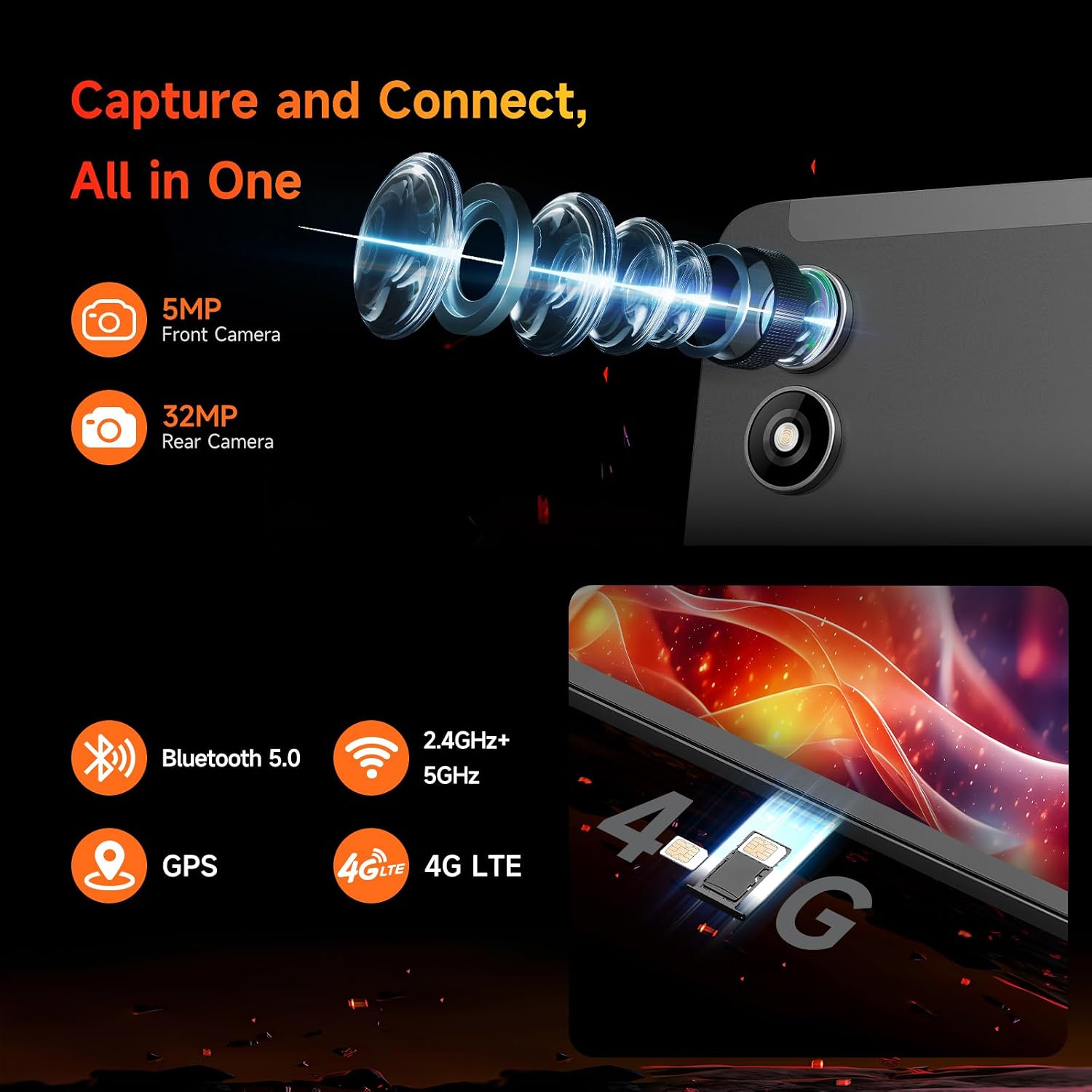
Locate the SIM/MicroSD card tray on the side of the tablet. Use the provided SIM ejector pin to open the tray. Insert your 4G LTE SIM card and/or a MicroSD card (up to 1TB expandable storage) into the designated slots. Ensure the tray is fully reinserted.
3. Powering On/Off
Press and hold the power button (located on the side) until the BNCF logo appears to power on the tablet. To power off, press and hold the power button, then select "Power off" from the options.
4. Initial Setup
Upon first startup, follow the on-screen prompts to configure your Android 14 system. This includes selecting your language, connecting to Wi-Fi, signing in with your Google account, and setting up security features like facial recognition.
Operating Your Tablet
Display and Visuals
The Bpad Mini features an 8.4-inch FHD IPS display with a 1920x1200 resolution and 60Hz refresh rate. It supports Widevine L1 for high-definition streaming on platforms like Netflix and Prime Video. The Incell screen technology provides improved touch accuracy and response.

Performance
Powered by the 6nm Snapdragon 685 (2.8GHz) processor and Adreno 610 GPU, the tablet offers smooth performance for various tasks. With 16GB (8GB physical + 8GB virtual) RAM and 256GB UFS storage (expandable to 1TB via MicroSD), you have ample space and speed for apps, games, and media.

Camera Features
The Bpad Mini is equipped with a 5MP front camera and a 32MP rear camera, capable of capturing high-quality photos and 4K videos. It's ideal for video calls, selfies, and content creation.
Connectivity
Stay connected with dual-band Wi-Fi (2.4G/5G), 4G LTE for mobile data, and Bluetooth 5.0 for seamless accessory pairing. Integrated GPS provides reliable navigation.
Audio Experience
Enjoy immersive audio with the tablet's dual speakers, delivering a cinematic sound experience for movies, music, and games.
Gaming and Entertainment
The 6-Axis gyroscope sensor enhances gaming stability and precision. The tablet is compatible with Bluetooth game controllers and supports native Android games, game streaming, and emulators.
Maintenance
Battery Care
- Avoid extreme temperatures, which can degrade battery life.
- Use only the provided charger or a certified compatible charger.
- For long-term storage, charge the tablet to about 50% and power it off.
Cleaning
- Use a soft, lint-free cloth to clean the screen and body.
- Avoid using harsh chemicals or abrasive materials.
Software Updates
Regularly check for system updates to ensure optimal performance, security, and access to the latest features. Navigate to Settings > System > System update.
Troubleshooting
| Problem | Possible Cause / Solution |
|---|---|
| Tablet does not turn on | Ensure the battery is charged. Press and hold the power button for at least 10 seconds to force a restart. |
| Slow performance / Lagging | Close unnecessary background apps. Clear cache. Restart the tablet. Ensure sufficient storage space. |
| Wi-Fi connectivity issues | Restart your Wi-Fi router. Forget and reconnect to the network on the tablet. Ensure the tablet is within Wi-Fi range. |
| Apps crashing or not loading | Clear the app's cache and data (Settings > Apps > [App Name] > Storage). Reinstall the app. Ensure the tablet's software is up to date. |
| Touch screen unresponsiveness | Restart the tablet. Ensure the screen is clean and dry. |
Specifications
| Feature | Detail |
|---|---|
| Model Name | Bpad Mini |
| Operating System | Android 14 |
| Processor | Snapdragon 685 (2.8GHz) |
| Screen Size | 8.4 Inches |
| Screen Resolution | 1920 x 1200 pixels (FHD IPS) |
| RAM | 16GB (8GB physical + 8GB virtual) |
| Internal Storage | 256GB UFS (Expandable to 1TB) |
| Rear Camera | 32 MP |
| Front Camera | 5 MP |
| Battery Capacity | 6050mAh (18W PD Fast Charging) |
| Connectivity | 4G LTE, Dual-band Wi-Fi (802.11ax), Bluetooth 5.0, GPS |
| Dimensions (LxWxH) | 7.9 x 4.9 x 0.3 inches |
| Item Weight | 11.2 ounces (approx. 318g) |
Warranty and Support
BNCF is committed to providing high-quality products and excellent customer service. For tablets purchased from the BNCF Official Flagship Store, customers benefit from a 12-month free repair warranty and lifetime technical support.
If you encounter any issues or have questions, please contact BNCF Global customer service. You can expect a response within 24 hours. For more information, visit the BNCF Store on Amazon.

Related documentsBpad Mini

Ask a question about this manual
Ask about setup, troubleshooting, compatibility, parts, safety, or missing instructions. Manuals+ will review the question and use this page’s manual context to help answer it.