
1. Introduction
This manual provides detailed instructions for the installation, operation, and maintenance of your Conciseer 52-inch modern ceiling fan. Designed for both indoor and outdoor use (not directly exposed to rain), this fan combines a sleek design with advanced features to enhance comfort in your living spaces.
Key Features:
- 52-inch modern design with dual-color blades (Black/Wood Grain).
- Super thin body design for a contemporary aesthetic.
- Equipped with a remote control for convenient operation.
- 6-speed reversible DC motor for quiet and energy-efficient performance.
- Integrated 18W LED light with 3 CCT (Correlated Color Temperature) options (3000K, 4500K, 6500K) and stepless dimming.
- Timer function with 2, 4, and 8-hour settings.
2. Safety Information
Please read all instructions carefully before beginning installation. Failure to follow these instructions could result in electric shock, fire, or personal injury.
- Always turn off power at the circuit breaker before installation or maintenance.
- Ensure all electrical connections comply with local codes and ordinances.
- Consult a qualified electrician if you are unsure about wiring or installation procedures.
- Mount the fan to a ceiling joist or support structure capable of supporting the fan's weight.
- Keep hands, clothing, and other objects clear of the fan blades during operation.
- This fan is not water-resistant and should not be directly exposed to rain.
3. What's in the Box
Verify that all components are present before beginning installation:
- Ceiling Fan Motor Assembly
- 5 Fan Blades
- LED Light Kit
- Remote Control
- Downrods (various sizes)
- Mounting Hardware
- Instruction Manual
4. Setup
Installation Overview
The Conciseer ceiling fan is designed for easy installation with detailed instructions provided in the manual. While assembly is straightforward, ensure proper electrical connections and secure mounting to the ceiling.
Blade Installation and Customization
The fan features 5 dual-color blades, offering versatility to match your decor. One side is black, and the opposite side features a wood grain finish. Choose the desired side before attaching the blades to the motor assembly.

Figure 4.1: Dual-color blades offer both black and wood grain options for versatile styling.
Downrod Options
Two sizes of downrods are included to accommodate different ceiling heights and usage scenarios, ensuring optimal fan placement and airflow.

Figure 4.2: Select the appropriate downrod length (4.92in or 9.84in) for your ceiling height.
5. Operating Instructions
Your Conciseer ceiling fan comes with a remote control for convenient operation of all functions.
Remote Control Functions
The remote allows you to control the fan and light independently. Refer to the diagram below for button functions.

Figure 5.1: Remote control layout and button functions.
Fan Speed Control
The fan offers 6 adjustable speeds to suit your comfort needs, from a soft breeze to strong airflow.
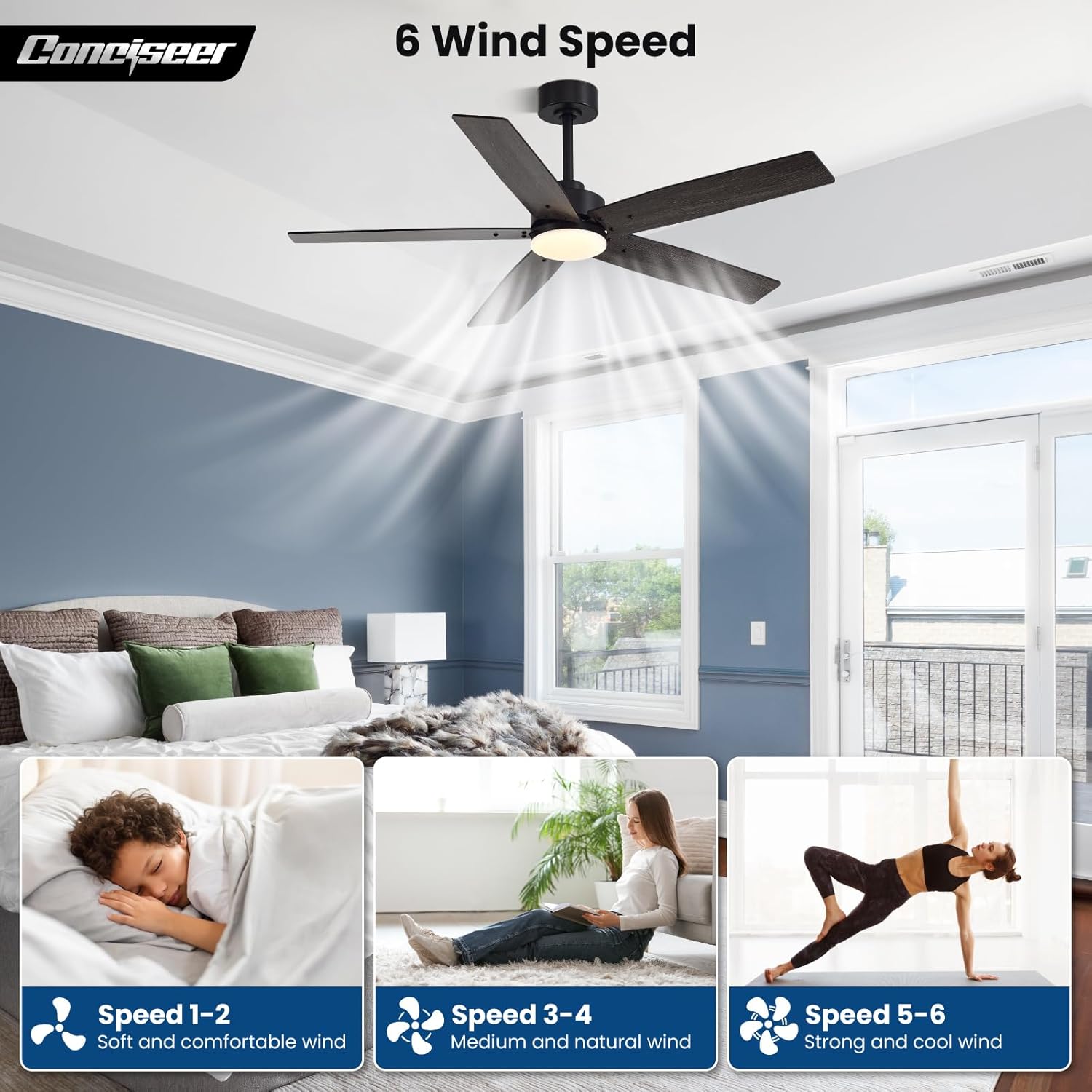
Figure 5.2: Adjust fan speed for desired airflow.
Light Control and Color Temperature
The integrated LED light can be dimmed steplessly from 10% to 100% brightness. You can also switch between three color temperatures: 3000K (warm light), 4500K (natural light), and 6500K (cool light).

Figure 5.3: Stepless dimming from 10% to 100% brightness.

Figure 5.4: Select from 3000K, 4500K, or 6500K light temperatures.
Reversible Function
The fan features a reversible motor to optimize air circulation throughout the year. In summer, the fan operates in forward mode (downward airflow) to create a cooling effect. In winter, reverse the fan direction (upward airflow) to circulate warm air trapped near the ceiling.

Figure 5.5: Utilize the reversible function for year-round comfort.
Timer Function
Set the fan to automatically turn off after 2, 4, or 8 hours using the timer function on the remote control.

Figure 5.6: Set the fan to turn off automatically with the timer function.
Official Product Video
Video 5.1: This video demonstrates the features of the Conciseer CS5206-MBK-WD Ceiling fan, including its quiet operation, multiple speed settings, and light functions.
6. Maintenance
Regular maintenance ensures optimal performance and longevity of your ceiling fan.
- Cleaning: Dust the fan blades and motor housing regularly with a soft, damp cloth. Do not use abrasive cleaners or solvents.
- Tightening Screws: Periodically check all screws for tightness. Due to natural movement, some connections may become loose over time.
- Light Source: The LED light source is integrated and not user-replaceable. If the light fails, contact customer support.
7. Troubleshooting
If you encounter any issues with your ceiling fan, refer to the following common problems and solutions:
| Problem | Possible Cause | Solution |
|---|---|---|
| Fan does not start | No power to the fan; Loose wire connections; Remote control battery low. | Check circuit breaker; Ensure all wires are securely connected; Replace remote control batteries. |
| Fan makes noise | Loose screws; Blades unbalanced; Motor issues. | Tighten all screws on the fan and mounting bracket; Check blade balance; Contact customer support if noise persists. |
| Light does not work | No power to the light; Loose wire connections; LED module failure. | Check light switch and circuit breaker; Ensure light wires are connected; Contact customer support. |
| Remote control not working | Low battery; Remote not paired; Obstruction. | Replace remote batteries; Re-pair remote with fan (refer to specific pairing instructions if provided with product); Ensure no obstructions between remote and fan receiver. |
8. Specifications
| Feature | Detail |
|---|---|
| Brand | Conciseer |
| Model Number | Conciseer-52L |
| Size | 52 inches |
| Color | Black/Wood Grain |
| Material | Metal, Plastic |
| Number of Blades | 5 |
| Motor Type | DC Motor |
| Speed Settings | 6 Speeds |
| Light Source Type | LED |
| Wattage | 18 watts |
| Brightness | 1000 Lumens (Maximum) |
| Color Temperature | 3000K, 4500K, 6500K (3CCT) |
| Dimmable | Yes (Stepless) |
| Control Method | Remote Control |
| Timer Function | 2H, 4H, 8H |
| Indoor/Outdoor Usage | Indoor, Outdoor (not directly exposed to rain) |
| Item Weight | 12.97 pounds |
| Product Dimensions | 8 x 52 x 8 inches |
9. Warranty Information
Conciseer products are manufactured to the highest quality standards. This product is covered by a limited warranty against defects in materials and workmanship from the date of purchase. Please retain your proof of purchase for warranty claims. The warranty does not cover damage caused by improper installation, misuse, accidents, or unauthorized modifications.
10. Customer Support
If you have any questions regarding the installation, operation, or maintenance of your Conciseer ceiling fan, please do not hesitate to contact our customer support team. We are committed to providing timely assistance.
For support, please visit the Conciseer store on Amazon or refer to the contact information provided with your purchase documentation.