
1. Introduction
This manual provides essential information for the safe and efficient operation of your Bettdow AC1053 Smart Projector. Please read it thoroughly before using the device and retain it for future reference. The Bettdow AC1053 is designed to deliver a high-quality visual experience with its native 1080P resolution, 4K support, and smart Android 9.0 operating system.
2. Product Overview
2.1 Key Features
- Display Technology: Native 1920x1080P resolution with 4K support.
- Brightness: 22000 Lumens (650 ANSI Lumens).
- Contrast Ratio: 20000:1 for sharp and vibrant images.
- Operating System: Integrated Android 9.0 for smart functionality and app access.
- Connectivity: Dual-band WiFi (2.4G + 5G) and Bluetooth 5.1.
- Audio: Two built-in 10W HiFi speakers with Dolby audio support.
- Projection Size: Flexible screen size from 42 to 300 inches.
- Correction: Manual focus and ±30° vertical keystone correction.
- Portability: Compact and portable design for various environments.

Image: Overview of the Bettdow AC1053 Projector's key features including resolution, smart OS, connectivity, and audio.
2.2 Projector Components and Ports
Familiarize yourself with the projector's physical layout and connection options.

Image: Detailed view of the projector's rear panel showing various input/output ports and their labels.
- RJ45 Interface: For wired network connection.
- USB Port: Connect USB drives for media playback or external devices.
- HDMI Port: Connect to HDMI-compatible devices like laptops, gaming consoles, or TV boxes.
- Audio Jack (3.5mm): For connecting external headphones or speakers.
- AV Input: For connecting older devices using an AV cable.
- IR Receiver: For remote control signals.
- AC Input: Power connection port.
3. Setup
3.1 Placement
Choose a suitable location for your projector. The Bettdow AC1053 supports various mounting options and projection distances to achieve your desired screen size.
- Projection Distance: Between 1.44m and 9.2m for screen sizes from 42 to 300 inches.
- Mounting Options: Tabletop, floor stand, or ceiling mount.

Image: Illustration of flexible projection sizes and diverse mounting possibilities for the projector.
3.2 Power Connection
Connect the provided power adapter to the AC input port on the projector and then plug it into a power outlet. The projector is compatible with AC/DC power sources.
3.3 Initial Setup (Android, WiFi, Bluetooth)
Upon first power-on, follow the on-screen instructions to complete the initial setup, including language selection, network connection, and time zone settings. Connect to your WiFi network for internet access and app downloads.
4. Operating Instructions
4.1 Basic Operation
- Power On/Off: Press the power button on the projector or the remote control to turn the device on or off.
- Navigation: Use the directional buttons on the remote control to navigate through menus and select options.
4.2 Focus and Keystone Correction
Achieve a clear and rectangular image using the following adjustments:
- Manual Focus: Rotate the focus knob on the projector lens until the image appears sharp and clear.
- Keystone Correction: Use the remote control to adjust the vertical keystone correction by up to ±30 degrees to correct distorted images when the projector is not perfectly perpendicular to the screen.

Image: Adjusting vertical keystone correction with the remote control to ensure a properly shaped image.
4.3 Connecting Devices
The projector offers multiple connectivity options:
- HDMI: Connect laptops, gaming consoles (PS4, PS5), TV boxes, or other HDMI-enabled devices for high-definition video and audio.
- USB: Plug in USB flash drives to play media files directly.
- AV: Use the AV input for older devices like DVD players.
- Bluetooth 5.1: Pair with Bluetooth headphones or external speakers for enhanced audio.
- WiFi (2.4G/5G): Connect to your home network for streaming content, browsing, and app usage.

Image: Demonstrating dual-band WiFi connectivity for fast and stable streaming or gaming.
4.4 Using the Android System
The integrated Android 9.0 system allows you to access a wide range of applications directly on the projector.
- App Downloads: Access the app store to download streaming services, games, and productivity tools.
- Media Playback: Stream content from installed apps or play local media files from a USB drive.
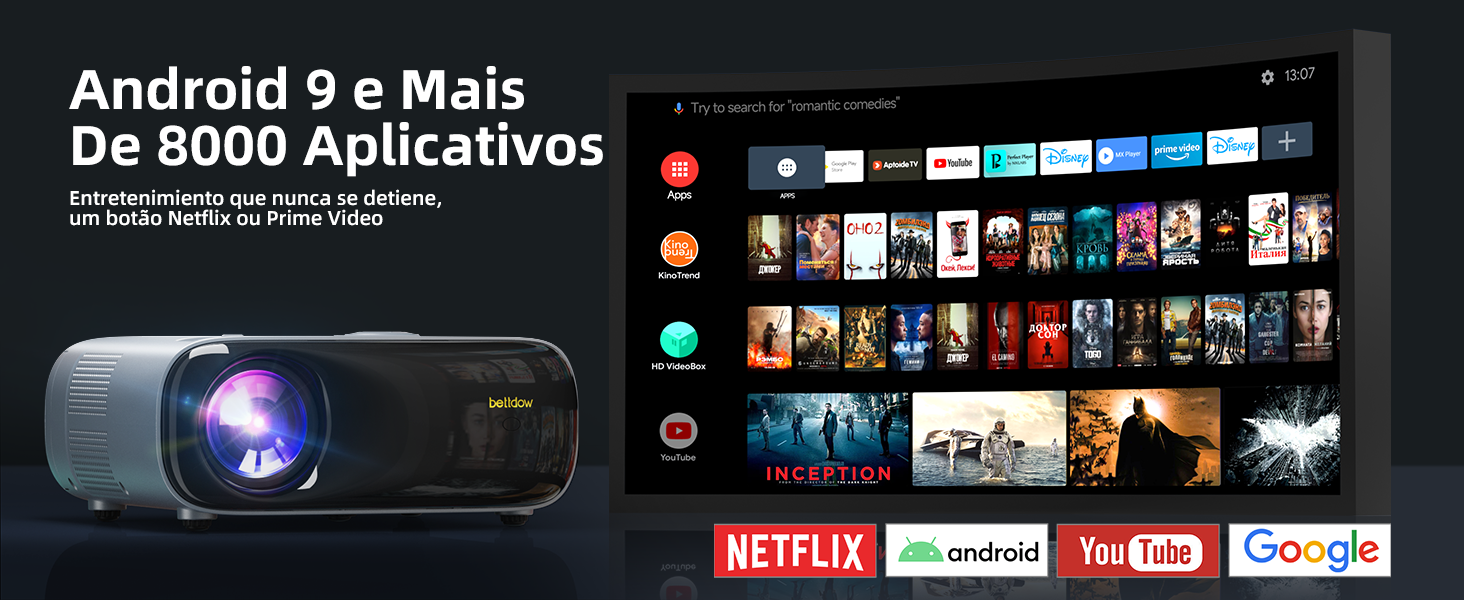
Image: The Android 9.0 interface showing available applications for entertainment and productivity.
5. Maintenance
5.1 Cleaning
- Lens: Use a soft, lint-free cloth specifically designed for optical lenses to gently wipe the projector lens. Avoid abrasive materials or harsh chemicals.
- Exterior: Clean the projector's exterior with a soft, dry cloth. Do not use liquid cleaners directly on the device.
- Ventilation: Ensure the ventilation openings are clear of dust and obstructions to prevent overheating.
5.2 Lamp Life
The projector lamp has an estimated lifespan of 30,000 hours. Regular cleaning and proper ventilation can help maximize its longevity.
6. Troubleshooting
If you encounter issues with your projector, refer to the following common problems and solutions:
| Problem | Possible Cause | Solution |
|---|---|---|
| No image displayed | Loose power cable, incorrect input source, device not powered on. | Check power connections, select correct input source (HDMI, AV), ensure connected device is on. |
| Blurred image | Incorrect focus, projector too close/far from screen. | Adjust the focus knob. Ensure projector is within optimal projection distance. |
| Distorted image (trapezoid shape) | Projector not perpendicular to the screen. | Use keystone correction via the remote control to adjust the image shape. |
| No sound | Volume too low, incorrect audio output, external device audio settings. | Increase volume. Check audio output settings on the projector and connected device. Ensure Bluetooth speakers are paired correctly. |
| WiFi connection issues | Incorrect password, weak signal, router issues. | Verify WiFi password. Move projector closer to the router. Restart router and projector. |
7. Specifications
| Feature | Detail |
|---|---|
| Brand | Bettdow |
| Model | AC1053 |
| Native Resolution | 1920 x 1080 (Full HD) |
| Supported Resolution | Up to 4K (3840 x 2160) |
| Brightness | 22000 Lux (650 ANSI Lumens) |
| Contrast Ratio | 20000:1 |
| Aspect Ratio | 4:3, 16:9 |
| Projection Size | 42 - 300 inches |
| Projection Distance | 1.44 - 9.2 meters |
| Keystone Correction | Vertical ±30° |
| Focus Adjustment | Manual |
| Operating System | Android 9.0 |
| WiFi | 2.4G + 5G |
| Bluetooth | 5.1 |
| Audio | 2 x 10W HiFi Speakers, Dolby Audio Support |
| Input Interfaces | HDMI, USB, AV, RJ45 |
| Output Interfaces | 3.5mm Audio Jack |
| Lamp Life | 30,000 hours |
| Power Source | AC/DC |
| Refresh Rate | 60 Hz |
| Weight | 3.64 Kilograms |
| Color | Gray |
8. Warranty and Support
The Bettdow AC1053 Projector comes with a 1-year manufacturer's warranty. For technical support, warranty claims, or further assistance, please contact Bettdow customer service through the retailer where the product was purchased. Keep your proof of purchase for warranty validation.
