1. Introduction
This manual provides detailed instructions for the safe installation, operation, and maintenance of your NKPU 52-Inch Low Profile Ceiling Fan with Light and Remote Control. Please read this manual thoroughly before installation and keep it for future reference.
Key Features:
- Multifunctional design with 5.31" and 7.81" down rods for adjustable height and compatibility with flush or 15° tilt ceilings.
- Equipped with five exquisitely designed nickel-colored fan blades.
- Reversible DC motor with 6 adjustable wind speeds (comfortable, natural, strong wind) for year-round use (winter warmth, summer cooling).
- Dimmable LED lights with 3 color temperatures (warm light 3000K, daylight 4000K, cool light 6500K) and 5%-100% brightness adjustment.
- Convenient control via included remote control or the "fan lamp pro" mobile application.
- Quiet operation with a noise level of approximately 30 dB.
2. Safety Information
Always disconnect power at the circuit breaker before installing, cleaning, or performing any maintenance on the fan. Ensure all electrical connections comply with local codes and ordinances. If you are unsure about wiring, consult a qualified electrician.

This image illustrates the safety features, including motor protection and soundless operation, ensuring a peaceful environment.
3. What's in the Box
Your NKPU Ceiling Fan package includes the following components:
- 1 x Ceiling Fan with Lights Kits
- Remote Control
- Instruction Manual
4. Setup and Installation
Mounting Options:
The fan comes with two downrods (5.31" and 7.81") allowing you to choose the appropriate height for your room. It can be installed on both flush ceilings and ceilings with up to a 15° tilt.
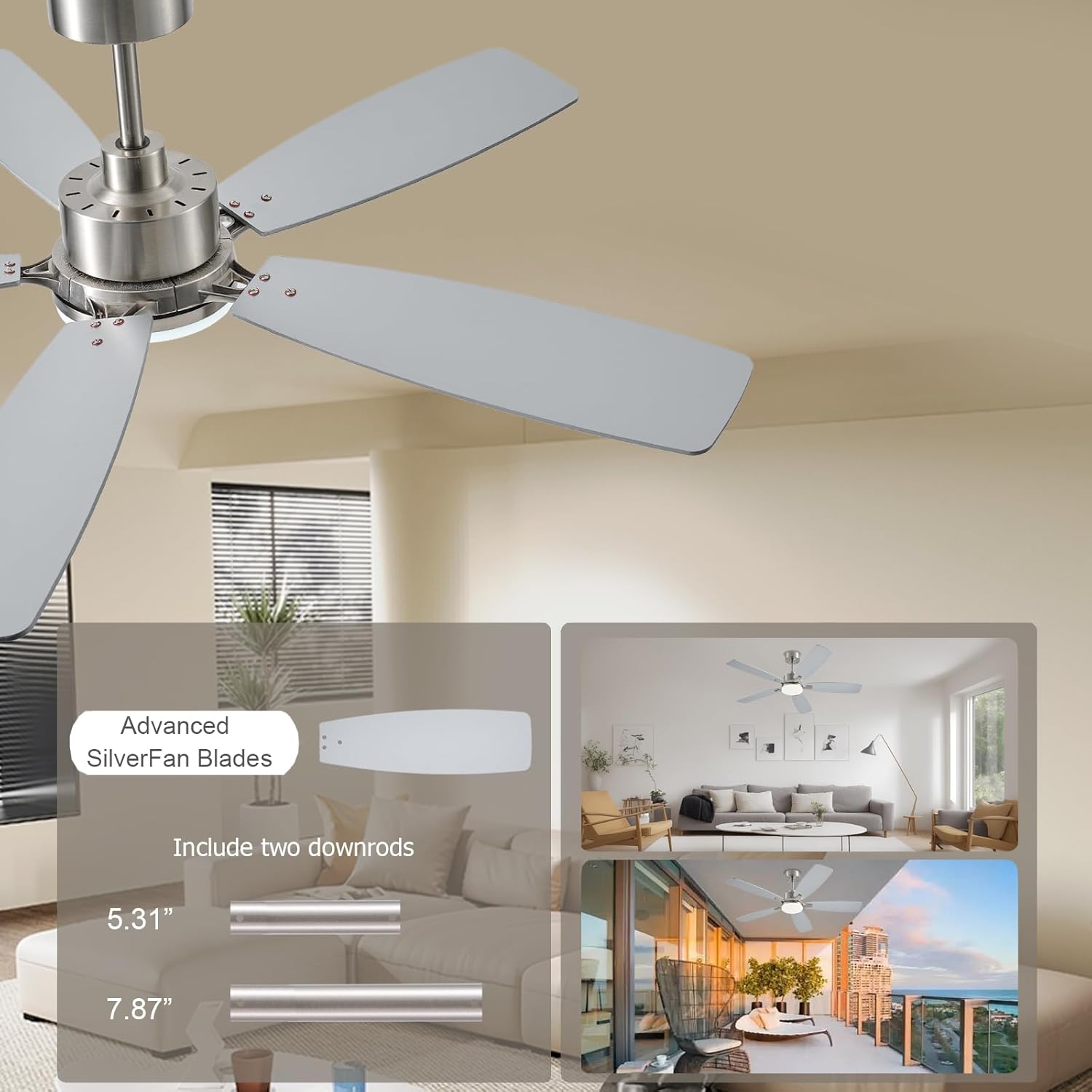
The fan includes two downrods for flexible installation height.

Dimensions and versatile installation options for various ceiling types.
Installation Video:
For a visual guide to the installation process, please refer to the official product video below. This video demonstrates the steps required to set up your ceiling fan.
Official installation and display video for the NKPU 52-inch Ceiling Fan.
5. Operating Instructions
Remote Control Operation:
The included remote control allows for convenient adjustment of fan speed, light settings, and timer functions. Refer to the diagram below for button functions.

Detailed functions of the remote control for your ceiling fan.
Mobile App Control:
Control your ceiling fan using the "fan lamp pro" mobile application. Scan the QR code or visit the link below to download the app and follow the on-screen instructions for pairing.

Instructions for setting up and using the mobile application to control your fan.
Download the app here: https://www.jasonghost.com/fanlamppro/
Light Control:
The integrated LED light offers three color temperatures (3000K Warm Light, 4000K Natural Light, 6000K Cold Light) and is dimmable from 5% to 100% brightness, allowing you to customize the ambiance.

Customize your lighting with three color temperatures and adjustable brightness.
Fan Speed and Reversible Motor:
The fan features 6 adjustable wind speeds to suit your comfort needs. The reversible DC motor allows for dual-direction air circulation, providing a cooling effect in summer and enhancing air circulation to keep you warm in winter.

Utilize the reversible motor for optimal comfort in both summer and winter.

Choose from 6 wind speeds for various activities and comfort levels.
Timer Function:
Set the fan to automatically turn off after 1, 2, or 4 hours using the timer function, providing convenience and energy saving.

The fan operates quietly and includes a convenient timer function.
6. Maintenance
Regular maintenance ensures optimal performance and longevity of your ceiling fan. Always ensure the power is off before cleaning.
Cleaning:
- Wipe the fan blades and motor housing with a soft, damp cloth.
- Do not use abrasive cleaners or solvents, as they may damage the finish.
- Periodically check all connections and screws to ensure they are secure.
7. Troubleshooting
If you encounter any issues with your ceiling fan, refer to the common troubleshooting tips below:
- Fan does not turn on: Check the circuit breaker and ensure all wiring connections are secure. Verify the remote control battery is not depleted.
- Fan is noisy: Ensure all screws are tightened. Check if the blades are balanced and free from obstructions.
- Light does not work: Check the light switch and ensure the light is properly connected. Verify brightness settings are not set to minimum.
- Remote control not working: Replace the remote control battery. Ensure the remote is within range and not obstructed. Re-pair the remote if necessary (refer to app instructions for pairing process).
For further assistance, please contact customer support.
8. Specifications
| Feature | Detail |
|---|---|
| Brand | NKPU |
| Model Name | BR-SY54 |
| Item Model Number | SY54-Nickel |
| Color | Nickel |
| Electric Fan Design | Ceiling Fan |
| Power Source | DC |
| Style | Modern |
| Product Dimensions | 52"D x 51.98"W x 16.54"H |
| Room Type | Laundry Room, Kitchen, Bedroom, Home Office, Study Room |
| Special Feature | Remote Controlled, Adjustable Height, LED Light, Adjustable Tilt |
| Recommended Uses For Product | Cooling, Air Circulation, Lighting |
| Noise Level | 30 dB |
| Wattage | 60 watts |
| Finish Type | Metallic |
| Number of Blades | 5 |
| Blade Length | 25 Inches |
| Voltage | 110 Volts |
| Item Weight | 11.68 Pounds |
| Indoor/Outdoor Usage | Outdoor, Indoor |
| Control Method | App, Remote |
| Light Type | LED |
| Blade Material | Engineered Wood, Metal |
| Is Cordless? | Yes |
| Number of Power Levels | 6 |
| Downrod Length | 7.88 Inches |
| Manufacture Year | 2025 |
| Size | 52inch |
| Part Number | SY54-Nickel |
| Batteries Included? | No |
| Batteries Required? | Yes |
| Date First Available | March 18, 2025 |
| Country of Origin | China |
9. Warranty and Support
We are committed to providing excellent customer service. Your NKPU Ceiling Fan comes with a 1-year warranty. We also offer 24-hour customer support to assist you with any questions or issues you may encounter during installation or use.
Please feel free to contact us if you require assistance. Contact details can typically be found on the product packaging or through your purchase platform.


