1. Important Safety Information
Please read this user manual carefully before installing, operating, or performing maintenance on your Haier washing machine. Keep this manual for future reference. Failure to follow these instructions may result in electric shock, fire, property damage, or personal injury.
- Ensure the appliance is properly grounded.
- Do not allow children to play with or operate the appliance.
- Unplug the appliance before cleaning or performing any maintenance.
- Do not wash items that have been cleaned, washed, soaked, or spotted with combustible or explosive substances.
- Do not install or store this appliance where it will be exposed to the weather or to freezing temperatures.
2. Setup and Installation
2.1 Unpacking
Carefully remove all packaging materials. This includes the polystyrene base, plastic bags, and any transport bolts. Keep packaging materials out of reach of children. Remove the transport bolts located at the rear of the machine before use. Failure to remove these bolts will cause severe vibration and damage.
2.2 Location
Place the washing machine on a firm, level surface. Ensure there is adequate space around the machine for ventilation and access. Avoid direct sunlight or extreme temperatures.
2.3 Water Connection
Connect the water inlet hose to a cold water tap with a 3/4-inch thread. Ensure all connections are tight to prevent leaks. Position the drain hose into a standpipe or over the edge of a sink, ensuring it is securely fixed to prevent displacement during operation.
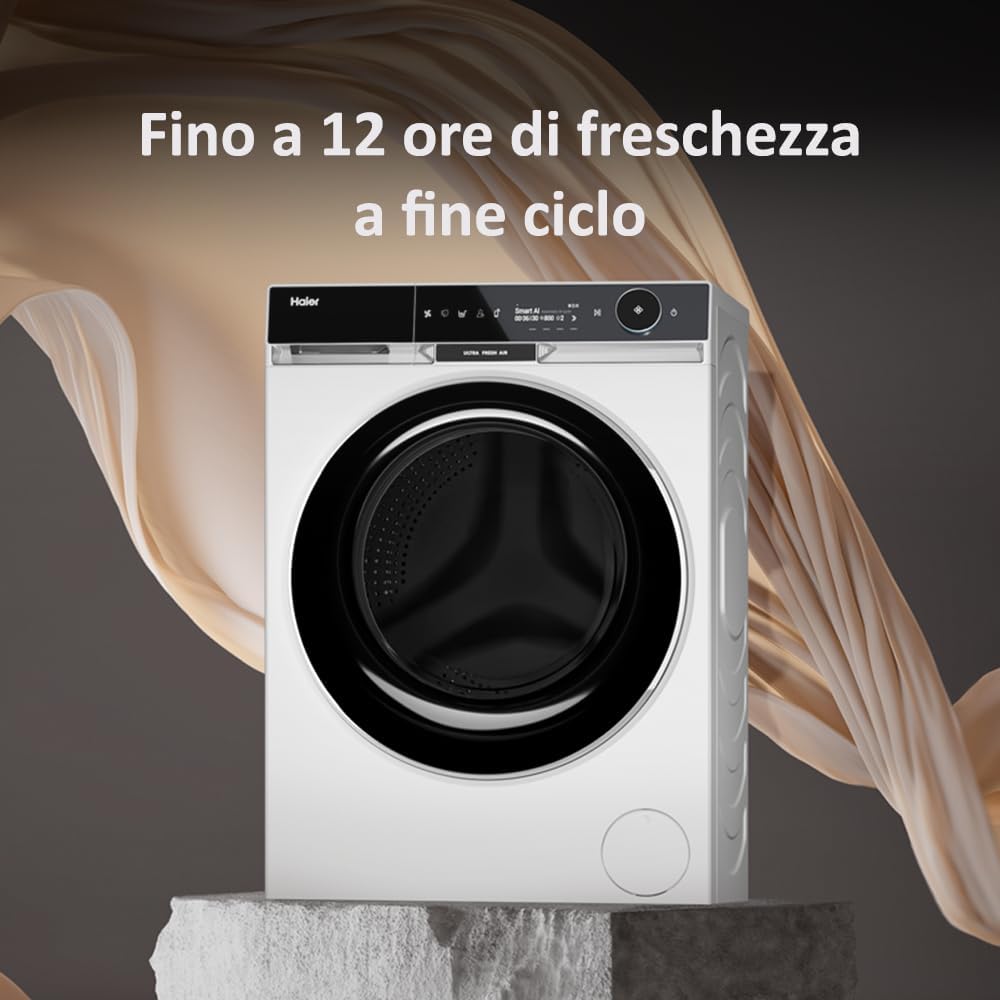
Image: Rear view of the Haier X SERIES 11 HW100 BD14397U1 washing machine, illustrating the water inlet and drain hose connections for proper installation.
2.4 Electrical Connection
Plug the power cord into a grounded electrical outlet. Ensure the voltage and frequency match the specifications of your appliance (220-240V, 50Hz). Do not use extension cords or adapters.
2.5 Leveling
Adjust the leveling feet at the bottom of the machine to ensure it is perfectly stable and level. Use a spirit level to check. A level machine reduces vibration and noise during operation.
2.6 First Use
Before washing clothes, run an empty wash cycle (e.g., a quick wash at 60°C) without detergent to clean the drum and remove any manufacturing residues.
3. Operating Instructions
3.1 Control Panel Overview
The washing machine features an intuitive control panel with a central program selector dial, a digital display, and touch-sensitive buttons for various functions and settings. The display shows cycle time, selected options, and error codes.

Image: A detailed view of the Haier X SERIES 11 HW100 BD14397U1 control panel, highlighting the digital display and program selection dial, indicating features like 'Smart AI' and 'Ultra Fresh Air'.
3.2 Loading Laundry
Open the door and load laundry into the drum. Do not overload the machine; ensure there is enough space for clothes to tumble freely. Overloading can reduce washing performance and cause excessive wear.
3.3 Adding Detergent and Additives
Pull out the detergent dispenser drawer. Add the appropriate amount of detergent to the main wash compartment. Fabric softener or other additives can be added to their respective compartments. This model features a Smart Dosing system for optimal detergent usage.

Image: A hand pouring liquid detergent into the Smart Dosing dispenser of the Haier X SERIES 11 HW100 BD14397U1 washing machine, demonstrating the advanced energy-efficient detergent system.
3.4 Selecting a Program
Turn the program selector dial to choose the desired wash program. The digital display will show the estimated cycle time and default settings. Use the touch buttons to adjust temperature, spin speed, or add extra functions like pre-wash or extra rinse.
3.5 Starting a Cycle
Press the Start/Pause button to begin the selected wash cycle. The machine will automatically lock the door and start filling with water.
3.6 Special Features
- Ultra Fresh Air: This feature keeps clothes fresh for up to 12 hours after the wash cycle ends by gently tumbling the drum with fresh air, preventing odors and wrinkles.
- Smart AI: The artificial intelligence system automatically detects fabric type and load weight to select the most suitable wash cycle, optimizing water and energy consumption.
- hOn App Connectivity: Connect your washing machine to the hOn app for advanced user interface control, remote operation, and personalized washing programs.
- Direct Motion Motor: The direct drive motor ensures maximum quietness, operating at up to 65dB, and provides enhanced durability and performance with fewer vibrations.
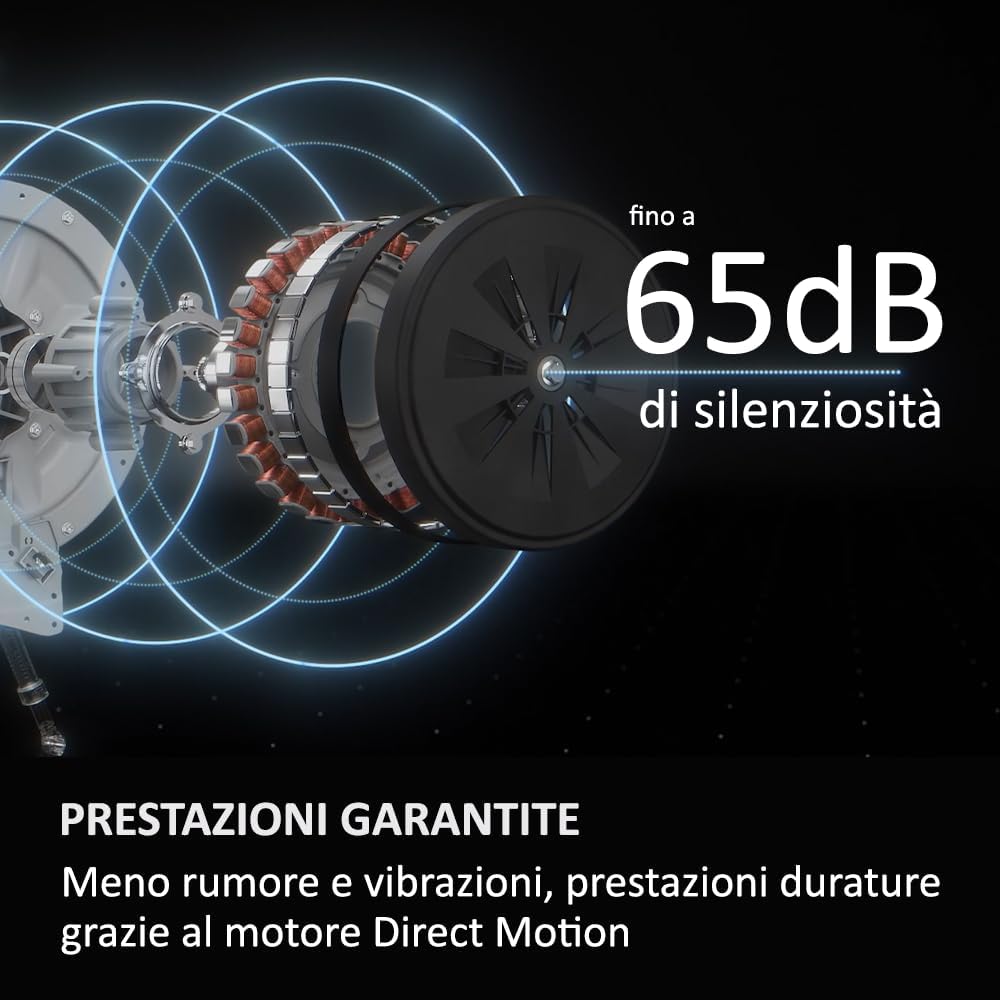
Image: The interior of the Haier X SERIES 11 HW100 BD14397U1 washing machine drum, illustrating the 'Ultra Fresh Air' function which circulates air to maintain freshness for up to 12 hours post-wash.

Image: A smartphone displaying the advanced user interface of the hOn app, demonstrating remote control and monitoring capabilities for the Haier X SERIES 11 HW100 BD14397U1 washing machine.

Image: An internal diagram showcasing the Direct Motion motor of the Haier X SERIES 11 HW100 BD14397U1, highlighting its design for guaranteed performance, reduced noise, and vibrations, achieving up to 65dB quietness.
4. Maintenance
4.1 Cleaning the Detergent Dispenser
Regularly remove and clean the detergent dispenser drawer to prevent residue buildup. Rinse it under running water and use a brush if necessary. Reinsert it once clean and dry.
4.2 Cleaning the Drum
Run a drum clean cycle (if available) or a hot wash with a washing machine cleaner or a cup of white vinegar once a month to prevent odors and mold buildup.
4.3 Cleaning the Filter
Locate the drain pump filter, usually at the bottom front of the machine. Place a shallow tray underneath to catch any water. Unscrew the filter cover and carefully remove any lint, coins, or debris. Clean the filter under running water and reattach it securely.
4.4 Cleaning the Exterior
Wipe the exterior surfaces of the washing machine with a soft, damp cloth. Do not use abrasive cleaners or solvents.
5. Troubleshooting
Before contacting customer service, refer to the following table for common issues and their solutions.
| Problem | Possible Cause | Solution |
|---|---|---|
| Machine does not start | Power cord unplugged, door not closed properly, program not selected, Start/Pause button not pressed. | Check power connection, ensure door is latched, select a program, press Start/Pause. |
| No water filling | Water tap closed, inlet hose kinked, water supply cut off. | Open water tap, straighten hose, check household water supply. |
| Water not draining | Drain hose kinked or blocked, drain pump filter clogged. | Straighten drain hose, clean drain pump filter. |
| Excessive vibration/noise | Transport bolts not removed, machine not level, uneven load. | Remove transport bolts, adjust leveling feet, redistribute laundry. |
| Error code on display | Specific malfunction. | Refer to the full user manual for specific error code meanings and solutions. |
6. Specifications
The following are the technical specifications for the Haier X SERIES 11 HW100 BD14397U1 washing machine:
- Model: HW100 BD14397U1
- Reference: 31019798
- Brand: Haier
- Dimensions (L x W x H): 61 x 85 x 60 cm
- Weight: 82 kg
- Capacity: 10 Kilograms
- Color: White
- Access Type: Front Loading
- Drum Material: Stainless Steel
- Operation Mode: Automatic
- Energy Class: A -20% (Superior Energy Class)
- Noise Level: Up to 65dB (Quiet Operation)
- International Article Code (EAN): 06921081599570

Image: The Haier X SERIES 11 HW100 BD14397U1 washing machine, emphasizing its Class A -20% energy efficiency, advanced interface, and maximum quietness.
7. Warranty and Support
7.1 Warranty Information
This Haier washing machine is covered by a manufacturer's warranty. Please refer to the warranty card included with your purchase for specific terms, conditions, and duration. Keep your proof of purchase for warranty claims.
7.2 Customer Support
For technical assistance, spare parts, or service requests, please contact Haier customer support. Contact details can typically be found on the Haier official website or in the documentation provided with your appliance. When contacting support, please have your model number (HW100 BD14397U1) and serial number ready.


