
Introduction
Thank you for choosing the Dowinx LS-66T50EJP Gaming Chair. This manual provides detailed instructions for assembly, operation, maintenance, and troubleshooting to ensure optimal performance and longevity of your chair. Please read this manual thoroughly before assembly and use.
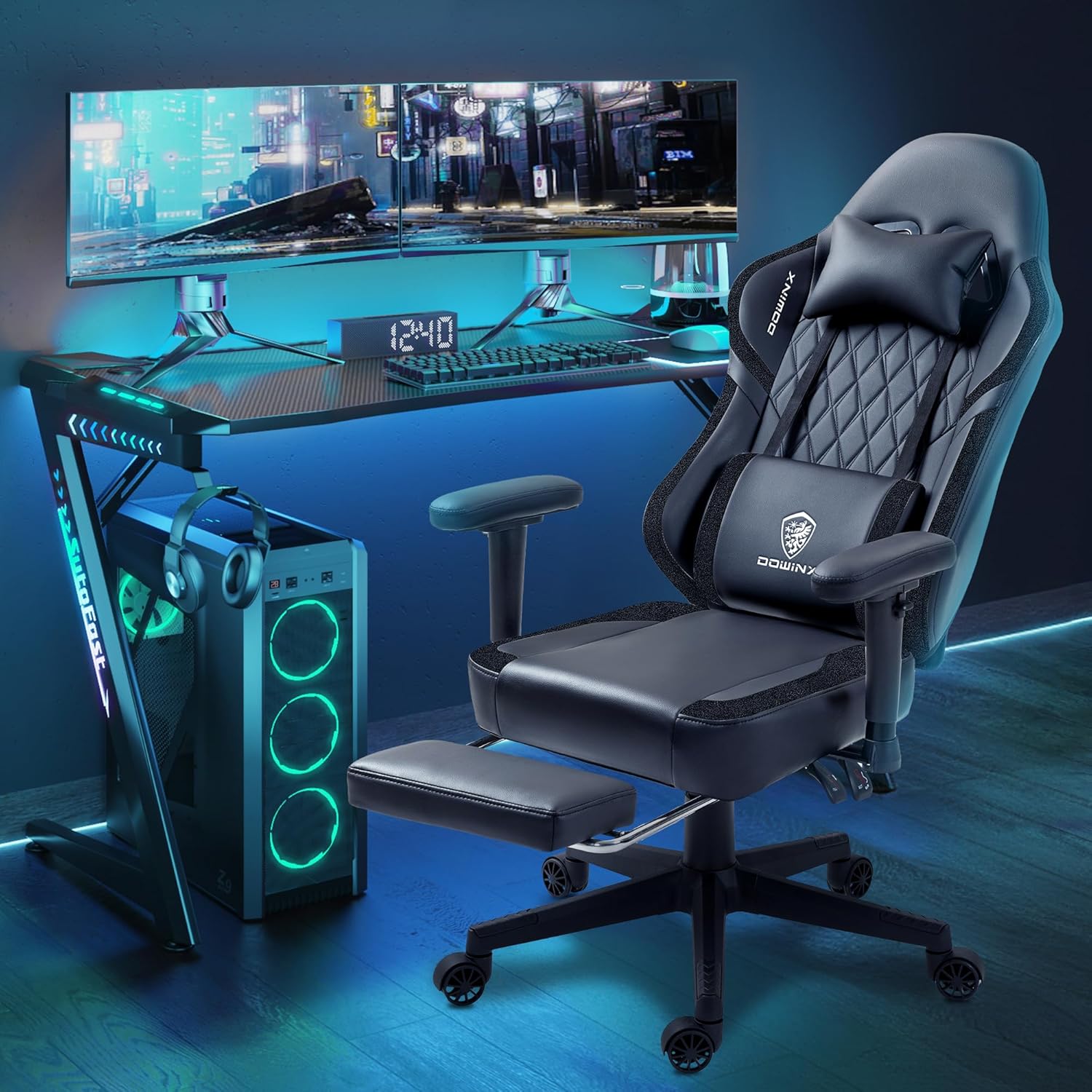
Image: The Dowinx LS-66T50EJP Gaming Chair in a typical gaming environment, showcasing its design and features.
Safety Information
- Ensure all screws and bolts are tightened securely before use. Periodically check and re-tighten as necessary.
- Do not stand on the chair.
- Do not use the chair if any parts are damaged or missing. Contact customer support for replacement parts.
- The maximum weight capacity for this chair is 300 lbs. Do not exceed this limit.
- Keep hands and fingers clear of moving parts during adjustment to prevent pinching.
- Keep children and pets away from the chair during assembly.
Package Contents
Please verify that all components are present before beginning assembly. If any parts are missing or damaged, please contact Dowinx customer support.
- Backrest
- Seat Cushion with Tilt Mechanism and Guide Rail (pre-installed)
- Armrests (2)
- Chair Base
- Casters (5)
- Gas Lift Cylinder
- Gas Lift Cover
- Footrest Assembly
- Headrest Pillow
- Lumbar Support Pillow with Massage Function
- Hardware Pack (screws, Allen wrench)
Setup and Assembly
For a visual guide, please refer to the official installation video below.
Video: Official Dowinx Gaming Chair 6658 Series Installation Video. This video provides a step-by-step visual guide for assembling your chair.
Step 1: Assemble the Chair Base
- Insert the five legs into the central hub of the chair base. Ensure they click firmly into place.
- Insert the five casters into the holes at the end of each leg. Push firmly until they are fully seated.
- Insert the gas lift cylinder into the central hole of the assembled base. Place the gas lift cover over the cylinder.
Step 2: Install the Tilt Mechanism and Guide Rail
The tilt mechanism and guide rail are pre-installed on the seat cushion. Ensure all screws are tight. The horizontal oval hole of the guide rail should face forward.
Step 3: Install the Footrest
Attach the footrest assembly to the designated slots on the underside of the seat cushion. Pay attention to the front and back orientation of the footrest during installation.
Step 4: Install the Backrest
Attach the backrest to the seat cushion using the provided screws. The steel plate on the backrest has an inclined design; ensure the inclined part faces the outside during installation.
Step 5: Attach Seat to Base
Carefully place the assembled seat cushion onto the gas lift cylinder. Since the top half of the chair is heavy, it may be easier to turn the top half upside down and insert the cylinder, then flip it upright.
Step 6: Install the Armrests
Attach the armrests to the sides of the seat cushion using the provided screws. Be careful not to overtighten the armrest screws, as this may affect the recline function of the backrest.
Step 7: Install the Headrest and Lumbar Support
Attach the headrest pillow to the top of the backrest using its straps. Position the lumbar support pillow at your preferred height on the backrest, securing it with its straps.

Image: The Dowinx LS-66T50EJP Gaming Chair fully assembled with the headrest and lumbar support pillows in place.
Operating Instructions
Height Adjustment
To adjust the chair's height, pull the lever located on the right side of the seat upwards. While seated, lift your weight off the chair to raise it, or remain seated to lower it. Release the lever to lock the height.
Recline Function
The chair features an adjustable backrest angle between 90° and 145°. Pull the lever on the left side of the seat upwards to recline the backrest. Release the lever at your desired angle to lock it in place.

Image: Illustration of the Dowinx LS-66T50EJP Gaming Chair demonstrating its recline capabilities, from an upright 90-degree position to a relaxed 145-degree recline.
Footrest Operation
To extend the footrest, pull it out from underneath the seat cushion. To retract, push it back in until it is fully stored. The footrest provides additional support for relaxation.
Lumbar Massage Function
The lumbar support pillow includes a massage function. Connect the USB cable from the pillow to a compatible USB power source (e.g., computer, power bank). The massage function can be activated via a control on the pillow.
Armrest Adjustment
The armrests are padded and can be lifted and rotated for personalized comfort and support for your forearms.
Maintenance
Cleaning
- For general cleaning, use a soft, damp cloth to wipe down surfaces.
- For fabric areas, spot clean with a mild fabric cleaner as needed. Avoid harsh chemicals.
- The manufacturer recommends dry cleaning for specific care.
General Care
- Periodically check all bolts and screws to ensure they are tight.
- Avoid prolonged exposure to direct sunlight to prevent material fading.
- Keep sharp objects away from the chair to prevent damage to the upholstery.
Troubleshooting
Chair Not Adjusting Height
- Ensure the height adjustment lever is fully engaged.
- Check if the gas lift cylinder is properly inserted into the base and seat mechanism.
Chair Squeaks
- Tighten all assembly screws.
- Apply a small amount of lubricant to moving parts if necessary.
Footrest Not Extending/Retracting Smoothly
- Check for any obstructions in the footrest mechanism.
- Ensure the guide rails are clean and free of debris.
Massage Function Not Working
- Verify that the USB cable is securely connected to both the lumbar pillow and a working USB power source.
- Try a different USB port or power source.
Specifications
| Feature | Detail |
|---|---|
| Model Number | LS-66T50EJP |
| Brand | Dowinx |
| Material | Alloy Steel (frame), Fabric (upholstery) |
| Color | Grey |
| Product Dimensions (L x W x H) | 19.28 x 19.6 x 72.6 inches |
| Item Weight | 47.2 pounds |
| Special Features | Adjustable Backrest (90°-145°), Adjustable Height, Padded Arm Rests, Extendable Foot Rest, Lumbar Massage Function, Pocket Spring Cushion, Storage Pockets, Removable Hanger |
| Weight Capacity | 300 lbs |
| Product Care Instructions | Dry Clean |
Warranty and Support
Dowinx offers various protection plans for your product. For details on available plans and to register your product, please visit the official Dowinx website or refer to the documentation included with your purchase. For any technical assistance, missing parts, or warranty claims, please contact Dowinx customer support directly.
Video: Dowinx 6658 Series Display Video. This short video highlights key features and design aspects of the chair.