
1. Introduction
This manual provides essential information for the safe and effective operation of your Wiwreenm 230W 7R Moving Head DJ Light. Please read these instructions carefully before installation and use. Keep this manual for future reference.
Safety Precautions
- Ensure the power supply matches the voltage requirements of the device.
- Always connect the device to a grounded power outlet.
- Do not operate the device if the power cord is damaged.
- Avoid direct eye exposure to the light source.
- Ensure adequate ventilation around the unit to prevent overheating.
- Only qualified personnel should perform maintenance or repairs.
2. Product Features
The Wiwreenm 230W 7R Moving Head DJ Light is designed to produce powerful stage effects with advanced optics and light source technology. Key features include:
- Dynamic Lighting Effects: 13 colors with rainbow effects, 14 linear color mixing gobos, and 48 prisms with scaling effects.
- LED Apertures: Equipped with 27*0.5W LED apertures for simultaneous strobing and multiple built-in operating effects.
- Control Options: Supports 18 standard DMX512 channels and RDM protocol with two-way addressing.
- Sound Activation: Built-in microphone for voice control, with an ERR indicator for sound detection.
- Easy Installation: Features two quick-lock lamp hook brackets for rapid setup and removal.
- Error Indication: An ERR indicator light and status messages display fault troubles for convenient handling.
- Efficient Design: High efficiency, low energy consumption, and unique heat dissipation for extended equipment life and stability.
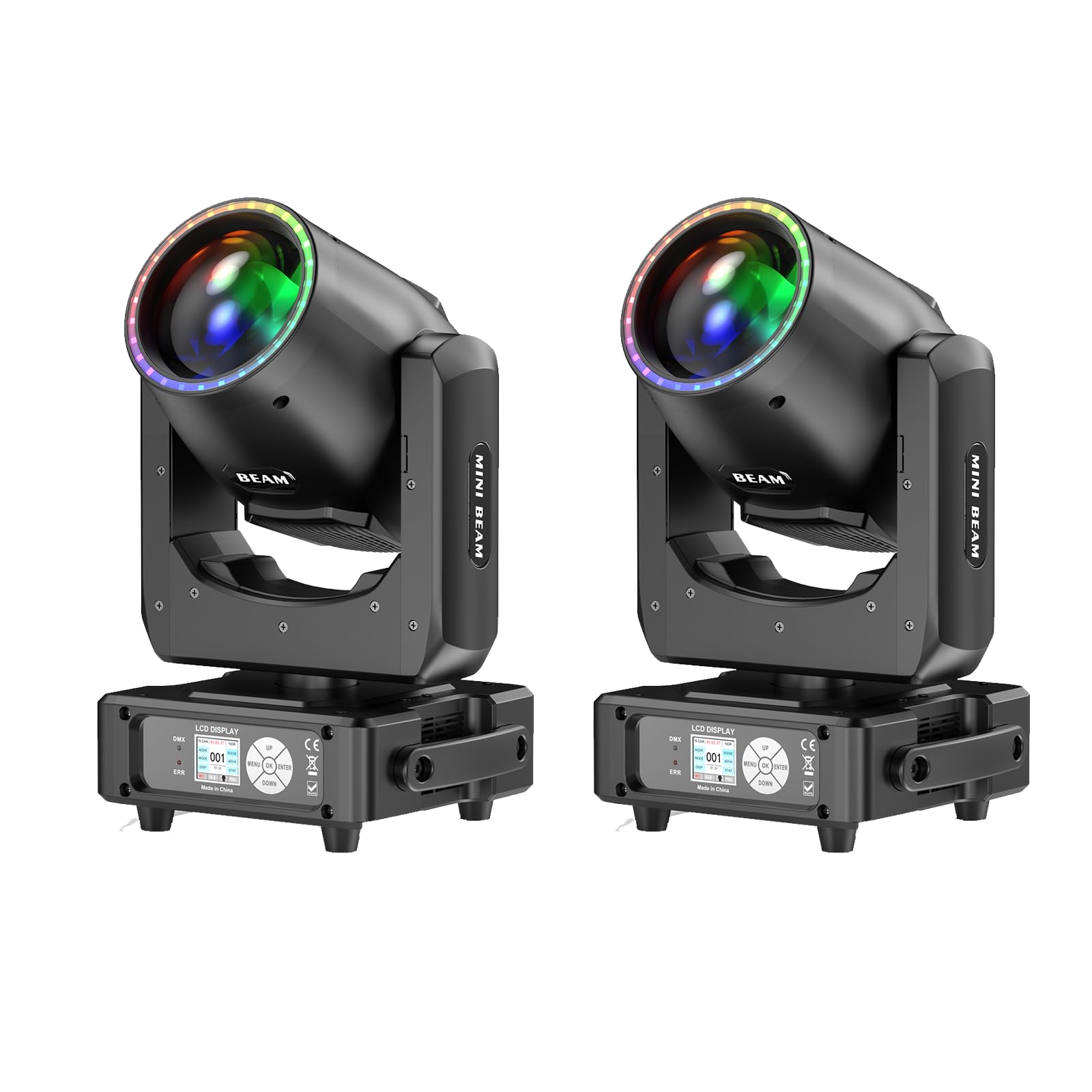
Figure 2.1: Front view of the Wiwreenm 230W 7R Moving Head DJ Light showcasing various light effects including fade, jump, pulse, strobe, and halo effects.
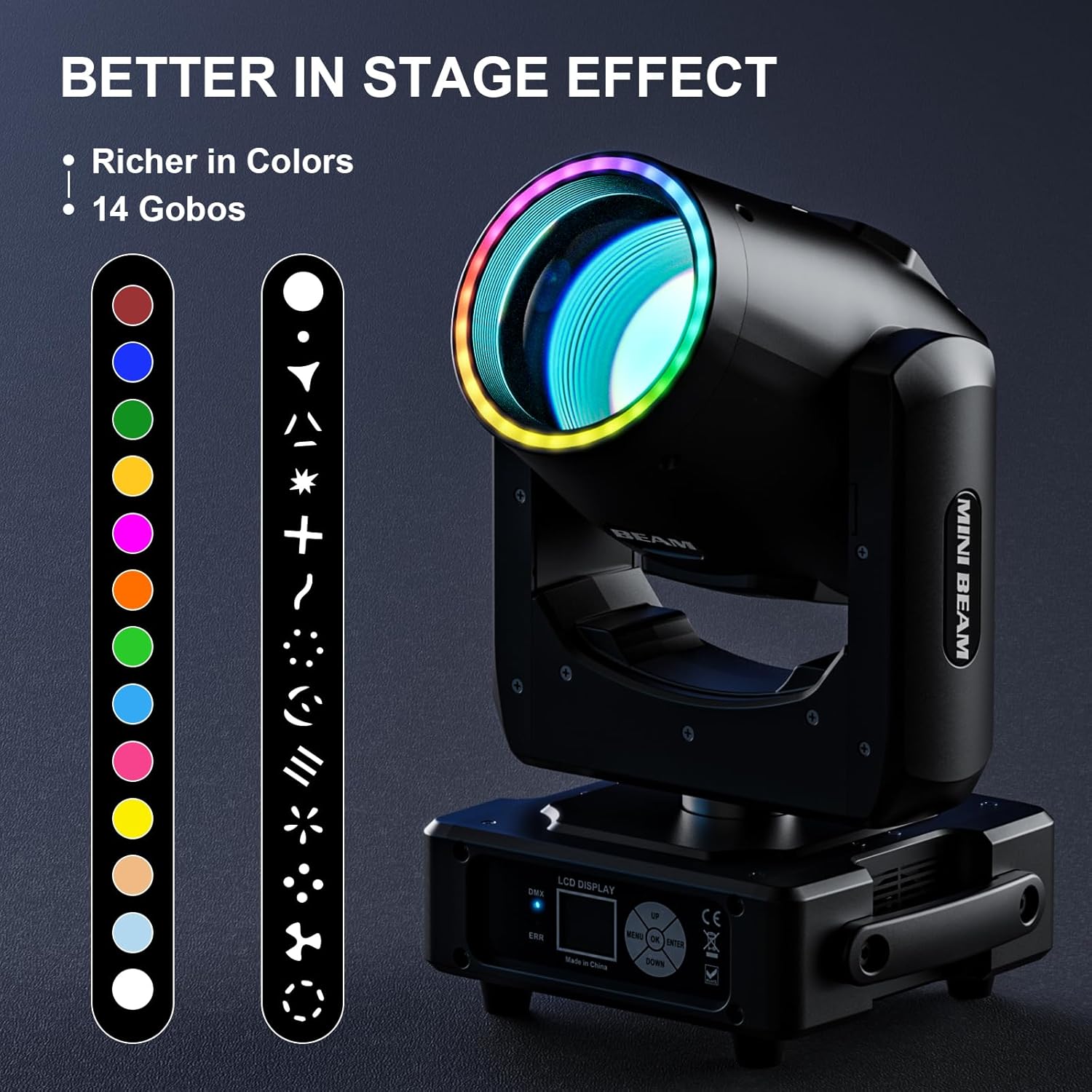
Figure 2.2: Illustration of the 14 available colors and 14 gobo patterns for diverse stage effects.

Figure 2.3: Examples of various lighting effects, including different gobo projections, color washes, and prism patterns.
3. Setup and Installation
3.1 Unpacking
Carefully remove the light fixture and all accessories from the packaging. Inspect the unit for any signs of damage during transit. Report any damage to your supplier immediately.
3.2 Mounting
The fixture can be mounted in various positions (floor, truss, wall) using the included quick-lock lamp hook brackets. Ensure the mounting surface or truss is capable of supporting the weight of the fixture. Always use safety cables when suspending the unit.
- Attach the quick-lock brackets securely to the bottom of the fixture.
- For truss mounting, attach the clamps to the brackets and secure them to the truss.
- For floor placement, ensure the unit is on a stable, level surface.

Figure 3.1: Product dimensions and included components, including power cables and quick-lock mounting brackets.
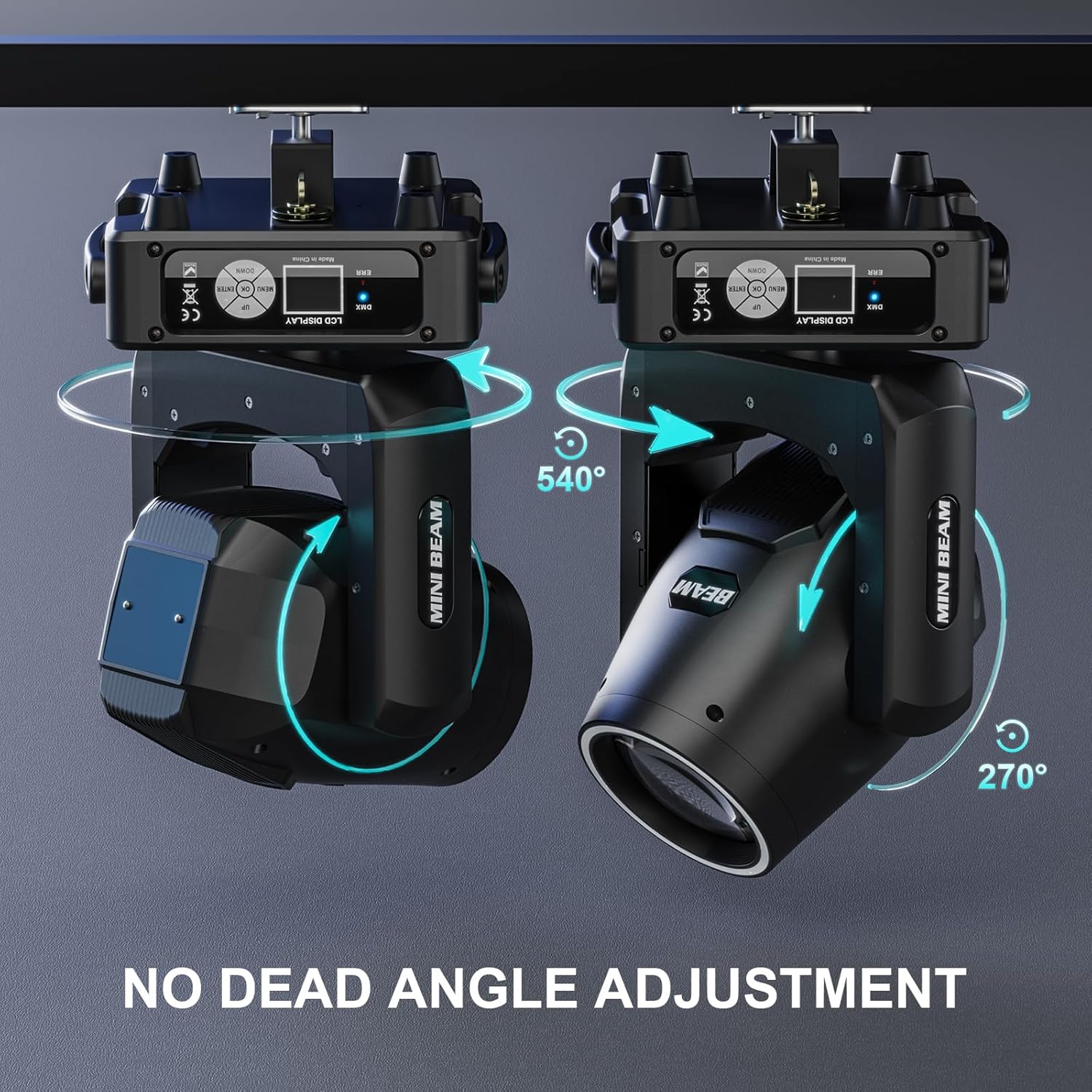
Figure 3.2: The moving head light demonstrating its 540° X-axis and 270° Y-axis rotation for flexible positioning.
3.3 Connections
- Power Connection: Connect the provided power cable to the power input on the fixture and then to a suitable power outlet.
- DMX Connection: For DMX control, connect a DMX cable from your DMX controller to the DMX IN port of the first fixture. For multiple fixtures, daisy-chain them by connecting the DMX OUT of the first fixture to the DMX IN of the next.
4. Operating Instructions
The Wiwreenm 230W 7R Moving Head DJ Light offers multiple operating modes and effects.
4.1 Control Panel
The unit features an LCD display and control buttons (MENU, UP, DOWN, ENTER) for navigating settings and selecting modes.
4.2 DMX512 Mode
This mode allows for precise control over all functions using a DMX controller. The fixture supports 18 DMX channels and RDM protocol for two-way addressing.
- Set the DMX address for each fixture using the control panel. Ensure each fixture has a unique address.
- Refer to the DMX channel chart (typically provided in a separate DMX manual or appendix) for specific channel functions (e.g., Pan, Tilt, Color, Gobo, Strobe).
4.3 Sound Activated Mode
The built-in microphone enables the light to react to ambient sound, creating dynamic effects synchronized with music. To activate:
- Navigate to the sound-activated mode option on the LCD display.
- Select and confirm the mode. The light will now respond to sound input.
- The ERR indicator may flash to show sound detection.
4.4 Master-Slave Mode
Connect multiple fixtures via DMX cables. Set one fixture as the 'Master' and the others as 'Slave' units. The slave units will mimic the master's movements and effects.
4.5 Effects Control
- Colors: Cycle through 13 distinct colors and rainbow effects.
- Gobos: Select from 14 linear gobo patterns.
- Prisms: Engage the 48-facet prism for multi-beam effects.
- Strobe: Adjust strobe speed and intensity.
- Frost: Apply a frost effect for a softer light output.
Video 4.1: An official product video demonstrating the various beam, color, and gobo effects of the Wiwreenm 7R Mini Beam Moving Stage Light.
5. Maintenance
Regular maintenance ensures optimal performance and longevity of your moving head light.
5.1 Cleaning
- Disconnect the power before cleaning.
- Use a soft, lint-free cloth to wipe the exterior of the fixture.
- For optical lenses and mirrors, use a specialized lens cleaning solution and a soft cloth to avoid scratches.
- Periodically clean ventilation openings to ensure proper airflow.
5.2 Storage
When not in use, store the fixture in a dry, dust-free environment. If possible, use the original packaging or a protective case.
6. Troubleshooting
This section addresses common issues you might encounter.
6.1 ERR Indicator
If the ERR indicator light is continuously on, a fault has been detected. The LCD display will show a status message indicating the nature of the problem. Consult the specific error codes (if available in a separate technical manual) or contact customer support.
6.2 Common Issues
- No Power: Check the power cable connection and the power outlet. Ensure the main power switch on the unit is ON.
- No Light Output: Verify the lamp is functioning. Check DMX settings if in DMX mode, or ensure a program is selected in auto/sound mode.
- No DMX Control: Check DMX cable connections. Ensure DMX addresses are correctly set and unique for each fixture. Verify the DMX controller is sending signals.
- Fixture Not Moving: Check for any physical obstructions. Ensure Pan/Tilt channels are active in DMX mode or that the selected program includes movement.
- Overheating: Ensure ventilation openings are clear and the ambient temperature is within operating limits.
7. Specifications
Detailed technical specifications for the Wiwreenm 230W 7R Moving Head DJ Light.
| Feature | Specification |
|---|---|
| Model Number | ZQ02357X2US |
| Brand | Wiwreenm |
| Power Source | Corded Electric |
| Light Source Type | Light Emitting Diode |
| Light Source Wattage | 230 Watts |
| Number of Light Sources | 2 |
| Beam Angle | 2.3 Degrees |
| Color | Black |
| Material | Aluminum, Polyvinyl Chloride |
| Item Dimensions (L x W x H) | 11.42"L x 9.45"W x 17.71"H |
| Mounting Type | Floor Mount |
| Special Features | Sound Activated, Color Changing, Lighting Effects |
| DMX Channels | 18 |
| Gobos | 14 |
| Colors | 13 + White |
| Prisms | 48-Facet |
8. Warranty and Support
8.1 Manufacturer Warranty
This product comes with a 30-day manufacturer's warranty. Please retain your proof of purchase for any warranty claims.
8.2 Optional Protection Plans
Extended protection plans may be available for purchase separately. These plans typically offer coverage beyond the standard manufacturer's warranty.
8.3 Customer Support
If you require assistance, have questions, or encounter any issues not covered in this manual, please contact Wiwreenm customer support. We aim to reply within 24 hours to help resolve any problems.
For support, please visit the official Wiwreenm store or contact your retailer.