
BOIFUN C10
BOIFUN 2K Wireless Outdoor WiFi Surveillance Camera C10 User Manual
Model: C10 | Brand: BOIFUN
Introduction
Thank you for choosing the BOIFUN 2K Wireless Outdoor WiFi Surveillance Camera, Model C10. This camera is designed to provide reliable outdoor security with its integrated solar panel, 2K resolution, motion detection, and color night vision capabilities. This manual will guide you through the setup, operation, and maintenance of your new surveillance camera.

Image: A collection of BOIFUN security devices, including various camera models, showcasing the brand's product range.
BOIFUN is committed to providing intelligent and secure solutions for family safety and privacy. With over 9 years of experience and serving over 300,000 families, BOIFUN aims to protect your home and create a haven of peace.

Image: BOIFUN company achievements, highlighting over 9 years of experience and serving over 300,000 families.
Setup Guide
Package Contents
Before starting, please ensure all items are present in the box:
- BOIFUN C10 Camera
- Charging Cable
- Instruction Manual
- Mounting Screws
Installation Steps
- Charge the Camera: Fully charge the camera using the provided charging cable before initial use. Although it has a solar panel, a full initial charge ensures optimal performance.
- Download the App: Download the "BoifunCam" application from your smartphone's app store (iOS or Android).
- Create an Account: Open the app and follow the on-screen instructions to create a new account or log in if you already have one.
- Add Device: In the app, select "Add Device" and follow the prompts to connect your camera to your home Wi-Fi network (2.4GHz only).
- Mount the Camera:
- Choose a suitable outdoor location with good Wi-Fi signal and direct sunlight exposure for the solar panel.
- Use the mounting screws to securely attach the camera to a wall or ceiling. The camera is designed for screw-in installation.
- Adjust the camera angle to cover your desired surveillance area.

Image: BOIFUN Solar Security Camera highlighting 2.4GHz WiFi, BoifunCam App, Alexa compatibility, and SD/Cloud storage.
The integrated solar panel provides continuous power, making the camera 100% wireless. Ensure the solar panel receives adequate sunlight for optimal charging.
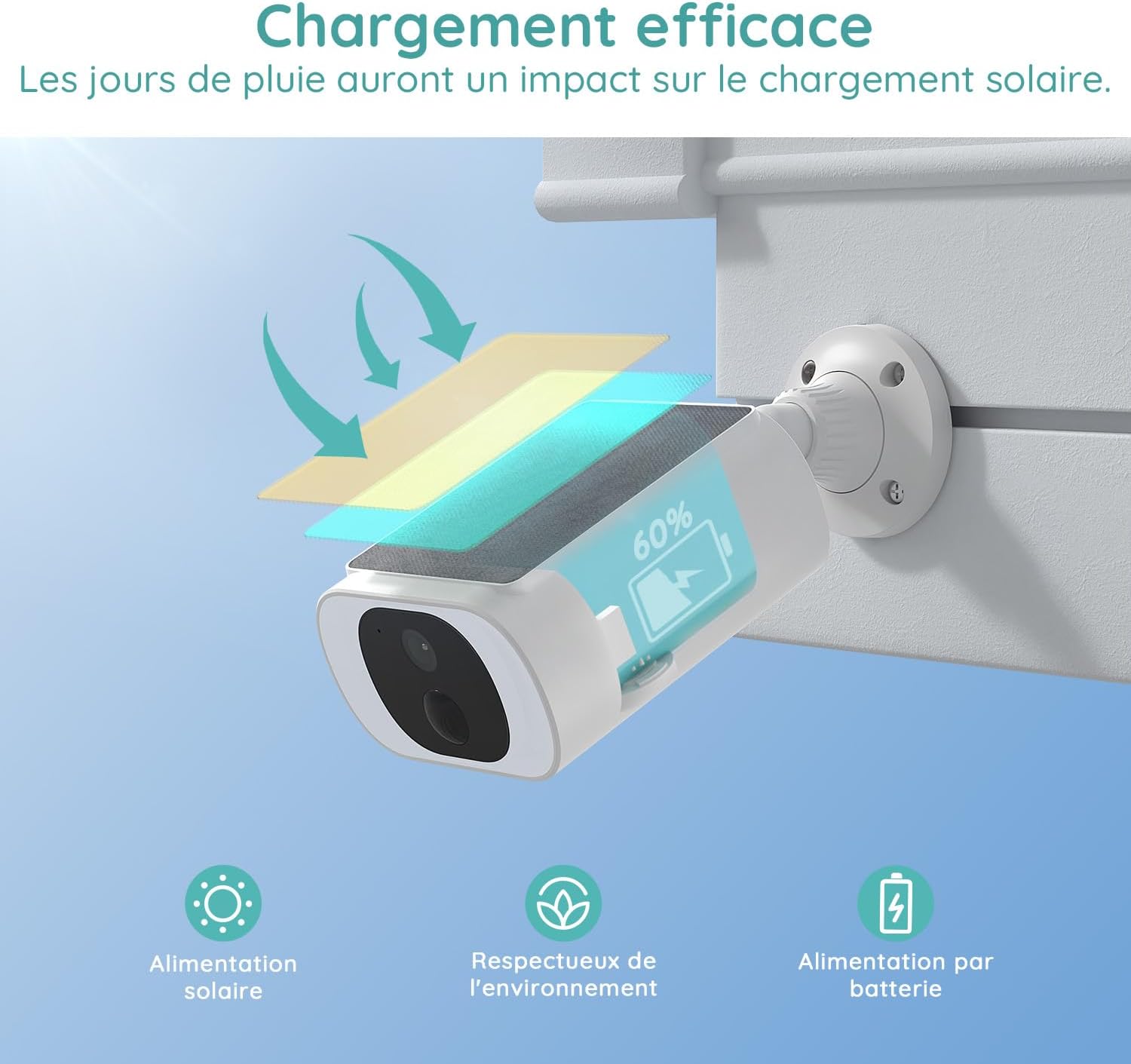
Image: A BOIFUN C10 camera showing its solar panel and a battery indicator at 60%, with arrows indicating solar charging. Text mentions efficient charging and the impact of rainy days on solar charging.
Operating Instructions
Live View and Recording
Open the BoifunCam app to access the live feed from your camera. You can manually record video or take snapshots directly from the app. The camera supports 2K resolution for clear, detailed images.

Image: A child playing in a garden, demonstrating the 3MP UHD video quality of the camera, allowing for more details to be seen.
Motion Detection and Alerts
The camera features PIR human detection and AI detection to accurately identify intruders. When motion is detected, you will receive immediate notifications on your phone via the app.
- Custom Detection Zones: Set specific areas within the camera's view for motion detection to reduce false alarms.
- Adjust Sensitivity: Modify the detection sensitivity levels in the app (Basic, Improved, Precision) to suit your environment.

Image: A man loading luggage into a car, with a dog lying nearby. The image illustrates PIR human detection, showing how the camera focuses on human figures while ignoring pets and other objects, achieving 98% precision and reducing false alarms.

Image: An illustration showing a person walking past a parked car, with a detection range graphic indicating different zones and sensitivity levels (Basic, Improved, Precision). Text emphasizes precise detection for reliable security.

Image: An aerial view of a house with its surrounding yard divided into three customizable security zones (Zone 1, Zone 2, Zone 3), illustrating the custom detection zone feature.
Night Vision and Spotlight
The C10 camera offers color night vision up to 15 meters, ensuring clear visibility even in low-light conditions. It also features an intelligent spotlight and siren alarm for enhanced security.
- Siren Alarm: The camera can activate a siren alarm upon detection to deter intruders.
- Spotlight: The integrated spotlight can be activated manually or automatically upon motion detection to illuminate the area and provide color night vision.

Image: A split view demonstrating color night vision, showing a house interior in color through a window against a monochrome exterior, indicating 15M long-distance visibility.

Image: A BOIFUN camera mounted on a wall at night, with its spotlight illuminated, shining on an intruder figure. Text indicates real-time alerts with siren and spotlight activation.

Image: A BOIFUN camera with its spotlight on at night, mounted on a house wall under a starry sky. Text highlights the smart spotlight for worry-free night protection.
Two-Way Audio
Utilize the two-way audio feature to communicate with visitors or deter unwanted guests directly through the camera and app.
Alexa Compatibility
The BOIFUN C10 camera is compatible with Alexa. Connect your camera to Alexa for voice control and to view live feeds on compatible Alexa-enabled devices.

Image: A young man mowing a lawn, with speech bubbles indicating an interaction: "Dinner is ready! Come in!" and "Okay, I'm coming!". This illustrates the convenience of Alexa integration for communication.

Image: A woman stretching on a yoga mat in a living room, with a smart display showing a video call interface. A speech bubble says "Dinner is ready! Come inside!" in Spanish, demonstrating Alexa compatibility for smart home integration.
Storage Options
The camera supports both local storage via a Micro SD card (up to 128GB, not included) and cloud storage. Cloud storage typically offers 6-second recordings and 7 days of storage without monthly fees.

Image: A close-up of the camera showing an inserted Micro SD card. Text indicates "No monthly cost," "Cloud storage (6-second recording, 7 days storage)," and "SD card not included, up to 128GB."
Maintenance
- Clean the Lens: Regularly wipe the camera lens with a soft, dry cloth to ensure clear image quality.
- Solar Panel Care: Keep the solar panel free from dust, dirt, and debris to maximize charging efficiency.
- Weather Resistance: The camera is IP65 waterproof and designed to withstand extreme weather conditions, functioning well between -20°C and 50°C.
- Battery Life: The large-capacity integrated battery can operate for up to 120 consecutive days even in rainy weather.

Image: A BOIFUN camera mounted on a tree, wet from rain, illustrating its IP65 weather resistance. Icons indicate waterproof, anti-high temperatures (-20°C), and snow protection (50°C), showing it functions well in extreme weather.
Troubleshooting
| Problem | Possible Cause | Solution |
|---|---|---|
| Cannot connect to Wi-Fi | Incorrect Wi-Fi password, camera too far from router, 5GHz Wi-Fi network. |
|
| Camera not charging via solar panel | Insufficient sunlight, dirty solar panel, prolonged cloudy weather. |
|
| Frequent false alarms | High motion sensitivity, objects like trees or pets triggering detection. |
|
| Poor image quality | Dirty lens, poor lighting, low network bandwidth. |
|
Specifications
| Feature | Detail |
|---|---|
| Brand | BOIFUN |
| Model Name | C10 |
| Connectivity Technology | Wireless (Wi-Fi) |
| Special Features | Two-way audio, Motion detector, Color Night Vision, Solar Powered |
| Usage | Outdoor, Indoor (Pet monitoring, Home Security) |
| Compatible Devices | Smartphone (via BoifunCam App), Alexa |
| Power Source | Battery + Solar Panel |
| Control Method | Application |
| Mounting Type | Screw-in, Ceiling Mount |
| Material | Acrylonitrile Butadiene Styrene (ABS) |
| Water Resistance Level | IP65 Waterproof |
| Alert Type | Motion only |
| Rear Webcam Resolution | 3 Megapixels (2K) |
| Video Encoding | H.265 |
| Video Capture Format | MP4 |
| Night Vision Range | 15 Meters |
| Number of IR LEDs | 4 |
| Item Dimensions | 11.5 x 9.5 x 5.7 centimeters |
| Screen Capture Resolution | 1920p |
| Frame Rate | 15 frames per second |
| View Angle | 100 Degrees |
| Focus Type | Auto Focus |
| Zoom Type | Digital Zoom |
| Zoom Ratio | 4x |
| Installed Flash Memory Size | 128 GB (Max SD Card) |
| UPC | 791953955799 |
Warranty Information
BOIFUN products typically come with a limited warranty. Please refer to the warranty card included in your product packaging or visit the official BOIFUN website for detailed warranty terms and conditions. Keep your purchase receipt as proof of purchase for any warranty claims.
Support
If you encounter any issues or have questions regarding your BOIFUN 2K Wireless Outdoor WiFi Surveillance Camera, please contact BOIFUN customer support.
- Online Support: Visit the official BOIFUN website for FAQs, troubleshooting guides, and contact forms.
- Email Support: Refer to your product packaging or the BOIFUN website for the customer support email address.
- App Support: The BoifunCam app may also offer in-app support options.
For more information about BOIFUN products, visit the BOIFUN Store on Amazon.
Related documentsC10

Ask a question about this manual
Ask about setup, troubleshooting, compatibility, parts, safety, or missing instructions. Manuals+ will review the question and use this page’s manual context to help answer it.