
1. Introduction
Thank you for choosing the Valerion VisionMaster Pro 4K Triple Laser Projector. This advanced projector delivers a cinematic viewing experience with its 4K UHD resolution, triple laser technology, and smart features. This manual provides essential information for setting up, operating, maintaining, and troubleshooting your device to ensure optimal performance.
2. What's in the Box
Verify that all items are present in the package:
- Valerion VisionMaster Pro Projector
- Remote Control (with 2 AAA batteries)
- AC Power Cable
- Power Adapter
- Quick Start Guide
- User Manual
3. Product Overview
The Valerion VisionMaster Pro is designed for superior home cinema and gaming. It features a compact, portable form factor with robust connectivity options.
3.1. Key Features
- 4K UHD Resolution: Delivers crisp, detailed images.
- Triple Laser Technology: Provides vibrant and accurate colors (110% Rec.2020 coverage).
- High Contrast: 15,000:1 contrast ratio with EBL technology for deep blacks.
- Optical Zoom: 0.9-1.5X OpticFlex system for flexible placement.
- Smart Features: Integrated streaming, Google TV, AI Super Resolution, auto-focus, keystone correction.
- Low Latency Gaming: 4ms response time and 240Hz refresh rate for smooth gameplay.
- HDR10+ and IMAX Enhanced: Optimized for dynamic range and immersive viewing.
3.2. Ports and Connections
The projector offers various ports for connecting external devices:

Image: Rear panel with connectivity ports.
- HDMI: Multiple HDMI ports (including HDMI 2.1) for connecting game consoles, Blu-ray players, and other video sources.
- USB: USB 3.0 ports for media playback and external storage.
- S/PDIF: Digital audio output.
- LAN: Ethernet port for wired network connection.
- DC IN: Power input.
4. Setup
4.1. Placement
Position the projector on a stable, flat surface or mount it according to your preference. Ensure adequate ventilation around the device. The VisionMaster Pro supports flexible placement thanks to its optical zoom.

Image: Projector placement and screen size guide.
Projection Distance and Screen Size:
The optical zoom (0.9-1.5X) allows for a wide range of projection sizes from various distances. Refer to the table below for typical projection distances:

Image: Projection distance table.
4.2. Power Connection
- Connect the AC power cable to the power adapter.
- Plug the power adapter into the DC IN port on the projector.
- Plug the AC power cable into a wall outlet.
4.3. Initial Power-On and Image Adjustment
- Press the power button on the projector or the remote control to turn on the device.
- The projector will automatically perform auto-focus and keystone correction for a clear, rectangular image.
- Use the remote control to fine-tune focus or keystone if needed. The optical zoom can be adjusted manually for precise image sizing without moving the projector.

Image: Automatic calibration and focus features.
5. Operating Instructions
5.1. Smart Features and Streaming
The VisionMaster Pro comes with integrated Google TV, offering access to a wide range of streaming applications. Connect to your Wi-Fi network to access these features.

Image: Google TV interface.
- Navigation: Use the remote control to navigate the Google TV interface.
- App Installation: Download and install additional apps from the Google Play Store.
- 4K Streaming: The MT9618 AI chipset with 4GB RAM and 128GB storage ensures smooth 4K UHD streaming.
5.2. Image and Color Settings
Experience superior image quality with advanced color and contrast technologies.

Image: Color mastery and depth comparison.
- Cinematic Color: 110% Rec.2020 coverage and ISF certified calibration ensure accurate, vibrant colors.
- Deep Blacks: 15,000:1 ultra-high contrast with EBL technology provides deep blacks and clear details in dark scenes.
- HDR10+ with Dynamic Tone Mapping: Optimizes brightness and contrast in real-time for enhanced visual fidelity.
- Anti-RBE Technology: Reduces rainbow effect by 99.99% for a comfortable viewing experience.

Image: Black level comparison.
5.3. Gaming Features
The VisionMaster Pro is optimized for professional-level gaming with ultra-low latency and high refresh rates.
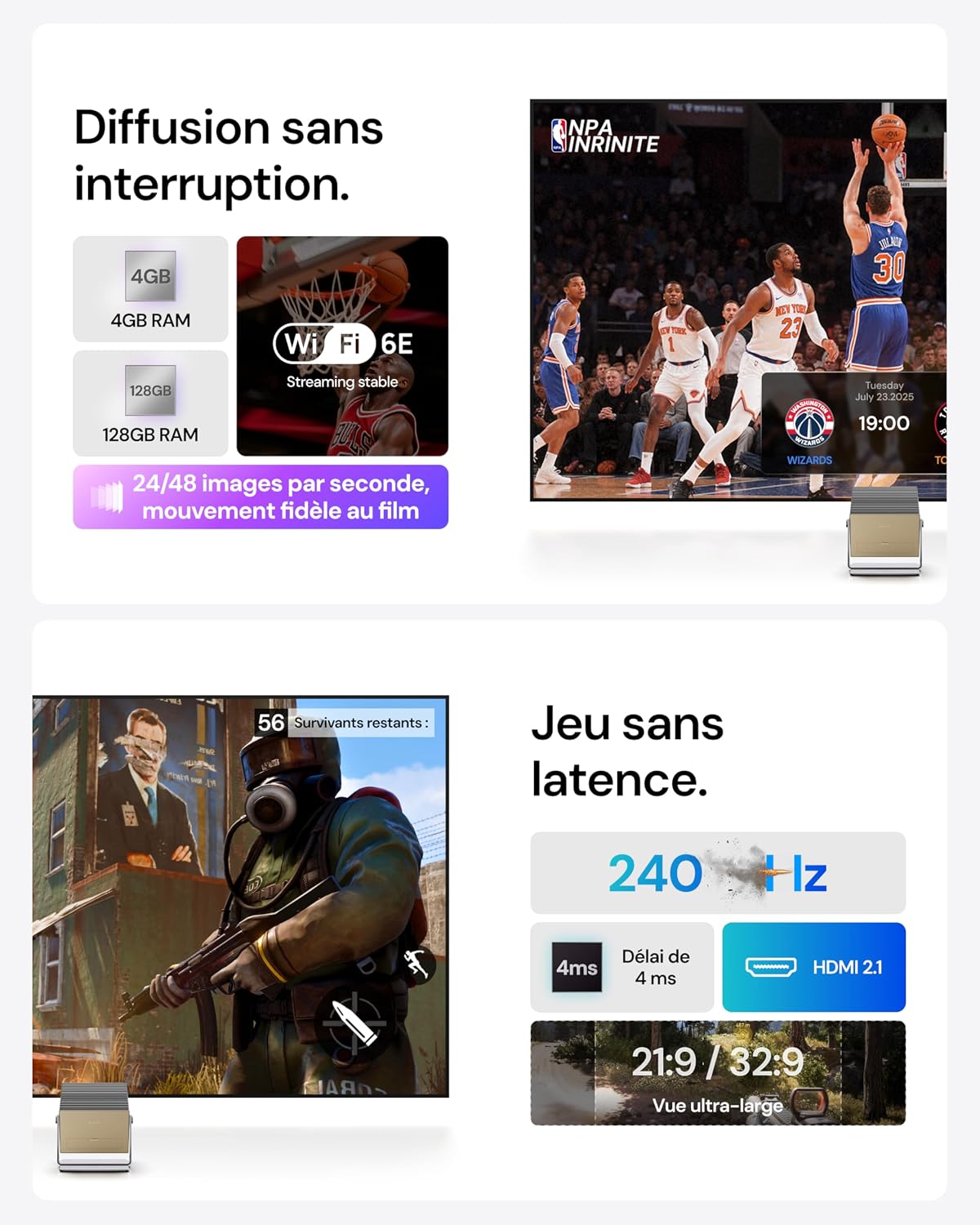
Image: Gaming and streaming features.
- Ultra-Low Latency: Enjoy a 4ms response time for responsive gameplay.
- High Refresh Rate: Supports up to 240Hz refresh rate for smooth motion.
- Ultra-Wide Screens: Compatible with 21:9 or 32:9 aspect ratios for an immersive gaming field.
- Gaming Modes: Customize your experience with modes like RPG, FPS, and RCG, along with enhanced FPS reticles and night vision.
5.4. Smart Home Integration and Voice Control
Integrate your projector into your smart home ecosystem for convenient control.
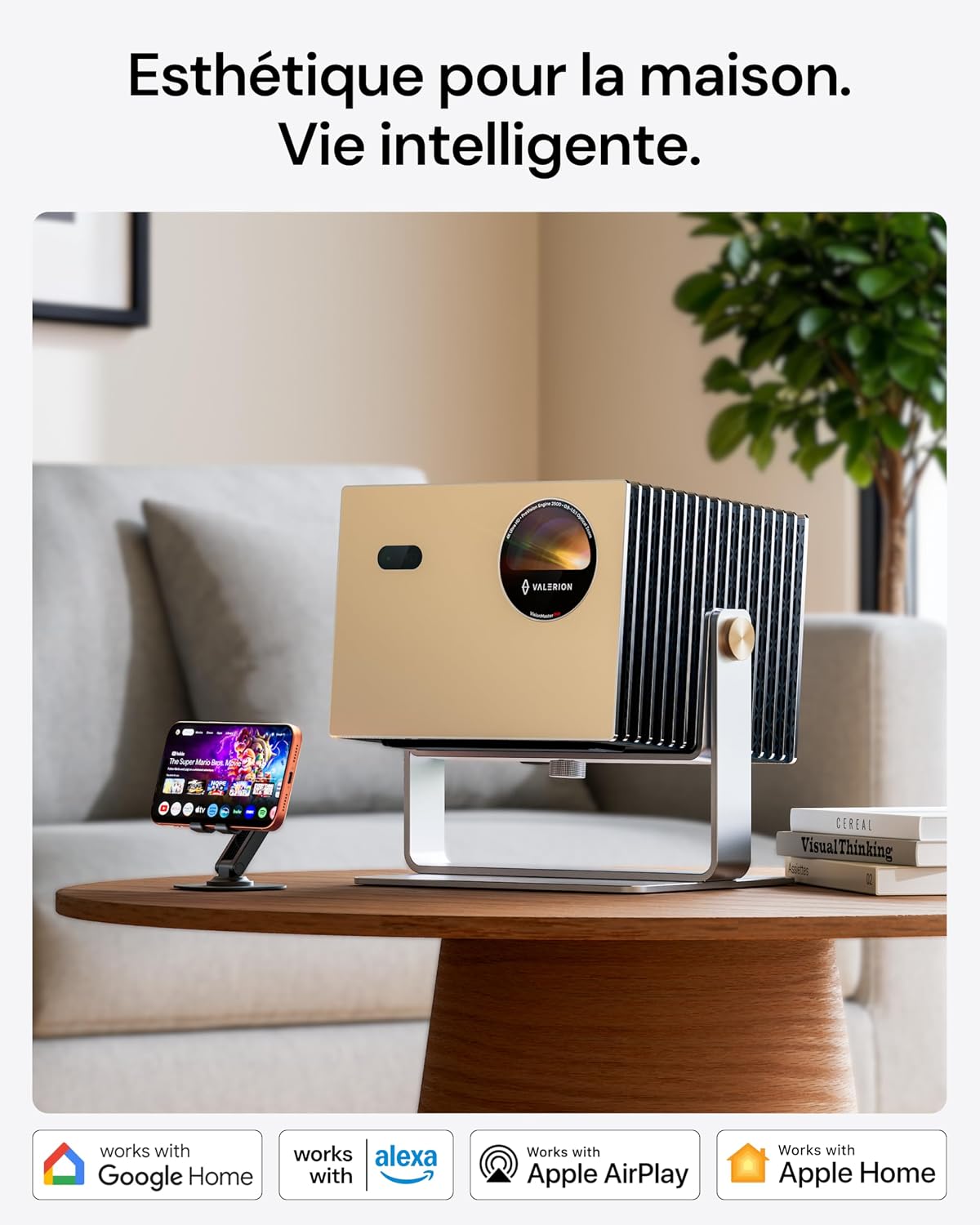
Image: Smart home compatibility.
- Voice Control: Use voice commands via Google Assistant or Alexa to control the projector.
- Smart Home Compatibility: Works with Google Home, Alexa, Apple AirPlay, and Apple Home for seamless integration.
6. Maintenance
6.1. Cleaning
- Exterior: Use a soft, dry cloth to wipe the projector's exterior. Do not use abrasive cleaners or solvents.
- Lens: Gently clean the lens with a lens cleaning cloth or specialized lens cleaning solution. Avoid touching the lens directly with your fingers.
- Ventilation: Ensure the ventilation openings are clear of dust and obstructions to prevent overheating.
6.2. Storage
When not in use for extended periods, store the projector in a cool, dry place, away from direct sunlight and extreme temperatures. Use the original packaging or a protective case to prevent damage.
7. Troubleshooting
If you encounter issues with your VisionMaster Pro, refer to the following common problems and solutions:
| Problem | Possible Cause | Solution |
|---|---|---|
| No image displayed | Power cable disconnected; input source not selected; device not powered on. | Check power connections; select correct HDMI/USB input; press power button. |
| Image is blurry | Focus not adjusted; lens dirty. | Allow auto-focus to complete or adjust manually; clean the lens. |
| Image is distorted (trapezoid) | Keystone not adjusted. | Allow auto-keystone to complete or adjust manually. |
| No sound | Volume too low; external audio device not connected; incorrect audio output selected. | Increase volume; connect external speakers if desired; check audio output settings. |
| Remote control not working | Batteries depleted; obstruction between remote and projector. | Replace batteries; ensure clear line of sight to the projector's IR receiver. |
8. Specifications
Detailed technical specifications for the Valerion VisionMaster Pro Projector:
| Feature | Detail |
|---|---|
| Brand | Valerion |
| Model Name | VisionMaster Pro |
| Display Resolution | 3840 x 2160 (4K UHD) |
| Display Type | Laser |
| Brightness | 2500 ISO Lumens (2500 ANSI Lumens) |
| Contrast Ratio | 15,000:1 |
| Connectivity Technology | HDMI, USB, S/PDIF |
| Special Features | Integrated Streaming, Low Latency Gaming, Advanced Image Processing, HDR10+, Enhanced Multitasking Power |
| Product Dimensions (L x W x H) | 26L x 24W x 19H centimeters |
| Item Weight | 7 Kilograms |
| Form Factor | Portable |
| Mounting Type | Table Mount |
| Control Type | Voice Control, Remote Control |
| Max Projection Distance | 7.97 Meters |
| Max Image Size | 300 Inches |
| Min Projection Distance | 1.06 Meters |
| Min Image Size | 40 Inches |
| Image Enhancement Technology | HDR10+ |
| Video Encoding | H.264 |
| Manufacturer | Valerion Technology USA Co., Ltd |
| Country of Origin | China |
9. Warranty & Support
9.1. Warranty Information
The Valerion VisionMaster Pro comes with a 2-year warranty. Please retain your proof of purchase for warranty claims.
Additionally, Valerion offers a 30-day price match guarantee. If the price drops within 30 days of your purchase, you will be refunded the difference.
9.2. Customer Support
For technical assistance, warranty claims, or any product-related inquiries, please contact Valerion customer support:
- Phone/WhatsApp: +1 (888) 891-6866
- Email: support@awolvision.com
- Service Availability: 24/7 After-Sales Service
Our support team is available to assist you throughout the process.


