
Introduction
This manual provides comprehensive instructions for the installation, operation, and maintenance of your SIXWIN Android 15 1-DIN Car Stereo. Please read this manual thoroughly before using the product to ensure proper functionality and to maximize your user experience. Keep this manual for future reference.
Product Overview
The SIXWIN Android 15 1-DIN Car Stereo is an advanced in-car entertainment and navigation system. It features a 10.1-inch IPS touchscreen that is both rotatable and detachable, offering flexible viewing angles and enhanced security. Powered by Android 15 with 2GB RAM and 64GB storage, it ensures smooth performance and ample space for applications. Key functionalities include Wireless CarPlay, Wireless Android Auto, integrated GPS, Wi-Fi connectivity, Bluetooth 5.0 for hands-free calls and music streaming, FM/RDS radio, and Mirror Link capabilities.

Image: The SIXWIN car stereo seamlessly integrated into a vehicle's dashboard, highlighting its large display.
What's in the Box
Upon unpacking, please verify that all the following components are included:
- 1 x SIXWIN Car Stereo Unit
- 1 x Power Cable
- 1 x RCA Cable
- 1 x Rear Camera Input Cable
- 2 x USB Cables
- 1 x GPS Antenna
- 1 x User Manual
- Accessories (mounting brackets, screws, etc.)

Image: A visual representation of the product dimensions and all items included in the package, such as various cables and the user manual.
Setup and Installation
Proper installation is crucial for optimal performance. It is recommended that installation be performed by a qualified professional. Refer to the included wiring diagram in the user manual for detailed connection instructions.
General Installation Steps:
- Preparation: Disconnect the vehicle's battery before starting any electrical work.
- Mounting: Install the 1-DIN chassis into your vehicle's dashboard opening. Secure it using the provided mounting brackets and screws.
- Wiring: Connect the power cable, RCA cables, USB cables, GPS antenna, and rear camera input cable according to the wiring diagram. Ensure all connections are secure.
- Screen Attachment: Carefully attach the 10.1-inch detachable screen to the main unit.
- Testing: Reconnect the vehicle's battery and power on the unit to test all functions.

Image: A comparison showing the car dashboard before and after the SIXWIN car stereo installation, demonstrating its integrated appearance.
Operating Instructions
1. 10.1-inch Rotatable and Detachable IPS Touchscreen
The large IPS touchscreen provides a clear and responsive interface. It can be rotated 360 degrees to adjust the viewing angle and detached for security or flexible installation. To detach, locate the release mechanism (typically buttons on the side or bottom of the screen mount) and gently pull the screen away from the main unit.

Image: This diagram shows how the 10.1-inch touchscreen can be rotated 360 degrees and detached from the main unit, offering versatile positioning.

Image: Examples of the screen adjusted to various positions within a car, demonstrating its flexibility for different situations.

Image: A detailed view of the 10.1-inch IPS touchscreen, showcasing its clarity and vibrant display quality.
2. Android 15 System (2GB RAM, 64GB Storage)
The car stereo operates on the Android 15 system, providing a familiar and intuitive interface. With 2GB of RAM and 64GB of internal storage, the unit offers responsive performance for applications and sufficient space for media and navigation data. You can download various apps from the Google Play Store.
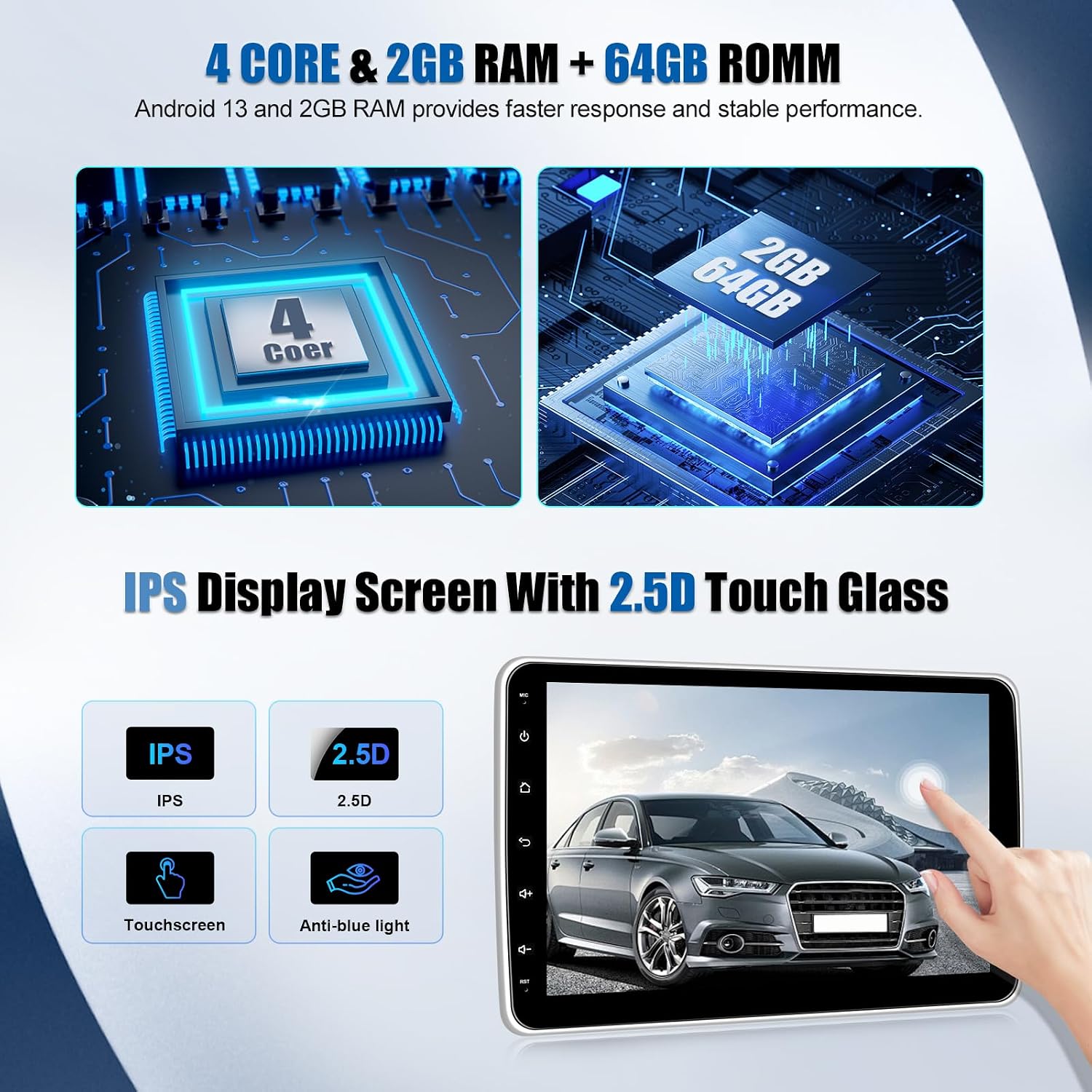
Image: An illustration detailing the internal components, including the 4-core processor, 2GB RAM, and 64GB storage, emphasizing the IPS display with 2.5D touch glass.
3. Wireless CarPlay and Android Auto
Connect your iPhone or Android smartphone wirelessly to access CarPlay or Android Auto. This allows you to use phone applications for navigation, music, messaging, and calls directly from the car stereo's screen, enhancing driving convenience and safety. Follow the on-screen prompts to pair your device.

Image: Displays of the Wireless CarPlay and Android Auto interfaces, showing various app icons and navigation, alongside an example of Mirror Link in action.
4. GPS Navigation
The integrated GPS module supports both offline navigation (with pre-installed maps) and online navigation via Google Maps or other compatible applications. Ensure the GPS antenna is properly installed for accurate positioning. The system allows for precise route guidance to your destination.

Image: Screenshots showing the GPS navigation interface with route details, the WiFi connection status, and the display from a reversing camera.

Image: The GPS and WiFi recognition interface, displaying a map view and a selection of navigation and social media application icons.
5. WiFi Connectivity
The built-in Wi-Fi module enables internet access. Connect to a mobile hotspot or available Wi-Fi networks to use online maps, stream media, download apps, and access other internet services directly from your car stereo.
Image: Screenshots showing the GPS navigation interface with route details, the WiFi connection status, and the display from a reversing camera.
6. FM/RDS Radio
Enjoy high-quality digital stereo radio with FM and RDS (Radio Data System) functionality. The RDS feature displays station information, song titles, and traffic updates where available. The unit supports 18 preset stations for quick access to your favorite channels.

Image: Displays of the 16-band equalizer settings, the FM/RDS radio interface showing frequency and station presets, and the Bluetooth connection screen.

Image: A split screen showing the FM/DBS radio interface with a frequency dial on the left and an EQ function with a colorful audio spectrum on the right.
7. Bluetooth 5.0
The integrated Bluetooth 5.0 module supports hands-free calling, phonebook download, and wireless music playback. Pair your smartphone to make and receive calls safely while driving, and stream your favorite audio content directly to the car stereo.
Image: Displays of the 16-band equalizer settings, the FM/RDS radio interface showing frequency and station presets, and the Bluetooth connection screen.

Image: The Bluetooth 4.2 interface displayed on the car stereo, with an illustration of a person making a hands-free call in a car.
8. Mirror Link
Mirror Link allows you to display your smartphone's screen directly onto the car stereo. For iOS devices, connect via Wi-Fi. For Android devices, connect via Wi-Fi or USB. This feature is useful for displaying apps not natively supported by CarPlay or Android Auto.
Image: Displays of the Wireless CarPlay and Android Auto interfaces, showing various app icons and navigation, alongside an example of Mirror Link in action.
9. Reversing Function
The unit supports an external AHD rear-view camera (optional, not included). When connected, the screen automatically displays the rear camera feed when the vehicle is in reverse, providing a clear view and assisting with parking maneuvers.
Image: Screenshots showing the GPS navigation interface with route details, the WiFi connection status, and the display from a reversing camera.
10. Audio Equalizer (EQ)
The built-in 16-band equalizer allows you to customize the audio output to your preference. Choose from various preset sound styles like Flat, Rock, Pop, Jazz, and Classic, or manually adjust individual frequency bands for a personalized listening experience.
Image: Displays of the 16-band equalizer settings, the FM/RDS radio interface showing frequency and station presets, and the Bluetooth connection screen.
11. Multiple UI & Split Screen
The system supports multiple user interfaces (UIs) and a split-screen function. This allows you to run two applications simultaneously, such as navigation on one side and music playback on the other, enhancing multitasking capabilities.

Image: A collage of different user interface layouts and examples of the split-screen feature, demonstrating the stereo's multitasking capabilities.
Maintenance
To ensure the longevity and optimal performance of your car stereo, follow these maintenance guidelines:
- Screen Cleaning: Use a soft, lint-free cloth to clean the touchscreen. For stubborn smudges, lightly dampen the cloth with a screen cleaner solution. Avoid harsh chemicals or abrasive materials.
- Software Updates: Periodically check for and install software updates to ensure the system runs efficiently and has the latest features and security patches.
- Environmental Conditions: Avoid exposing the unit to extreme temperatures, direct sunlight for prolonged periods, or excessive moisture.
- Cable Connections: Periodically check all cable connections to ensure they are secure and free from damage.
Troubleshooting
If you encounter issues with your SIXWIN car stereo, refer to the following common troubleshooting steps:
- Unit Does Not Power On: Check the power cable connections and the vehicle's fuse box. Ensure the battery is properly connected.
- Slow Startup/Lagging Performance: Close unnecessary background applications. Clear cache data from apps. If the issue persists, a factory reset might be necessary (back up important data first).
- Bluetooth/CarPlay/Android Auto Connection Issues:
- Ensure Bluetooth is enabled on both the stereo and your smartphone.
- Delete previous pairings and re-pair the device.
- Keep your smartphone close to the stereo unit to maintain a strong signal.
- Restart both the stereo and your smartphone.
- No Sound: Check speaker connections, volume levels, and audio source selection. Ensure the mute function is not active.
- GPS Signal Loss: Ensure the GPS antenna is properly installed and has a clear view of the sky. Move the vehicle to an open area if necessary.
- Screen Unresponsive: Try restarting the unit. If the issue persists, contact customer support.
For persistent issues not resolved by these steps, please contact SIXWIN customer support.
Specifications
| Feature | Specification |
|---|---|
| Brand | SIXWIN |
| Model Number | B0DSP1NYM5 |
| Operating System | Android 15 |
| RAM | 2GB |
| Internal Storage | 64GB |
| Screen Size | 10.1 inches |
| Display Type | IPS Touchscreen with 2.5D Glass |
| Screen Features | Rotatable 360 degrees, Detachable |
| Connectivity Technology | HDMI, RCA, USB, Optical |
| Wireless Connectivity | Bluetooth 5.0, Wi-Fi, Wireless CarPlay, Wireless Android Auto |
| GPS | Integrated GPS (supports online/offline navigation) |
| Radio | FM/RDS Radio (18 preset stations) |
| Audio Output Mode | Stereo |
| Surround Sound Channels | 5.1 |
| Video Encoding | H.264, H.265/HEVC |
| Compatible Devices | Smartphone, Speaker, Television |
| Dimensions (D x W x H) | 10.2 x 18.8 x 4.5 cm |
| Origin | China |
Warranty and Support
SIXWIN provides the following support for your product:
- Warranty: 2-year warranty from the date of purchase.
- Returns: 30-day return policy.
- Customer Service: 24-hour after-sales service.
- Technical Support: Lifetime customer and technical support.
For any inquiries, technical assistance, or warranty claims, please contact SIXWIN customer support directly. You can often find contact information on the seller's page or through the email provided in the product documentation.

Image: Customer service contact details, including an email address for support.
