
1. Introduction
The NANLITE FC-120C is a compact and versatile full-color RGBW LED spotlight designed for various lighting applications. It offers high light output, accurate color rendition, and multiple control options, making it suitable for both beginners and advanced users. This manual provides essential information for the safe and effective use of your FC-120C spotlight.
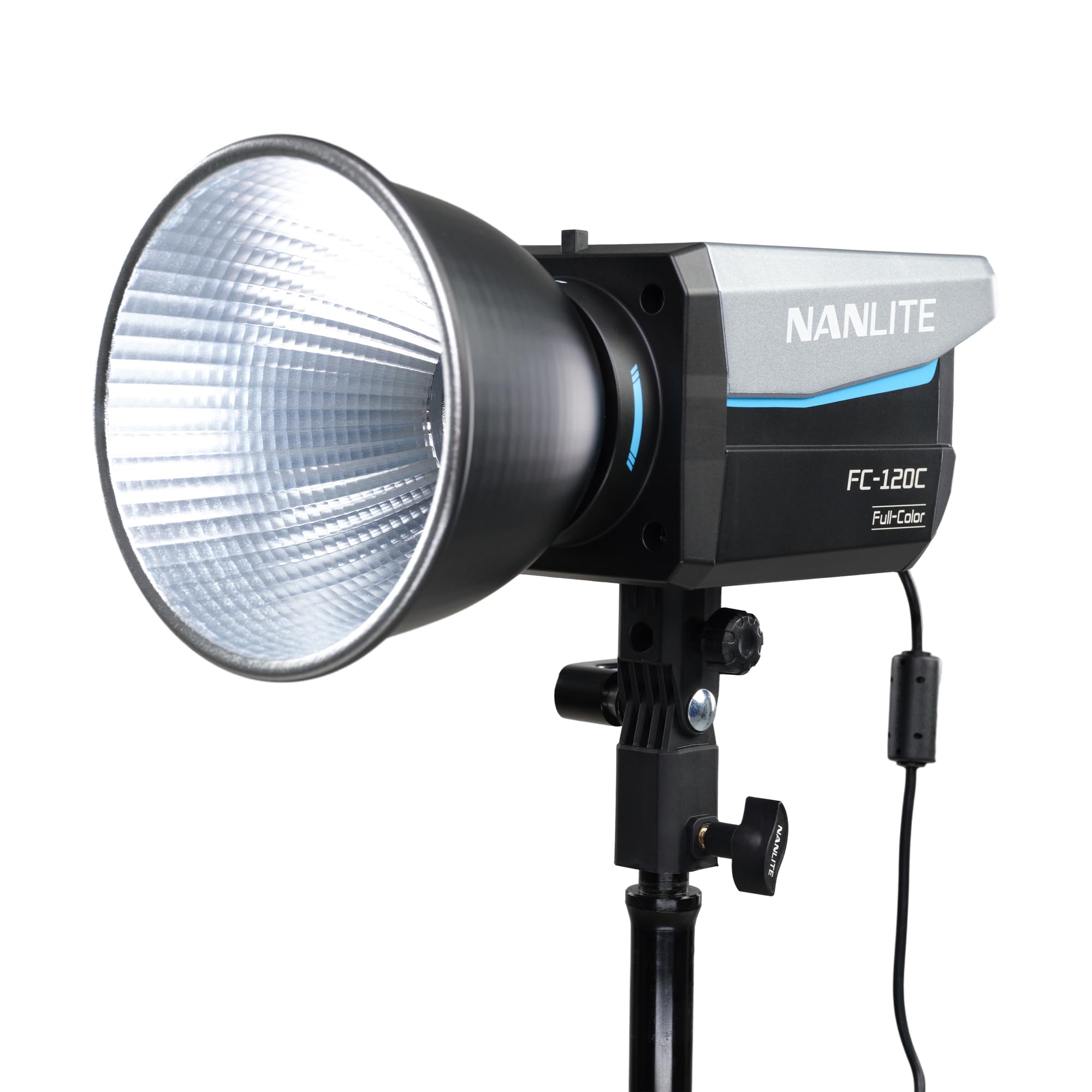
Image 1.1: The NANLITE FC-120C Full-Color RGBW LED Spotlight.
2. Safety Information
Please read and understand all safety instructions before using the NANLITE FC-120C spotlight. Failure to follow these instructions may result in electric shock, fire, or serious injury.
- Do not expose the device to water or high humidity.
- Do not disassemble or modify the device. Repairs should only be performed by authorized service personnel.
- Ensure the power supply voltage matches the device's requirements.
- Keep the device away from flammable materials.
- Do not block the ventilation openings to prevent overheating.
- Avoid direct eye exposure to the light source, as it can cause eye damage.
- Always use the provided or approved accessories.
3. Package Contents
Verify that all items listed below are included in your package. If any items are missing or damaged, please contact your dealer.
- NANLITE FC-120C Full-Color RGBW LED Spotlight
- AC Power Adapter
- Standard Reflector
- Bowens Mount Adapter
- Hard-foam Carrying Case

Image 3.1: The FC-120C spotlight and its accessories neatly organized within the hard-foam carrying case.
4. Setup
4.1 Assembling the Spotlight
- Mounting: Attach the FC-120C to a light stand using its integrated receiver. Secure it by tightening the locking knob.
- Reflector/Modifier Attachment: Align the standard reflector or any Bowens mount compatible modifier with the Bowens mount on the front of the FC-120C. Rotate clockwise until it clicks into place. To remove, press the release button and rotate counter-clockwise.
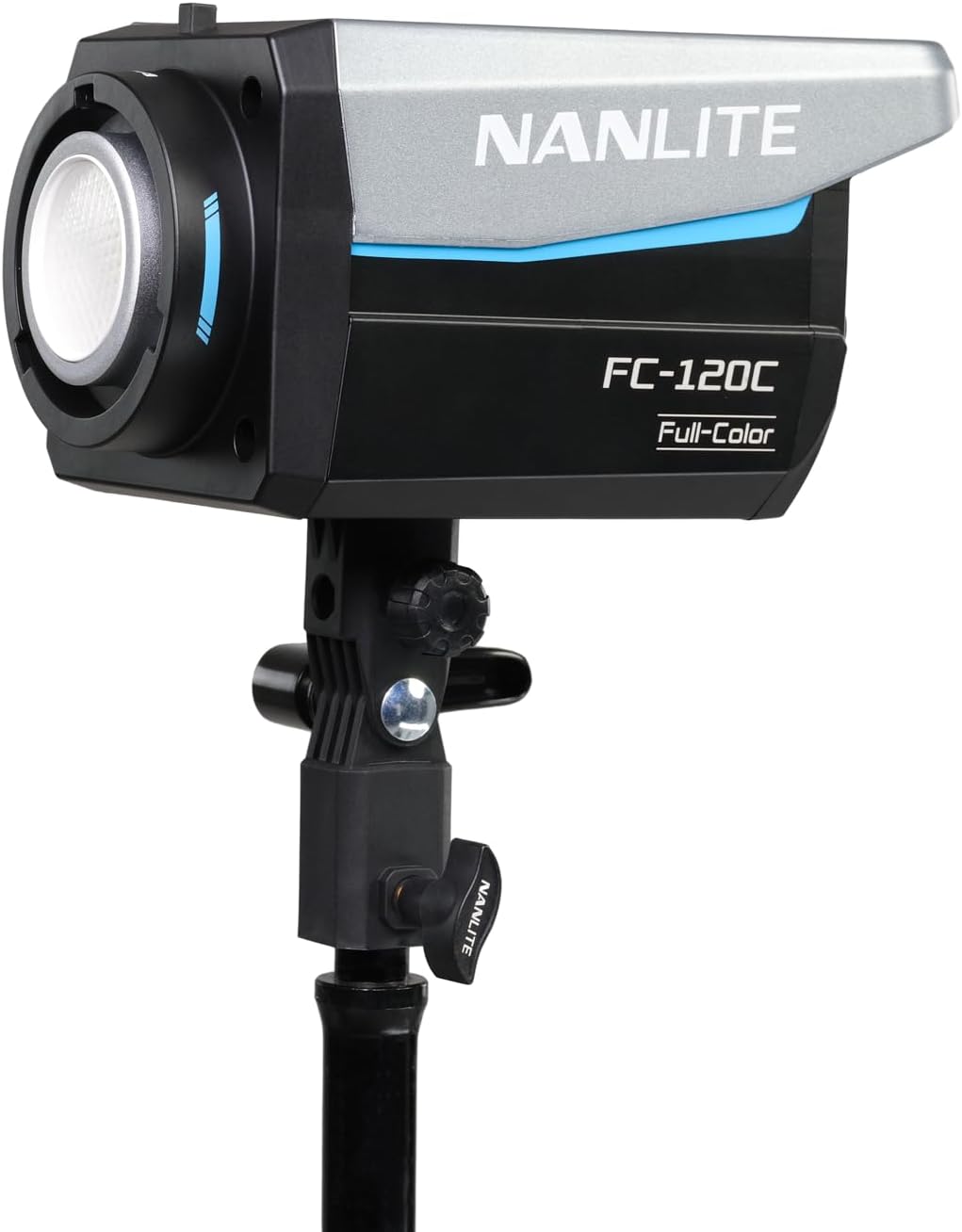
Image 4.1: The FC-120C spotlight assembled with its standard reflector and mounted on a light stand, ready for use.
4.2 Powering the Device
The FC-120C offers multiple power options:
- AC Power: Connect the included AC power adapter to the DC 24V input port on the FC-120C, then plug the adapter into a suitable power outlet.
- V-Mount Battery (Sold Separately): A V-Mount handgrip (sold separately) allows the FC-120C to be powered by V-Mount batteries for portable operation.
- USB-C Power Bank: The USB-C port supports Power Delivery (PD 3.0 and 2.0) for powering the unit with compatible USB-C power banks or chargers.
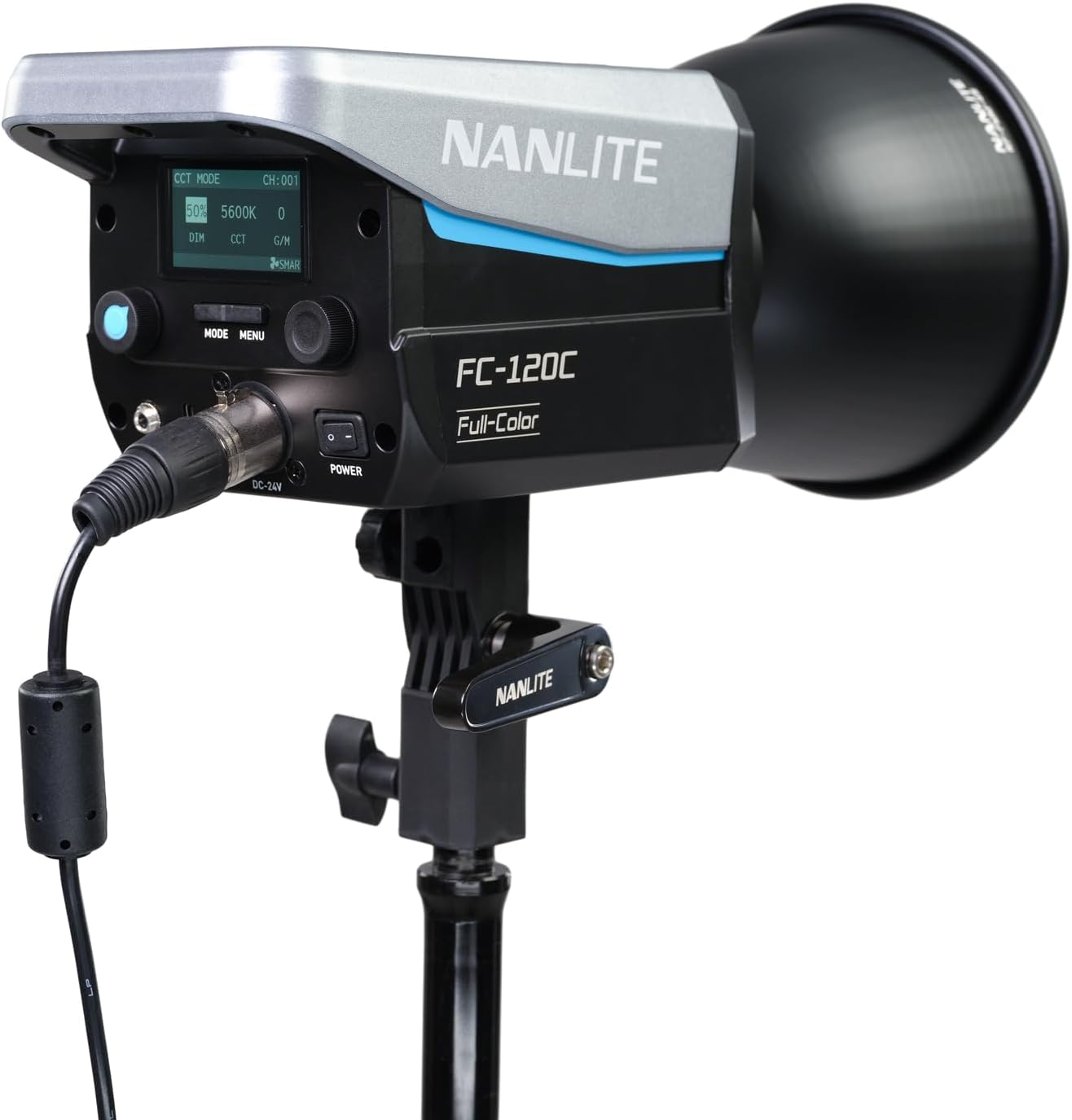
Image 4.2: The FC-120C spotlight with the AC power adapter connected to the DC 24V input, showing the power connection point and the control panel.
5. Operating Instructions
5.1 Onboard Controls
The FC-120C features an intuitive control panel with a display screen and various buttons/knobs for direct adjustments.
- Power Button: Press and hold to turn the unit on or off.
- Mode Button: Cycles through different operating modes (CCT, HSI, GEL, Effect).
- Menu Button: Accesses system settings and advanced options.
- Dimming Knob: Adjusts brightness intensity.
- CCT/Hue Knob: Adjusts Color Correlated Temperature (CCT) in CCT mode or Hue in HSI mode.
- G/M/Saturation Knob: Adjusts Green/Magenta shift in CCT mode or Saturation in HSI mode.
5.2 Control Modes
- CCT Mode: Allows adjustment of color temperature from 2700K to 7500K and Green/Magenta shift.
- HSI Mode: Provides full control over Hue, Saturation, and Intensity for a wide range of colors.
- GEL Mode: Simulates various color gels.
- Effect Mode: Offers pre-programmed special effects like lightning, paparazzi, TV, etc.
5.3 Remote Control Options
The FC-120C can be controlled remotely using several methods:
- Bluetooth (NANLINK App): Download the free NANLINK app on your smartphone or tablet to control the light wirelessly via Bluetooth.
- 2.4G Remote: The NANLINK WS-RC-C2 Remote (sold separately) can be used for 2.4G wireless control.
- DMX/RDM: For advanced control in professional setups, the FC-120C supports DMX/RDM protocols. Connect a DMX controller via the DMX input/output ports.
6. Maintenance
Proper maintenance ensures the longevity and optimal performance of your FC-120C spotlight.
- Cleaning: Use a soft, dry cloth to clean the exterior of the light. Do not use harsh chemicals or abrasive materials.
- Lens Care: Gently clean the LED lens with a microfiber cloth designed for optics.
- Storage: When not in use, store the FC-120C in its hard-foam case in a cool, dry place, away from direct sunlight and extreme temperatures.
- Ventilation: Ensure the ventilation openings are clear of dust and debris to prevent overheating.
7. Troubleshooting
If you encounter issues with your FC-120C, refer to the table below for common problems and solutions.
| Problem | Possible Cause | Solution |
|---|---|---|
| Light does not turn on | No power supply; Loose connection; Faulty power adapter | Check power cable and adapter connection; Ensure power outlet is functional; Try a different power source if available. |
| Light flickers | Unstable power supply; Interference; Incorrect settings | Ensure stable power; Check for nearby electronic interference; Reset settings to default. |
| Remote control not working | Bluetooth/2.4G not paired; Out of range; Battery low (for 2.4G remote) | Ensure proper pairing; Move closer to the light; Replace remote battery; Check app permissions. |
| Overheating warning | Blocked ventilation; High ambient temperature | Ensure ventilation openings are clear; Operate in a well-ventilated area; Reduce output if necessary. |
8. Specifications
Key technical specifications for the NANLITE FC-120C Full-Color RGBW LED Spotlight:
| Feature | Detail |
|---|---|
| Model Number | FC-120C |
| Light Type | Full-Color RGBW LED Spotlight |
| Output (1M 5600K) | 12850 lux, 1193 fc (with reflector) |
| CCT Range | 2700K-7500K |
| Color Accuracy | SSI 82 (3200K) / 70 (5600K), TCI 96, TLCI 94 |
| Control Options | Onboard, Bluetooth (NANLINK App), 2.4G, DMX/RDM |
| Mounting | Bowens Mount |
| Power Input | AC Adapter, V-Mount Battery (optional), USB-C PD 3.0/2.0 |
| Item Weight | 6.6 pounds (approx. 3 kg) |
| Product Dimensions | 16.54 x 12.99 x 7.48 inches (approx. 42 x 33 x 19 cm) |
9. Warranty and Support
The NANLITE FC-120C is covered by a 2-year warranty. This warranty can be extended to 3 years with online registration. For warranty claims, technical support, or service inquiries, please contact NANLITE customer support or visit their official website. Ensure you have your purchase receipt and product serial number available.
For further assistance, please refer to the official NANLITE website or contact their responsive support team in the USA.


