
Introduction
The Bewinner ATU-100 EXT is an automatic antenna tuner designed for ham radio applications. It features automatic tuning capabilities across a frequency range of 1.8 to 50 MHz, ensuring optimal performance for various radio bands. The device includes a 0.69-inch Organic Light Emitting Diode (OLED) screen for clear display of tuning status and other important metrics. Constructed from durable aluminum alloy, it offers stability and reliability for both indoor and outdoor use. Its user-friendly design includes a simple one-key power on/off operation. The tuner supports a maximum output power of 100W, suitable for most radio stations.
Package Contents
- 1 x Antenna Tuner
- 1 x USB Cable
Setup
- Connect Components: Connect your radio, the ATU-100 EXT antenna tuner, and your antenna. Ensure all connections are secure.
- Initial Power Setting: Before tuning, set the output power of your radio or power amplifier to 20-30W. Using higher power during initial tuning can damage the antenna tuner.
- Radio Mode: Set your radio to FM mode for tuning.

Figure 1: Top view of the tuner with ANT and RFIN connectors.
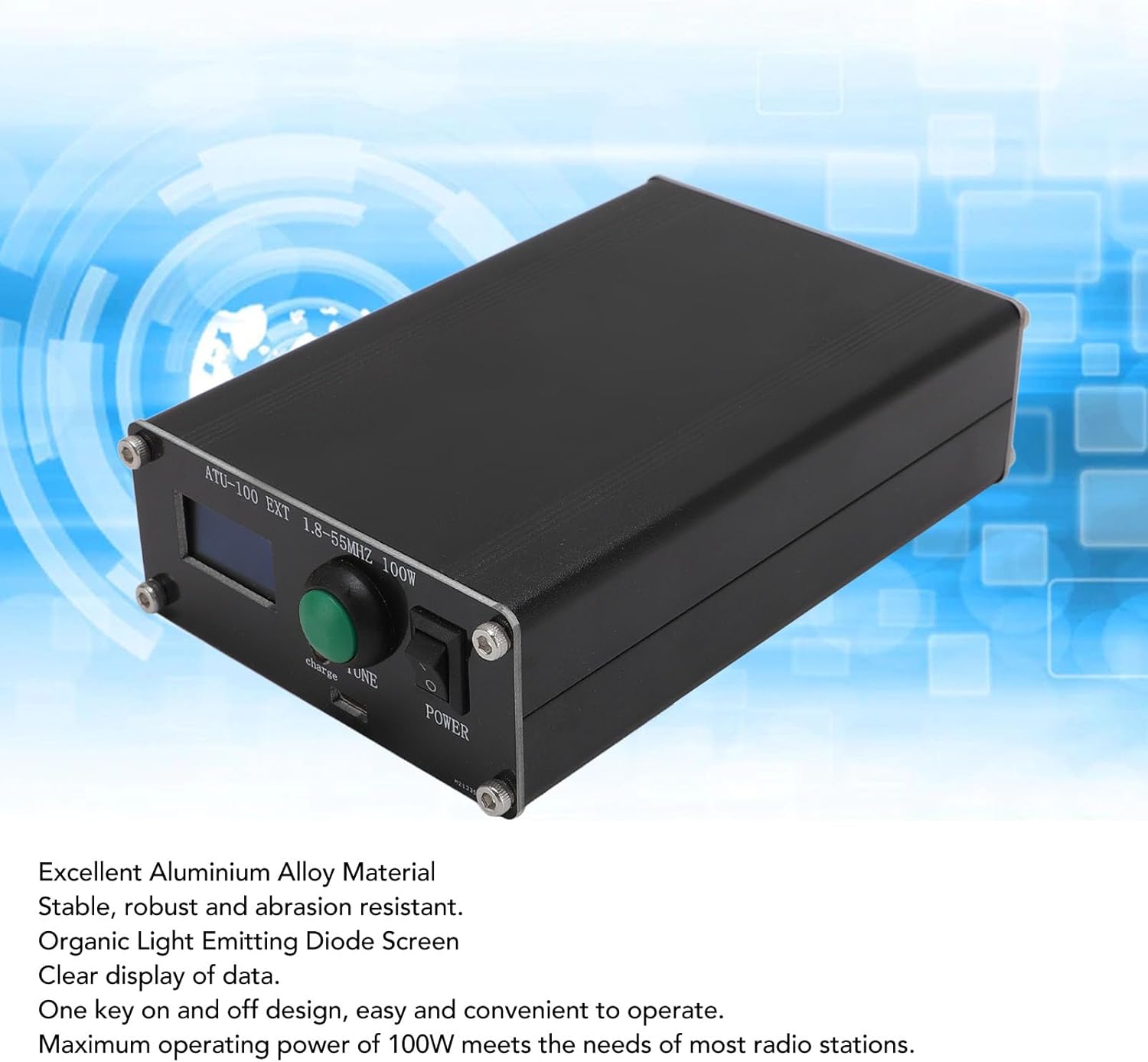
Figure 2: Angled view showing the display, TUNE button, and power switch.
Operating Instructions
- Select Frequency Band: Choose the desired antenna frequency band for operation.
- Transmit for Measurement: In FM mode, transmit with 20-30W power. Observe the Power (PWR) and Standing Wave Ratio (SWR) readings on the ATU-100 EXT tuner's display.
- Tuning Process:
- Reset State: A short press (less than 1 second) of the ATU TUNE key will reset the tuner to its initial state.
- Initiate Tuning: A long press (more than 1 second) of the ATU TUNE key will initiate the automatic tuning process.
- SWR Monitoring:
- If the ATU tuner displays an SWR greater than 2.0 during transmission, the antenna is mismatched. Perform a long press on the ATU TUNE key to initiate tuning and observe the SWR value.
- If, after tuning, the SWR remains greater than 3.0, the antenna mismatch is significant. It is not recommended to use power above 30W in this condition. Keep transmit power below 30W.
- If tuning is successful and the SWR is less than 2.0, you may transmit at the maximum power of 100W.

Figure 3: Detailed view of the control panel with display and TUNE button.
Maintenance
The ATU-100 EXT antenna tuner is constructed from durable aluminum alloy. To ensure longevity and optimal performance:
- Keep the device clean and free from dust and debris.
- Avoid exposing the tuner to extreme temperatures or moisture.
- Ensure all connections are clean and tight to prevent signal loss or damage.
- Store the tuner in a dry, safe place when not in use.
Troubleshooting
- High SWR (> 2.0) after initial connection: This indicates an antenna mismatch. Perform the tuning process by long-pressing the ATU TUNE key.
- SWR remains high (> 3.0) after tuning: The antenna mismatch is severe. It is not recommended to operate at high power. Reduce transmit power to below 30W. Consider checking your antenna system for faults or suitability for the chosen frequency band.
- No display or power: Ensure the device is charged using the provided USB cable and the power switch is in the "ON" position.
- Tuner not responding: Try a short press of the ATU TUNE key to reset the tuner. If issues persist, power cycle the device.
Specifications
| Item Type | Automatic Antenna Tuner |
| Material | Aluminium Alloy |
| Working Frequency | 1.8-55 MHz |
| Battery Type | Li Battery |
| Battery Capacity | 1500mAh |
| USB Charging Current | 1A |
| Maximum Operating Power | 100W |
| Maximum Measured Power | 150W |
| Minimum Measured Power | 0.1W |
| Measurement Program for Power Up to 10W | 0.1W |
| Powerful measurement steps of 10W per hour, above STI | 1W |
| Power Measurement Accuracy | 10% |
| Rated Maximum Inductance | 8.4uH |
| Minimum Installation Step for Inductance | 0.05uH |
| Maximum Installation Capacity | 1870pF |
| Minimum Installation Step Length | 10 |
| Product Dimensions | 7.09 x 3.54 x 2.36 inches |
| Item Weight | 1.11 pounds |
| Model Number | Bewinner49gfgy71b5 |
Warranty and Support
Warranty information for the Bewinner ATU-100 EXT Automatic Antenna Tuner is typically provided with the product at the time of purchase or can be obtained directly from the manufacturer, Bewinner. For technical support or service inquiries, please refer to the contact information provided in your product packaging or visit the official Bewinner website.