1. Introduction
The DOOGEE Note 58 is a powerful and versatile unlocked Android 15 cellphone designed for a seamless user experience. It features a large 6.75-inch HD+ display with a 90Hz refresh rate, an octa-core processor, and a substantial 6250mAh battery for extended use. With its 16MP AI main camera and 8MP front camera, it's equipped to capture clear photos and videos. The device also includes advanced features like Face Unlock, NFC with Google Pay support, and comprehensive GPS navigation.

2. What's in the Box
Upon opening your DOOGEE Note 58 package, you should find the following items:
- 1X Doogee Note58 Cellphone Unlocked Android 15
- 1X Type-C USB Cable and Charger
- 1X Anti-explosion film and 1X SIM card pin
- 1X Protective case and 1X Packing box
- 1X manual and warranty card
3. Setup
3.1 Initial Power On
To power on your DOOGEE Note 58 for the first time, press and hold the power button located on the right side of the device until the DOOGEE logo appears on the screen. The phone will then boot into the Android 15 operating system.
3.2 SIM Card and Storage Card Installation
The DOOGEE Note 58 supports dual SIM cards and an expandable TF card for additional storage. Locate the SIM card tray on the side of the phone. Use the provided SIM ejector pin to open the tray. Carefully place your Nano-SIM cards and/or TF card into the designated slots on the tray, ensuring correct orientation. Gently push the tray back into the phone until it clicks into place.

3.3 Initial Setup Wizard
After powering on, follow the on-screen instructions to complete the initial setup. This typically includes selecting your language, connecting to a Wi-Fi network, setting up your Google account, and configuring security options like Face Unlock.
4. Operating Your Device
4.1 Android 15 System
Your DOOGEE Note 58 runs on the latest Android 15 operating system, offering enhanced security, privacy controls, and a more intuitive user interface. Enjoy seamless multitasking and faster app launches.

4.2 Display
The 6.75-inch HD+ IPS waterdrop display provides vibrant colors and clear visuals with a 90Hz refresh rate for smooth scrolling and gaming. The 720 x 1600 resolution ensures crisp details.

4.3 Performance and Storage
Powered by the UNISOC T7250 octa-core processor, the Note 58 delivers efficient and reliable performance. It comes with 8GB of basic RAM, expandable up to 32GB (8GB + 24GB extended RAM), and 128GB of internal storage, expandable up to 2TB via TF card.

4.4 Camera Features
Capture stunning moments with the 16MP AI main camera and take clear selfies with the 8MP front camera. The phone offers various shooting modes including HDR, Night Mode, Time-Lapse, Portrait, Panorama, and Pro Mode, along with Beauty Mode, Filters, Smile Shutter, and Audio Note. It supports 1080p video recording.
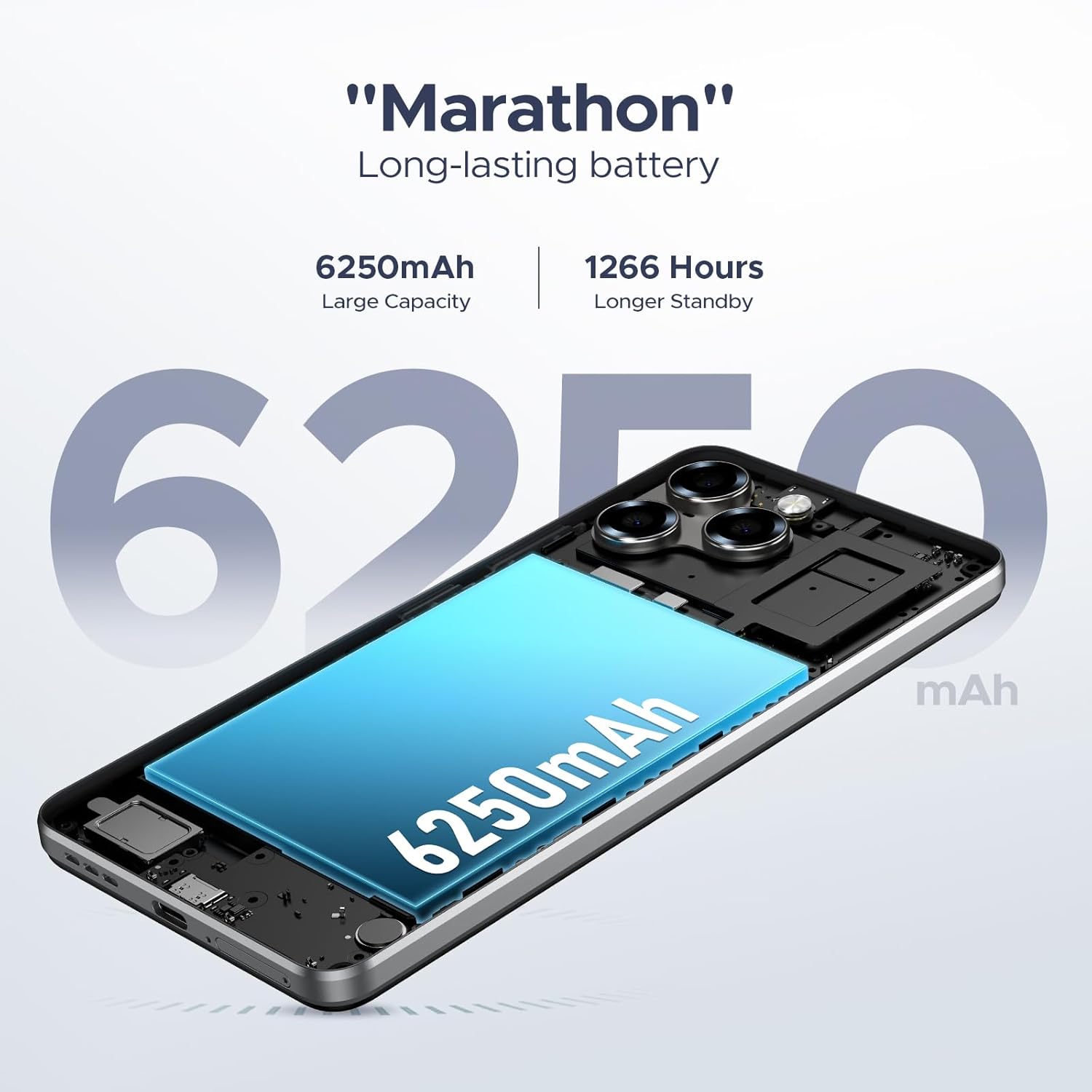
4.5 Battery Life and Charging
The 6250mAh long-lasting battery provides ample power for all-day use. The device also supports OTG reverse charging, allowing you to power other compatible devices.

4.6 Security and Connectivity
The Note 58 offers Face Unlock for quick and secure access. It supports NFC with Google Pay for contactless payments. Stay connected with 4G Dual SIM capabilities and precise navigation via GPS, GLONASS, Galileo, and Beidou. Widevine L1 support ensures high-quality 1080P streaming.

5. Maintenance
5.1 Battery Care
To maximize battery lifespan, avoid exposing your phone to extreme temperatures. Do not leave it charging for excessively long periods after it reaches 100%. For optimal performance, use the original charger and cable provided.
5.2 Cleaning Your Device
Use a soft, lint-free cloth to clean the screen and body of your phone. Avoid using harsh chemicals or abrasive materials that could damage the surface. For stubborn smudges, a slightly damp cloth can be used, followed by a dry one.
5.3 Software Updates
Regularly check for and install software updates to ensure your device has the latest features, security patches, and performance improvements. You can typically find this option in your phone's Settings menu under 'System' or 'About phone'.
6. Troubleshooting
If you encounter issues with your DOOGEE Note 58, try the following common troubleshooting steps:
- Device Not Responding: Press and hold the power button for about 10-15 seconds to force a restart.
- Connectivity Issues (Wi-Fi/Mobile Data): Toggle Wi-Fi or mobile data off and on. Restart your router or check your SIM card insertion.
- Battery Draining Quickly: Check background app usage in settings. Reduce screen brightness. Disable unnecessary features like GPS or Bluetooth when not in use.
- Apps Crashing/Freezing: Clear the cache and data of the problematic app in Settings > Apps. If the issue persists, uninstall and reinstall the app.
- Slow Performance: Close unused apps. Clear temporary files and cache. Consider freeing up storage space.
- Network Compatibility: Ensure your carrier supports the phone's network bands (GSM:B2/3/5/8, WCDMA: B1/2/4/5/8, TDD: B38/40/41, FDD: B1/2/3/4/5/7/8/18/19/20/25/26/28A/28B/6). Contact your carrier for verification.
For more complex issues, refer to the official DOOGEE support website or contact customer service.
7. Specifications
| Feature | Detail |
|---|---|
| Model Name | NOTE58-BLACK |
| Operating System | Android 15 |
| Display Size | 6.75 Inches |
| Refresh Rate | 90 Hz |
| RAM Memory Installed Size | 8 GB (expandable to 32GB) |
| Memory Storage Capacity | 127.98 GB (expandable to 2TB) |
| Battery Power Rating | 6250 Milliamp Hours |
| Main Camera | 16MP AI Main Camera |
| Front Camera | 8MP Front Camera |
| Connectivity Technologies | Wi-Fi, 4G Dual SIM |
| Special Features | 6.75” HD+ IPS display, Note58 Android 15, 6250mAh Long-Lasting Battery, Ultra-Light Design, Face Unlock, NFC, Widevine L1, GPS |
| Item Weight | 14.4 ounces |
| Dimensions | 6.6 x 3 x 0.33 inches (approx.) |
8. Warranty and Support
Your DOOGEE Note 58 comes with a warranty card included in the box. Please refer to this card for detailed information regarding warranty coverage and terms. For technical support, product inquiries, or service requests, please visit the official DOOGEE website or contact their customer support channels as provided in your product documentation.


