
Introduction
Thank you for choosing the Juboos Kids Digital Watch, Model 24211. This manual provides essential information for setting up, operating, and maintaining your watch. Please read these instructions carefully to ensure proper use and to maximize the lifespan of your product.
Product Overview
The Juboos Kids Digital Watch is designed for children aged 7-16, offering a blend of functionality and durability. Key features include:
- Digital Display: Clear and easy-to-read time, date, and other functions.
- Night Light: Illuminates the display for visibility in low-light conditions.
- Alarm Clock: Programmable alarm to help with daily routines.
- Stopwatch: For timing activities and sports.
- 3ATM Water Resistance: Suitable for daily use like hand washing and rain exposure.
- Wear-resistant Structure: Features a high-definition plexiglass mirror and a shockproof case.
- Comfortable Design: Soft, skin-friendly, and adjustable strap for a secure fit.

Image: Front view of the Juboos Kids Digital Watch in black.

Image: The watch highlighting its multi-function capabilities including alarm, stopwatch, calendar, 12/24H display, LED light, hourly chime, 30M water resistance, and anti-shock design.
Watch Components
Familiarize yourself with the buttons and display areas of your watch:

Image: Labeled diagram of the watch's buttons and display features.
- LIGHT Button (Top Left): Activates the backlight.
- MODE Button (Bottom Left): Cycles through different modes (Time, Alarm, Stopwatch).
- START Button (Top Right): Used to start/stop functions in Stopwatch mode, and adjust settings.
- RESET Button (Bottom Right): Used to reset functions in Stopwatch mode, and adjust settings.
Operating Instructions
Setting Time and Date
- From the normal time display, press the MODE button three times to enter time setting mode. The seconds will flash.
- Press the RESET button to set the seconds to zero.
- Press the START button to move to the next setting (e.g., hour, minute, month, date, day of the week).
- Use the RESET button to adjust the flashing value.
- Repeat steps 3 and 4 until all desired settings (hour, minute, month, date, day of the week) are adjusted.
- Press the MODE button once to exit setting mode and return to the normal time display.
Using the Alarm Clock
- From the normal time display, press the MODE button once to enter Alarm mode. The hour digits will flash.
- Press the RESET button to adjust the hour.
- Press the START button to move to the minute setting.
- Press the RESET button to adjust the minute.
- Press the MODE button to exit Alarm setting mode.
- To activate/deactivate the alarm, press the START button while in Alarm mode. An alarm icon will appear/disappear on the display.
Using the Stopwatch
- From the normal time display, press the MODE button twice to enter Stopwatch mode.
- Press the START button to begin timing.
- Press the START button again to pause timing.
- Press the RESET button to clear the stopwatch to zero.
- Press the MODE button to exit Stopwatch mode.
Activating the Night Light
To illuminate the display in dark environments, simply press the LIGHT button located on the top left side of the watch. The light will stay on for approximately 3 seconds.
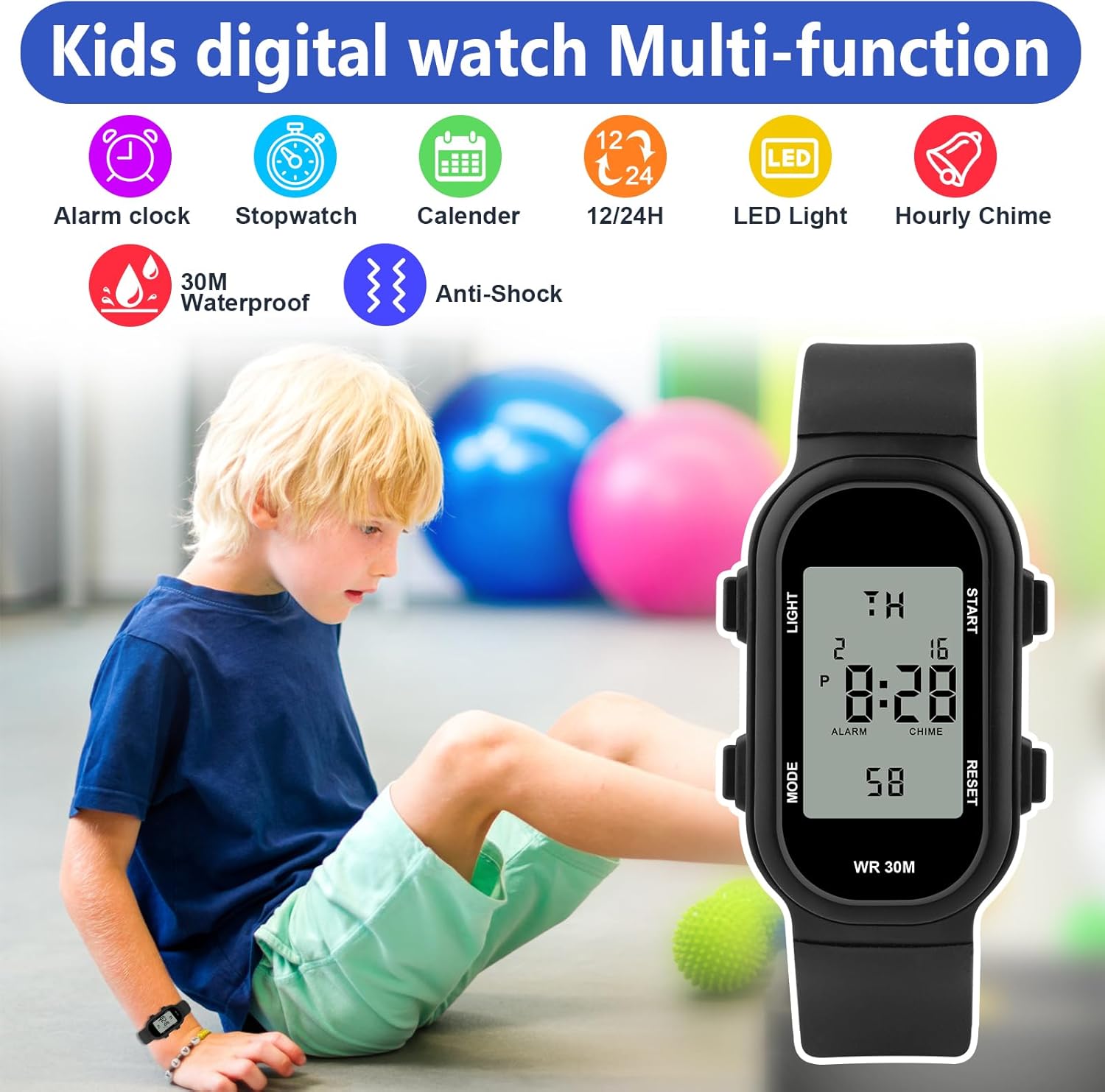
Image: A hand pressing the 'LIGHT' button to activate the watch's backlight.
Official Product Videos
Video: Demonstrates the Juboos youth sports digital watch features, including the night light and water resistance.
Video: Showcases the various functions of the Children's Square Sports Digital Watch.
Water Resistance Guidelines
The Juboos Kids Digital Watch has a 3ATM water resistance rating. This means it is suitable for:
- Daily splashes
- Hand washing
- Rain exposure
- Sweat
Important Precautions:
- DO NOT press any buttons while the watch is submerged in water.
- DO NOT wear the watch during bathing, showering, or swimming.
- Avoid exposure to high temperatures (e.g., hot tubs, saunas) as this can compromise the water resistance seals.
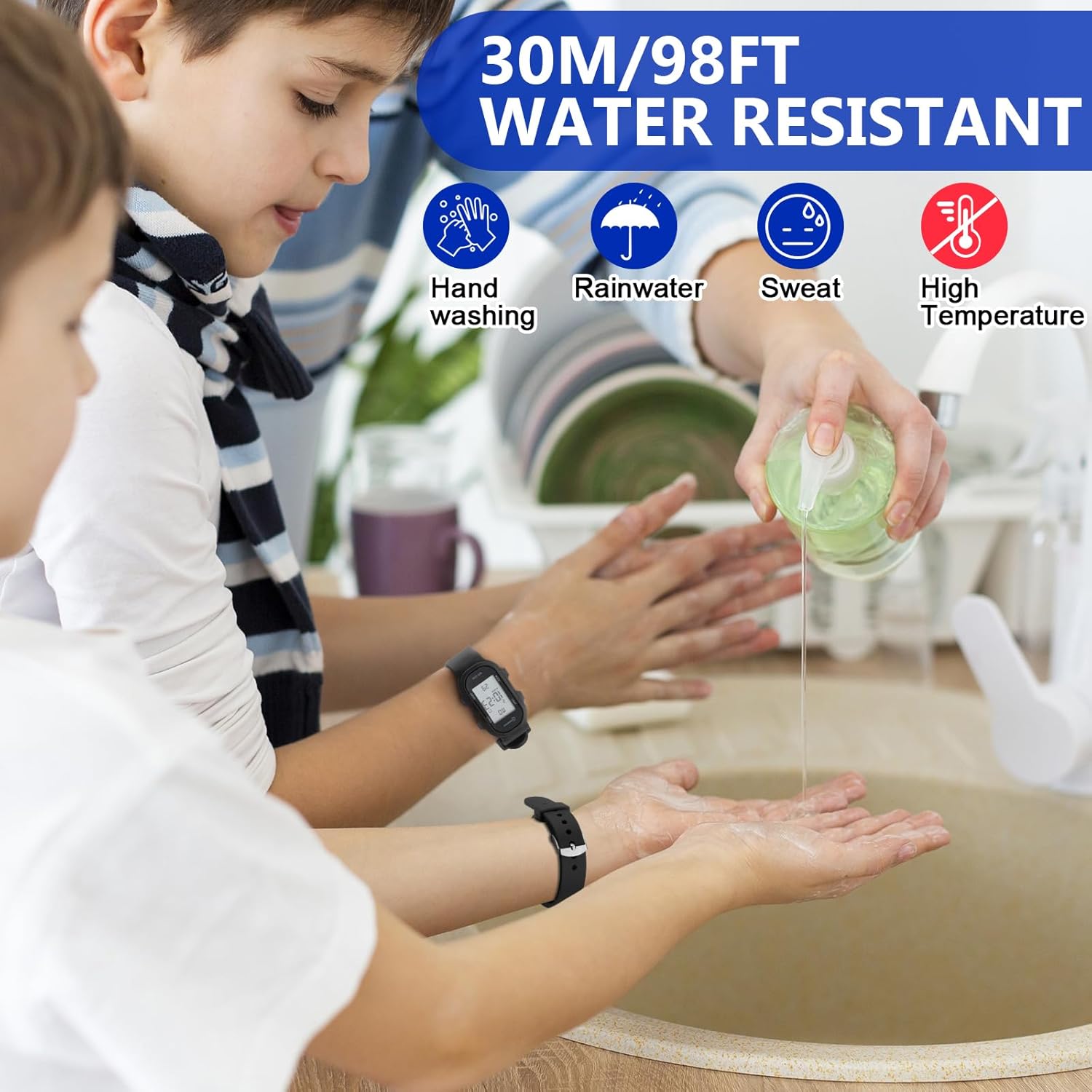
Image: Demonstrating the watch's water resistance during hand washing.
Maintenance
To keep your Juboos Kids Digital Watch in optimal condition:
- Clean the watch regularly with a soft, dry cloth.
- Avoid exposing the watch to extreme temperatures or direct sunlight for prolonged periods.
- Do not use chemical cleaners or abrasive materials on the watch.
- If the watch becomes wet, wipe it dry immediately.
Troubleshooting
If you encounter any issues with your watch, please consider the following:
- Display is blank or dim: The battery may need replacement. Consult a professional watch repair service.
- Time is inaccurate: Re-set the time following the instructions in the 'Setting Time and Date' section.
- Buttons are unresponsive: Ensure the watch is not in a locked mode (if applicable, though this model does not specify one). If the issue persists, a reset may be required (consult manufacturer support if a specific reset procedure is not provided).
Specifications
| Feature | Detail |
|---|---|
| Model Number | 24211 |
| Brand | Juboos |
| Water Resistance | 3ATM (30 meters / 98 feet) |
| Clasp Type | Buckle |
| Display Type | Digital |
| Features | Night Light, Alarm Clock, Stopwatch, Calendar |
| Package Dimensions | 10.39 x 2.32 x 0.75 inches |
| Item Weight | 0.92 ounces |
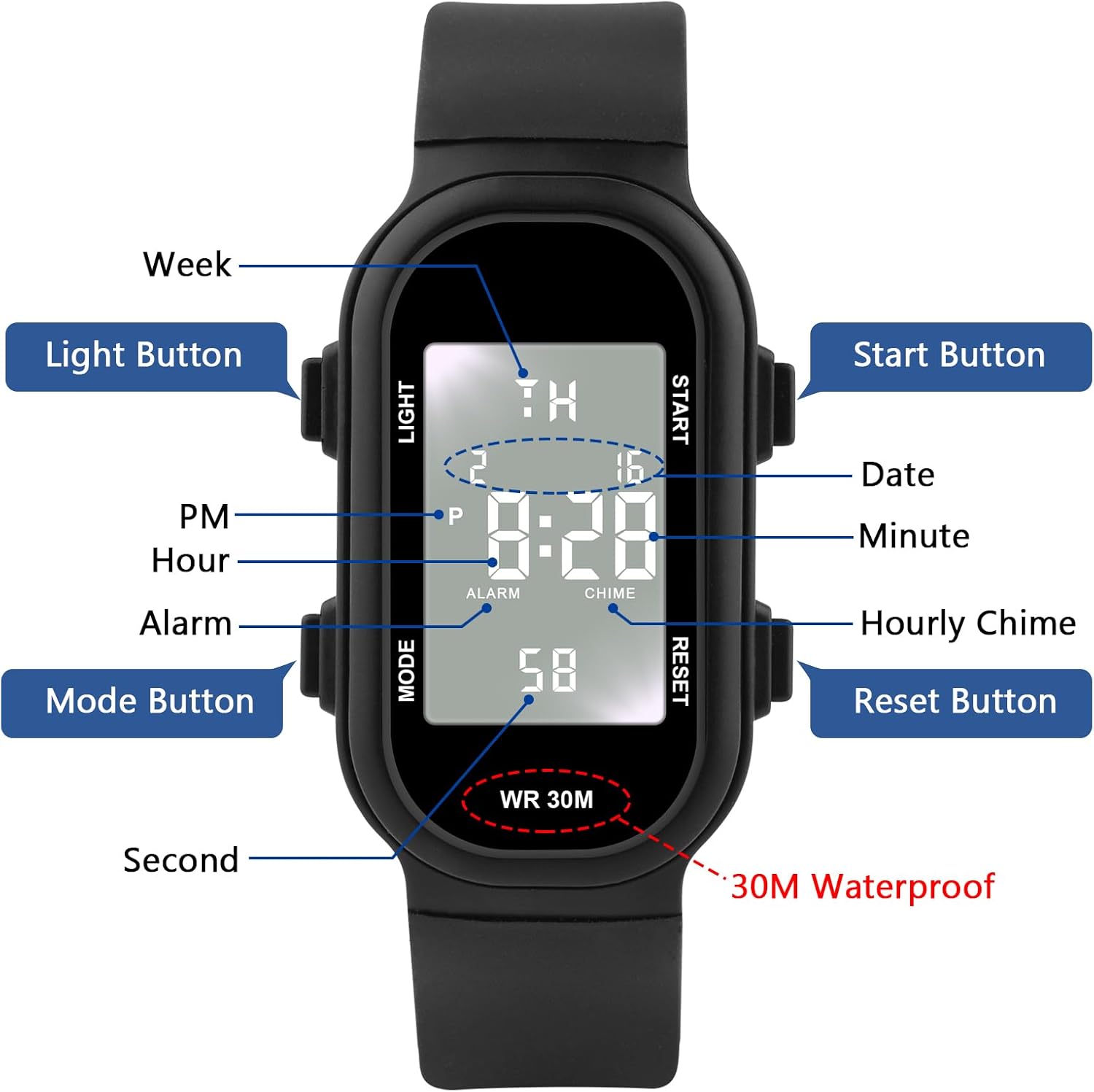
Image: Detailed dimensions of the watch.
Warranty and Support
For warranty information and customer support, please refer to the documentation included with your purchase or contact the retailer where the watch was acquired. Keep your proof of purchase for any warranty claims.