
1. Introduction
This manual provides detailed instructions for the installation, operation, and maintenance of your Linkind EL8 10ft LED Strip Light. Please read this manual thoroughly before use to ensure proper functionality and safety.
2. Safety Information
- Ensure the power supply is disconnected before installation or maintenance.
- This product is designed for indoor use only and is not water-resistant. Avoid exposure to moisture or wet conditions.
- Do not attempt to repair or modify the LED strip light. Contact customer support for assistance.
- Keep the product away from heat sources and direct sunlight.
- Use only the provided power adapter.
3. Package Contents
Verify that all items are present in the package:
- LED Strip Lights (10ft)
- Controller
- Power Adapter
- Adhesive Sticker
- User Manual
4. Product Overview
The Linkind EL8 LED Strip Light features AuraScape technology for segmented color illumination, allowing multiple colors to be displayed simultaneously across the strip. It offers various control options including the AiDot app and voice commands, along with music synchronization and numerous preset scenes.

Image: Linkind EL8 LED Strip Light product packaging and smartphone displaying the control app.
Key Features:
- AuraScape Segmented Color Illumination: High-density, multi-zone design allows independent color control for different segments of the strip, creating dynamic gradients and smooth transitions.
- Effortless Control: Manage lighting via the AiDot app or voice commands (Alexa, Google Home).
- Music Sync: 16 built-in music modes synchronize lights with audio for an immersive experience.
- Preset Scenes: Over 66 customizable lighting scenes available through the AiDot app.
- AiDot System Integration: Connects with other AiDot smart lighting devices for a synchronized environment.
- Flexible and Cuttable: The strip can be trimmed to fit specific areas (cannot be reconnected after cutting).

Image: Diagram illustrating AuraScape technology for multiple colors at once within the LED strip.

Image: Close-up of the LED strip light with PU resin coating, showing 24 LEDs/meter and a pair of scissors indicating it is cuttable.
5. Setup and Installation
5.1 Physical Installation
- Prepare the Surface: Ensure the installation surface is clean, dry, and smooth. Dust, oil, or moisture can affect adhesive performance.
- Measure and Cut (Optional): If necessary, measure the desired length and cut the LED strip only at the designated cut marks (indicated by a scissor icon). Do not cut elsewhere, as this will damage the strip. Cut sections cannot be reconnected.
- Peel and Stick: Carefully peel off the adhesive backing from the LED strip.
- Attach the Strip: Press the strip firmly onto the desired surface, ensuring good contact along its entire length.
- Connect Components: Connect the LED strip to the controller, and then connect the power adapter to the controller. Plug the power adapter into a standard electrical outlet.
5.2 Device Connection (AiDot App)
To enable smart features, connect your LED strip light to the AiDot app:
- Download the AiDot App: Search for 'AiDot' in your smartphone's app store (iOS or Android) and download it.
- Create Account/Sign In: Open the app and create a new account or sign in if you already have one.
- Enable Bluetooth & Location: Turn on Bluetooth and Location Services on your smartphone.
- Enter Pairing Mode: Press and hold the switch on the controller for 5 seconds until the EL8 LED strip enters a color cycling mode, indicating it's ready for pairing.
- Add Device: In the AiDot app, tap the '+' button and then 'Add Device'. Follow the on-screen prompts to complete the pairing process. Keep your phone close to the controller during pairing.

Image: Infographic detailing steps for device connection using the AiDot app.
6. Operating Instructions
6.1 AiDot App Control
Once connected, the AiDot app provides comprehensive control over your LED strip light:
- Color Selection: Choose from a full spectrum of colors, including segmented color control for dynamic effects.
- Brightness Adjustment: Dim or brighten the lights from 1% to 100%.
- Scene Presets: Select from over 66 pre-programmed scenes or create and save your own custom scenes.
- Music Sync: Activate music modes to synchronize light effects with audio.
- Scheduling: Set timers and schedules for automatic on/off times.
- Group Control: Control multiple Linkind/AiDot devices simultaneously.
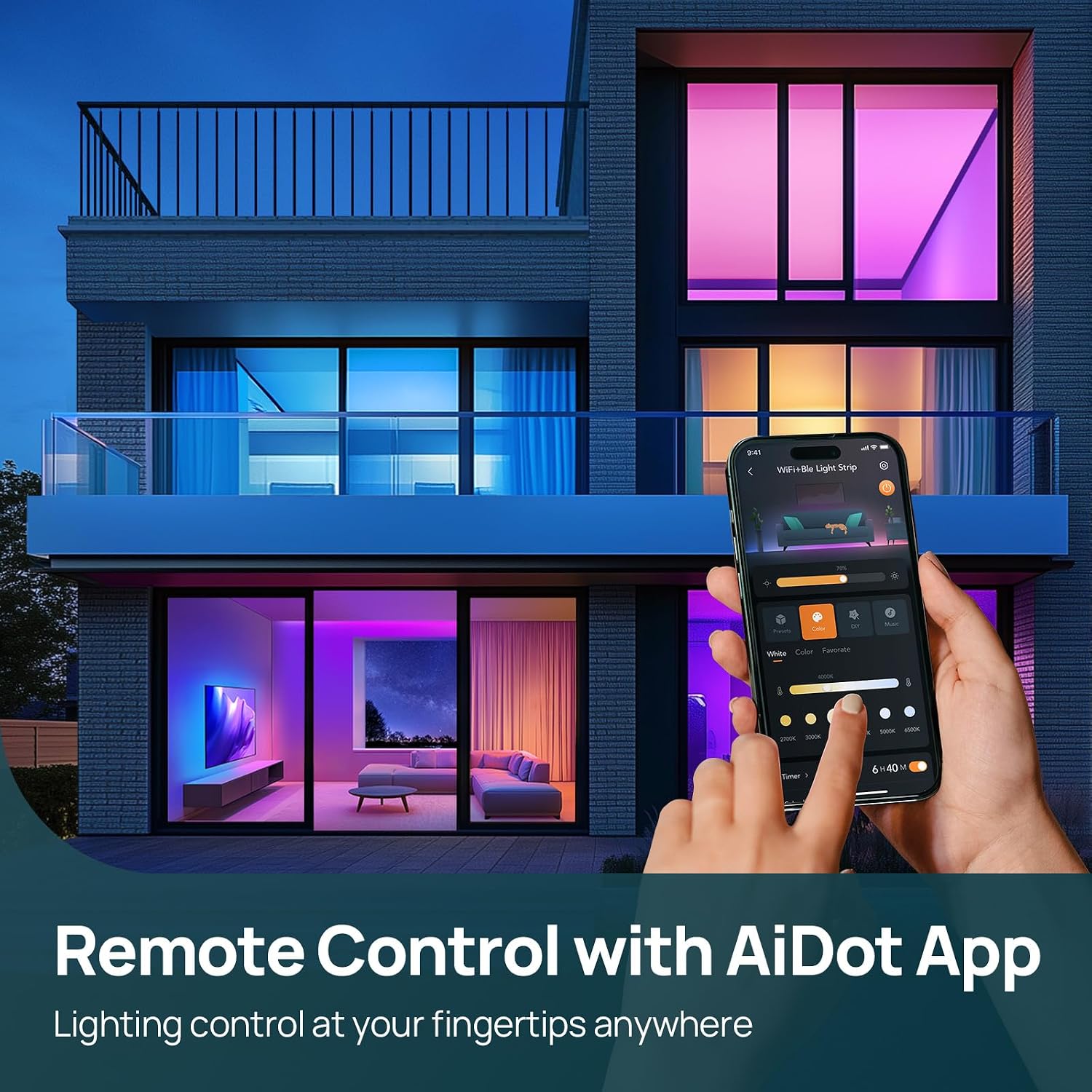
Image: Smartphone displaying the AiDot app interface for remote control of the LED strip lights in a modern living space.

Image: Multiple smartphones displaying various AiDot app interfaces for controlling LED strip lights, including scheduling, color selection, and scene presets.
6.2 Voice Control
The Linkind EL8 LED Strip Light is compatible with Amazon Alexa and Google Home. After linking your AiDot account in the respective voice assistant app, you can use voice commands:
- "Alexa, turn on the [Light Name]."
- "Hey Google, set [Light Name] to blue."
- "Alexa, dim [Light Name] to 50%."
- "Hey Google, change [Light Name] to party mode."

Image: Person playing a video game in a room with LED strip lights, demonstrating smart voice control integration with Alexa and Google Home.
6.3 Music Sync Modes
The EL8 features 16 built-in music modes. To optimize the music sync effect, place the controller box close to your music source.

Image: Two people enjoying a room lit by LED strip lights synchronized with music, illustrating dynamic music sync modes.
6.4 Preset Scenes
Access over 66 vibrant scene presets through the AiDot app to match any mood or occasion. You can also customize and save your own unique lighting effects.

Image: Couple toasting in a kitchen with LED strip lights displaying various preset scenes like Christmas, Romance, Rainbow, and Game.
7. Maintenance
The Linkind EL8 LED Strip Light requires minimal maintenance:
- Cleaning: Gently wipe the strip with a dry, soft cloth to remove dust. Do not use liquid cleaners or abrasive materials.
- Storage: If storing the strip for an extended period, ensure it is clean, dry, and stored in a cool, dark place.
8. Troubleshooting
| Problem | Possible Cause | Solution |
|---|---|---|
| Light strip does not turn on. | No power, loose connection, faulty adapter. | Check power outlet, ensure all connections are secure, try a different outlet. |
| Cannot connect to AiDot app. | Bluetooth/Location off, incorrect pairing mode, 5GHz Wi-Fi. | Ensure Bluetooth and Location are enabled. Put the strip into pairing mode (color cycling). Confirm your Wi-Fi is 2.4GHz (5GHz is not supported). Stay close to the device during pairing. |
| Lights are flickering or inconsistent. | Loose connection, power supply issue. | Check all connections. Ensure the power adapter is functioning correctly. |
| Voice control not working. | AiDot account not linked, incorrect device name. | Verify your AiDot account is linked in Alexa/Google Home app. Use the exact device name configured in the AiDot app. |
9. Specifications
| Feature | Detail |
|---|---|
| Model Number | LS0600116261S |
| Length | 10 ft |
| Light Color | Multicolor, RGB |
| Light Source Type | LED |
| Indoor/Outdoor Usage | Indoor |
| Power Source | Corded Electric |
| Material | PU coating, Plastic |
| Control Method | App, Remote, Voice (Amazon Alexa, Google Home) |
| Special Features | 16 Music Sync Modes, 66 Preset Scenes, App Control, Easy to Install, Trim to Fit |
| Water Resistance Level | Not Water Resistant |
| Item Weight | 12.3 ounces |
| Package Dimensions | 5.59 x 5.43 x 2.48 inches |
10. Warranty and Support
Linkind products come with a 1-year warranty from the date of purchase, covering manufacturing defects. For warranty claims or technical assistance, please contact Linkind customer service.
Customer Service:
- Phone: 1-877-770-5727
- Hours: Monday - Friday, 9:00 AM - 5:00 PM PST


