
Ultrean K80H
Ultrean Coffee Scale with Timer K80H User Manual
Model: K80H
Introduction
Thank you for choosing the Ultrean Coffee Scale with Timer. This manual provides detailed instructions for the safe and efficient operation of your new scale. Please read it thoroughly before use and keep it for future reference.
Product Overview
The Ultrean Coffee Scale with Timer is designed for precise measurement of ingredients, particularly for coffee brewing. It features high precision sensing, multiple measurement modes, and a built-in timer.
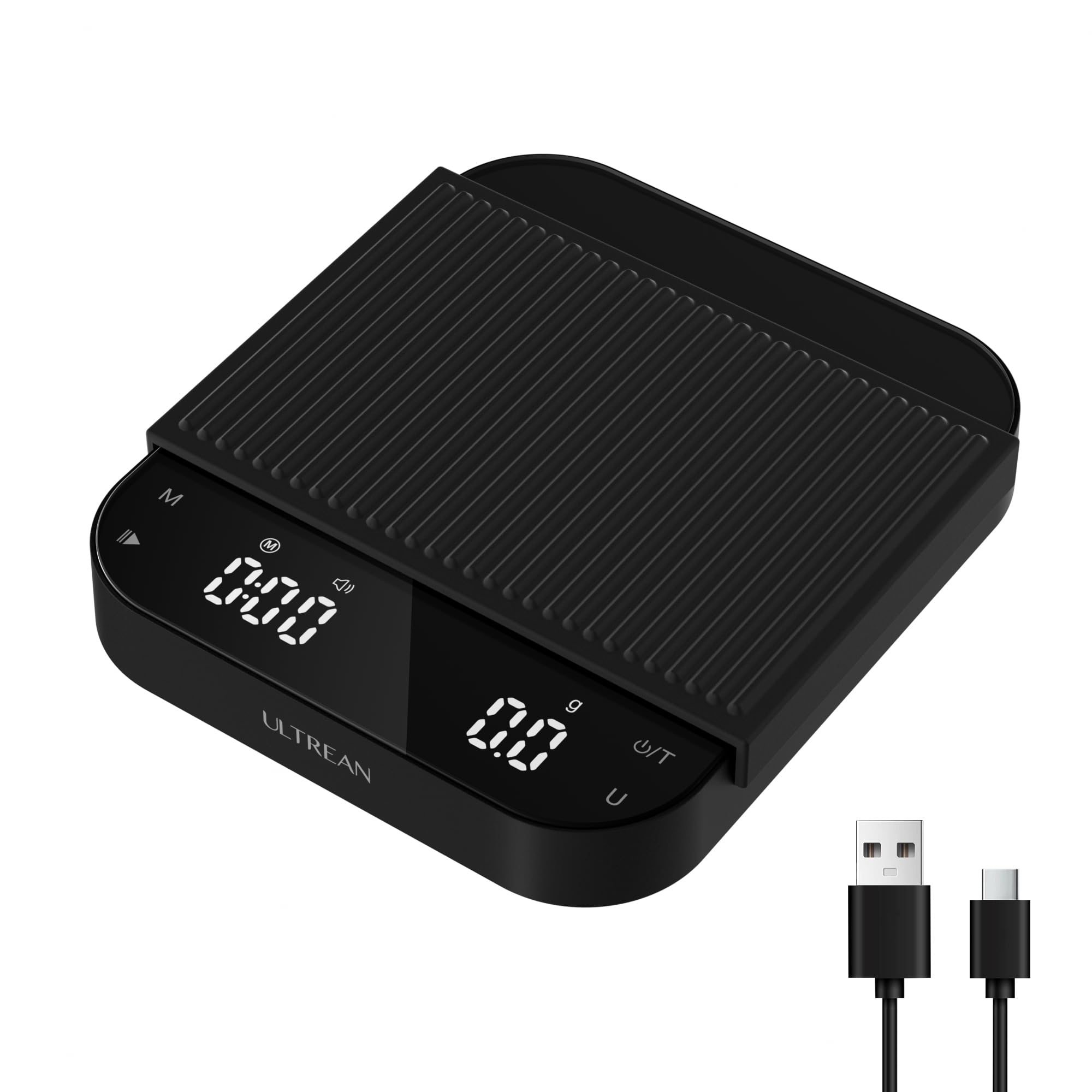
Image: The Ultrean Coffee Scale, highlighting its 0.1g high precision sensing capability. The display shows a timer and weight, with coffee beans on the weighing platform. The image also indicates a maximum capacity of 3kg and a minimum of 0.3g.
Included Components
- Ultrean Coffee Scale with Timer (Model K80H)
- USB-C Charging Cable
- Silicone Protective Pad
Setup
- Unpacking: Carefully remove the scale and all accessories from the packaging.
- Initial Charge: Before first use, ensure the scale is fully charged. Connect the provided USB-C cable to the charging port on the side of the scale and plug the other end into a compatible USB power source. The battery indicator will show charging status.
- Placement: Place the scale on a flat, stable, and level surface to ensure accurate readings. Avoid placing it near strong electromagnetic fields or vibrating equipment.
- Protective Pad: Place the anti-slip silicone pad on the weighing platform. This protects the scale surface and helps stabilize items being weighed.

Image: Side view of the Ultrean Coffee Scale, illustrating the USB-C charging port and indicating features like low battery indicator, USB-C charging, and auto-off after 5 minutes.

Image: A hand placing the anti-slip silicone pad onto the Ultrean Coffee Scale's weighing surface, emphasizing its waterproof screen and stability features.
Operating Instructions
Power On/Off
- Press the Power/Tare (⏻/T) button to turn the scale on.
- Press and hold the Power/Tare (⏻/T) button for 3 seconds to turn the scale off.
Unit Conversion
- Press the Unit (U) button to cycle through available measurement units (e.g., grams, ounces, milliliters). The scale supports 6 convertible units.
Tare Function
- Place an empty container on the weighing platform.
- Press the Power/Tare (⏻/T) button to zero out the weight of the container. The display will show "0".
- Add ingredients to the container to measure their net weight.
Timer Function
- The timer can be started and stopped using the dedicated timer button (often integrated with the mode button or a separate button, refer to scale markings).
- Press the Mode (M) button to switch between Manual and Auto modes.
Measurement Modes
The scale offers two primary modes for different brewing needs:

Image: The Ultrean Coffee Scale illustrating its two operational modes: "M" Manual Mode, suitable for pour-over coffee, and "A" Auto Mode, designed for espresso coffee. Each mode is depicted with a relevant brewing setup.
- Manual Mode (M): Ideal for pour-over coffee. In this mode, you manually control the start and stop of the timer and tare function.
- Auto Mode (A): Designed for espresso. This mode may feature automatic timer start/stop based on weight changes or vibrations, optimizing for espresso extraction.
Note: Some users report that in Auto Mode, the timer may start prematurely due to sound or vibration before coffee drips. Adjust placement or use Manual Mode if this occurs.
Maintenance
- Cleaning: Wipe the scale surface with a soft, damp cloth. Do not use abrasive cleaners or immerse the scale in water. The tempered glass surface and waterproof screen are designed for easy cleaning.
- Storage: Store the scale in a cool, dry place away from direct sunlight and extreme temperatures.
- Battery: Recharge the scale when the low battery indicator appears. The scale features a long battery life, providing approximately 200 uses at 5 minutes per use.
- Silicone Pad: The anti-slip silicone pad can be removed and washed with mild soap and water. Ensure it is completely dry before placing it back on the scale.
Troubleshooting
| Problem | Possible Cause | Solution |
|---|---|---|
| Scale does not turn on. | Low battery. | Charge the scale using the provided USB-C cable. |
| Inaccurate readings. | Scale not on a flat surface; object touching the scale; overload; dirt on sensors. | Ensure scale is on a stable, level surface. Remove any objects touching the scale. Do not exceed maximum weight capacity (3kg). Clean the weighing platform. |
| Timer starts prematurely in Auto Mode. | Vibration or sound activating the sensor. | Try adjusting the placement of the scale or brewing equipment. Consider using Manual Mode for more control. |
| Display shows "Err" or other error codes. | Overload or internal error. | Remove items from the scale. Turn off and restart the scale. If the error persists, contact customer support. |
Specifications
- Model: K80H
- Brand: Ultrean
- Color: Black
- Maximum Weight Capacity: 3 Kilograms (6.6 lbs)
- Minimum Weight Capacity: 0.3 Grams
- Measurement Precision: 0.1 Grams
- Item Weight: 0.55 Kilograms (1.21 lbs)
- Units: 6 convertible units (e.g., g, oz, ml)
- Display: LED
- Power Source: USB-C Rechargeable Battery
- Auto-off: After 5 minutes of inactivity
- Material: Tempered Glass Surface, Anti-slip Silicone Pad
- UPC: 301638900633

Image: The Ultrean Coffee Scale with dimensions (5.9in x 5.1in x 0.8in) and key features highlighted, including an LED display screen, 6 convertible units, and a tempered glass surface.
Warranty Information
Ultrean products are manufactured to the highest quality standards. For specific warranty details, please refer to the warranty card included with your purchase or visit the official Ultrean website. Keep your purchase receipt as proof of purchase for warranty claims.
Customer Support
If you have any questions, concerns, or require assistance with your Ultrean Coffee Scale, please contact our customer support team. You can find contact information on the official Ultrean website or through your retailer.
Online Support: Visit the Ultrean Store on Amazon
Related documentsK80H


Ask a question about this manual
Ask about setup, troubleshooting, compatibility, parts, safety, or missing instructions. Manuals+ will review the question and use this page’s manual context to help answer it.