
Introduction
This manual provides essential information for setting up, operating, and maintaining your N newline NewEye 62 Kit 4K Webcam with Tripod. Please read thoroughly before use.
The N newline NewEye 62 Kit is a high-performance 4K webcam designed for clear video communication, streaming, and recording. It features advanced autofocus, wide field of view, noise-reducing microphones, and broad compatibility.
What's in the Box
- 4K Webcam x 1
- Black USB-A Cable x 1
- Privacy Cover x 1
- Tripod Stand x 1
Setup
1. Attaching the Tripod (Optional)
The webcam includes a detachable metal tripod for flexible positioning. To attach, align the webcam's base with the tripod's screw mount and twist clockwise until secure. The tripod legs can be extended to three different heights for optimal camera angle.

Image: The N newline NewEye 62 Kit 4K Webcam is shown mounted on its included metal tripod, connected to a laptop via a USB-A cable. This illustrates the ease of setup and the use of the tripod for stable positioning.
2. Mounting the Webcam
If not using the tripod, the webcam features adjustable clips for secure placement on top of monitors, laptops, or other flat surfaces. Adjust the clip to fit your device securely.

Image: The webcam is shown securely clipped to the top edge of a laptop screen, demonstrating its versatile mounting options without the tripod. The privacy cover is open, indicating readiness for use.
3. Connecting to Your Computer (Plug & Play)
Connect the USB-A cable from the webcam to an available USB-A port on your PC or Mac. The webcam is plug-and-play, requiring no additional software or drivers for basic functionality. It is compatible with Windows 7 & above, and MacOS 10.10 & above.

Image: A laptop screen displays a video conference with multiple participants, while the N newline NewEye 62 Kit 4K Webcam is connected via its USB-A cable, highlighting its plug-and-play functionality for immediate use in virtual meetings.
Operating the Webcam
Video Quality and Frame Rate
The webcam features a high-performance 1/2.5'' sensor, delivering ultra-clear 4K visuals at 30 frames per second (FPS) for incredible detail, or 1080P at 60FPS for ultra-smooth streams. Adjust settings within your video conferencing or recording software.

Image: A visual comparison demonstrates the difference in clarity between 1080P, 4K, and 2K resolutions captured by the N newline webcam, emphasizing the superior detail of 4K. The image also notes frame rates of 4K/30 FPS and 1080p supports 30/60 FPS.
PDAF Autofocus and Light Balance
Equipped with advanced PDAF and CDAF dual autofocus, the webcam ensures faster, more accurate, and stable focus. Its auto light adjustment enhances clarity by balancing shadows and highlights, even in low light conditions.

Image: A visual representation of PDAF (Phase Detection Autofocus) technology highlights how the N newline webcam achieves faster and more precise focusing, especially during movement or scene changes in a business meeting setting.
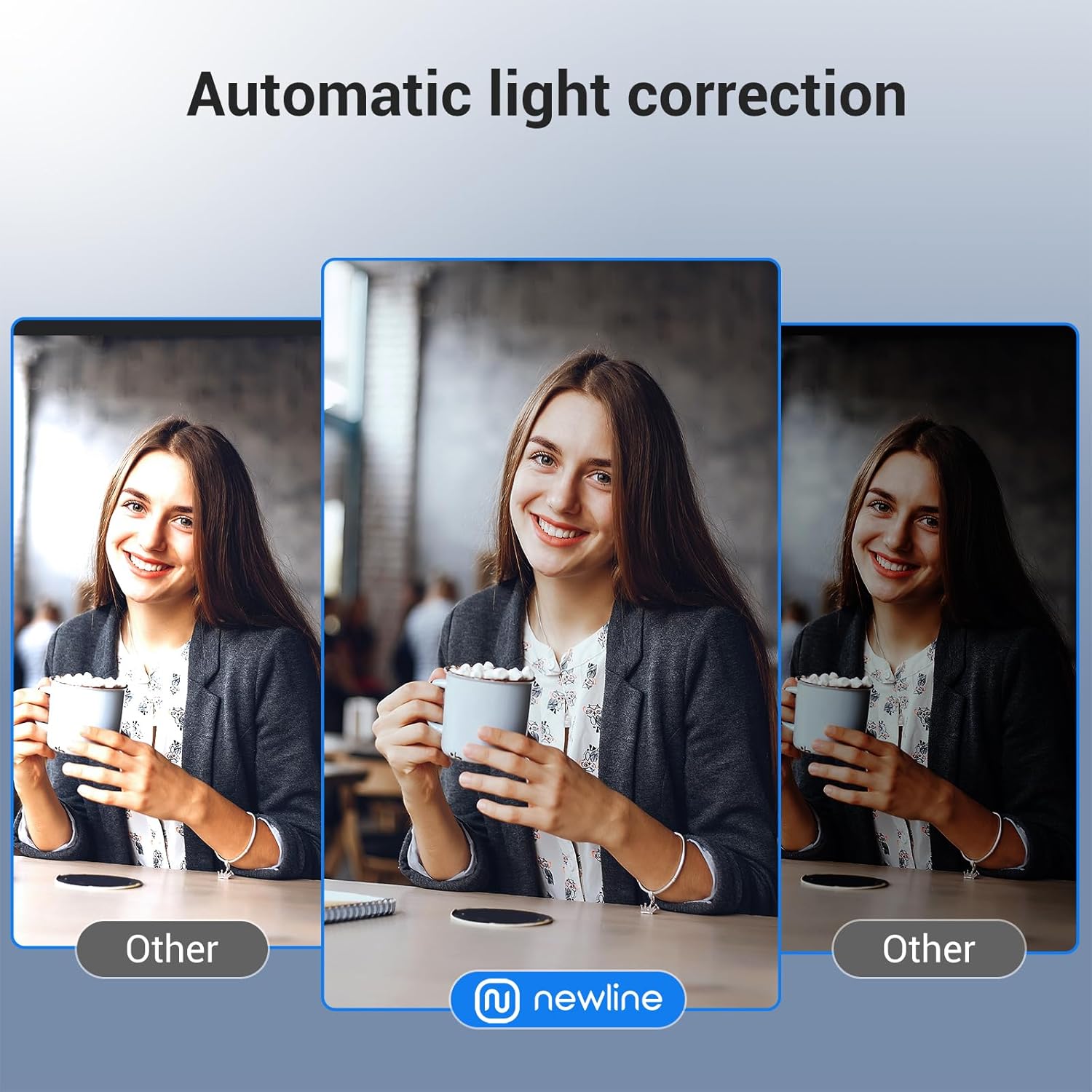
Image: A side-by-side comparison demonstrates the effectiveness of the N newline webcam's automatic light correction, showing a clear and well-lit image compared to a darker, less balanced image from another webcam.
Audio Clarity and Field of View (FOV)
The webcam features high-quality microphones with advanced noise filtering for crystal-clear voice capture. The 79° wide-angle lens offers flexibility to focus on you or include more of your surroundings, making it suitable for various virtual needs.

Image: This graphic illustrates the 79° Field of View (FOV) of the N newline webcam, showing how it can capture a broader area or focus on the user. It also highlights the presence of two integrated microphones with noise cancellation for enhanced audio clarity.
Privacy Cover
The integrated flip privacy cover protects your lens from dust and damage while ensuring your privacy during video calls. Simply flip it down when not in use.
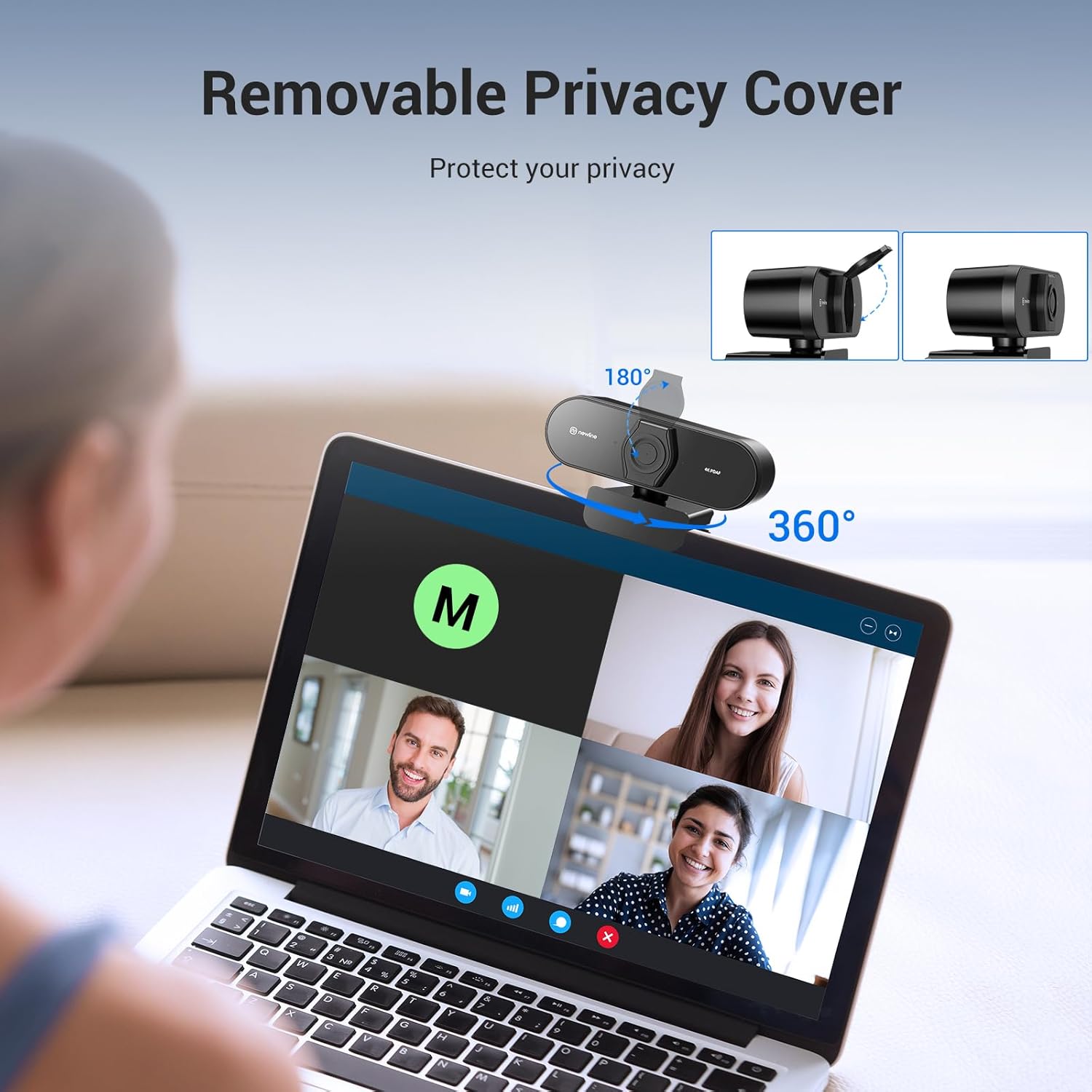
Image: The N newline NewEye 62 Kit 4K Webcam is shown with its removable privacy cover in both open and closed positions, emphasizing its ability to protect privacy and the lens from dust.
Media Integration
Official Product Video
Video: An official product video from N newline AI showcasing the features and benefits of the N newline 4K PDAF Webcam with Tripod Stand, including its autofocus capabilities, 4K resolution, and ease of use.
Specifications
| Feature | Detail |
|---|---|
| Brand | N newline |
| Model Number | NewEye 62kit |
| Video Capture Resolution | 4K (30FPS), 1080P (60FPS) |
| Autofocus | PDAF/CDAF Dual Autofocus |
| Field of View (FOV) | 79° |
| Microphones | Dual Noise-Cancelling Mics |
| Connectivity | USB Plug & Play |
| Special Features | Webcam w/Tripod Stand, Privacy Cover, Auto Light Correction |
| Compatibility | Windows 7 & above, MacOS 10.10 & above |
| Item Weight | 13.7 ounces |
| Package Dimensions | 6.61 x 3.5 x 3.46 inches |
Maintenance
- Cleaning the Lens: Use a soft, lint-free cloth specifically designed for optical lenses. Avoid abrasive materials or harsh chemicals.
- Storing: When not in use, close the privacy cover to protect the lens from dust and scratches. Store in a cool, dry place.
- Cable Care: Avoid bending or twisting the USB cable excessively to prevent damage.
Troubleshooting
- No Image/Video:
- Ensure the USB cable is securely connected to both the webcam and your computer.
- Try a different USB port on your computer.
- Verify that the privacy cover is open.
- Check your computer's privacy settings to ensure camera access is granted to applications.
- Restart your computer.
- Poor Image Quality:
- Ensure adequate lighting in your environment. The webcam has auto light correction, but extreme low light can affect quality.
- Clean the lens with a soft cloth.
- Check your application settings for resolution and frame rate to ensure they are set to desired values (e.g., 4K 30FPS or 1080P 60FPS).
- No Audio/Poor Audio Quality:
- Ensure the webcam's microphone is selected as the input device in your computer's sound settings and in your video conferencing application.
- Check microphone volume levels.
- Ensure no obstructions are blocking the microphones on the webcam.
Warranty and Support
For warranty information and technical support, please refer to the official N newline website or contact their customer service directly. Protection plans are available for purchase separately for extended coverage.
Visit the N newline Store for more products and information.
