
Introduction
The ZEBRONICS PODS O are wireless open-ear earbuds designed for comfort and environmental awareness. They feature Neodymium drivers for clear audio, Quad MIC ENC for improved call quality, and a low latency gaming mode. These earbuds offer up to 40 hours of backup and support dual device pairing for seamless transitions.
Key Features:
- Open-Ear Design: Promotes comfort and allows awareness of surroundings.
- 40 Hours Backup: Extended battery life for prolonged use.
- Neodymium Drivers: Delivers immersive audio with crisp highs, balanced mids, and deep bass.
- Quad MIC ENC: Ensures clear calls by eliminating ambient noise.
- Rapid Charging: Quick charging via Type-C port.
- Bluetooth v5.4: Stable and efficient wireless connectivity.
- Dual Pairing: Connects to two devices simultaneously for seamless transitions.
- Flash Connect: Quick and easy initial connection.
- Low Latency Gaming Mode: Provides seamless audio performance for gaming.
- Touch Control: Intuitive control over music and calls.
- Splash Proof: Designed to withstand splashes.
- Voice Assistant Support: Access your device's voice assistant.
What's in the Box
The package includes the following items:
- ZEB-PODS O Open-Ear Earbuds (2 units)
- Wireless Charging Case (1 unit)
- Charging Cable (1 unit)
- QR Code Guide (1 unit)

Image: ZEBRONICS PODS O earbuds inside their wireless charging case.
Product Overview
The ZEB-PODS O earbuds are designed for a comfortable and secure fit, allowing you to stay aware of your surroundings while enjoying audio.
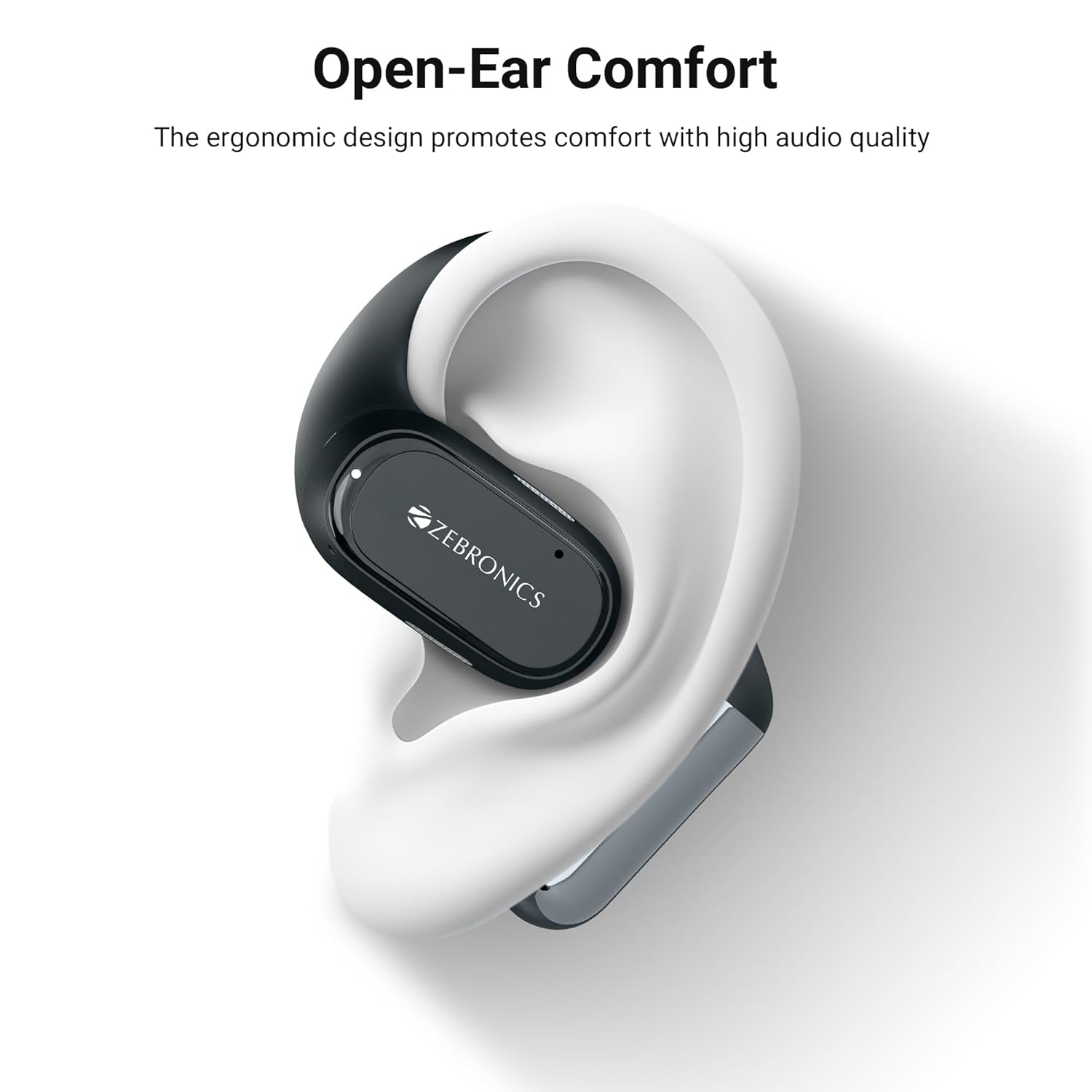
Image: A single ZEB-PODS O earbud shown worn on an ear, highlighting its open-ear design.

Image: Close-up of an earbud showing a protective sticker. Remember to peel off the protective sticker before charging the earbuds for the first time.
Setup and Pairing
Initial Setup:
- Ensure the earbuds are fully charged before first use. Remove any protective stickers from the charging contacts.
- Open the charging case. The earbuds will automatically enter pairing mode.
Bluetooth Pairing (Flash Connect):
- Open the charging case. The earbuds will power on and enter pairing mode.
- On your smartphone or other Bluetooth-enabled device, go to Bluetooth settings.
- Search for "ZEB-PODS O" in the list of available devices and select it to connect.
- Once connected, you will hear an audio prompt, and the earbuds will be ready for use.

Image: Illustration showing the earbuds connecting to both a smartphone and a tablet, demonstrating dual pairing capability.
Dual Pairing:
The ZEB-PODS O supports connecting to two devices simultaneously. After pairing with the first device, disable Bluetooth on the first device. Pair the earbuds with the second device. Once connected to the second device, re-enable Bluetooth on the first device. The earbuds should now be connected to both devices, allowing seamless switching between them.
Operating Instructions
Touch Controls:
The earbuds feature intuitive touch controls for various functions:
- Play/Pause: Single tap on either earbud.
- Next Track: Double tap on the right earbud.
- Previous Track: Double tap on the left earbud.
- Answer/End Call: Single tap on either earbud during an incoming call or active call.
- Reject Call: Long press on either earbud during an incoming call.
- Activate Voice Assistant: Triple tap on either earbud.
- Gaming Mode On/Off: Long press on the right earbud (specific gesture may vary, refer to QR guide for precise details).

Image: Top shows a person playing a game, indicating low latency gaming mode. Bottom shows a person interacting with the earbud via touch control.
Call Function (Quad MIC ENC):
The integrated Quad MIC with Environmental Noise Cancellation (ENC) ensures clear voice transmission during calls, minimizing background noise for both you and the caller.

Image: Collage showing a woman making a call with earbuds (Quad Mic with ENC), the earbuds in their case with "40h" indicating battery life, and an illustration of Neodymium Drivers.
Charging
The ZEB-PODS O earbuds and charging case are equipped with rapid charging via a Type-C port.
Charging the Earbuds:
- Place the earbuds into the charging case. Ensure they are correctly seated.
- The indicator lights on the earbuds or case will show their charging status.
Charging the Case:
- Connect the provided Type-C charging cable to the charging port on the case and to a USB power source.
- The charging indicator on the case will illuminate to show charging in progress.
- A full charge provides up to 40 hours of total playback time (earbuds + case).

Image: Collage showing a man wearing splash-proof earbuds, the charging case displaying voice assistant compatibility, and the Type-C charging cable connected to the case.
Maintenance and Care
Cleaning:
- Regularly clean the earbuds and charging case with a soft, dry cloth.
- Avoid using harsh chemicals or abrasive materials.
Water Resistance:
The earbuds are splash-proof, making them suitable for workouts and light rain. Do not submerge the earbuds in water or expose them to heavy rain.
Troubleshooting
- Earbuds not pairing:
- Ensure both earbuds are charged.
- Turn off Bluetooth on all previously connected devices.
- Place earbuds back in the case, close it, then open to re-enter pairing mode.
- Try pairing again.
- One earbud not working:
- Check if the non-working earbud is charged.
- Ensure there are no obstructions on the charging contacts.
- Try resetting the earbuds (refer to the QR guide for specific reset instructions).
- Low volume or poor sound quality:
- Adjust the volume on your connected device.
- Ensure the earbuds are clean and free of debris.
- Check the audio source quality.
- Charging issues:
- Verify the charging cable is securely connected.
- Try a different Type-C cable and power adapter.
- Ensure the charging contacts on the earbuds and case are clean.
Specifications
| Model Name | ZEB-PODS O |
| Connectivity Technology | Bluetooth v5.4 |
| Ear Placement | Open Ear |
| Noise Control | Environmental Noise Cancellation (ENC) |
| Audio Driver Type | Dynamic Driver (Neodymium) |
| Control Method | Touch |
| Water Resistance Level | Water Resistant (Splash Proof) |
| Item Weight | 69 Grams |
| Product Dimensions | 6.9 x 7.2 x 2.9 cm |
| Battery | 1 12V batteries required (included) |
| Manufacturer | Zebronics India Private Limited |
Warranty and Support
The ZEBRONICS PODS O earbuds come with a 1 Year Warranty from the date of purchase. Please retain your purchase receipt for warranty claims.
For further assistance, technical support, or warranty claims, please refer to the contact information provided in the QR code guide included in your package or visit the official ZEBRONICS website.
Manufacturer: Zebronics India Private Limited, No.13/7, Smith Road, Royapettah, Chennai - 600 002.
