
Introduction
This manual provides comprehensive instructions for the installation, operation, and maintenance of your HEATIT ET-72W Programmable Thermostat. Designed for electric radiant floor heating systems, this thermostat features dual voltage compatibility, dual sensing capabilities, and an interactive color touch screen interface. Please read this manual thoroughly before installation and use to ensure proper function and safety.
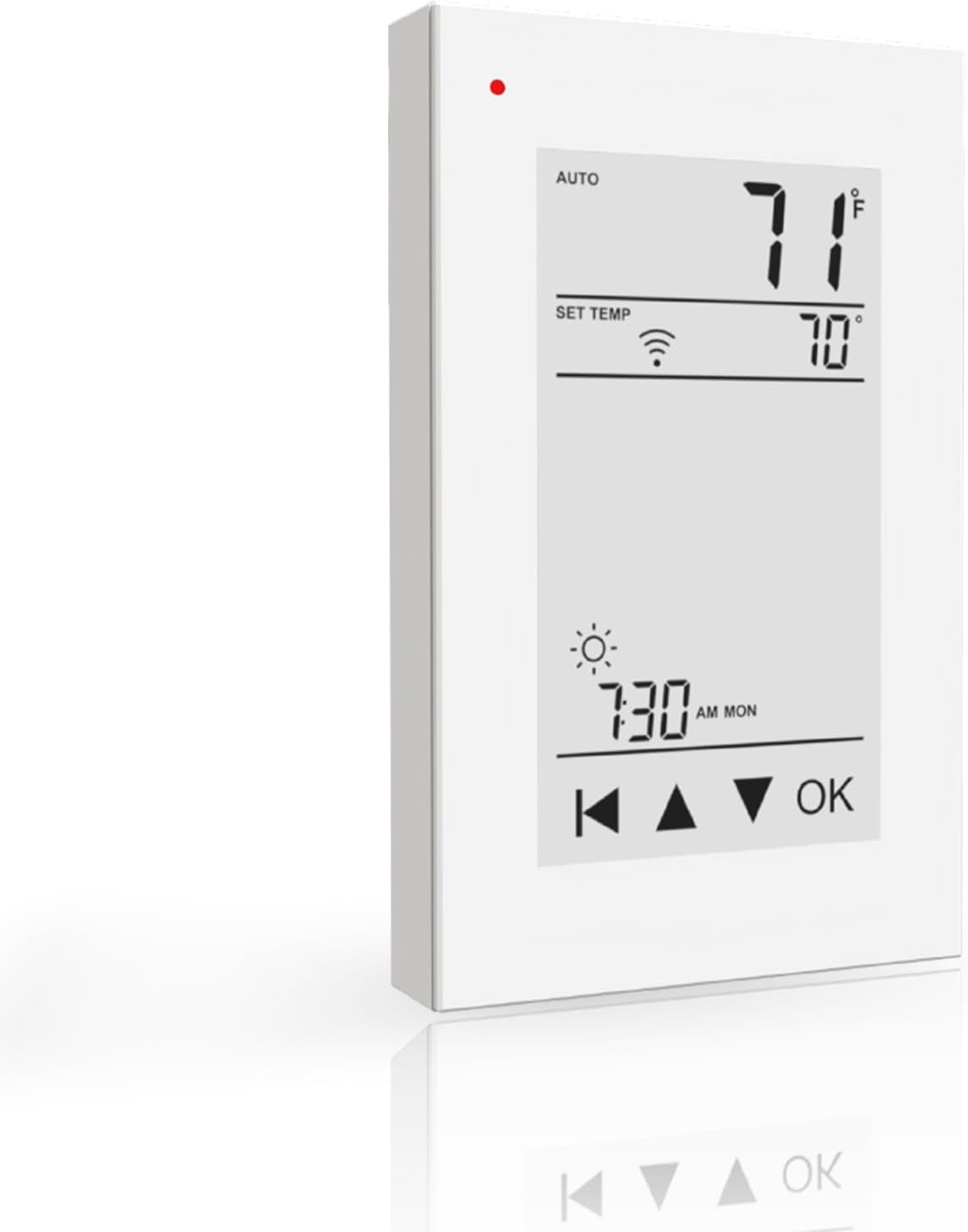
Image: Front view of the HEATIT ET-72W Programmable Thermostat, displaying its interactive color touch screen interface with current temperature, set temperature, time, and control buttons.
Key Features
- 7-Day Programmable Schedule: Customize heating with 4 or 2 stages per day for a full week.
- ETL Approved & Advanced GFCI Protection: ETL-certified for safety, dual voltage (120/240V), and built-in Class A GFCI protection.
- Effortless Installation: Designed for easy control of floor heating systems up to 15A.
- Triple Sensor Options: Choose from Room, Floor, or Room.Limit sensor modes for precise temperature management.
- Remote Control via WiFi: Manage settings from anywhere using the Warmme app on Android or iOS devices with 5G+2.4G WiFi connectivity.
Safety Information
The HEATIT ET-72W thermostat is ETL-certified, ensuring compliance with North American safety standards. It features built-in Class A Ground Fault Circuit Interrupter (GFCI) protection to prevent electric shock. Always ensure power is disconnected before installation or maintenance. Installation should be performed by a qualified electrician in accordance with local electrical codes.
Installation
The ET-72W thermostat is designed for easy installation with electric floor heating systems up to 15A. It supports dual voltage (120V/240V). Ensure the power supply matches the thermostat's requirements. The thermostat includes a 10ft sensor wire for floor temperature monitoring.
Wiring Diagram

Image: Detailed wiring diagram showing connections for Line (L, N), Load (L, N), and Sensor (IN/SNR) terminals on the back of the thermostat, with representations of a heating mat and sensor wire.
- Turn off power at the circuit breaker before beginning installation.
- Connect the Line (L, N) wires from your power supply to the corresponding terminals on the thermostat.
- Connect the Load (L, N) wires from your electric floor heating system to the designated terminals.
- Connect the floor sensor wire to the IN/SNR terminals. Ensure the sensor is properly placed within the floor heating area.
- Mount the thermostat securely in a standard electrical box.
- Restore power and proceed with initial setup.
Compatibility
This thermostat is exclusively designed for use with electric underfloor heating systems, including HEATIT Floor Heating Mats and HEATIT Heating Cables.

Image: Illustration showing the HEATIT ET-72W thermostat alongside a HEATIT floor heating mat and a spool of HEATIT heating cable, indicating compatibility.
Setup
Upon initial power-up, the thermostat will guide you through basic setup steps, including language selection, time and date settings, and initial temperature preferences. Follow the on-screen prompts.
Operating Instructions
The ET-72W features an interactive color touch screen. Navigate menus and adjust settings by tapping the screen. The main display shows current room temperature, set temperature, time, and operating mode.
Adjusting Temperature
- On the main screen, use the Up and Down arrows to manually adjust the desired temperature.
- Press OK to confirm the new setting.
Sensor Options for Precise Control
The thermostat offers three sensor modes:
- Room Mode: Relies on the built-in ambient air sensor to control the room temperature.
- Floor Mode: Uses the external floor sensor to maintain a specific floor temperature.
- Room.Limit Mode: Balances room temperature control using the built-in sensor while monitoring the floor temperature via the external sensor to prevent overheating.
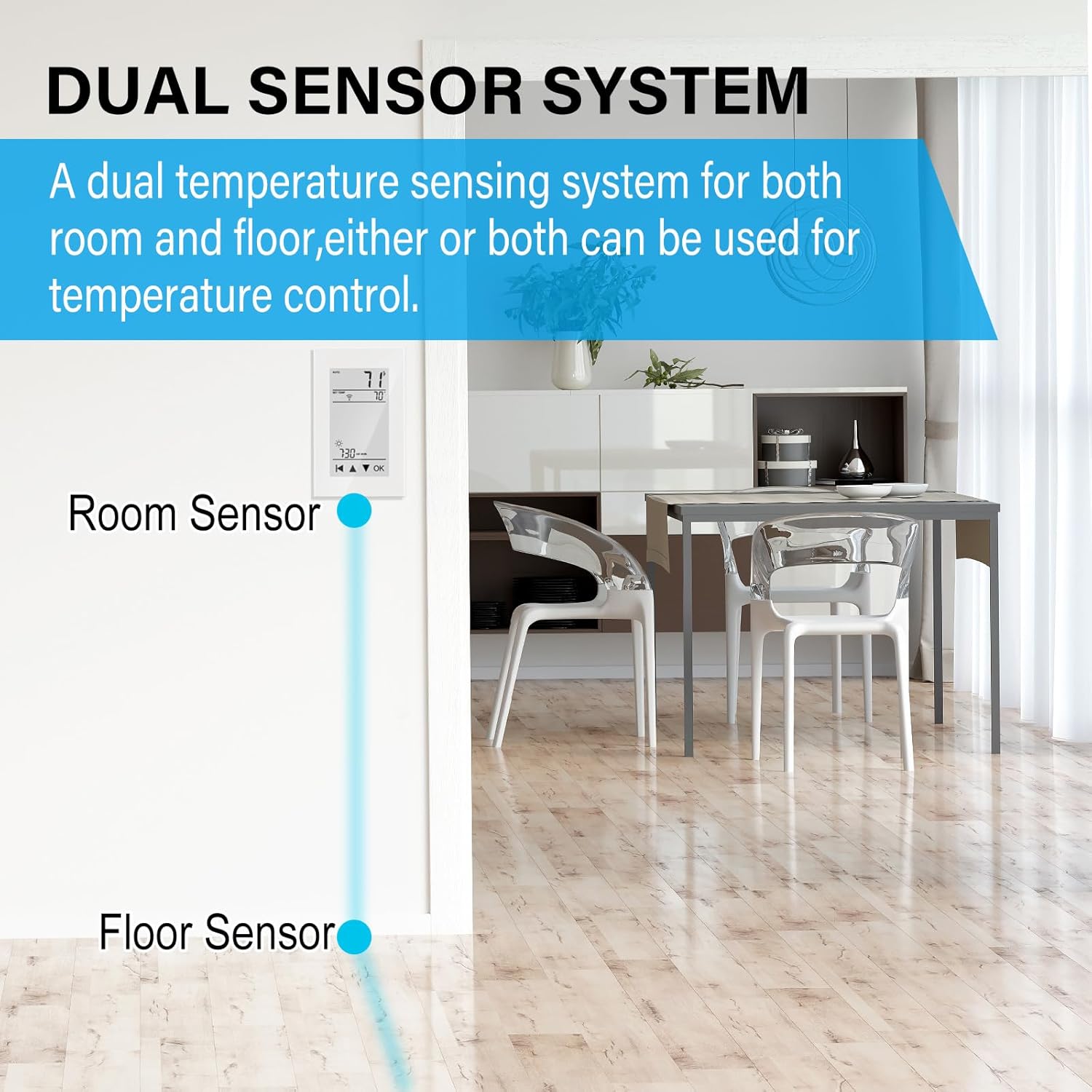
Image: Diagram illustrating the dual sensor system, showing the thermostat with an internal room sensor and an external floor sensor connected, allowing for flexible temperature control options.
Programming Schedule
The ET-72W allows for a 7-day programmable schedule with up to 4 or 2 stages per day. This feature enables you to set different temperatures for various times of the day and days of the week, optimizing comfort and energy efficiency.
- Access the programming menu through the thermostat's touch screen interface.
- Select the day(s) you wish to program.
- Set the desired time and temperature for each stage (e.g., Wake, Away, Home, Sleep).
- Save your settings.
Remote Control and WiFi Connectivity
The thermostat can be controlled remotely via the Warmme app, available for download on the App Store (iOS) and Google Play (Android). It supports 5G+2.4G WiFi connectivity, allowing you to monitor and adjust your thermostat settings from anywhere with an internet connection.
Connecting to WiFi
- Ensure your thermostat is powered on and within range of your WiFi network.
- Download and install the "Warmme" app on your smartphone or tablet.
- Follow the in-app instructions to create an account and add your ET-72W thermostat. This typically involves putting the thermostat into pairing mode and connecting it to your home WiFi network.
- Once connected, you can control your thermostat remotely.


Image: Left: A person using the Warmme app on a smartphone to control the thermostat remotely. Right: The HEATIT ET-72W thermostat displayed next to a smartphone showing the Warmme app interface, demonstrating remote control capabilities.
Maintenance
The HEATIT ET-72W thermostat requires minimal maintenance. To ensure optimal performance and longevity:
- Clean the screen and exterior with a soft, damp cloth. Avoid abrasive cleaners or solvents.
- Ensure the thermostat's vents are free from dust and obstructions to allow for accurate temperature sensing.
- Periodically check wiring connections for tightness, especially during annual system checks (performed by a qualified professional).
Troubleshooting
If you encounter issues with your HEATIT ET-72W thermostat, consider the following common solutions:
- No Power/Blank Screen: Check the circuit breaker for the heating system. Ensure all wiring connections are secure.
- Heating System Not Responding: Verify the thermostat is in the correct operating mode (e.g., Heat). Check the set temperature is above the current room temperature. Inspect wiring connections to the heating system.
- Inaccurate Temperature Readings: Ensure the thermostat's internal sensor is not obstructed and the external floor sensor is correctly installed and connected.
- WiFi Connectivity Issues: Confirm your home WiFi network is operational and the thermostat is within range. Restart your router and the thermostat. Re-attempt the WiFi setup process via the Warmme app. Ensure you are connecting to a 2.4GHz network if your router supports both 2.4GHz and 5GHz, as some devices prefer 2.4GHz for initial setup.
- GFCI Trip: If the GFCI trips, indicating a ground fault, immediately turn off power to the heating system. This requires professional inspection to identify and resolve the electrical fault. Do not bypass GFCI protection.
For persistent issues, contact HEATIT customer support or consult a qualified electrician.
Specifications
| Model Number | ET-72W |
| Voltage | 120V/240V (Dual Voltage) |
| Max Load | 15A |
| Sensor Type | Room (built-in), Floor (external 10ft wire) |
| Connectivity | 5G+2.4G WiFi |
| Programming | 7-Day, 4 or 2 stages per day |
| Certifications | ETL Approved, Class A GFCI |
| Item Weight | 14.4 ounces |
| Package Dimensions | 6.1 x 3.46 x 2.83 inches |
| Manufacturer | Zhukeshi |
Warranty and Support
The HEATIT ET-72W Programmable Thermostat comes with a 4-year limited warranty. For warranty claims, technical assistance, or further support, please contact HEATIT customer service through their official channels or the Warmme app support section.
For the latest information and support resources, visit the official HEATIT website: HEATIT Store on Amazon


