
1. Introduction
This manual provides essential instructions for the safe and efficient operation of your Gens Ace IMARS D300 Dual Lipo Battery Charger. Please read this manual thoroughly before using the charger to ensure proper function and to prevent damage to the device or batteries. Keep this manual for future reference.
Safety Warnings
- Always operate the charger in a well-ventilated area, away from flammable materials.
- Never leave the charger unattended while in use.
- Ensure correct battery type and cell count settings are selected before charging. Incorrect settings can lead to battery damage or fire.
- Do not charge damaged or swollen batteries.
- Keep the charger away from water, moisture, and extreme temperatures.
- Use only original or approved accessories and cables.
2. Package Contents
Verify that all items listed below are included in your package. If any items are missing or damaged, please contact your retailer.
- Gens Ace iMars D300 Dual Charger *1
- USB A to USB A Cable *1
- AC Input Cable *1
- XT60-EC5 Adapter *2
- XT60-T Plug Adapter *2
- XT60-EC3 Adapter *2
- Use Manual *1
- Packing Box *1

Image: Contents of the Gens Ace IMARS D300 package, including the charger, various cables, adapters, and the user manual.
Unboxing Video
Video: A detailed unboxing and first look at the Gens Ace IMARS D300 Lipo Battery Charger, showing all included components.
3. Product Overview
The Gens Ace IMARS D300 is a dual-channel smart balance charger designed for various RC battery types. It features a compact design, intuitive interface, and advanced charging capabilities.
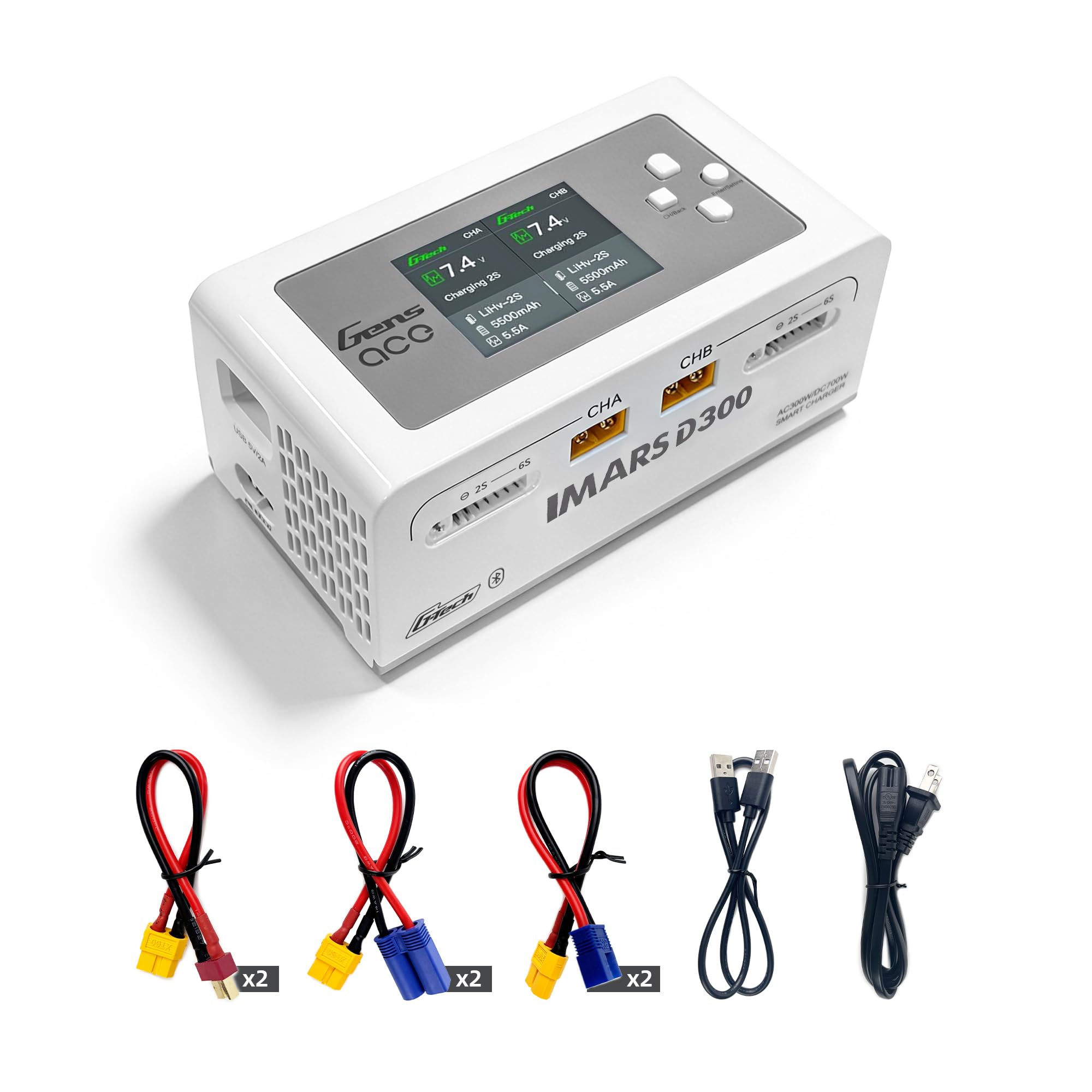
Image: The Gens Ace IMARS D300 charger connected to a G-Tech smart battery, illustrating its 'Plug and Play' functionality.
Key Features
- Dual Independent Channels: Allows simultaneous charging of two batteries with different settings.
- G-Tech Smart Battery Compatibility: Automatically detects G-Tech battery parameters for instant charging.
- Wide Battery Type Support: Compatible with 1-6S LiPo, LiHV, LiFe, Li-Ion, and NiMH batteries.
- High Power Output: Up to 16A per channel, 300W AC / 700W DC total power.
- User-Friendly Interface: 2.4-inch IPS display and four-button layout for easy navigation.
- Advanced Cell Balancing: Maintains matched cell voltage to prolong battery life.
- Multiple Language Support: Supports 7 languages for broader accessibility.

Image: The charger's display showing the system settings menu with language options, including English, Deutsch, and Français.

Image: A graphic representation of the G-Tech Smart Chip, highlighting its features for fast charging, automatic battery recognition, and optimized charging parameters.
4. Setup
Follow these steps to set up your Gens Ace IMARS D300 charger.
4.1 Power Connection
- Connect the AC input cable to the charger's AC input port.
- Plug the AC input cable into a suitable wall outlet (100-240V AC).
- Alternatively, for DC input (7-30V), connect a compatible DC power source to the DC input port.
4.2 Battery Connection
- Identify the correct main connector (e.g., XT60) and balance connector for your battery. Use the provided adapters if necessary.
- Connect the main power lead of the battery to either the CHA or CHB output port on the charger.
- Connect the balance lead of the battery to the corresponding balance port (2S-6S) next to the selected channel. Ensure the balance plug is inserted correctly to avoid damage.
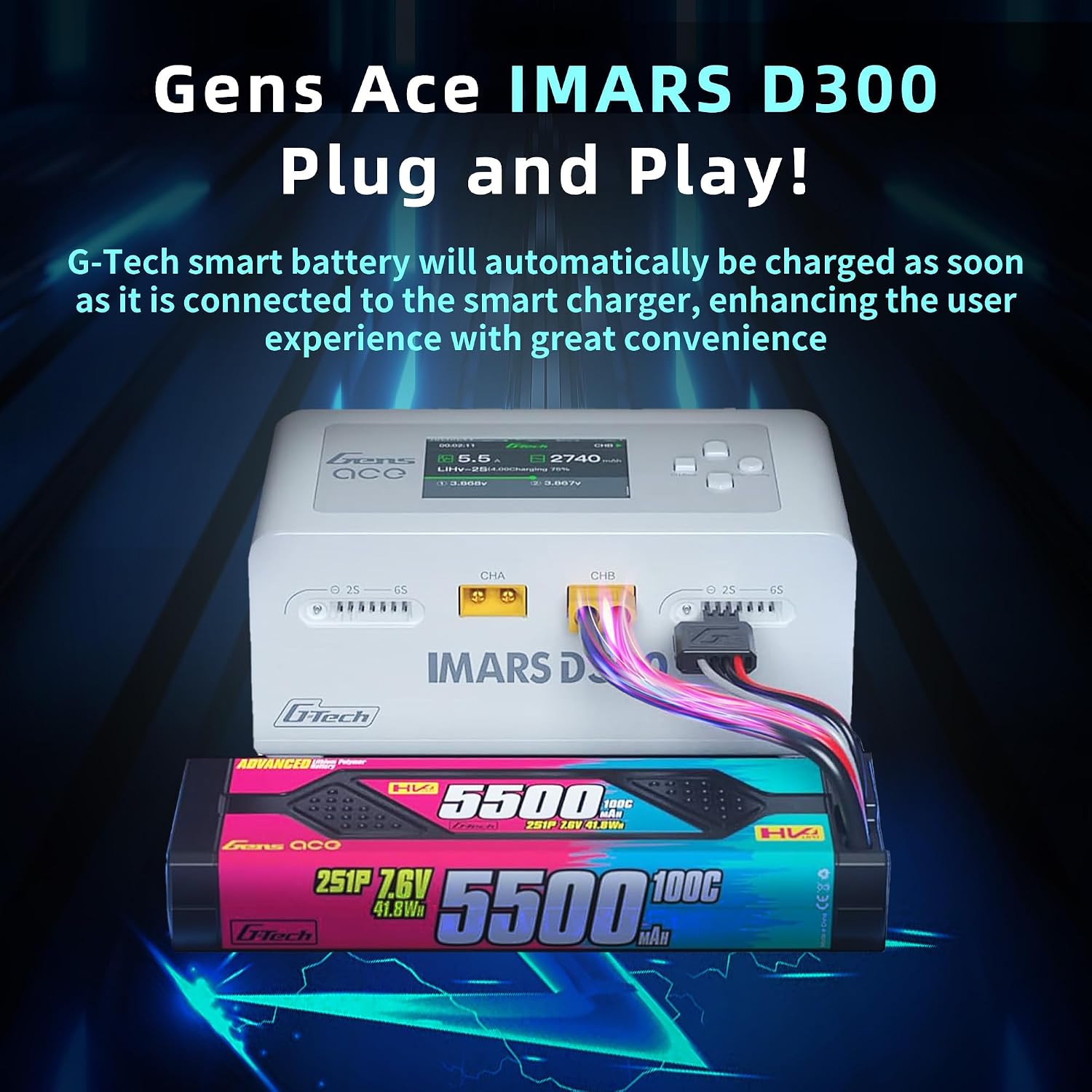
Image: The Gens Ace IMARS D300 charger with a battery connected to one of its channels, demonstrating the main and balance lead connections.
5. Operating Instructions
The IMARS D300 features an intuitive interface for easy operation. For G-Tech batteries, simply connect and the charger will automatically detect parameters and begin charging.
5.1 Basic Charging Process
- After connecting the battery, the charger display will show the current voltage of the connected battery.
- Press the 'Enter/Setting' button to access the task setting interface.
- Select the desired task (Charge, Discharge, Storage, Balance) using the navigation buttons.
- Verify or adjust battery type, target voltage, cell count, and target current.
- Select 'Start Task' to begin the operation. The display will show real-time charging status, including current, capacity charged, and individual cell voltages.
- The charger will automatically stop when the task is complete.

Image: The Gens Ace IMARS D300 charger with a G-Tech smart battery connected, illustrating the 'Plug-and-Play' feature where charging starts automatically.
5.2 Advanced Features
- High Power Charging: The D300 offers enhanced power output, with AC input supporting up to 300W and DC input reaching 350W per channel (700W total).
- Smart Charging: The G-Tech smart chip automatically identifies battery parameters and optimizes charging to prolong battery life.
- Storage Mode: Automatically charges or discharges batteries to a safe voltage for long-term storage, preventing premature aging.

Image: A graphic highlighting the high power charging capabilities of the Gens Ace IMARS D300, showing increased AC and DC charging power compared to previous models.
How-to-Use Video
Video: An instructional video demonstrating the usage of the Gens Ace IMARS D300 Lipo Battery Charger, covering connection and operation.
6. Maintenance
Proper maintenance ensures the longevity and optimal performance of your charger.
- Cleaning: Regularly wipe the charger's exterior with a soft, dry cloth. Do not use solvents or abrasive cleaners. Ensure ventilation openings are clear of dust and debris.
- Storage: Store the charger in a cool, dry place when not in use. Avoid direct sunlight and high humidity.
- Cable Inspection: Periodically inspect all cables and connectors for signs of wear, damage, or corrosion. Replace damaged components immediately.
7. Troubleshooting
If you encounter issues with your charger, refer to the following common problems and solutions:
| Problem | Possible Cause | Solution |
|---|---|---|
| Charger does not power on | No power supply; faulty cable | Check power connections; try a different outlet or cable. |
| Battery not detected | Incorrect connection; damaged battery; wrong settings | Ensure main and balance leads are securely connected; inspect battery for damage; verify battery type and cell count settings. |
| Charging process stops prematurely | Over-temperature; battery fault; incorrect settings | Allow charger/battery to cool; inspect battery for damage; re-check settings. |
| Display shows error message | Specific error condition | Refer to the charger's on-screen error codes for detailed information and solutions. |
8. Specifications
Detailed technical specifications for the Gens Ace IMARS D300 charger:
| Feature | Detail |
|---|---|
| Brand | ATA HOBBY (Gens Ace) |
| Model Number | Gens Ace D300 |
| Color | White |
| Product Dimensions | 7.8"D x 3"W x 6.5"H |
| Item Weight | 1.2 Pounds |
| Input Voltage | AC 100-240V, DC 7-30V |
| Output Voltage | 30 Volts (DC) |
| Number of Ports | 2 (Dual Channels) |
| Max. AC Charging Power | 300W |
| Max. DC Charging Power | 700W (350W * 2) |
| Max. Charging Current | 16A per channel |
| Supported Battery Types | LiPo, LiHV, LiFe, Li-Ion (1-6S), NiMH (automatic detection) |

Image: A table detailing the product parameters for various battery types supported by the charger, including rated voltage, full charge voltage, discharge voltage, storage voltage, balancing, and maximum charging current.
9. Warranty and Support
Your Gens Ace IMARS D300 charger comes with a 1-Year Warranty from the date of purchase. This warranty covers manufacturing defects and ensures reliable operation under normal use conditions.
For technical support, warranty claims, or service inquiries, please contact your retailer or visit the official Gens Ace website. Please have your proof of purchase and product model number ready when contacting support.
You can also visit the ATA HOBBY Store on Amazon for additional product information and support resources.


