
Introduction
This manual provides detailed instructions for the use and maintenance of your MUZEN Open Ear Headphones, model WM_W3I. Please read this guide thoroughly before operating the device to ensure optimal performance and longevity.
Package Contents
Verify that all items are present in your package:
- Earbuds (Left and Right)
- Charging Case
- User Manual
- USB-C Charging Cable

Description: This image displays the complete contents of the MUZEN Trickle Open Ear Headphones package, including the two earbuds, their charging case, the user manual, and a USB-C charging cable. A note indicates that a power adapter is not included.
Setup
1. Charging the Earbuds and Case
- Place the earbuds into the charging case. Ensure they are correctly seated.
- Connect the USB-C charging cable to the charging port on the case and to a compatible USB power source (not included).
- The indicator light on the charging case will show charging status. A full charge takes approximately 1.5 hours for the case.
- A 20-minute charge provides approximately 2 hours of playback.
Description: This image illustrates the MUZEN Trickle earbuds placed within their charging case, which is connected via a USB-C cable. The image highlights the 6 hours of single playtime and 38 hours total playtime with the charging case.
2. Bluetooth Pairing
- Open the charging case. The earbuds will automatically enter pairing mode.
- On your device (smartphone, tablet, laptop), enable Bluetooth and search for available devices.
- Select "Muzen WM_W3I" from the list of devices.
- Once connected, a voice prompt will confirm successful pairing.
The earbuds utilize Bluetooth 5.4 for stable and low-latency connectivity.

Description: This image demonstrates the Bluetooth pairing process, showing a smartphone's Bluetooth settings with "Muzen WM_W3I" listed as a connected device. The earbuds and their charging case are also visible, emphasizing the Bluetooth 5.4 version and low latency.
Operating Instructions
1. Wearing the Earbuds
- Gently pull on your earlobe to create space.
- Slide the earbuds in from the top of your ear, positioning the clip over the ear.
- Adjust until the earbud is securely fastened and comfortable.
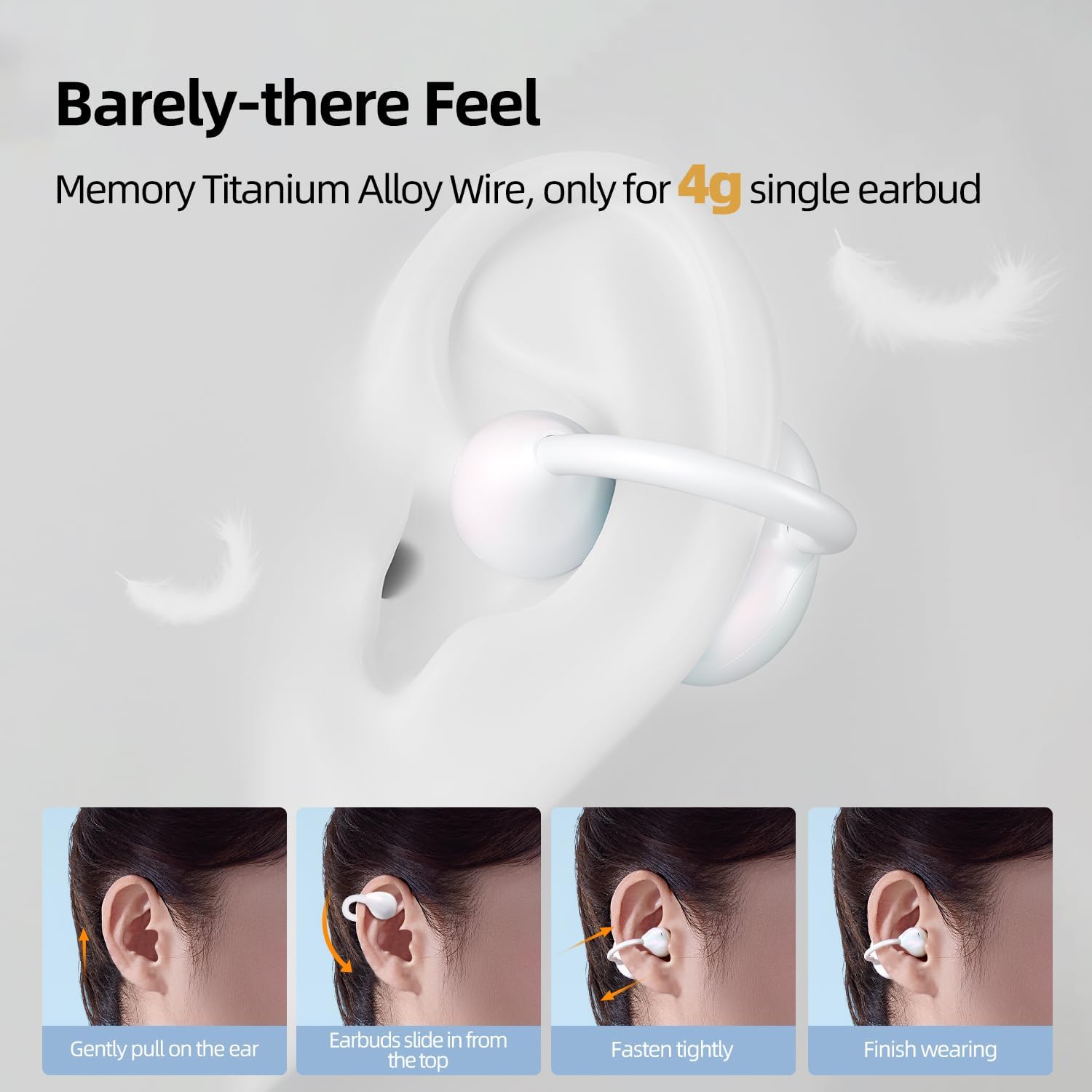
Description: This diagram provides a visual guide on how to correctly wear the MUZEN Trickle earbuds. It shows four steps: gently pulling the ear, sliding the earbud from the top, fastening it securely, and the finished wearing position, highlighting the "Barely-there Feel" due to their lightweight design.
2. Touch Controls
The earbuds feature intuitive touch controls for managing audio playback and calls.
- Play/Pause: Quickly double-tap either earbud.
- Previous/Next Track: Quickly triple-tap the right earbud for the next track, or the left earbud for the previous track.
- Volume Control: Press and hold the right earbud for 2 seconds to increase volume (+), or the left earbud for 2 seconds to decrease volume (-).
- Reject Call: Press and hold either earbud for 2 seconds.
- Answer/Hang Up Call: Quickly double-tap either earbud.
- Bluetooth Reset: Quickly tap either earbud 8 times.
Note: For non-iOS devices, please sync the Bluetooth volume to the phone in the connected Bluetooth device settings to enable volume control from the earbuds.

Description: This image provides a clear visual guide to the touch controls of the MUZEN Trickle earbuds, detailing actions for play/pause, track skipping, volume adjustment, and call handling.
3. Audio Features
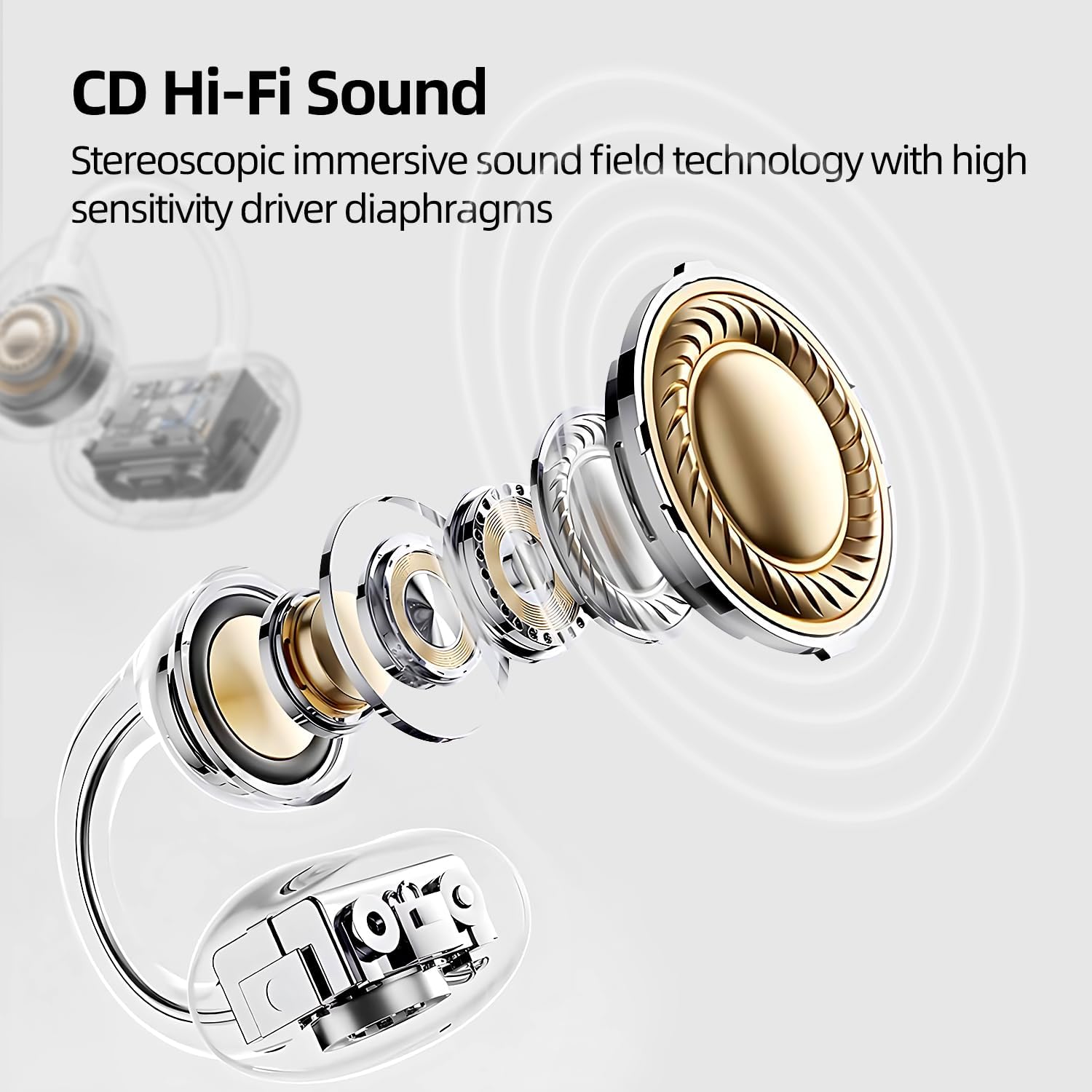
- Immersive Audio: Enjoy CD-quality sound with dual high-sensitivity drivers and stereo soundstage technology.
- Enhanced Call Clarity: Muzen's proprietary call noise reduction algorithm uses directional sound transmission and reverse wave cancellation to minimize background noise during calls.

Description: This image provides an exploded view of the MUZEN Trickle earbud's internal structure, emphasizing the high-sensitivity driver diaphragms responsible for delivering CD Hi-Fi Sound and an immersive sound field.
Description: This image shows a person wearing the MUZEN Trickle earbuds, illustrating the "Calling Noise Cancellation" feature. Icons for phone calls and clear voice transmission are displayed, indicating the effectiveness of directional sound transmission and reverse acoustic wave cancellation.
Maintenance
- Clean the earbuds and charging case regularly with a soft, dry cloth.
- Avoid exposing the device to extreme temperatures, humidity, or liquids.
- Store the earbuds in their charging case when not in use to protect them and maintain battery life.
- Do not attempt to disassemble or repair the device yourself. Contact customer support for assistance.
Troubleshooting
- Earbuds not pairing:
- Ensure the earbuds are charged and within range of your device. Turn off and on your device's Bluetooth, then try pairing again. If issues persist, perform a Bluetooth reset by quickly tapping either earbud 8 times.
- No sound or low volume:
- Check the volume levels on both your device and the earbuds. Ensure the earbuds are properly connected. For non-iOS devices, verify that the Bluetooth volume is synced in your phone's settings.
- Earbuds not charging:
- Verify that the charging cable is securely connected to both the case and the power source. Ensure the charging contacts on the earbuds and inside the case are clean and free of debris.
- Uncomfortable fit:
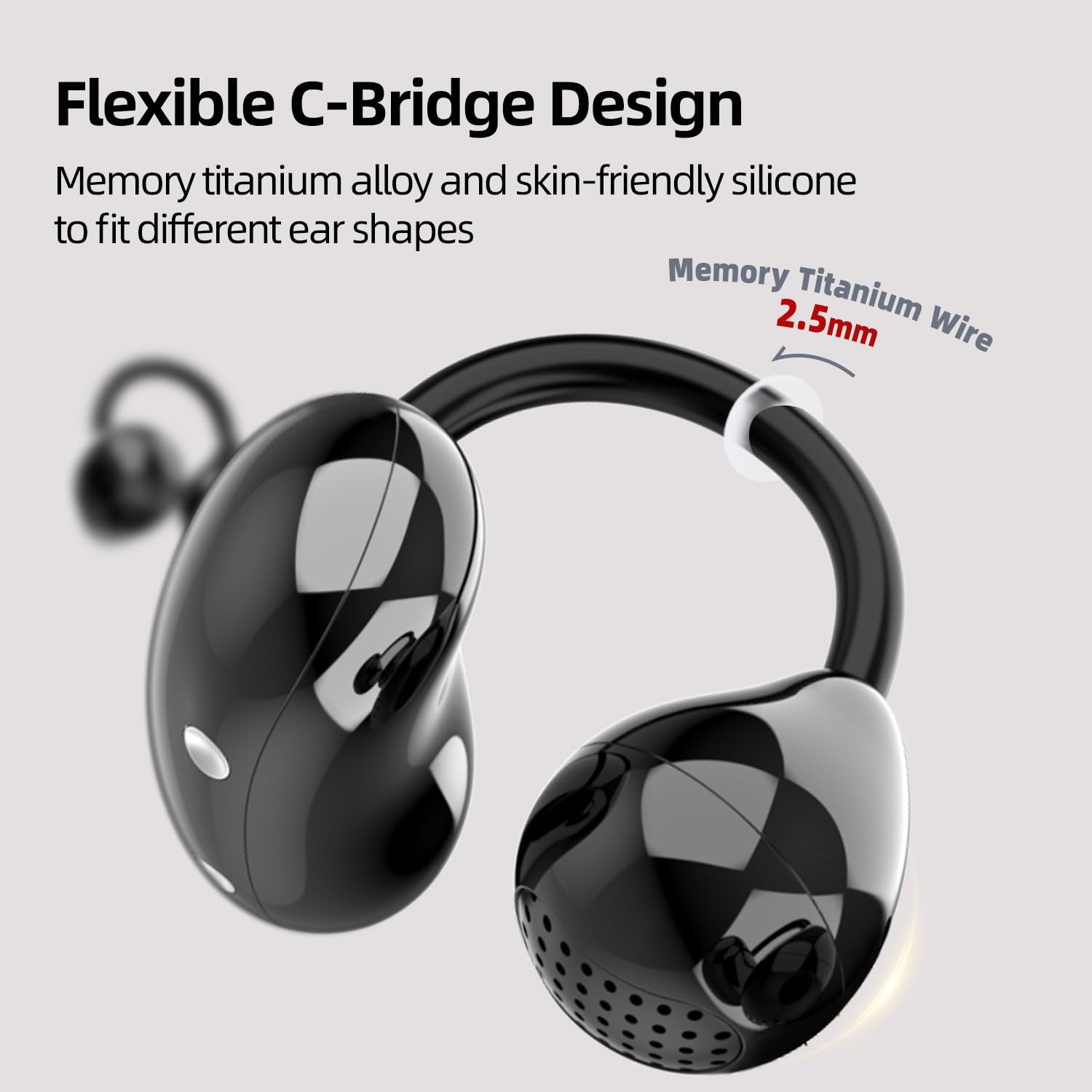
- Refer to the "Wearing the Earbuds" section and adjust the earbuds until a comfortable and secure fit is achieved. The flexible C-bridge design is intended to adapt to various ear shapes.
Specifications
| Feature | Detail |
|---|---|
| Model Name | WM_W3I |
| Connectivity Technology | Wireless (Bluetooth) |
| Bluetooth Version | 5.4 |
| Bluetooth Range | 30 Feet |
| Battery Life (Single Charge) | 6 Hours |
| Total Playtime (with Charging Case) | 38 Hours |
| Charging Time | 1.5 Hours (Case) |
| Earbud Weight | 4 Grams (per earbud) |
| Total Item Weight | 51 Grams (including case) |
| Frequency Range | 20 Hz to 20,000 Hz |
| Control Type | Touch Control |
| Material | Plastic, Memory Titanium Alloy Wire |
| Ear Placement | Open Ear, Clip-on |
| Compatible Devices | Cellphones, Tablets, Laptops, Desktops |
Warranty and Support
For warranty information and customer support, please refer to the official MUZEN website or contact your retailer. Keep your purchase receipt for warranty claims.
Manufacturer: muzen
ASIN: B0DSJ5RZ4V
