
TELEFUNKEN TE55750B46I2PZ
TELEFUNKEN 55-inch 4K UHD Smart TV TE55750B46I2PZ User Manual
Model: TE55750B46I2PZ
1. Introduction
Thank you for choosing the TELEFUNKEN 55-inch 4K UHD Smart TV, model TE55750B46I2PZ. This television combines Ultra HD resolution with the intuitive TiVo operating system, offering a wide range of entertainment options. It features Dolby Vision and HDR10 for enhanced picture quality and is compatible with Alexa and Google Assistant for convenient voice control. This manual provides essential information for setting up, operating, and maintaining your new television.
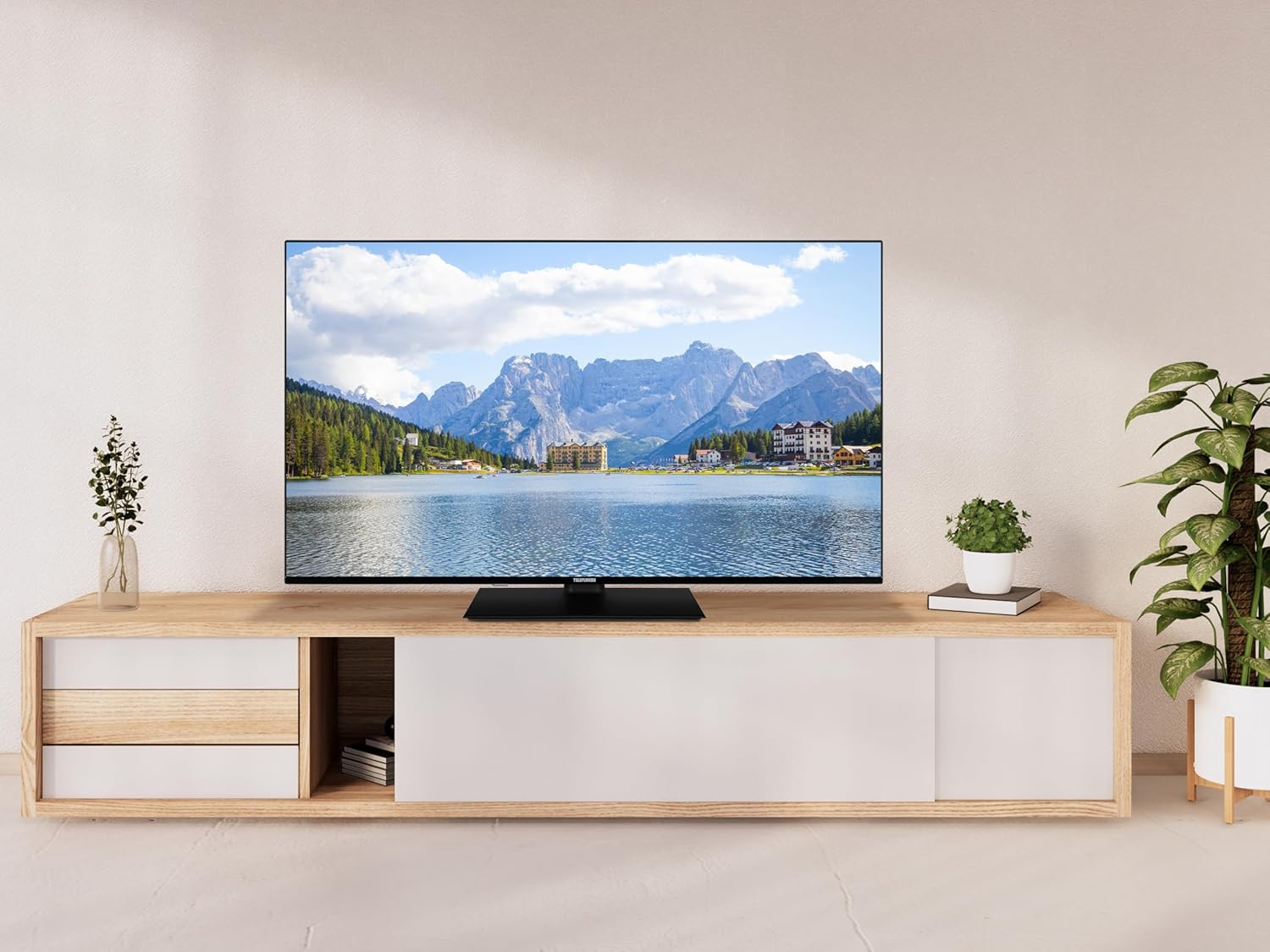
Image: The TELEFUNKEN 55-inch Smart TV displayed on a modern TV stand in a room, showcasing its sleek design and vibrant display.
2. Safety Information
Please read all safety instructions carefully before using your television. Keep this manual for future reference.
- Power Source: Ensure the TV is connected to a power supply that matches the voltage specified on the rating label.
- Ventilation: Do not block ventilation openings. Allow adequate space around the TV for proper airflow to prevent overheating.
- Water and Moisture: Do not expose the TV to rain or moisture. Do not place objects filled with liquids, such as vases, on the TV.
- Cleaning: Unplug the TV before cleaning. Use a soft, dry cloth. Do not use liquid cleaners or aerosol cleaners.
- Placement: Place the TV on a stable, level surface. Avoid placing it in direct sunlight or near heat sources.
- Children: Supervise children to ensure they do not climb on or play with the TV.
- Servicing: Do not attempt to service the TV yourself. Refer all servicing to qualified service personnel.
3. What's in the Box
Carefully unpack your TELEFUNKEN Smart TV and check that all the following items are included:
- TELEFUNKEN 55-inch 4K UHD Smart TV
- Power Cable
- User Manual
- Remote Control
- TV Stand Components (if applicable, for desktop placement)
- Screws for TV Stand Assembly (if applicable)
If any items are missing or damaged, please contact your retailer.
4. Setup
4.1 Unpacking and Placement
Carefully remove the TV from its packaging. It is recommended to have two people for this process due to the size and weight of the television. Place the TV on a flat, stable surface or mount it on a wall using a compatible VESA mount (sold separately).

Image: A side view of the TELEFUNKEN 55-inch Smart TV, highlighting its slim design.
4.2 Attaching the Stand
If you are not wall-mounting the TV, attach the included stand. The stand assembly is designed to be straightforward and intuitive. Follow the instructions provided in the separate stand assembly guide or the quick start guide for your specific model. Ensure all screws are securely fastened.
4.3 Connecting External Devices
Your TELEFUNKEN Smart TV offers various connectivity options. Refer to the image below for port locations.

Image: A close-up of the rear panel of the TELEFUNKEN Smart TV, displaying the various input and output ports.
- HDMI (x3): Connect Blu-ray players, game consoles, set-top boxes, or other HDMI-enabled devices.
- USB (x1): Connect USB storage devices for media playback.
- CI+ Slot: Insert a Conditional Access Module (CAM) for encrypted digital TV services.
- Coaxial Audio Out: Connect to an external audio receiver or soundbar for digital audio.
- Headphone Out: Connect headphones for private listening.
- Ethernet (LAN): Connect an Ethernet cable for a wired internet connection.
- Antenna/Cable Input: Connect your terrestrial or cable antenna for DVB-T2/DVB-I reception.
4.4 Power Connection
After connecting all necessary devices, plug the power cable into the TV's power input and then into a wall outlet. The TV will enter standby mode.
4.5 Initial Setup and Network Connection
Press the power button on the remote control or the TV to turn it on. The TV will guide you through the initial setup process, which includes:
- Language selection.
- Country/Region selection.
- Network connection (Wi-Fi or Ethernet). For Wi-Fi, select your network and enter the password.
- Channel scanning (DVB-T2/DVB-I).
- TiVo OS account setup (if prompted).
A stable internet connection is crucial for accessing Smart TV features and applications.
5. Operating Your TV
5.1 Remote Control
The included remote control provides access to all TV functions. Its design is user-friendly for easy navigation.
- Power Button: Turns the TV on or off (standby mode).
- Volume Buttons: Adjust the sound level.
- Channel Buttons: Change TV channels.
- Navigation Buttons (Arrow Keys, OK): Navigate menus and select options.
- Home/Smart TV Button: Access the TiVo operating system interface.
- Input/Source Button: Select input sources (HDMI, USB, TV).
- App Buttons: Direct access to popular streaming applications.
5.2 Smart TV Features (TiVo OS)
The TiVo operating system provides a user-centric experience, offering a wide variety of applications and content. Navigate through the home screen to access streaming services, live TV, and connected devices.
- App Store: Download and install additional applications.
- Voice Control: Utilize compatibility with Alexa and Google Assistant for hands-free control of your TV and smart home devices.
- Content Discovery: TiVo OS is designed to help you discover new content across various platforms.
5.3 Picture and Sound Settings
Access the TV's settings menu to customize picture and sound to your preference.
- Picture Modes: Select from various preset modes (e.g., Standard, Movie, Sport, Game) or customize settings like brightness, contrast, color, and sharpness.
- Dolby Vision & HDR10: These technologies automatically enhance picture quality for compatible content, providing greater contrast and a wider color gamut.
- Sound Modes: Choose from preset audio modes (e.g., Standard, Music, Movie) or adjust equalizer settings.
5.4 Digital TV (DVB-T2/DVB-I)
Your TV supports DVB-T2 for terrestrial digital broadcasting and DVB-I for internet-based linear TV services. After initial channel scanning, you can access these channels through the TV's channel list.
6. Maintenance
- Cleaning the Screen: Gently wipe the screen with a soft, lint-free cloth. For stubborn marks, slightly dampen the cloth with water or a specialized screen cleaner (apply to cloth, not directly to screen).
- Cleaning the Cabinet: Use a soft, dry cloth to clean the TV's cabinet.
- Software Updates: Ensure your TV's software is up to date for optimal performance and security. The TiVo OS will typically notify you of available updates. You can also check manually in the settings menu.
7. Troubleshooting
If you encounter issues with your TV, refer to the following common solutions before contacting support.
| Problem | Possible Solution |
|---|---|
| No power / TV does not turn on. |
|
| No picture / Black screen. |
|
| No sound. |
|
| Cannot connect to Wi-Fi / Internet. |
|
| Remote control not working. |
|
8. Specifications
Detailed technical specifications for the TELEFUNKEN 55-inch 4K UHD Smart TV, model TE55750B46I2PZ.

Image: Technical diagram illustrating the dimensions of the 55-inch TELEFUNKEN Smart TV, including width, height, and depth.
| Feature | Detail |
|---|---|
| Model | TE55750B46I2PZ |
| Screen Size | 55 inches (139 cm diagonal) |
| Resolution | 3840 x 2160 (4K Ultra HD) |
| Display Technology | LED |
| Refresh Rate | 60 Hz |
| Operating System | TiVo OS |
| Special Features | Dolby Vision, HDR10, Compatible with Alexa and Google Assistant |
| Connectivity | 3 x HDMI, 1 x USB, 1 x CI+ Slot, Coaxial Audio Out, Headphone Out, Ethernet (LAN), Wi-Fi |
| Tuners | DVB-T2, DVB-I |
| Dimensions (W x H x D) with Stand | 123.3 cm x 77 cm x 25 cm |
| Dimensions (W x H x D) without Stand | 123.3 cm x 77 cm x 8.7 cm |
| Product Weight | 16.7 kg |
| Energy Efficiency Class (SDR) | F |
| Energy Consumption (SDR) | 77 kWh/1000h |
| Energy Efficiency Class (HDR) | G |
| Energy Consumption (HDR) | 123 kWh/1000h |
| Minimum Software/Firmware Support | 8 years |
| Minimum Spare Parts Availability | 7 years |
| Minimum Product Support | 7 years |

Image: The EU Energy Label for the TELEFUNKEN TE55750B46I2PZ, showing energy efficiency classes and consumption for SDR and HDR modes. For more details, visit eprel.ec.europa.eu/qr/2165430.
9. Warranty and Support
Your TELEFUNKEN Smart TV is designed for reliability and performance. For specific warranty terms and conditions, please refer to the warranty card included with your product or contact your local retailer. TELEFUNKEN is committed to providing product support for a minimum of 7 years, with spare parts available for the same duration, and software/firmware updates for 8 years.
For technical assistance or customer service, please visit the official TELEFUNKEN website or contact the customer support line provided in your region.
Related documentsTE55750B46I2PZ


Ask a question about this manual
Ask about setup, troubleshooting, compatibility, parts, safety, or missing instructions. Manuals+ will review the question and use this page’s manual context to help answer it.