
Introduction
The LTC GM023 is a versatile tri-mode wireless gaming mouse designed for precision and comfort. It offers seamless connectivity options including 2.4GHz wireless, Bluetooth 5.0, and a wired USB-C connection. Featuring a lightweight honeycomb ergonomic design, a PAW3104 sensor with up to 8000 DPI, and 6 programmable buttons, this mouse is engineered for an optimized user experience.
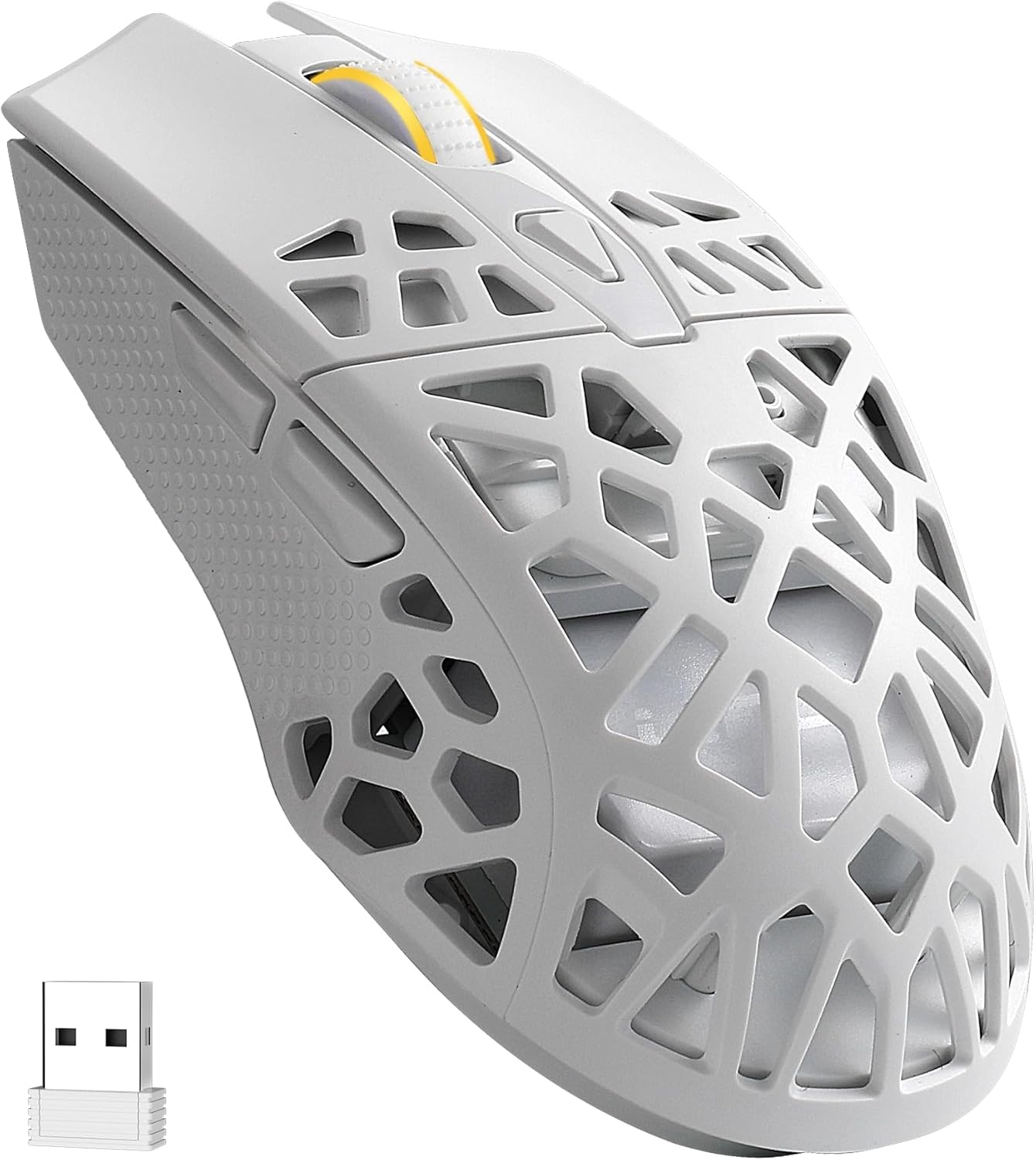
Image: The LTC GM023 Tri-Mode Wireless Gaming Mouse, showcasing its lightweight honeycomb design in white.
What's in the Box
- LTC GM023 Gaming Mouse
- Flexible Paracord Type-C Cable
- User Guide
Setup Instructions
Follow these steps to set up your LTC GM023 gaming mouse using your preferred connection method.
1. Connecting via 2.4GHz Wireless
- Locate the 2.4G USB receiver (dongle) stored in the compartment on the underside of the mouse.
- Plug the USB receiver into an available USB port on your computer.
- On the underside of the mouse, slide the mode switch to the '2.4G' position.
- The mouse will automatically connect to your computer.
2. Connecting via Bluetooth 5.0
- On the underside of the mouse, slide the mode switch to the 'BT' position.
- On your computer or device, navigate to Bluetooth settings and enable Bluetooth.
- Search for new devices and select 'LTC GM023' from the list to pair.
- The mouse will connect once pairing is successful.
3. Connecting via Wired USB-C
- Connect the provided flexible paracord Type-C cable to the front port of the mouse.
- Plug the other end of the cable into an available USB port on your computer.
- The mouse will function immediately in wired mode and will charge simultaneously.
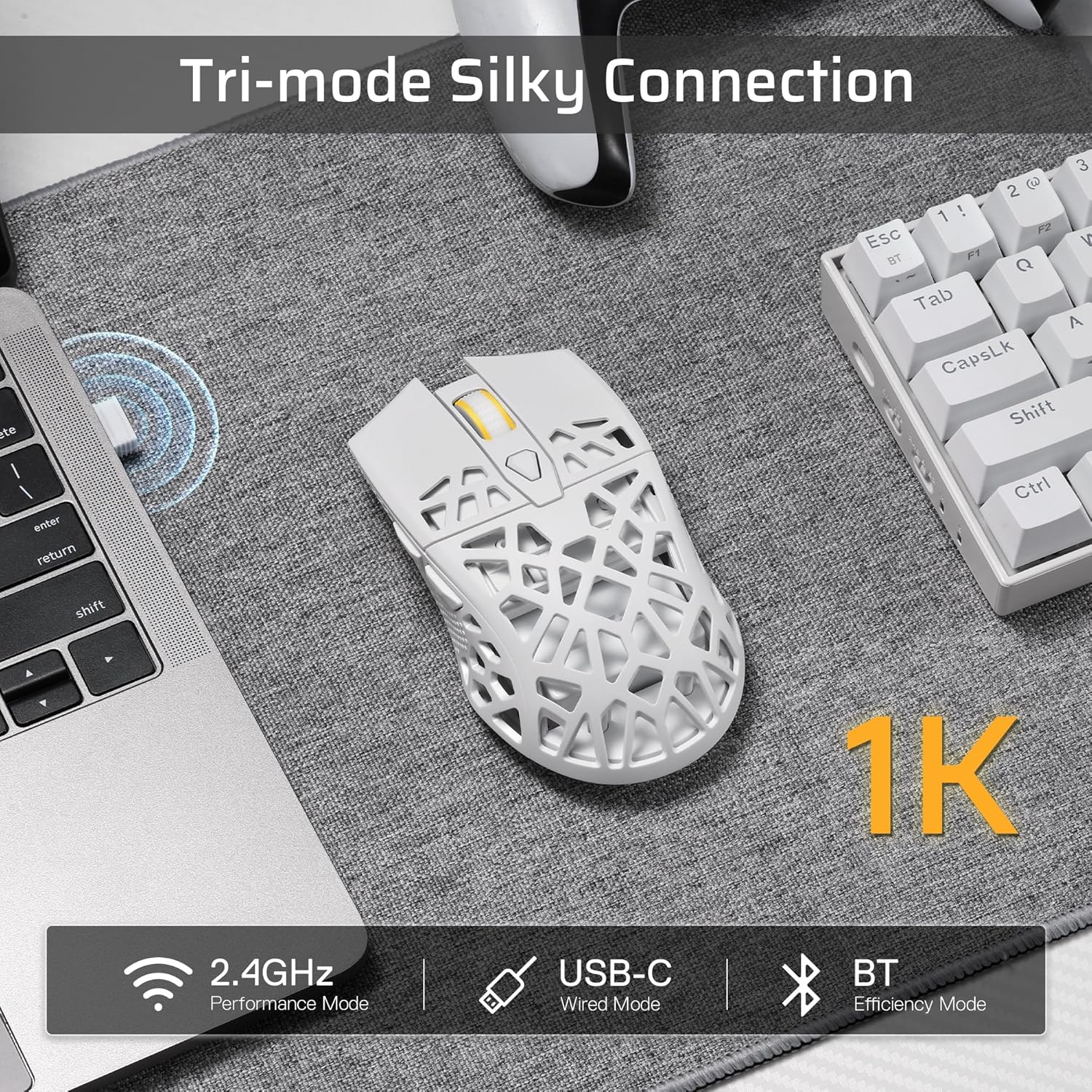
Image: Visual representation of the mouse's tri-mode connectivity: 2.4GHz, USB-C wired, and Bluetooth.

Image: The underside of the mouse, highlighting the mode switch for Bluetooth/Off/2.4G and the storage slot for the 2.4G USB dongle.
Operating Instructions
DPI Settings
The LTC GM023 mouse features 6 adjustable DPI levels, up to 8000 DPI, allowing you to customize cursor sensitivity. Use the dedicated DPI button, usually located behind the scroll wheel, to cycle through the preset DPI levels. Each level may be indicated by a different LED color or pattern.
Programmable Buttons
The mouse is equipped with 6 programmable buttons. To customize these buttons and assign complex macro functions, download and install the LTC Pro Software. This software allows you to reconfigure commands and save up to 3 ready-to-play profiles directly to the mouse's onboard memory.
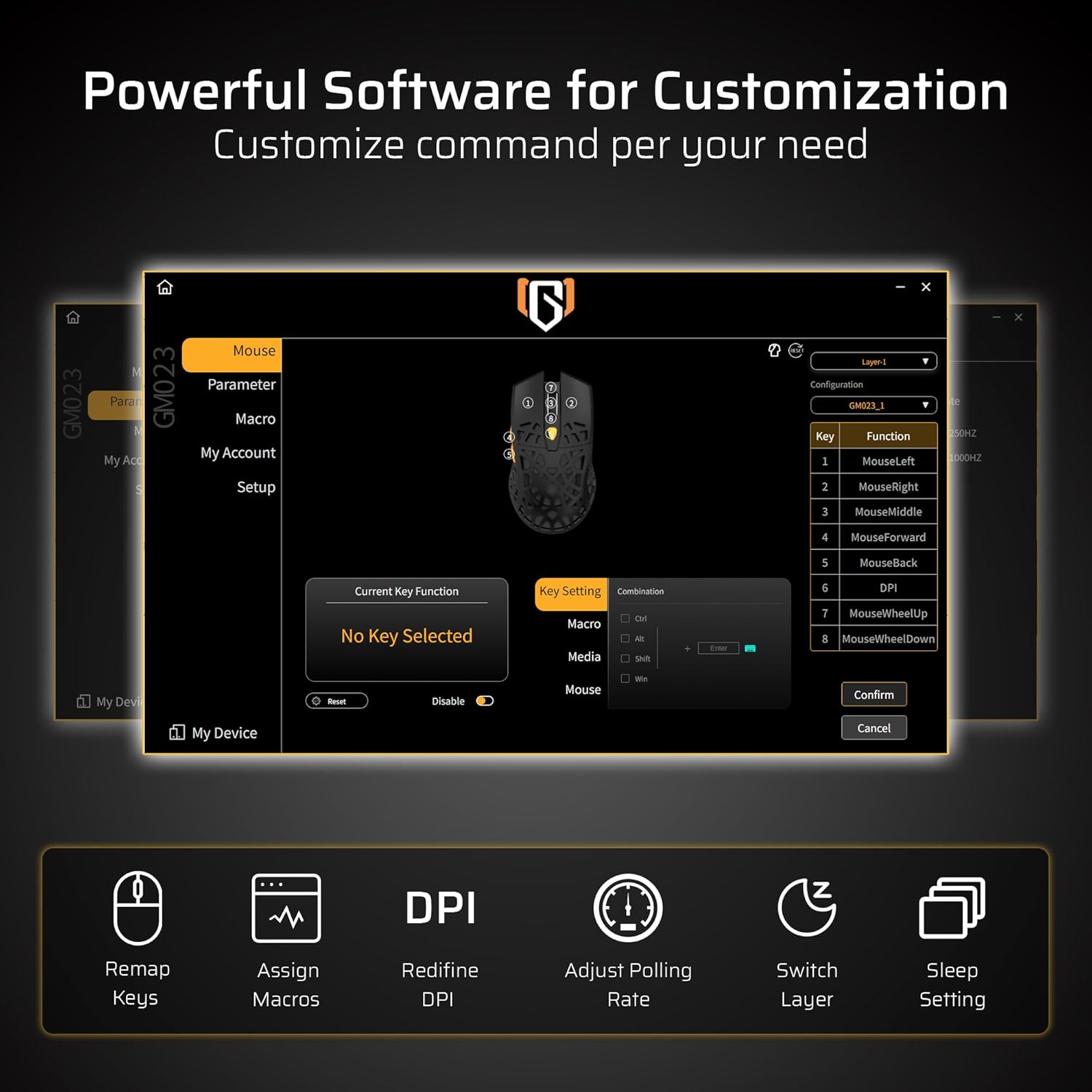
Image: The LTC Pro Software interface, demonstrating options for remapping keys, assigning macros, redefining DPI, and adjusting polling rate.
PAW3104 Sensor Performance
The integrated PAW3104 sensor provides precise tracking with a 1000Hz polling rate, 15G acceleration, and 45 IPS tracking speed. These specifications ensure responsive and accurate movements during use.

Image: A detailed view of the PAW3104 Pro Sensor, highlighting its capabilities such as 8000 DPI Max, 1000Hz Polling Rate, 45 IPS Tracking Speed, and 15G Acceleration.
Ergonomic Design
The mouse features a lightweight 79g honeycomb shell, designed for enhanced airflow to reduce sweat and provide comfort during extended use. The ergonomic grip ensures less fatigue.

Image: The LTC GM023 mouse, emphasizing its 79g lightweight honeycomb design for comfortable and sweat-free grip.
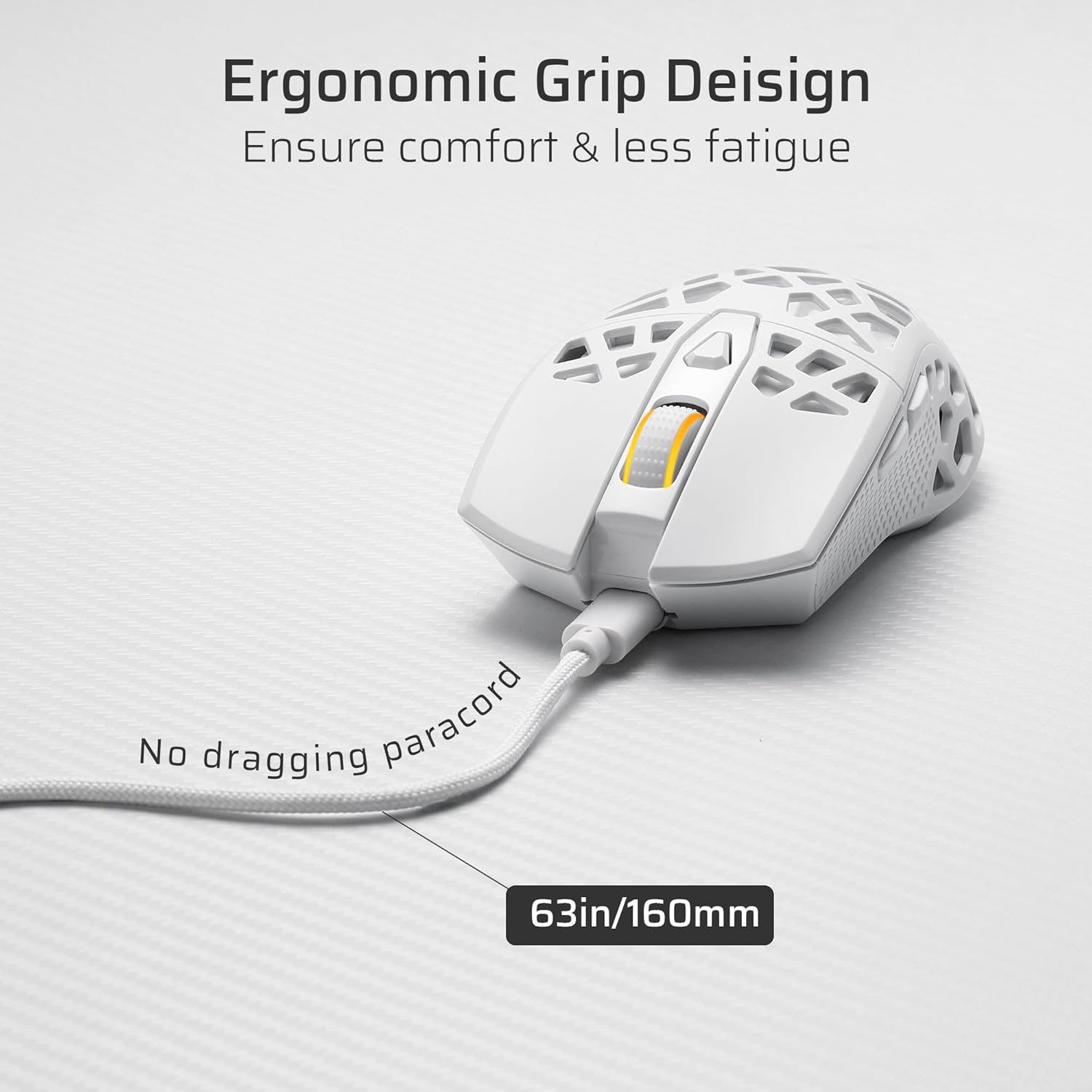
Image: The LTC GM023 mouse from a side angle, illustrating its ergonomic grip design and the flexible paracord cable for minimal drag.
Maintenance
Cleaning
To maintain optimal performance, regularly clean your mouse. Use a soft, dry cloth to wipe the surface. For the honeycomb areas, a can of compressed air can help remove dust and debris. Avoid using liquid cleaners directly on the mouse.
Battery Care
The LTC GM023 features a rechargeable 500mAh battery. To prolong battery life, avoid fully discharging the mouse frequently. Charge the mouse using the provided USB-C cable when the battery indicator suggests low power. A full charge typically takes approximately 1 hour and 30 minutes, providing up to 40 hours of endurance.

Image: The LTC GM023 mouse, highlighting its 500mAh rechargeable battery, 40 hours of endurance, and 1.5 hours (approx) for a full charge.
Troubleshooting
- Mouse not responding: Ensure the mouse is charged. Check the connection mode switch (2.4G, BT, or Wired) is set correctly. For 2.4G, ensure the USB receiver is securely plugged in. For Bluetooth, ensure your device's Bluetooth is enabled and the mouse is paired. Try connecting via the wired USB-C cable to rule out wireless issues.
- DPI not changing: Press the DPI button firmly. If using the LTC Pro Software, ensure your custom DPI settings are saved and applied.
- Lag or disconnections in wireless mode: Ensure the mouse is within the 10-meter range of the receiver/device. Minimize interference from other wireless devices. Try connecting the 2.4G receiver to a different USB port, preferably a USB 2.0 port.
- Buttons not working as expected: Check the LTC Pro Software for button assignments. Reset to default settings if necessary.
- Charging issues: Ensure the USB-C cable is properly connected to both the mouse and a power source. Try a different USB port or charging adapter.
Official Product Videos
LTC GM023 Wireless Gaming Mouse, 79g Ultra-Light Honeycomb
Video: An overview of the LTC GM023 Wireless Gaming Mouse, highlighting its lightweight honeycomb design and key features. (Duration: 0:30)
LTC GM023 GM024 Tri-Mode Wireless Gaming Mouse
Video: A demonstration of the tri-mode connectivity options (2.4GHz, Bluetooth, Wired) for the LTC GM023 and GM024 gaming mice. (Duration: 0:46)
Specifications
| Feature | Detail |
|---|---|
| Brand | LTC |
| Model Name | GM-023 |
| Connectivity Technology | Bluetooth, Radio Frequency (2.4GHz), USB (Wired) |
| Movement Detection Technology | Optical (PAW3104 Sensor) |
| Mouse Maximum Sensitivity | 8000 DPI |
| Polling Rate | 1000Hz |
| Acceleration | 15G |
| Tracking Speed | 45 IPS |
| Button Quantity | 6 (Programmable) |
| Item Weight | 79g (as per product description, 57g as per spec table, using 79g as it's highlighted in images) |
| Battery | 1 Lithium Polymer (500mAh, included) |
| Battery Life | Up to 40 hours |
| Charging Time | Approx. 1.5 hours |
| Wireless Range | 10 meters |
| Hand Orientation | Ambidextrous |
| Compatible Devices | Gaming Console, Personal Computer, Smartphone, Tablet |
| Operating System | Windows, macOS, Linux (Minimum Windows 11 required for some features) |
| Included Components | Gaming Mouse, Flexible Paracord Type-C Cable, User Guide |
Warranty Information
The LTC GM023 Tri-Mode Wireless Gaming Mouse comes with a 1 Year Warranty from the manufacturer, LTC. Please retain your proof of purchase for warranty claims. For specific terms and conditions, refer to the warranty card included in the packaging or contact LTC customer support.
Support
For technical assistance, troubleshooting, or further inquiries regarding your LTC GM023 gaming mouse, please visit the official LTC website or contact their customer support. You may also refer to the included user guide for additional information.
LTC Official Store: Visit the LTC Store on Amazon
