
1. Introduction
Thank you for choosing the BENLY Design Cyber Watch S3000-C. This digital timepiece combines a futuristic design with reliable electronic movement, offering multiple functions for daily use. This manual provides essential information for setting up, operating, maintaining, and troubleshooting your watch to ensure optimal performance and longevity.
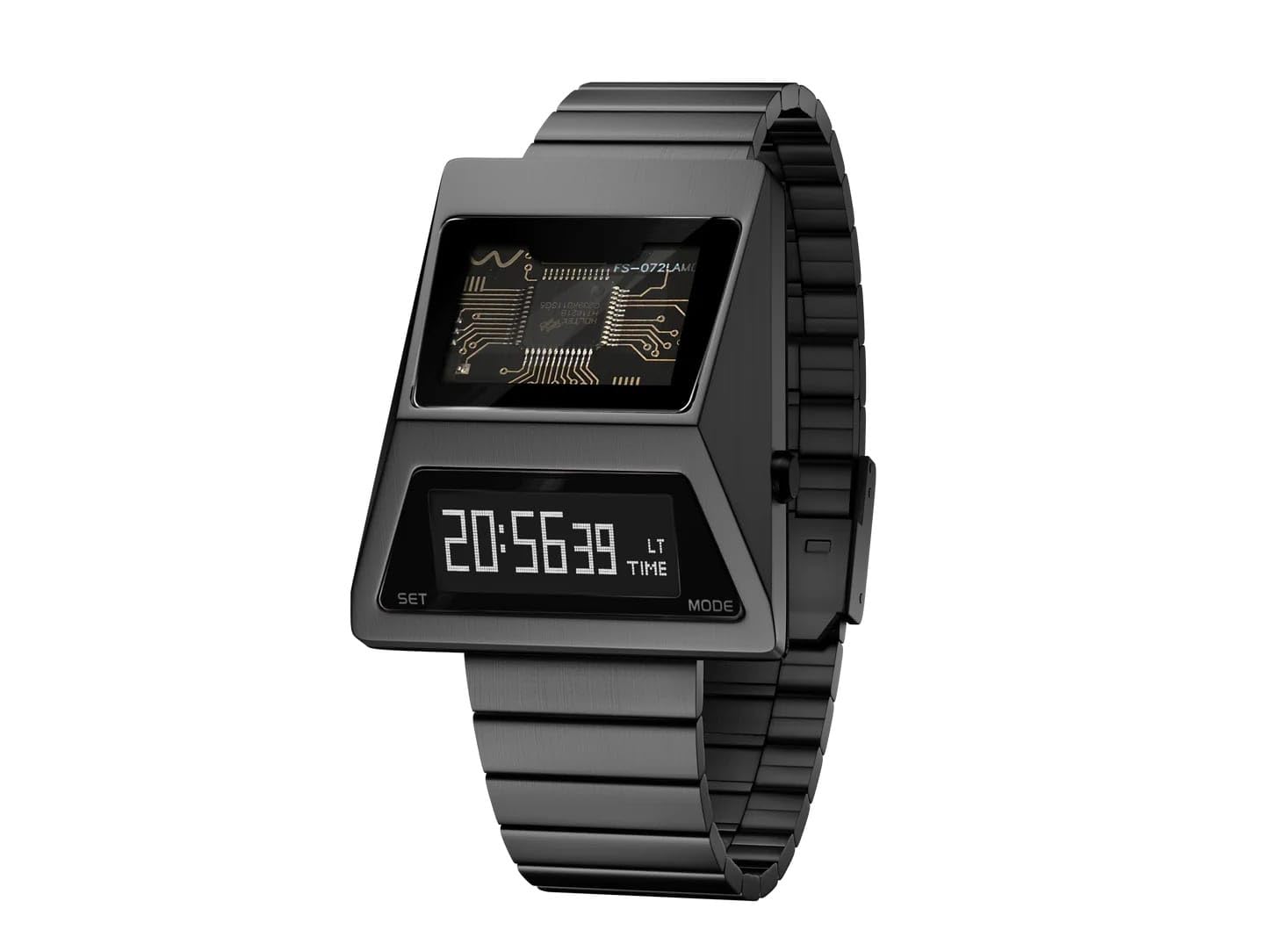
Image 1.1: Front view of the BENLY Design Cyber Watch S3000-C, displaying the digital time and internal circuit design.
2. Package Contents
Upon opening your BENLY Design Cyber Watch S3000-C package, please verify that the following items are included:
- BENLY Design Cyber Watch S3000-C
- Stainless Steel Metal Bracelet (attached)
- Instruction Manual (this document)

Image 2.1: The BENLY Design Cyber Watch S3000-C packaging, showing the watch box and included manual.
3. Watch Overview
Familiarize yourself with the key components and buttons of your BENLY Design Cyber Watch S3000-C.

Image 3.1: Close-up view of the watch face, highlighting the 'SET' and 'MODE' buttons on the side.
Button Functions:
- SET Button: Used to enter setting modes and confirm selections.
- MODE Button: Used to cycle through different display modes (Time, Date, Stopwatch, Alarm) and adjust values during setting.
4. Setup and Initial Configuration
4.1. Adjusting the Strap
The watch comes with an adjustable stainless steel metal bracelet with a buckle clasp. To ensure a comfortable and secure fit, you may need to adjust the strap length. This typically involves removing or adding links. It is recommended to have this done by a professional jeweler if you are unfamiliar with the process.
4.2. Setting Time and Date
- Press the MODE button repeatedly until the time display is shown.
- Press and hold the SET button for a few seconds until the hour digits begin to flash. This indicates you are in time setting mode.
- Press the MODE button to increase the hour. Press and hold MODE for faster adjustment.
- Press the SET button to move to the minute setting. The minute digits will flash.
- Press the MODE button to adjust the minutes.
- Continue pressing SET to cycle through year, month, and day settings, adjusting each with the MODE button.
- Once all settings are correct, press the SET button again to exit the setting mode.
5. Operating the Watch
5.1. Cycling Through Modes
Press the MODE button to cycle through the following display modes:
- Time Display: Shows current hour, minute, and second.
- Date Display: Shows month and day.
- Stopwatch: For measuring elapsed time.
- Alarm: To set and activate an alarm.
5.2. Using the Stopwatch
- From the Time Display, press MODE until the stopwatch mode appears (usually displaying '00:00:00').
- Press SET to start the stopwatch.
- Press SET again to pause the stopwatch.
- While paused, press MODE to reset the stopwatch to zero.
5.3. Setting the Alarm
- From the Time Display, press MODE until the alarm mode appears (usually displaying an alarm time or '00:00').
- Press and hold the SET button until the hour digits flash.
- Use the MODE button to adjust the hour.
- Press SET to move to the minute setting and adjust with the MODE button.
- Press SET again to activate/deactivate the alarm (an icon may appear on the display when active).
- Press SET to exit alarm setting mode.
5.4. Backlight Function
The watch features a backlight for visibility in low-light conditions. Typically, a short press of the MODE button (or a dedicated button if present, not explicitly shown) will activate the backlight for a few seconds.
6. Maintenance and Care
Proper care will extend the life and appearance of your BENLY Design Cyber Watch S3000-C.
6.1. Cleaning
Wipe the watch case and strap regularly with a soft, dry cloth. For stubborn dirt, a slightly damp cloth can be used, followed by immediate drying. Avoid harsh chemicals or abrasive materials.
6.2. Water Resistance
Your watch is water resistant up to 3 ATM (30 meters). This means it is suitable for daily use and can withstand splashes or brief immersion in water. However, it is not recommended for swimming, showering, or diving. Avoid pressing buttons while the watch is wet.

Image 6.1: Rear view of the watch, indicating 'WATER RESISTANT 3 ATM' on the case back.
6.3. Shock Resistance
The watch is constructed with durable materials designed to withstand daily wear and minor impacts. However, avoid severe shocks or dropping the watch, as this can damage internal components or the sapphire crystal.
6.4. Battery Replacement
The watch is powered by a long-lasting electronic battery. When the display dims significantly or functions become erratic, it may be time for a battery replacement. It is recommended to have the battery replaced by a qualified watch technician to ensure proper sealing and maintain water resistance.
7. Troubleshooting
If you encounter any issues with your watch, please refer to the following common problems and solutions:
| Problem | Possible Cause | Solution |
|---|---|---|
| Display is blank or dim. | Low battery. | Replace battery (recommended by professional). |
| Time is incorrect. | Time needs to be reset. | Refer to Section 4.2 'Setting Time and Date'. |
| Buttons are unresponsive. | Watch may be in a locked mode or battery is very low. | Try pressing all buttons to see if it unlocks. If not, consider battery replacement. |
| Condensation inside display. | Exposure to extreme temperature changes or water ingress. | Stop using the watch immediately and seek professional service. |
If the problem persists after attempting these solutions, please contact BENLYDESIGN customer support.
8. Specifications
| Feature | Detail |
|---|---|
| Model Name | S3000GA-C |
| Display Type | OLED |
| Movement Type | BENLYDESIGN Self-Design Electronic Digital Movement |
| Crystal Material | Sapphire Crystal |
| Case Material | Metal |
| Case Diameter | 40 mm (approximate, based on typical watch sizing for '4') |
| Case Thickness | 2 mm (approximate, based on typical watch sizing for '2') |
| Band Material | Stainless Steel |
| Strap Type | Metal Bracelet |
| Clasp Type | Buckle |
| Band Width | 20 mm (approximate, based on typical watch sizing for '2') |
| Band Length | 18 Millimetres (Note: This length seems short for a full band, likely refers to a specific segment or internal measurement. Total length with case would be more.) |
| Band Colour | Black |
| Dial Colour | Black |
| Water Resistance | 3 ATM (30 meters) |
| Item Weight | 400 Grams |
| Included Components | Watch and strap |
9. Warranty and Support
9.1. Warranty Information
Your BENLY Design Cyber Watch S3000-C is covered by a 1-Year International Warranty from the date of purchase. This warranty covers manufacturing defects under normal use. It does not cover damage resulting from accidents, improper use, unauthorized repairs, or normal wear and tear.
9.2. Customer Support
For warranty claims, technical assistance, or any other inquiries, please contact BENLYDESIGN customer support. You can find contact information on the official BENLYDESIGN website or through your retailer.
Manufacturer Contact Information: BENLY DESIGN
