
Introduction
This manual provides detailed instructions for the installation, operation, and maintenance of your ANNKE 2K 3MP Wi-Fi Outdoor Security Camera. Please read this manual thoroughly before using the product to ensure proper setup and functionality. Keep this manual for future reference.
Package Contents
Verify that all items listed below are included in your package. If any items are missing or damaged, please contact customer support.
- 2 x 3MP Wireless Camera (Metal Housing)
- 2 x Antenna
- 1 x Extension Antenna
- 2 x Mounting Screws Bag
- 2 x Sticker (Warning Stickers)
- 1 x Quick Start Guide (Instruction Manual)
- 2 x Power Adapter

Figure 1: Package Contents
Product Overview
Key Features
- 3MP Super HD Resolution: Provides clear and detailed video monitoring.
- 100ft Night Vision: Equipped with IR lights for clear visibility up to 100 feet in low-light conditions.
- Two-Way Audio: Built-in microphone and speaker allow for real-time communication.
- AI Human Detection: Advanced detection minimizes false alarms by accurately identifying human shapes.
- Instant Alerts: Receive notifications via the ANNKE Sight App upon detection of activity.
- Remote Access: View live feeds and playback from your smart device (iOS, Android) via Wi-Fi.
- All-Day Monitoring: Continuous recording when connected to a power source.
- Customizable Monitor Area: Define specific zones for motion detection to reduce unnecessary alerts.
- Durable Metal Housing: IP66-rated for weather resistance, suitable for outdoor use in various conditions.
- Alexa Integration: Compatible with Alexa for voice control and viewing on smart displays.
Camera Components
Familiarize yourself with the camera's physical components.

Figure 2: Camera Components (Front and Side View)
- Lens: Captures video footage.
- IR LEDs: Provide illumination for night vision.
- Microphone: Captures audio for two-way communication.
- Speaker: Outputs audio for two-way communication.
- Antenna: For Wi-Fi connectivity.
- Power Port: Connects to the DC12V/1A power adapter.
- Mounting Base: For secure installation.
Setup Instructions
These cameras are add-on units and require connection to a compatible ANNKE NVR (Network Video Recorder) to function. NVR is not included in this package.
Before Installation
- Ensure you have a compatible ANNKE NVR (Models: N48WHR, N98WHR, N44WET, N48WEE, N54WHF).
- Test the camera's functionality and Wi-Fi signal strength in the desired installation location before permanent mounting.
- Ensure the power outlet is within reach of the power adapter cable.
Step 1: Powering On the Camera
- Connect the provided power adapter to the camera's power port.
- Plug the power adapter into a standard electrical outlet. The camera will power on and initiate its startup sequence.
Step 2: Connecting to ANNKE NVR
The cameras are designed to automatically connect to a compatible ANNKE NVR. If they do not connect automatically, follow the NVR's instructions for adding new wireless cameras.
- Ensure your ANNKE NVR is powered on and configured.
- Place the camera within range of the NVR's Wi-Fi signal.
- Refer to your NVR's user manual for specific steps on pairing or adding new wireless IP cameras.
Step 3: Mounting the Camera
Choose a suitable location for mounting, ensuring a clear field of view and adequate Wi-Fi signal.
- Position the camera in the desired location. Use the included mounting screws and anchors to secure the camera base to a wall or ceiling.
- Adjust the camera angle to cover the desired surveillance area.
- Ensure the antenna is securely attached and oriented for optimal signal reception. An extension antenna is provided for improved range if needed.

Figure 3: Example Camera Mounting
Operating Instructions
Accessing Live View and Playback
Access your camera feed through the ANNKE Sight App on your smartphone or tablet, or via your connected NVR system.
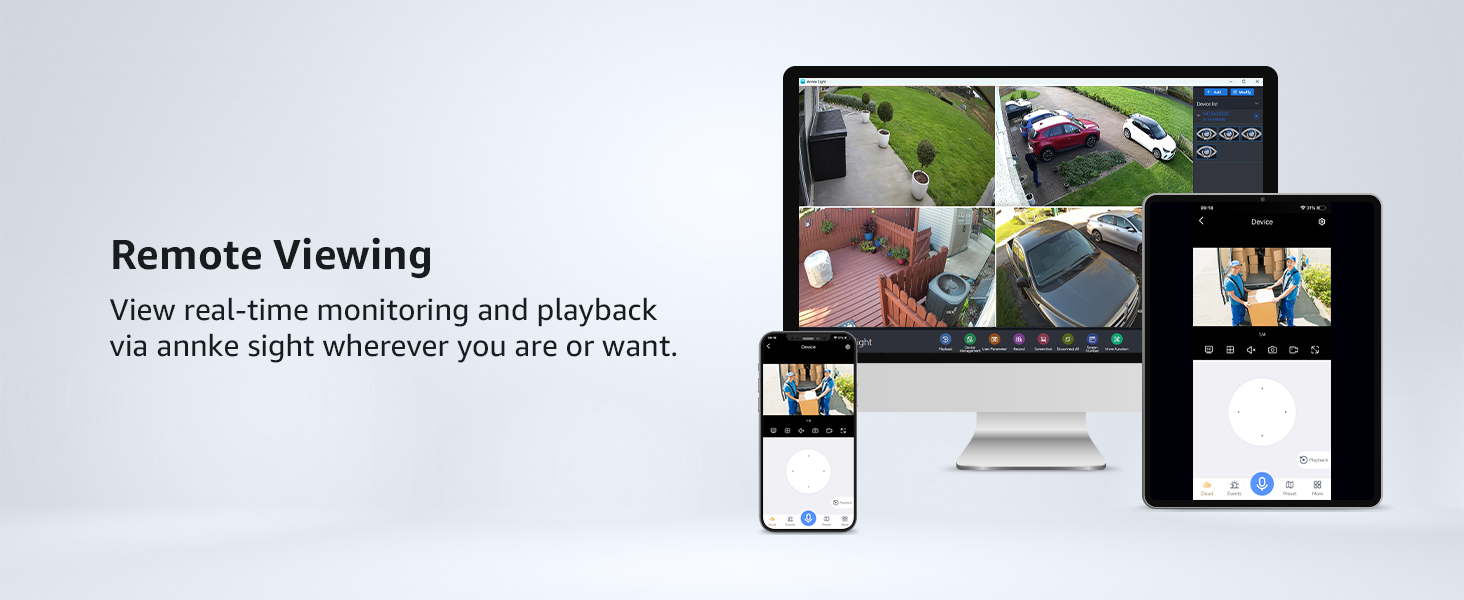
Figure 4: Remote Viewing on Multiple Devices
Two-Way Audio
The camera supports two-way audio communication.
- Open the ANNKE Sight App or access the camera feed on your NVR.
- Locate the microphone icon in the live view interface. Tap and hold the icon to speak.
- Release the icon to listen.

Figure 5: Two-Way Audio in Use
Motion Detection and Alerts
The camera features AI human detection to minimize false alarms.
- In the ANNKE Sight App or NVR settings, navigate to the motion detection settings.
- Enable AI Human Detection.
- Configure alert preferences (e.g., push notifications, email alerts).
- To define a specific monitoring area, use the 'Monitor Area Setting' feature within the app or NVR interface.
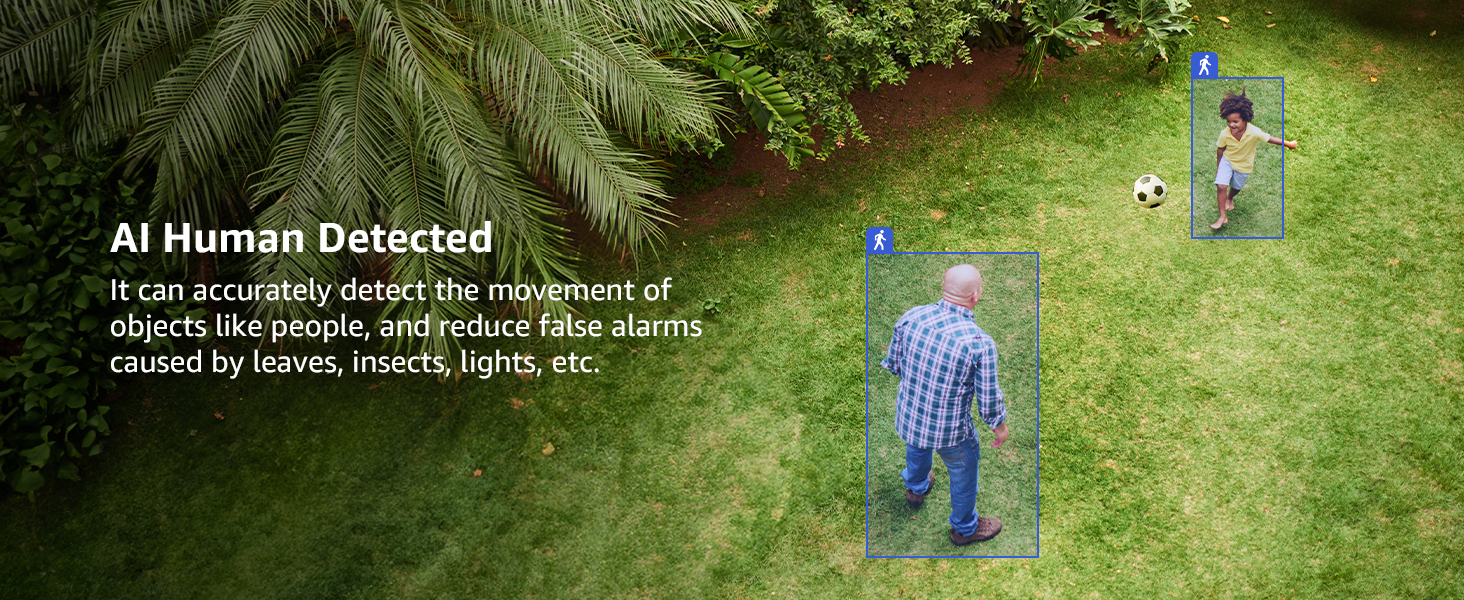
Figure 6: AI Human Detection
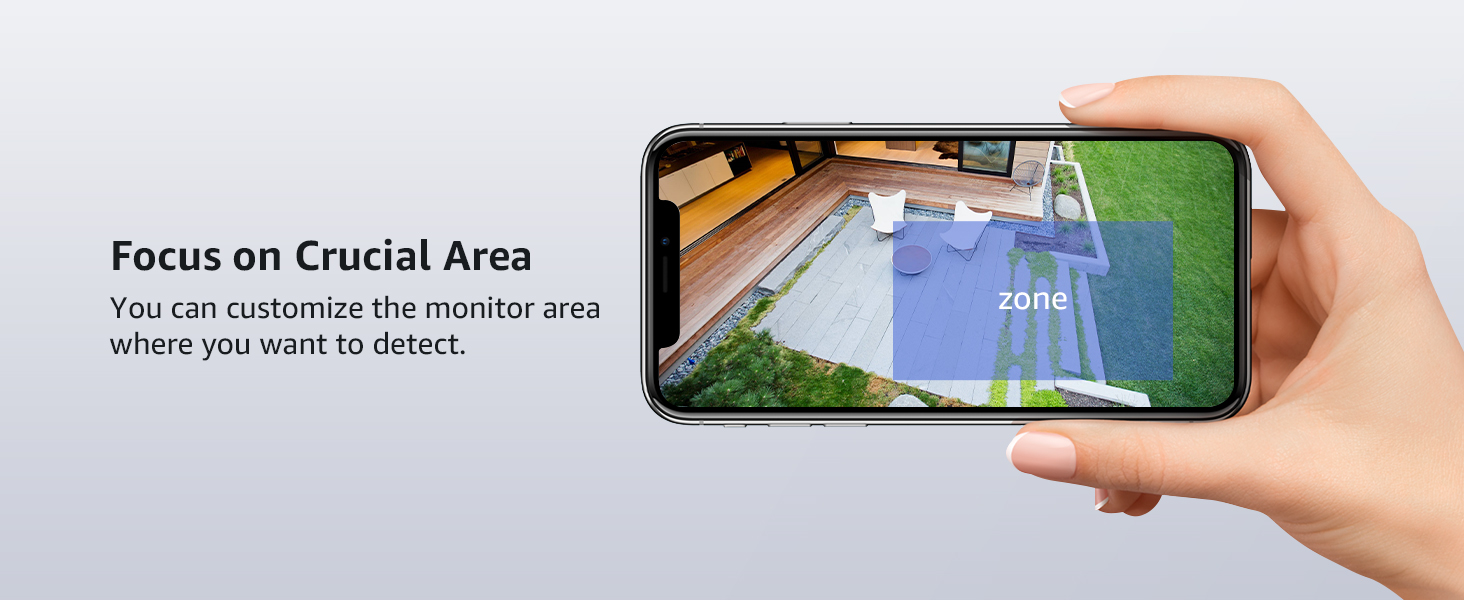
Figure 7: Customizable Monitor Area
Night Vision
The camera automatically switches to night vision mode in low-light conditions.
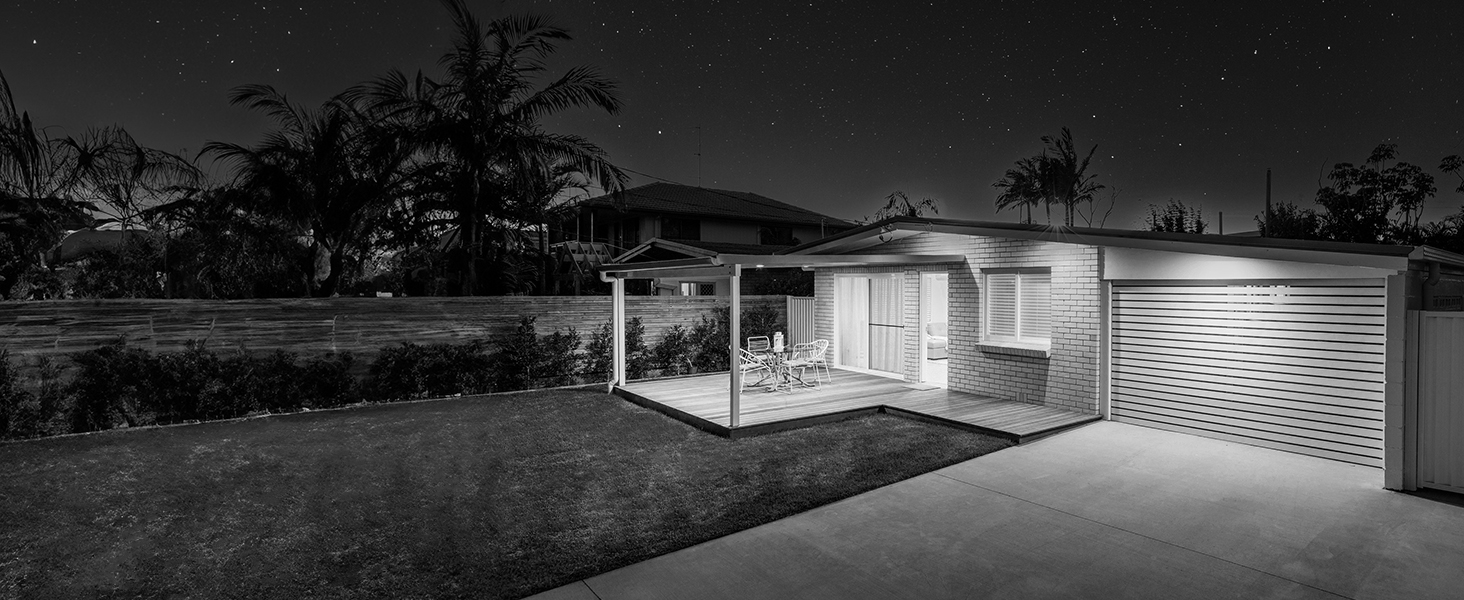
Figure 8: Day and Night Vision Comparison
Alexa Integration
Integrate your camera with Alexa-enabled devices for convenient voice control.
- Ensure your Alexa device is set up and connected to the internet.
- Open the Alexa App and enable the ANNKE skill.
- Follow the on-screen instructions to link your ANNKE account and discover your camera.
- You can then use voice commands like, "Alexa, show me the backyard."
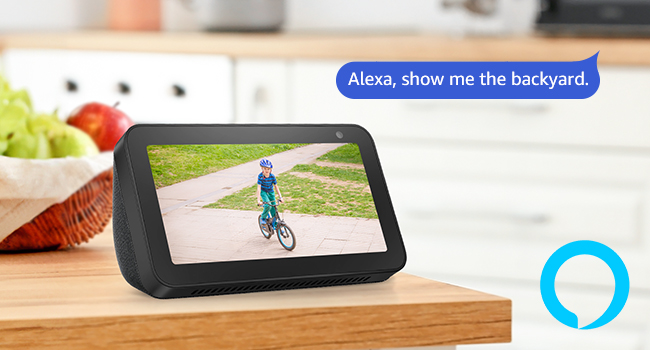
Figure 9: Alexa Integration
Maintenance
Cleaning the Camera
- Periodically clean the camera lens with a soft, damp cloth to ensure clear image quality.
- Do not use harsh chemicals or abrasive cleaners.
Firmware Updates
- Check the ANNKE Sight App or ANNKE official website regularly for firmware updates.
- Keeping your camera's firmware updated ensures optimal performance and security.
Environmental Considerations
The camera is IP66-rated for outdoor use, providing protection against dust and water jets.

Figure 10: Weather Resistance
Troubleshooting
If you encounter issues, refer to the following common problems and solutions.
| Problem | Possible Cause | Solution |
|---|---|---|
| Camera not powering on | Power adapter not connected or faulty; power outlet issue. | Ensure power adapter is securely connected. Test the power outlet with another device. Try a different power adapter if available. |
| No video feed | Camera not connected to NVR; weak Wi-Fi signal; NVR issue. | Verify camera is powered on. Check NVR settings to ensure camera is added and online. Move camera closer to NVR or use the extension antenna. Restart NVR. |
| Poor image quality | Dirty lens; low light conditions; network bandwidth. | Clean the camera lens. Ensure adequate lighting or verify night vision is active. Check network connection speed. |
| False motion alerts | Sensitivity too high; environmental factors (e.g., moving branches, insects). | Adjust motion detection sensitivity in the app/NVR. Utilize AI Human Detection. Configure a specific monitoring area to exclude irrelevant zones. |
| Two-way audio not working | Microphone/speaker blocked; app settings; network issue. | Ensure nothing is obstructing the microphone or speaker. Check audio settings in the ANNKE Sight App. Verify stable network connection. |
Specifications
| Feature | Detail |
|---|---|
| Model Name | AU-KI71FR0203 |
| Effective Still Resolution | 3 MP |
| Video Capture Resolution | 3 MP |
| Connectivity Technology | Wireless (Wi-Fi) |
| Night Vision Range | 100 feet |
| Special Features | 2-Way Audio, Night Vision, Weather Proof (IP66), AI Human Detection |
| Indoor/Outdoor Usage | Indoor, Outdoor |
| Compatible NVR Devices | N48WHR, N98WHR, N44WET, N48WEE, N54WHF |
| Control Method | App (ANNKE Sight) |
| Power Source | Corded Electric (DC12V/1A) |
| Viewing Angle | 70 degrees |
| Item Dimensions | 7.64 x 6.5 x 5.31 inches |
| Item Weight | 0.92 kg |
Warranty and Support
Manufacturer Warranty
This product comes with a 1-Year Manufacturer Warranty. Please retain your proof of purchase for warranty claims.
Customer Support
For technical assistance, troubleshooting, or warranty inquiries, please visit the official ANNKE support website or contact their customer service team. Refer to the Quick Start Guide included in your package for specific contact details.
ANNKE is dedicated to providing top-notch surveillance solutions and offers lifetime technical support.


