
1. Important Safety Instructions
Please read all safety instructions carefully before using the UKLISS Mini Hair Waver. Failure to follow these instructions may result in electric shock, fire, burns, or other injuries.
- Burn Hazard: The surfaces of the hair waver become extremely hot during use. Avoid direct contact with skin, especially the face, neck, and ears.
- Electric Shock Risk: Keep the appliance away from water. Do not use it near bathtubs, sinks, showers, or any other water-filled containers. Do not immerse the appliance in water or any other liquid.
- Fire Risk: Unplug the appliance immediately after use and when not in use. Do not leave it unattended when plugged in. Ensure the appliance is placed on a heat-resistant surface when hot.
- Children: This appliance is not intended for use by children. Keep out of reach of children and supervise them to ensure they do not play with the appliance.
- Handling: Always hold the appliance by the handle. Do not touch the hot barrels or plates during operation. The top of the curling iron is designed with a silicone tip for finger protection; use this area when handling the hot barrels.
- Storage: Allow the appliance to cool completely before storing. Store in a dry place.
2. Product Overview
The UKLISS Mini Hair Waver WT-056-2 is a compact and portable styling tool designed to create natural-looking waves. It features ceramic tourmaline heating elements for even heat distribution and reduced hair damage. Key features include 5 adjustable temperature settings, a safety lock for secure storage, and a 360° rotatable power cord for ease of use.

Figure 2.1: Portable design with anti-scalding features and rotatable cable.
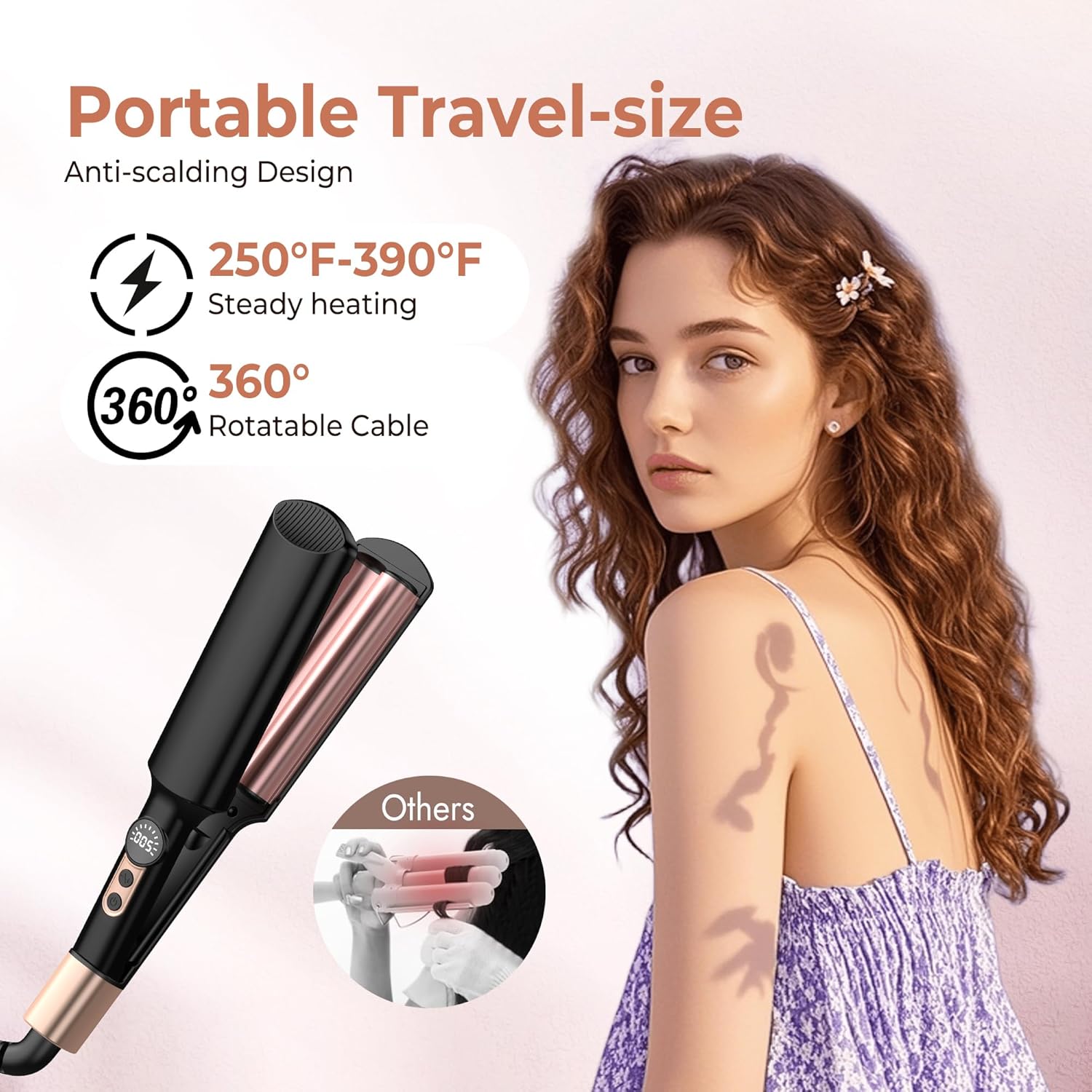
Figure 2.2: Compact dimensions of the Mini Hair Waver.
3. Setup
- Unpack: Carefully remove the hair waver from its packaging. Retain packaging for future storage or transport.
- Inspect: Check the appliance for any signs of damage. Do not use if the cord or appliance is damaged.
- Placement: Place the hair waver on a flat, heat-resistant surface, away from flammable materials.
- Plug In: Insert the power plug into a suitable electrical outlet. Ensure your power supply matches the voltage requirements of the appliance.
4. Operating Instructions
Follow these steps to achieve desired wavy hairstyles:
- Preparation: Ensure your hair is clean, dry, and detangled. For best results, apply a heat protectant spray.
- Power On: Press and hold the power button to turn on the appliance. The display will illuminate.
- Select Temperature: Use the temperature control buttons to select your desired heat setting. Refer to Section 5 for guidance on temperature selection. The appliance heats up quickly, typically within 30 seconds.
- Unlock Feature: After 5 seconds of reaching the selected temperature, the touch switch will lock and display "L". To adjust the temperature or power off, double-click the power button to unlock.
- Waving Hair:
- Separate a section of hair, typically 1-2 inches wide.
- Open the waver and place the hair section between the barrels, close to the roots.
- Gently clamp the hair for 8-10 seconds. The exact time may vary based on hair type and desired wave intensity.
- Release the clamp and move the waver down the same section of hair, overlapping the previous wave slightly to create a continuous pattern.
- Repeat this process until the entire section of hair is waved.
- Continue with remaining sections of hair until your desired style is achieved.
- Cool Down: Allow the waves to cool completely before touching or styling further to help set the style.
- Power Off: Double-click the power button to unlock, then press and hold the power button to turn off the appliance. Unplug from the power outlet.

Figure 4.1: Demonstrating how to clamp hair for waving.

Figure 4.2: Creating beach waves with the Mini Hair Waver.
5. Temperature Settings
The UKLISS Mini Hair Waver offers 5 adjustable temperature settings to suit various hair types. Choose the appropriate temperature to prevent heat damage and achieve optimal results.
- 250°F (120°C): Recommended for damaged or very fine hair.
- 290°F (145°C): Suitable for thin hair.
- 320°F (160°C): Ideal for normal hair.
- 360°F (180°C): Best for thick hair.
- 390°F (200°C): For coarse or difficult-to-style hair.

Figure 5.1: Temperature guide for different hair types.
6. Safety Features
The UKLISS Mini Hair Waver is equipped with several features to ensure safe operation:
- Safety Lock Design: A locking mechanism allows the waver to be securely closed when not in use, protecting the barrels and making it compact for storage and travel.
- Anti-Scalding Tip: The top of the waver features a silicone pad, providing a cool-touch area to protect your fingers from high temperatures during styling.
- 30-Minute Auto Power-Off: For added safety, the appliance will automatically shut off after 30 minutes of inactivity.

Figure 6.1: Safety lock and unlock instructions.
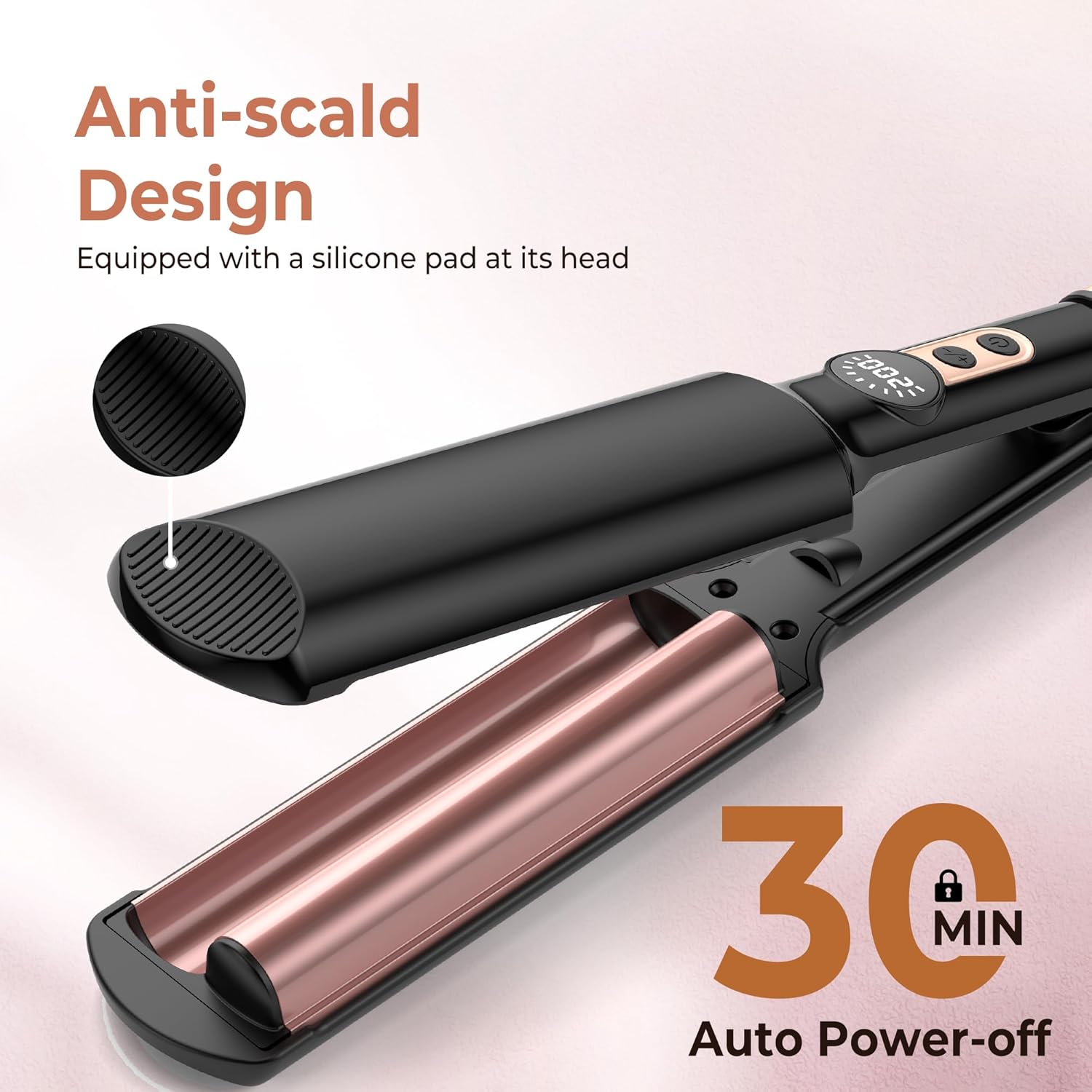
Figure 6.2: Anti-scald design and auto power-off feature.
7. Maintenance and Storage
- Cleaning: Always ensure the appliance is unplugged and completely cool before cleaning. Wipe the barrels and exterior with a soft, damp cloth. Do not use abrasive cleaners or harsh chemicals.
- Storage: After use, allow the hair waver to cool down fully. Engage the safety lock to keep the barrels closed. Store the appliance in a cool, dry place, away from moisture and direct sunlight.
- Cord Care: Do not wrap the power cord tightly around the appliance, as this can damage the cord. Store the cord loosely.
8. Troubleshooting
| Problem | Possible Cause | Solution |
|---|---|---|
| Appliance does not turn on. | Not plugged in correctly; Power outlet malfunction. | Ensure the plug is fully inserted into a working electrical outlet. Test the outlet with another appliance. |
| Appliance is on but not heating. | Temperature not selected; Controls are locked. | Select a temperature setting. If the display shows "L", double-click the power button to unlock the controls. |
| Waves are not holding. | Incorrect temperature setting; Hair not fully dry; Sections too large; Waves not allowed to cool. | Increase temperature if hair is thick. Ensure hair is completely dry. Use smaller sections. Allow waves to cool before styling. |
9. Specifications
- Model: WT-056-2
- Brand: UKLISS
- Dimensions: Approximately 9.75 x 4 x 4 cm (3.84 x 1.57 x 1.57 inches)
- Weight: Approximately 410 grams (0.9 lbs)
- Heating Element Material: Ceramic Tourmaline
- Maximum Temperature: 400°F (200°C)
- Adjustable Temperature Settings: 5 (250°F, 290°F, 320°F, 360°F, 390°F)
- Power Source: Corded Electric with 360° Rotatable Cable
- Color: Black Rose
- Safety Features: Safety Lock, Anti-Scalding Tip, 30-Minute Auto Power-Off
10. Warranty and Support
For warranty information or technical support, please refer to the product packaging or contact UKLISS customer service directly. Contact details are typically provided with your purchase or on the official UKLISS website.
