
Introduction
The TECKEEN ATS200 is an advanced multi-mode full band radio receiver designed for exceptional performance and user convenience. As an upgraded version of the ATS120, it features a frequency conversion module upgradable to 200MHz, allowing reception of both standard broadcasts and aviation bands. Its intuitive 2.4-inch TFT touch display, combined with SI4732+ESP32+Bluetooth technology, offers a seamless and enjoyable operational experience.
Package Contents
Upon unboxing your TECKEEN ATS200, please verify that all items listed below are present and in good condition:
- 1 x Full Band Radio (ATS200)
- 1 x Type-C Cable

Image: The TECKEEN ATS200 radio receiver shown alongside its included Type-C charging cable. The radio features a white casing, a large display, and a speaker grille.
Product Features
The ATS200 is equipped with a range of features designed to enhance your listening experience:
- Upgraded Performance: Frequency conversion module upgradable to 200MHz, supporting ordinary broadcasts and aviation bands.
- Advanced Solution: Combines SI4732+ESP32+Bluetooth with a 2.4-inch touch display for operational convenience.
- Superior Sound Quality: Built-in 40MM large-sized speaker with LNA preamplifier for clear and loud audio. Supports stereo Bluetooth headphone audio for HIFI enjoyment.
- Extended Battery Life: High-capacity 3.7V/1200mAh lithium-ion battery for prolonged use.
- Portable Design: Ultra-thin body with an 820mm ultra-long rod antenna for easy portability.
- Intelligent Operation: 2.4-inch color touch screen with functions like spectrum scanning, brightness adjustment, backlight shut-off, battery voltage, and percentage display. Includes touch screen and encoder lock functions.
- Multi-Mode Reception: Supports FM, AM, LSB, USB multi-mode reception, and FM RDS function.
- Bluetooth 5.3: Built-in high-fidelity stereo audio streaming for independent Bluetooth headphone use or sharing.
- Practical Accessories: Top-mounted independent mini LED flashlight and a 3.5mm external antenna interface.
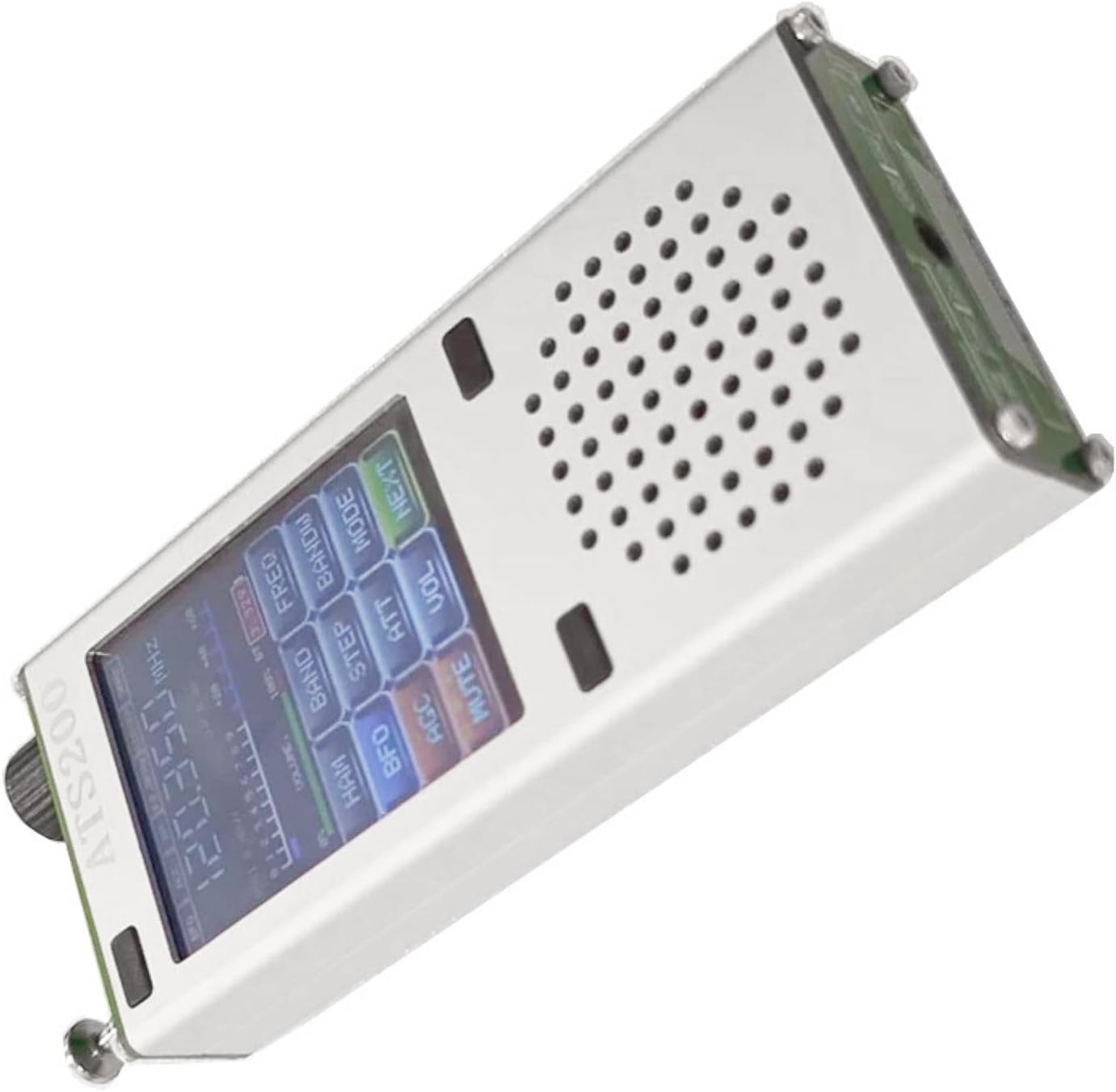
Image: The TECKEEN ATS200 radio receiver displaying its illuminated 2.4-inch TFT touch screen, showing frequency and various function buttons like BAND, MODE, VOL, and MUTE.
Setup
Charging the Device
Before initial use, ensure the ATS200 is fully charged. Use the provided Type-C cable to connect the device to a compatible USB power source (e.g., computer USB port, USB wall adapter).
- Locate the Type-C charging port on the top of the device.
- Insert the Type-C cable into the port.
- Connect the other end of the cable to a USB power source.
- The charging indicator LED will illuminate during charging. The screen will also display battery percentage.
- Once fully charged, disconnect the cable.

Image: A close-up view of the top panel of the TECKEEN ATS200, highlighting the USB CHARGE port (Type-C), the TUNE knob, LED indicators for charge and power, and the earphone/FM antenna jack.
Antenna Connection
The ATS200 comes with a built-in 820mm rod antenna. For enhanced reception or specific frequency bands, an external antenna can be connected.
- Built-in Rod Antenna: Extend the telescopic rod antenna fully for optimal reception.
- External Antenna: Connect a compatible 3.5mm external antenna to the dedicated port at the bottom of the device. For SW/SSB or MW reception, utilize the screw terminals for outdoor or magnetic rod antennas as indicated.

Image: The bottom panel of the TECKEEN ATS200, showing the external antenna connections. Labels indicate ports for "Outdoor antenna" (SW/SSB, GND, ANT) and "Magnetic rod antenna 500-1700KHZ" (ANT, GND, MW).
Operating Instructions
Power On/Off
- To power on, press and hold the power button (usually integrated with the tune knob or a dedicated side button).
- To power off, press and hold the power button again.
Basic Navigation and Tuning
The ATS200 features a 2.4-inch TFT color touch screen and an encoder knob for navigation and tuning.
- Touch Screen: Tap on screen elements to select functions, change settings, or input values.
- Encoder Knob (TUNE): Rotate the knob to adjust frequency, volume, or navigate menus. Press the knob to confirm selections or access sub-menus.
- Volume Control: Adjust the volume using the dedicated volume control on the side or via the touch screen interface.
Mode Selection
The device supports multiple reception modes:
- FM: Frequency Modulation
- AM: Amplitude Modulation
- LSB: Lower Sideband
- USB: Upper Sideband
- FM RDS: FM Radio Data System
Select the desired mode via the touch screen interface. The "MODE" button on the screen allows cycling through available modes.
Bluetooth Connectivity
The ATS200 features Bluetooth 5.3 for high-fidelity stereo audio streaming.
- Pairing: Access the Bluetooth settings on the device's touch screen. Enable Bluetooth and search for available devices. Select your Bluetooth headphones or speaker to pair.
- Audio Playback: Once paired, audio from the radio can be streamed to your Bluetooth device. The ATS200 can also function as a standalone Bluetooth audio receiver.
Screen Functions
The 2.4-inch TFT color touch screen provides access to various functions:
- Spectrum Scanning: Visualize signal strength across frequencies.
- Brightness Adjustment: Modify screen brightness for comfortable viewing.
- Backlight Shut-off: Conserve battery by setting the backlight to turn off after a period of inactivity.
- Battery Display: Monitor current battery voltage and percentage.
- Lock Functions: Enable touch screen and encoder lock to prevent accidental changes during use or transport.
Maintenance
Cleaning
- Use a soft, dry cloth to wipe the device's exterior.
- For stubborn marks, slightly dampen the cloth with water. Avoid harsh chemicals or abrasive cleaners.
- Keep the screen clean using a microfiber cloth designed for electronics.
Battery Care
- To prolong battery life, avoid fully discharging the battery frequently.
- Charge the device regularly, even if not in constant use.
- Store the device in a cool, dry place when not in use for extended periods.
Troubleshooting
| Problem | Possible Cause | Solution |
|---|---|---|
| Device does not power on. | Low or depleted battery. | Charge the device using the provided Type-C cable. |
| Poor radio reception. | Antenna not fully extended or weak signal area. | Fully extend the rod antenna. Try moving to an open area or connecting an external antenna. |
| No sound from speaker. | Volume too low, muted, or Bluetooth headphones connected. | Increase volume. Check if the device is muted. Disconnect Bluetooth headphones if sound is desired from the internal speaker. |
| Touch screen unresponsive. | Screen lock enabled or temporary software glitch. | Disable screen lock function. Restart the device if the issue persists. |
| Bluetooth pairing issues. | Device not in pairing mode or too far from the Bluetooth device. | Ensure both devices are in pairing mode and within range. Restart Bluetooth on both devices. |
Specifications
| Feature | Detail |
|---|---|
| Model | ATS200 |
| Shell Material | Aluminum alloy |
| Size | 120 x 50 x 20 mm (4.72 x 1.97 x 0.79 inches) |
| Display | 2.4-inch TFT color touch screen |
| Audio Transmission | Bluetooth 5.3 stereo, 3.5mm headphone jack |
| Battery Capacity | 3.7V/1200mAh lithium battery |
| Speaker Size | 40mm |
| Antenna | Built-in 820mm rod antenna, 3.5mm external antenna interface |
| Item Weight | 4.2 ounces |

Image: The TECKEEN ATS200 radio receiver with its dimensions clearly marked: 12cm (4.72in) length, 5cm (1.97in) width, and 2cm (0.78in) thickness.
Warranty and Support
For warranty information and technical support, please refer to the documentation included with your purchase or contact TECKEEN customer service directly. Keep your purchase receipt as proof of purchase for warranty claims.
Manufacturer: TECKEEN
ASIN: B0DSGJYPWC
Date First Available: January 7, 2025