
Brookstone Metallic Corded T-Blade Professional Hair Clipping Set User Manual
Introduction
Thank you for choosing the Brookstone Metallic Corded T-Blade Professional Hair Clipping Set. This manual provides essential information for the safe and effective operation, maintenance, and care of your new hair clipper. Please read all instructions carefully before first use and retain this manual for future reference.
Important Safety Information
To reduce the risk of electric shock, burns, fire, or injury:
- Do not reach for an appliance that has fallen into water. Unplug immediately.
- Do not use while bathing or in a shower.
- Do not place or store appliance where it can fall or be pulled into a tub or sink. Do not place in or drop into water or other liquid.
- Always unplug this appliance from the electrical outlet immediately after using.
- Unplug this appliance before cleaning, putting on or taking off parts.
- Close supervision is necessary when this appliance is used by, on, or near children or invalids.
- Use this appliance only for its intended household use as described in this manual. Do not use attachments not recommended by the manufacturer.
- Never operate this appliance if it has a damaged cord or plug, if it is not working properly, if it has been dropped or damaged, or dropped into water. Return the appliance to a service center for examination and repair.
- Keep the cord away from heated surfaces.
- Never drop or insert any object into any opening.
- Do not use outdoors or operate where aerosol (spray) products are being used or where oxygen is being administered.
- Do not use this appliance with a damaged or broken comb or blade, as injury may occur.
- Always attach plug to appliance first, then to outlet. To disconnect, turn all controls to OFF, then remove plug from outlet.
- This appliance is intended for household use only.
Product Overview
The Brookstone Metallic Corded T-Blade Professional Hair Clipping Set is designed for precise hair cutting and detailing. It includes the main clipper unit and a variety of accessories to achieve different styles and lengths.

Image: The complete Brookstone Metallic Corded T-Blade Professional Hair Clipping Set, showcasing the clipper, various guide combs, scissors, a comb, and hair clips.
Key components include:
- Clipper Unit: The main device with a powerful motor and T-blade.
- Guide Combs: Multiple sizes for varying hair lengths.
- Cleaning Brush: For removing hair from the blades.
- Blade Oil: For maintaining blade performance.
- Scissors and Comb: For pre-trimming and styling.
- Hair Clips: To section hair during cutting.

Image: A side view of the Brookstone hair clipper, illustrating its key features: powerful motor, stainless steel heads, 12 clipper guides, and the inclusion of a protective cap and carry case.
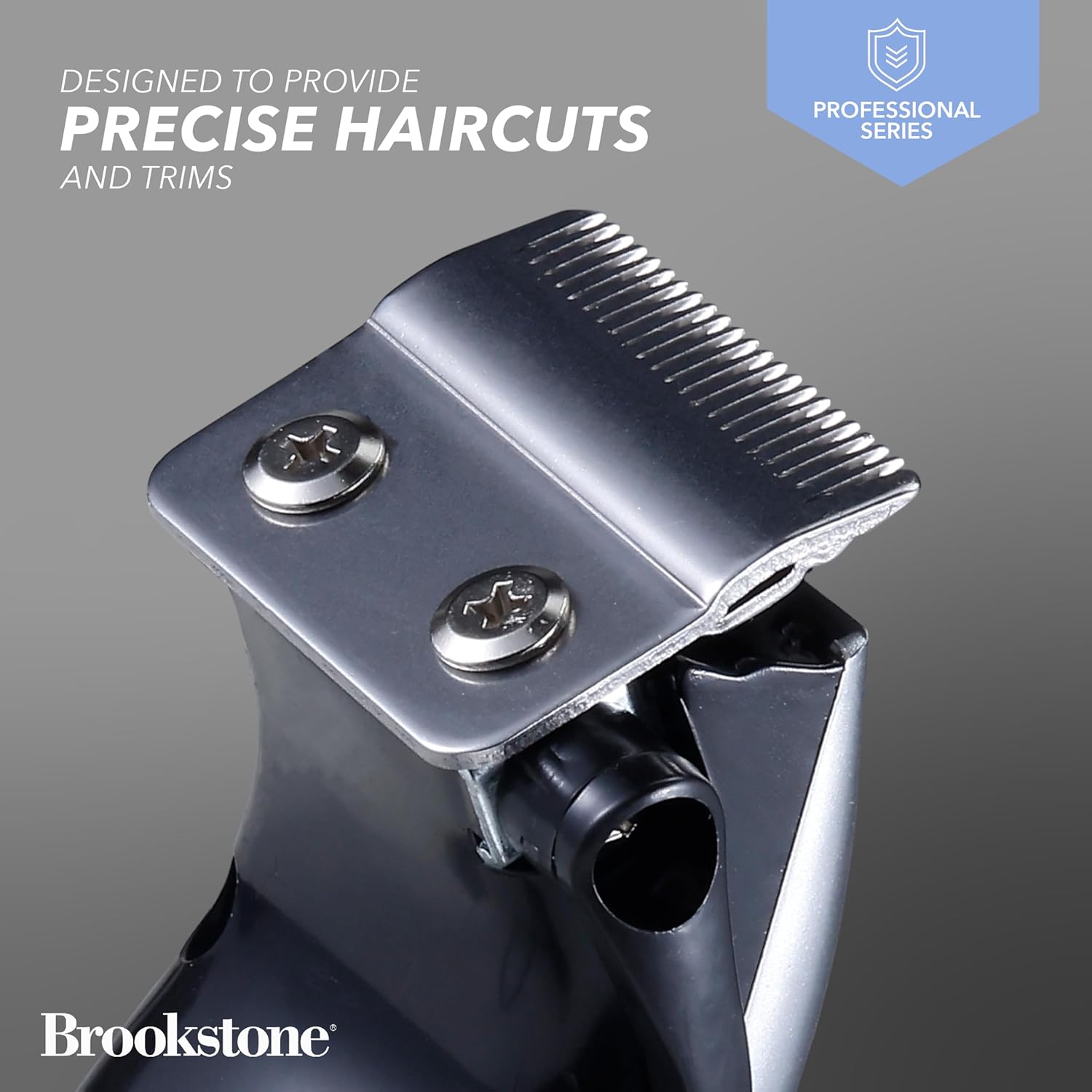
Image: A detailed close-up of the T-blade on the Brookstone clipper, emphasizing its design for precise haircuts and trims.
Setup
Unboxing and Initial Inspection
- Carefully remove all components from the packaging.
- Inspect the clipper and all accessories for any signs of damage. If any damage is found, do not use the product and contact customer support.
- Ensure all listed accessories are present: clipper, various guide combs, cleaning brush, blade oil, scissors, comb, and hair clips.
Attaching Guide Combs
To attach a guide comb:
- Ensure the clipper is turned off and unplugged.
- Select the desired guide comb for your preferred hair length.
- Align the guide comb with the clipper blade and push it firmly until it clicks into place.
To remove a guide comb, gently pull it upwards from the back of the blade.
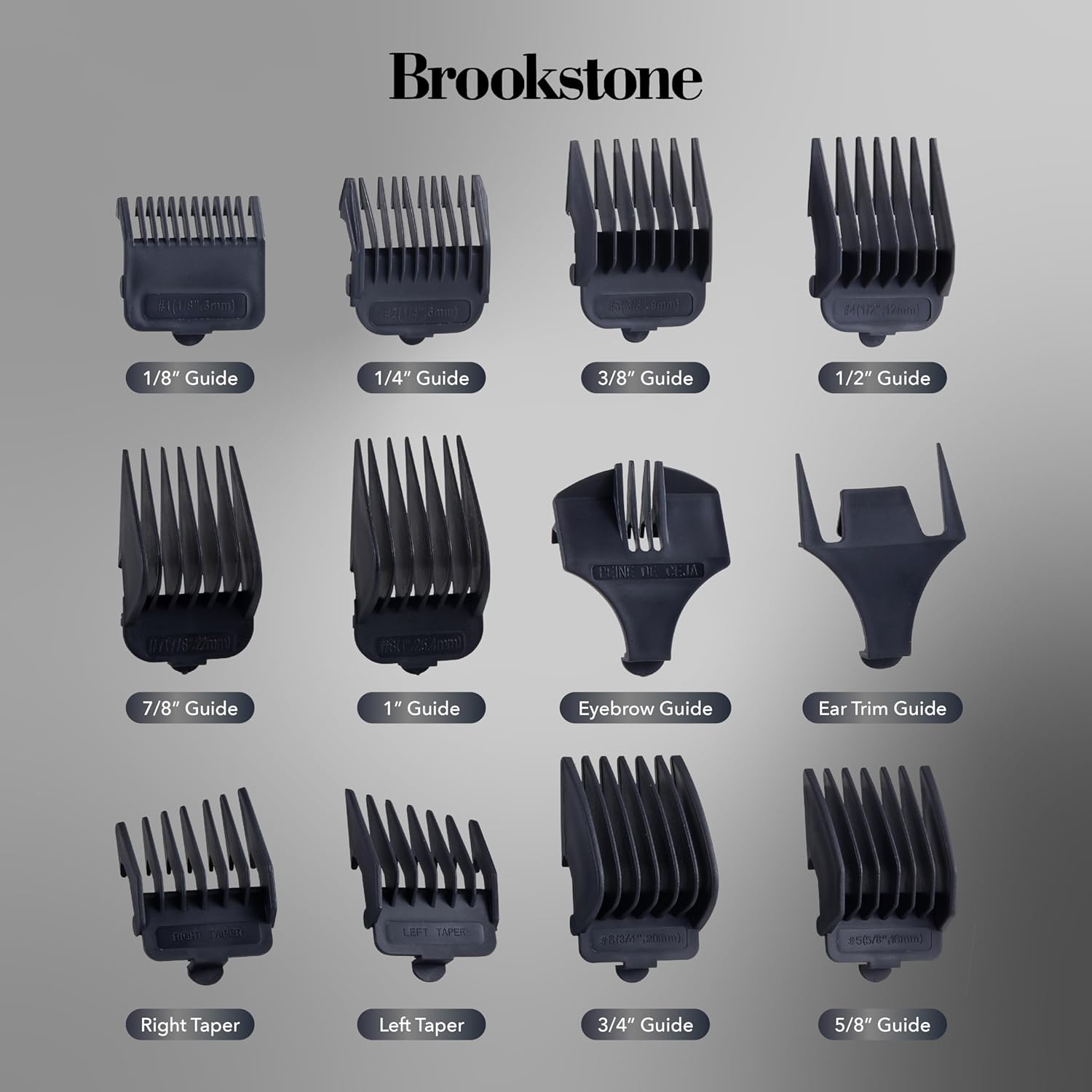
Image: An array of guide combs for the Brookstone hair clipper, labeled with their respective cutting lengths: 1/8", 1/4", 3/8", 1/2", 7/8", 1", Eyebrow Guide, Ear Trim Guide, Right Taper, Left Taper, 3/4", and 5/8" guides.
Power Connection
This is a corded clipper. Plug the power cord into a standard electrical outlet. Ensure the voltage matches the requirements specified on the clipper or in the specifications section.
Operating Instructions
Before You Begin
- Ensure hair is clean and dry.
- Comb hair to remove any tangles.
- Drape a cape or towel around the person's neck to catch cut hair.
Turning On/Off
Locate the ON/OFF switch on the side of the clipper. Slide the switch to the "ON" position to start the clipper and to the "OFF" position to turn it off.
General Hair Clipping
- Attach the desired guide comb. For first-time users, start with a longer comb and gradually reduce the length if needed.
- Hold the clipper with the blade teeth pointing upwards.
- Begin clipping from the bottom of the head, moving upwards against the direction of hair growth.
- Use smooth, overlapping strokes to ensure an even cut.
- Regularly clear hair from the guide comb to maintain cutting efficiency.
Detailing and Edging with the T-Blade
The T-blade is ideal for precise detailing and creating sharp lines without a guide comb.
- Ensure no guide comb is attached.
- Hold the clipper at a slight angle, using only the edge of the blade for precise lines around the neckline, ears, and beard.
- Use light pressure and slow, controlled movements for best results.

Image: A man using the Brookstone hair clipper to trim his beard, demonstrating its application for versatile styling and detailing.
Maintenance and Care
Regular maintenance ensures optimal performance and extends the life of your clipper.
Cleaning the Blades
- After each use, turn off and unplug the clipper.
- Remove the guide comb.
- Use the provided cleaning brush to brush away any loose hair from the blades and the clipper housing.
- For a more thorough clean, the blade set can be carefully removed (refer to manufacturer instructions for specific blade removal if not easily detachable).
Oiling the Blades
To maintain cutting efficiency and prevent rust, oil the blades regularly (after every few uses or as needed).
- Ensure the clipper is clean and dry.
- Apply 1-2 drops of the provided blade oil across the top of the blades.
- Turn the clipper on for a few seconds to allow the oil to distribute evenly.
- Wipe off any excess oil with a soft cloth.
Storage
When not in use, store the clipper and its accessories in a dry, cool place, away from direct sunlight and moisture. The included protective cap and carry case (if applicable) are recommended for storage.

Image: The Brookstone professional hair clipping set, presented with its clipper and a durable carry case, highlighting its 22-piece collection.
Troubleshooting
If you encounter issues with your clipper, refer to the following common problems and solutions:
| Problem | Possible Cause | Solution |
|---|---|---|
| Clipper does not turn on. | Not plugged in correctly; Power outlet issue; Damaged cord. | Ensure the cord is securely plugged into both the clipper and a working electrical outlet. Test the outlet with another device. If the cord is damaged, discontinue use and contact customer support. |
| Clipper pulls hair. | Blades are dull or dirty; Insufficient oil; Hair is tangled. | Clean the blades thoroughly and apply blade oil. Ensure hair is clean and combed before clipping. If blades are dull, they may need replacement (contact customer support). |
| Clipper is noisy or vibrates excessively. | Blades are not aligned; Lack of lubrication; Internal issue. | Ensure blades are properly aligned and secured. Apply blade oil. If the issue persists, discontinue use and contact customer support. |
| Uneven cutting. | Guide comb not properly attached; Hair not evenly combed; Incorrect technique. | Ensure the guide comb is securely attached. Comb hair thoroughly before and during clipping. Use consistent, overlapping strokes. |
Specifications
Detailed technical specifications for the Brookstone Metallic Corded T-Blade Professional Hair Clipping Set:
| Feature | Detail |
|---|---|
| Brand | Brookstone |
| Model Number | BK6022-NOC-STK-6 |
| UPC | 021331123107 |
| Power Source | Corded Electric |
| Blade Type | T-Blade (Precision Cutting) |
| Motor | Quiet, Powerful |
| Units | 1 Count |
| Package Dimensions | 25.4 x 6.86 x 5.08 cm |
| Item Weight | 294.84 g |
| Manufacturer | Sakar International |
Warranty and Customer Support
For warranty information, please refer to the documentation included with your product or contact Brookstone customer support directly. Keep your purchase receipt as proof of purchase.
If you require assistance, have questions, or need to report an issue, please contact Brookstone customer service. Contact details can typically be found on the manufacturer's website or on the product packaging.