
Introduction
This manual provides essential instructions for the safe and effective use of your Brookstone Cordless Shiatsu & Heating Massage Pillow, Model BK4218. Please read this guide thoroughly before operating the device and retain it for future reference.
Important Safety Instructions
WARNING: To reduce the risk of burns, fire, electric shock, or injury to persons:
- May cause burns if used for extended periods at high heat settings.
- Avoid use on broken skin or areas with inflammation.
- Do not use while sleeping or taking medication that causes drowsiness.
- Keep away from water.
- Unplug when not in use.
- Always follow the instructions provided in this manual.
- This appliance is not intended for use by persons with reduced physical, sensory or mental capabilities, or lack of experience and knowledge, unless they have been given supervision or instruction concerning use of the appliance by a person responsible for their safety.
- Children should be supervised to ensure that they do not play with the appliance.
Product Features
- Deep-Kneading Shiatsu Massage: Multiple rotating massage heads mimic a professional massage.
- Soothing Heat Therapy: Integrated heat function to relax muscles and alleviate tension, reaching up to 107.4°F.
- Cordless & Rechargeable: Features a Type-C Lithium rechargeable battery for portable use.
- Versatile Placement: Designed for use on the back, neck, shoulders, and thighs.
- Quiet Operation: Engineered for a peaceful and relaxing experience.
- Customizable Settings: Two massage intensity levels and adjustable heat.
- Auto Shut-off: Automatically turns off after 10 minutes of continuous use.
- Long Battery Life: Up to 60 minutes of run time on a full charge.
Package Contents
- Brookstone Cordless Shiatsu & Heating Massage Pillow (Model BK4218)
- USB-C Charging Cable
- User Manual
Setup
1. Charging the Device
Before first use, fully charge the massage pillow. Locate the Type-C charging port, typically on the side of the unit. Connect the provided USB-C charging cable to the port and plug the other end into a compatible USB power adapter (not included).

Image: Type-C charging port for the massage pillow.
The charging indicator light will illuminate during charging and change color or turn off when fully charged. A full charge can take several hours. The device cannot be used while it is charging.
2. Initial Placement
Position the massage pillow on the desired body area (neck, back, shoulders, or thighs). Ensure the pillow is comfortably placed and stable. The elastic strap on the back of the pillow can be used to secure it to a chair for back or neck massage.

Image: Massage pillow in use on the neck.
Operating Instructions
The control panel is located on the side of the massage pillow and typically consists of a power button and a heat button.

Image: Control panel with power and heat buttons.
1. Power On/Off and Massage Intensity
- Press the Power Button (usually marked with a circle and vertical line) once to turn on the massage function at the default intensity. The massage nodes will begin rotating.
- Press the Power Button a second time to switch to the alternate massage intensity level.
- Press the Power Button a third time to turn off the massage pillow.
2. Heat Function
- With the massage function active, press the Heat Button (usually marked with wavy lines) once to activate the soothing heat therapy. The heat indicator light will turn on.
- Press the Heat Button again to turn off the heat function.
- The heat function can be used independently or in conjunction with the massage function.
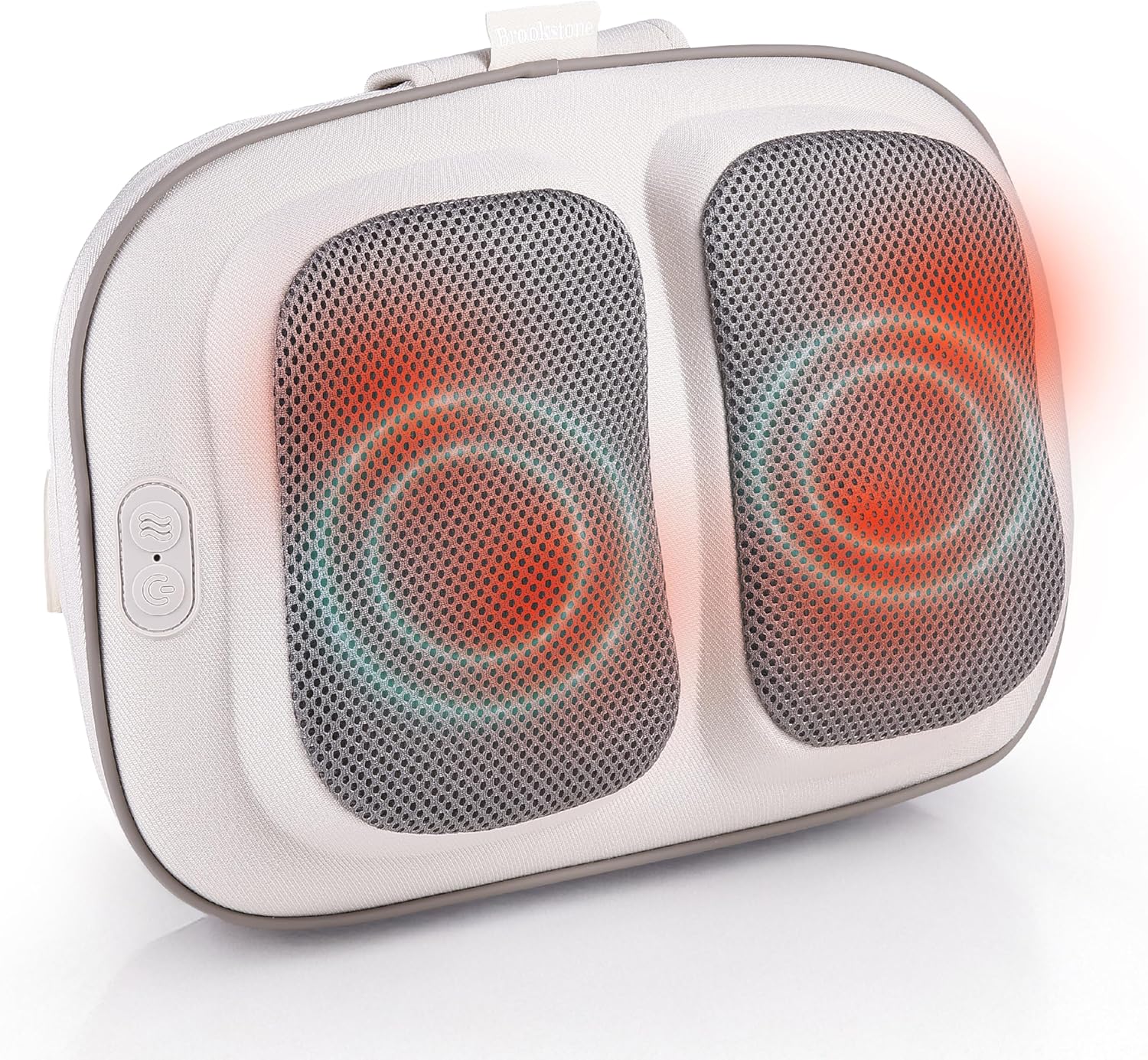
Image: Massage pillow with heat function active.
3. Automatic Shut-off
For safety and to prevent overuse, the massage pillow is equipped with a 10-minute automatic shut-off timer. The device will power off automatically after 10 minutes of continuous operation. To resume use, simply press the Power Button again.
Maintenance
Cleaning
- Always unplug the device and allow it to cool completely before cleaning.
- Wipe the surface of the massage pillow with a soft, slightly damp cloth.
- Do not use abrasive cleaners, solvents, or harsh detergents.
- Do not immerse the device in water or any other liquid.
Storage
- Store the massage pillow in a cool, dry place when not in use.
- Avoid placing heavy objects on the device.
- Keep out of reach of children.
Troubleshooting
| Problem | Possible Cause | Solution |
|---|---|---|
| Device does not turn on. | Battery is depleted. | Charge the device fully using the provided USB-C cable. |
| Massage feels weak or ineffective. | Low battery or incorrect intensity setting. | Ensure the device is fully charged. Press the Power Button to cycle through intensity levels. Adjust your body position for better contact with the massage nodes. |
| Heat function is not working. | Heat function not activated or device is not powered on. | Ensure the device is powered on and press the Heat Button to activate. Allow a few minutes for the heat to become noticeable. |
| Device stops working after 10 minutes. | Automatic shut-off timer activated. | This is normal operation. Press the Power Button to restart the massage. |
| Device cannot be used while charging. | This is a design feature for safety. | Ensure the device is fully charged before use. |
Specifications
| Model Number | BK4218 |
| Product Dimensions | 14 x 11 x 3 inches |
| Item Weight | 0.7 Pounds (11.2 ounces) |
| Power Source | Battery Powered (Type-C Lithium Rechargeable) |
| Massage Technique | Shiatsu (Deep-Kneading) |
| Heat Temperature | Up to 107.4°F |
| Run Time | Up to 60 minutes (on full charge) |
| Auto Shut-off | 10 minutes |
| Manufacturer | Sakar International |
| Color | Black |
| Material | Plastic |
Warranty and Support
Warranty Information
For specific warranty details, please refer to the warranty card included with your product or contact Brookstone customer support. Keep your purchase receipt as proof of purchase.
Customer Support
If you have any questions, require assistance, or encounter issues not covered in this manual, please contact Brookstone customer support. Visit the official Brookstone website for contact information or refer to the product packaging.
You can also visit the Brookstone Store on Amazon for more product information.