
Introduction
Thank you for choosing the Lamicall Car Headrest Tablet Holder. This manual provides detailed instructions for the safe and efficient use of your new device. Please read this manual thoroughly before installation and operation.
Setup Instructions
Follow these steps to properly install your Lamicall Car Headrest Tablet Holder:
- Attach the Main Arm to Headrest Posts: Loosen the knob on the back of the clamping unit. Position the clamping unit onto the metal posts of your car's headrest. Ensure the posts fit securely within the clamps. Tighten the knob to secure the unit firmly. The adapted distance range for headrest rods is 3.7" (94 mm) - 6.3" (160 mm).
- Secure with Safety Lock: The headrest poles mount includes a metal buckle for a more secure lock. Engage this lock to greatly increase stability during driving.
- Assemble Tablet Clip: The tablet clip attaches to the main arm via a ball joint. Insert the ball joint into the socket on the tablet clip and tighten the securing nut.
- Insert Device: Open both sides of the clamping arms on the tablet clip. Insert your tablet or phone (4.7-13 inches) into the clip, ensuring it is centered and secure. The grip clamp is designed to hold devices with a thickness of up to 1 inch (26mm), accommodating thick cases.
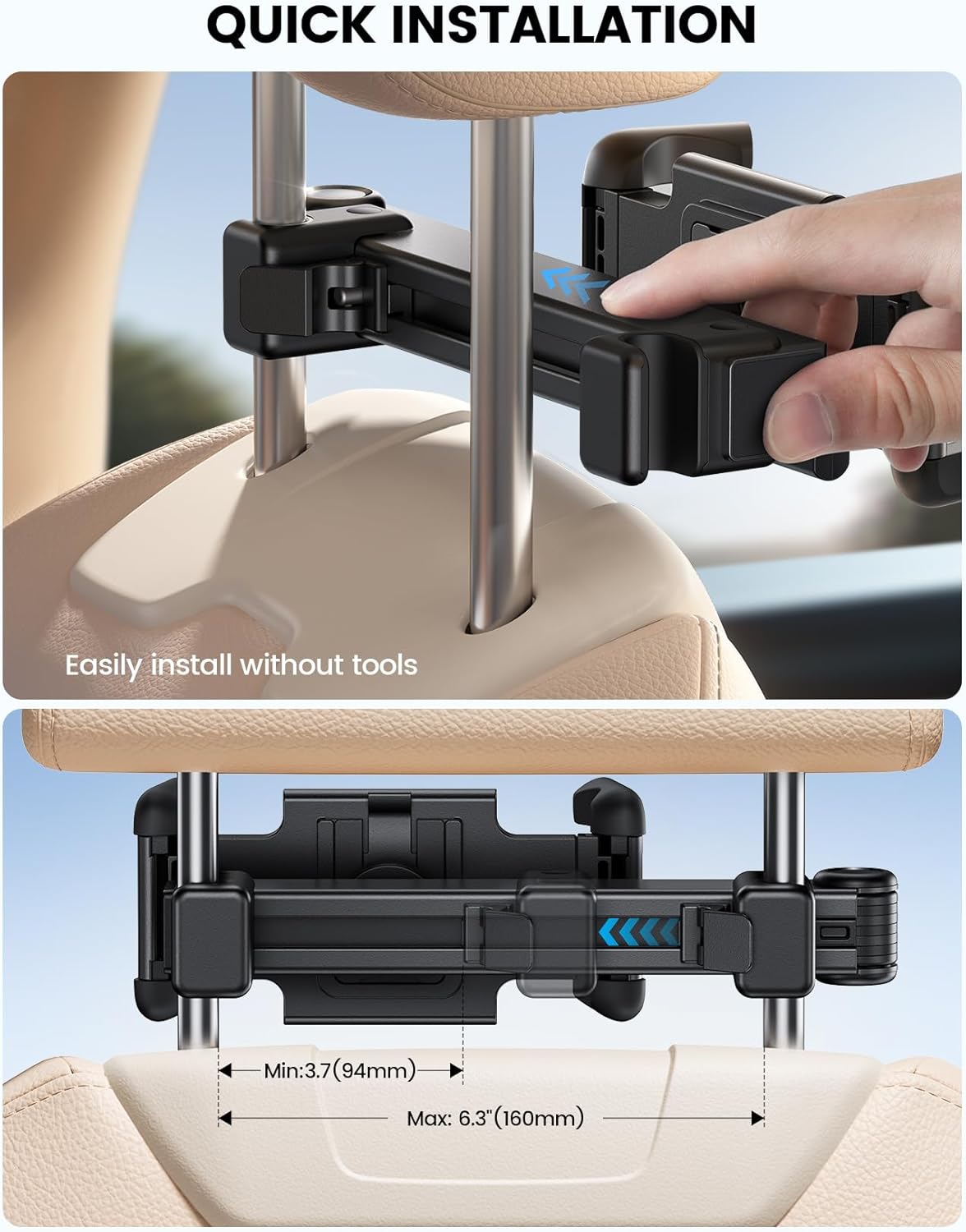
This image illustrates the straightforward process of attaching the holder to the headrest posts and securing the tablet clip. The adjustable clamps ensure a snug fit on various headrest designs.

The lockable design ensures that once installed, the holder remains firmly in place, preventing accidental detachment during vehicle movement, enhancing safety and providing peace of mind.
Video: Official Lamicall demonstration of the Car Headrest Tablet Holder, showcasing its thick case friendly design and ease of installation.
Operating Instructions
The Lamicall Car Headrest Tablet Holder offers versatile adjustments for optimal viewing:
- Adjustable Extension Arm: The 2025 upgraded extension arm allows you to easily adjust the viewing distance. Extend or retract the arm to bring the tablet closer or further away from the passenger.
- 360° Rotation: The tablet clip features a ball joint that allows for full 360° rotation. This enables both horizontal (landscape) and vertical (portrait) viewing modes, and any angle in between.
- Foldable Clip: When not in use, the tablet clip can be folded back, making it compact and preventing obstruction for rear seat passengers. This design also makes it easy to store.
- Thick Case Friendly: The grip clamp is designed to accommodate devices with cases up to 1 inch (26mm) thick, ensuring compatibility with most protective cases.

This image demonstrates the flexibility of the extension arm, which can be positioned to suit individual viewing preferences, ensuring a comfortable experience for all passengers.

This feature is particularly useful for maintaining clear space in the back seat when the tablet is not actively being viewed, contributing to a tidy and comfortable car interior.
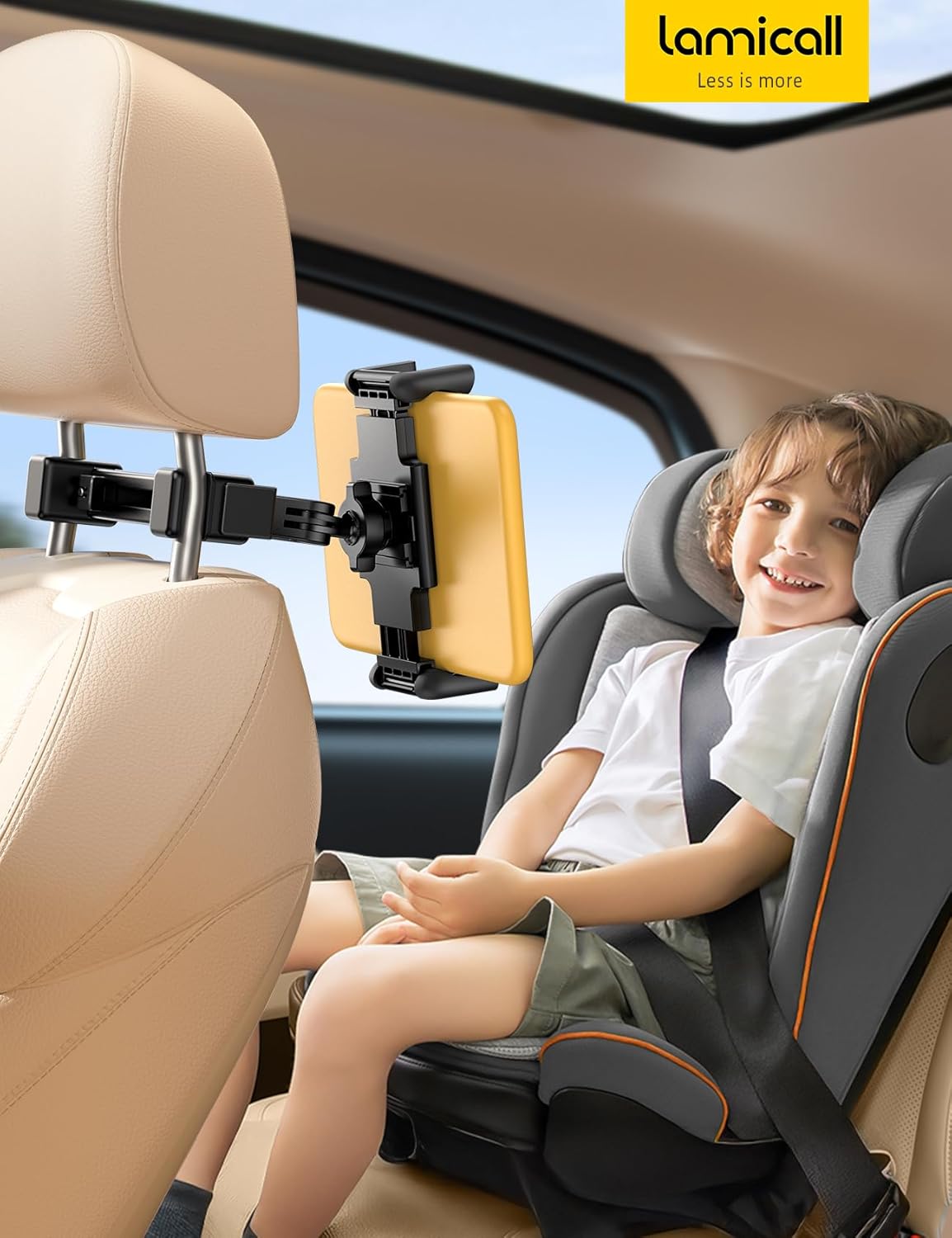
This image highlights the user-friendly nature of the holder, allowing children to easily reach and control their devices, making long journeys more enjoyable.
Maintenance
To ensure the longevity and optimal performance of your Lamicall Car Headrest Tablet Holder, follow these simple maintenance guidelines:
- Cleaning: Wipe the holder with a soft, damp cloth. Avoid using harsh chemicals or abrasive cleaners, as these may damage the material.
- Inspection: Periodically check all screws and joints to ensure they are tight and secure. Re-tighten if necessary to maintain stability.
- Storage: When not in use for extended periods, fold the clip and store the holder in a cool, dry place away from direct sunlight.
Troubleshooting
If you encounter any issues with your tablet holder, refer to the following common problems and solutions:
- Tablet Tilts Downward: If a heavier tablet (e.g., iPad Pro) tends to tilt, ensure the ball joint securing nut is tightened sufficiently. The holder is designed for stability, but extra tightening may be required for heavier devices.
- Holder Feels Loose on Headrest: Verify that the main clamping unit is fully engaged and the safety lock is activated. Ensure the headrest posts are within the specified range of 3.7" (94 mm) - 6.3" (160 mm) and the max diameter of the headrest hook is 0.51" (13 mm).
- Tablet Slips from Clip: Confirm that both clamping arms are fully extended and securely gripping the device. The silicone pads on the clip are designed to prevent slipping; ensure they are clean and intact.
Specifications
| Feature | Detail |
|---|---|
| Brand | Lamicall |
| Model Number | STCH04 |
| Compatible Devices | Smartphones, Tablets (4.7 - 13 inches) |
| Max Device Thickness | 1 inch (26mm) |
| Headrest Rod Distance | 3.7" (94 mm) - 6.3" (160 mm) |
| Max Headrest Hook Diameter | 0.51" (13 mm) |
| Mounting Type | Headrest |
| Color | Black |
| Item Weight | 15.5 ounces |
| Package Dimensions | 9.02 x 5.39 x 1.5 inches |
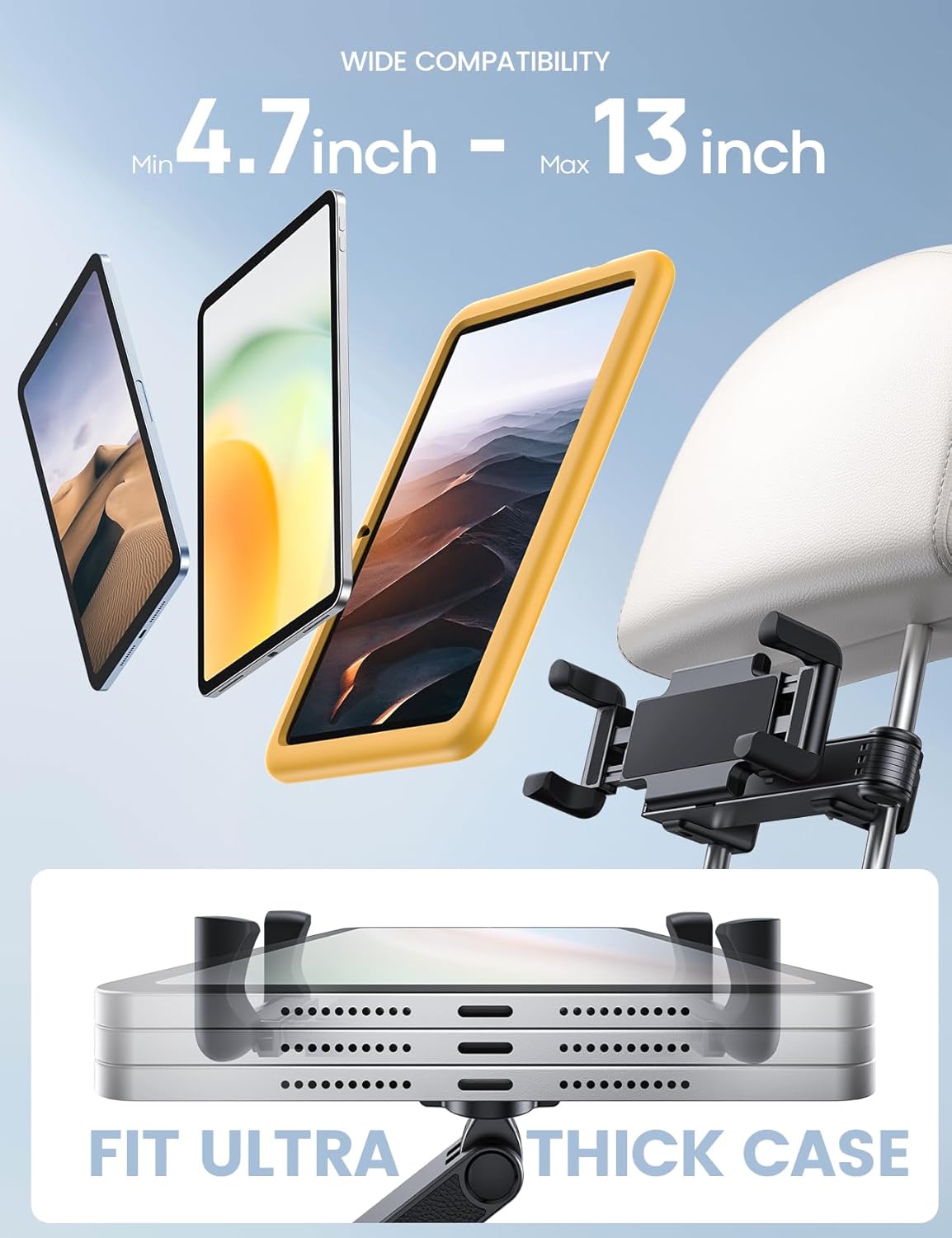
This visual confirms the holder's ability to securely grip a variety of tablets and phones, even with robust cases, making it a versatile accessory for different users.
Warranty & Support
Thank you for choosing Lamicall. We are committed to providing high-quality products and excellent customer service.
- Warranty: Lamicall products typically come with a standard warranty. Please refer to the product packaging or the official Lamicall website for specific warranty terms and conditions.
- Customer Support: If you have any questions, concerns, or require assistance with your product, please do not hesitate to contact our customer support team.
You can reach Lamicall support via:
- Email: support@lamicall.com
- Website: www.lamicall.com
- Social Media: Follow Lamicall on Facebook, Instagram, and Twitter for updates and support.
Please provide your order number, product name, and a detailed description of the issue when contacting support for faster resolution.