
iDIGMALL A2
iDIGMALL A2 Open Ear Headphones User Manual
Model: A2
1. Product Overview
The iDIGMALL A2 Open Ear Headphones are designed for comfort and situational awareness, featuring an open-ear design that rests outside the ear canal. They come with a detachable boom microphone for clear calls and a charging case for extended battery life. These headphones support Bluetooth 5.4 for stable connectivity and multipoint connection for seamless switching between devices.

Figure 1: iDIGMALL A2 Open Ear Headphones with Charging Case
2. Key Features
- Open Ear Design: Ensures comfort and awareness of surroundings by not entering the ear canal.
- DSP Noise Cancelling Microphone: Provides clear voice pickup by reducing ambient noise during calls.
- Detachable Boom Mic: Magnetic design allows for easy attachment and removal, and 360° rotation for optimal positioning.
- 60 Hours Playtime: Up to 10 hours on a single charge, extended to 60 hours with the charging case.
- LED Digital Display: Shows battery status of the charging case and earbuds.
- Hi-Fi Sound Quality: Equipped with 15.4mm dynamic drivers for rich audio.
- Bluetooth 5.4: Offers faster pairing, stable connection, and a 20m transmission range.
- Dual Connection (Multipoint): Connects to two devices simultaneously, allowing seamless switching.
- Physical Button Controls: Multifunctional button for music, calls, volume, and voice assistant.
- IP54 Waterproof: Resists sweat and rain, suitable for various activities.
3. Setup Guide
3.1 Charging the Headphones and Case
Before first use, fully charge the headphones and the charging case. Connect the provided USB-C cable to the charging port on the case and a power source. The LED display on the case will indicate the charging status.
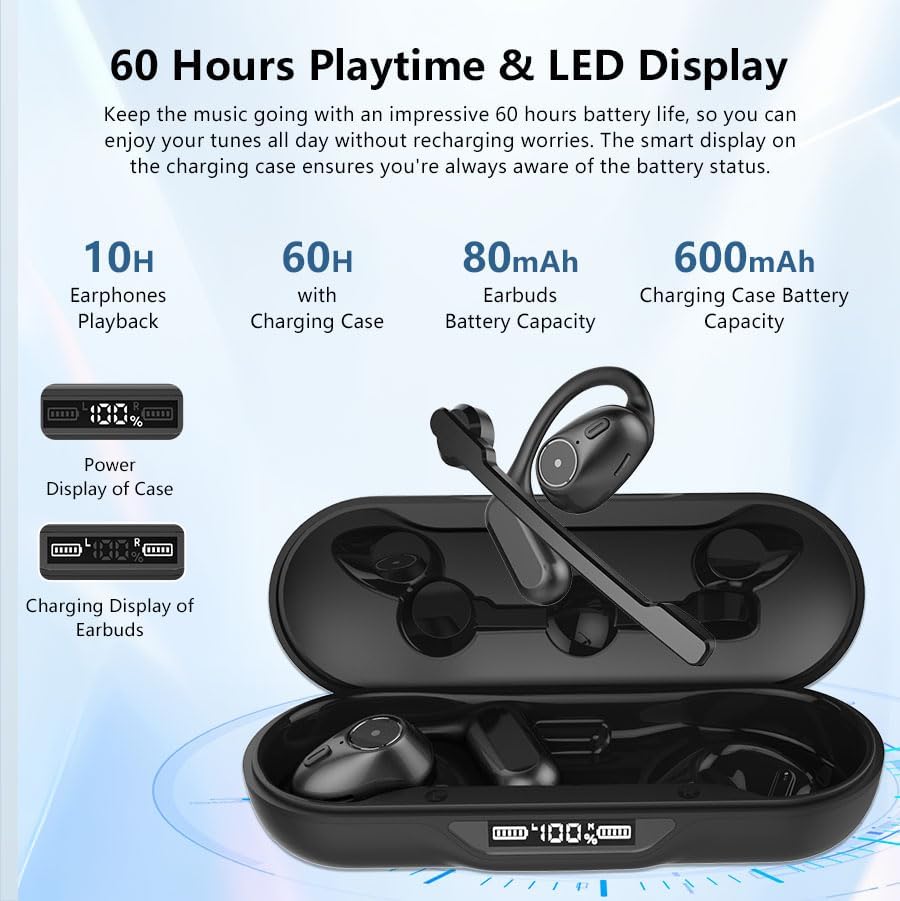
Figure 2: Charging Case with LED Power Display
3.2 Initial Pairing
- Ensure the headphones are charged.
- Open the charging case. The earbuds will automatically enter pairing mode.
- On your device (smartphone, laptop, etc.), enable Bluetooth.
- Search for available Bluetooth devices and select "A2" from the list.
- Once connected, a voice prompt will confirm successful pairing.
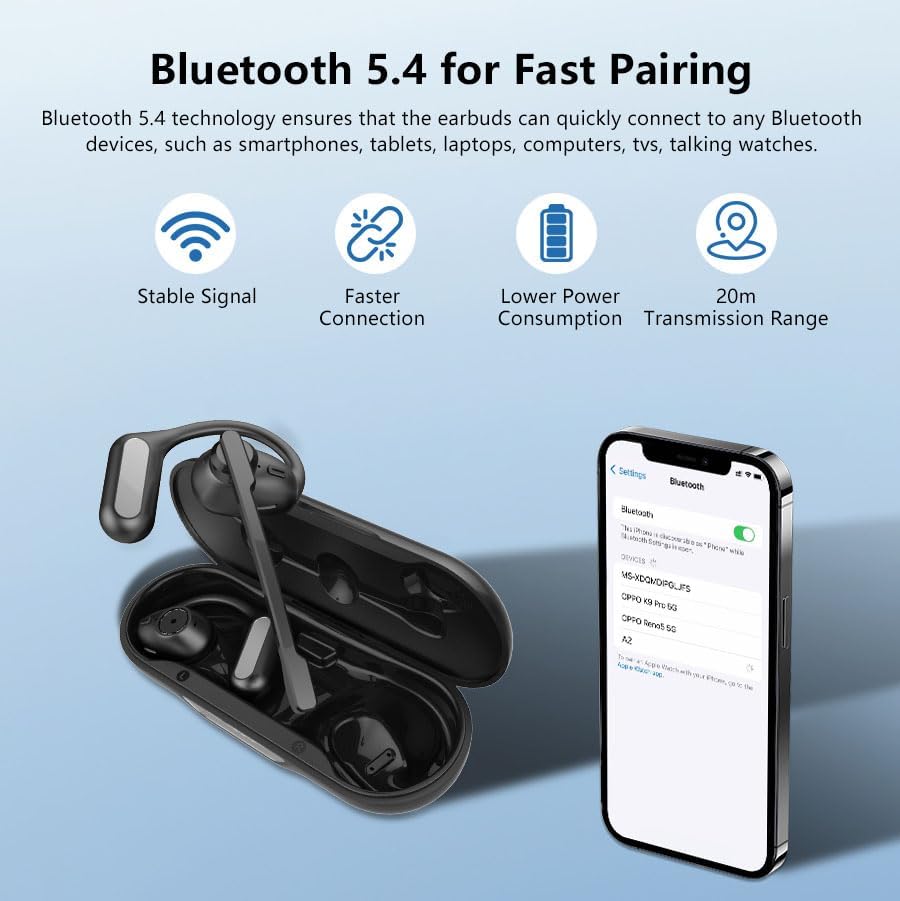
Figure 3: Bluetooth 5.4 Fast Pairing Process
3.3 Attaching the Detachable Boom Microphone
The boom microphone is magnetically attached. Align the microphone connector with the port on either the left or right earbud until it clicks into place. You can rotate the microphone 360° to adjust its position for optimal voice pickup.
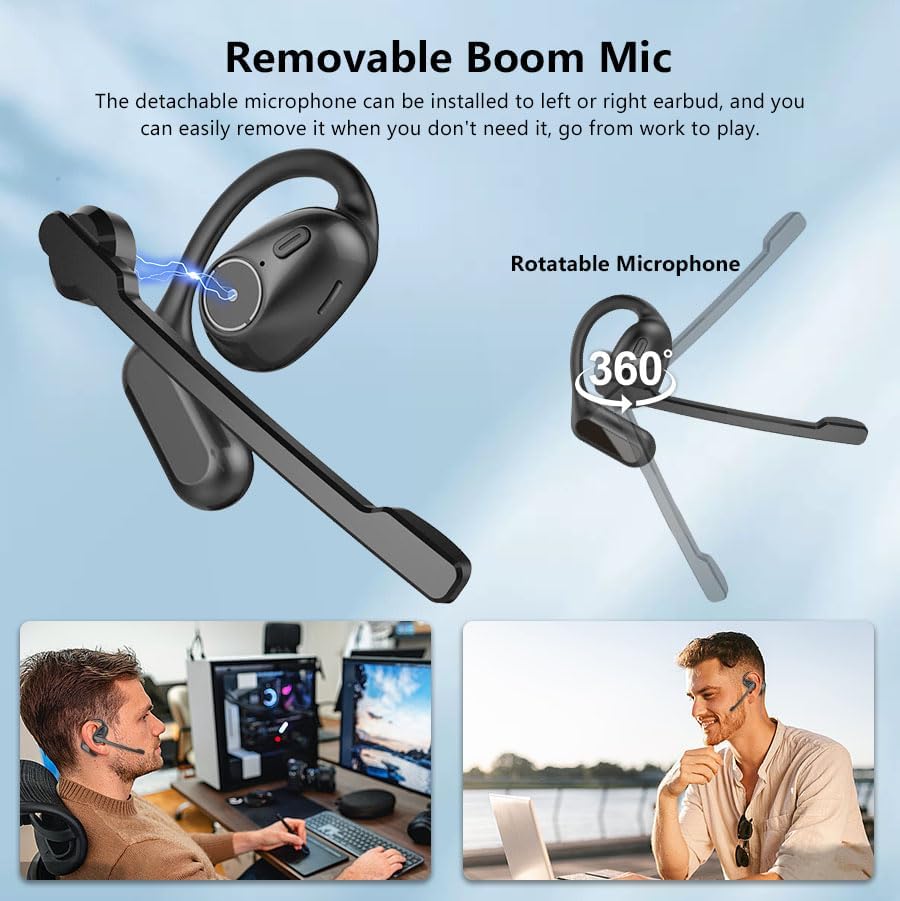
Figure 4: Detachable Boom Mic Installation and Rotation
4. Operating Instructions
4.1 Wearing the Headphones
Place the earhooks gently over your ears so the earbuds rest comfortably outside your ear canal. The flexible design ensures a secure and comfortable fit for extended wear.

Figure 5: Open Ear Ergonomic Design for Secure Fit
4.2 Basic Controls
The iDIGMALL A2 headphones feature physical buttons for easy control:
- Play/Pause Music: Single press the multi-function button.
- Next Track: Double press the multi-function button on the right earbud.
- Previous Track: Double press the multi-function button on the left earbud.
- Volume Up: Press and hold the volume up button.
- Volume Down: Press and hold the volume down button.
- Answer/End Call: Single press the multi-function button during an incoming call or active call.
- Reject Call: Press and hold the multi-function button during an incoming call.
- Activate Voice Assistant: Triple press the multi-function button.
- Mute/Unmute Microphone: During a phone call, press the dedicated mute button on the boom mic (if attached) or the multi-function button (refer to specific model instructions for exact mute function). Note: Mute function typically works during phone calls, not always for PC/laptop applications due to varying protocols.
4.3 Dual Device Connection (Multipoint)
The headphones can connect to two Bluetooth devices simultaneously. After pairing with the first device, disable Bluetooth on the first device, then pair with the second device. Re-enable Bluetooth on the first device, and the headphones will connect to both. You can then seamlessly switch audio sources between the two connected devices.

Figure 6: Dual Devices Connection Capability
4.4 DSP Noise Cancelling Microphone
The integrated DSP noise-cancelling microphone actively filters out ambient noise, ensuring your voice is transmitted clearly during calls, even in noisy environments.
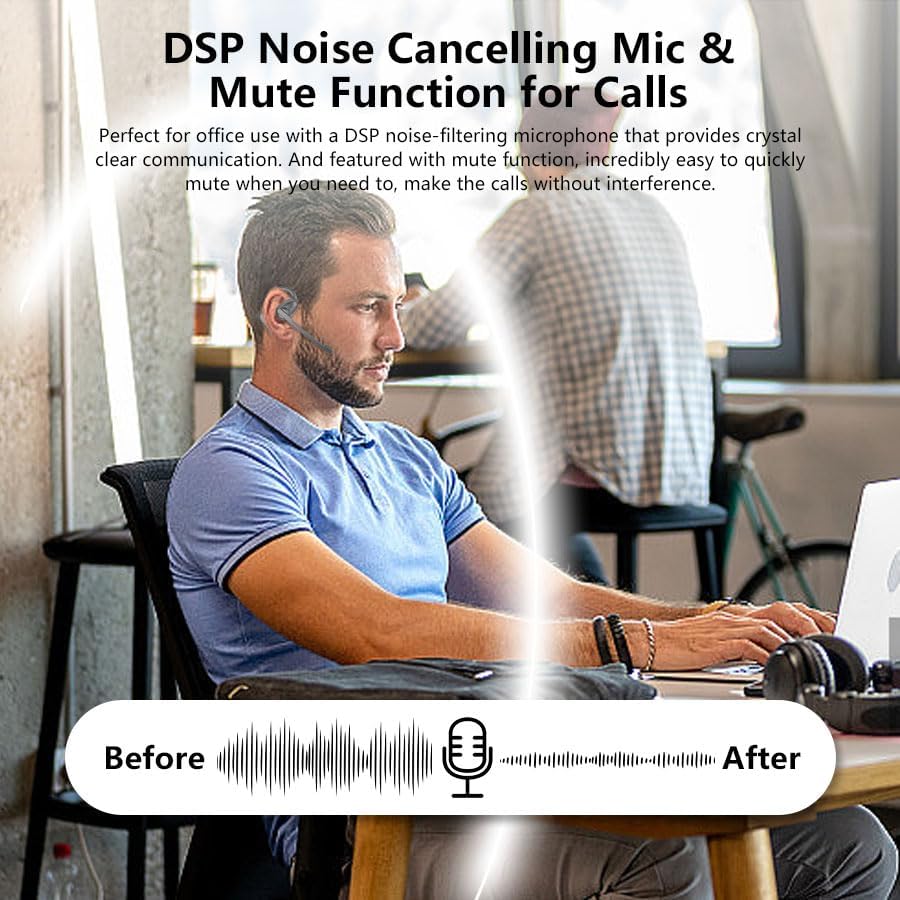
Figure 7: DSP Noise Cancelling Microphone in Use
5. Maintenance and Care
- Cleaning: Wipe the headphones and charging case with a soft, dry cloth. Do not use abrasive cleaners or solvents.
- Storage: Store the headphones in their charging case when not in use to protect them and keep them charged.
- Water Resistance: The headphones are IP54 rated, meaning they are resistant to sweat and light splashes. Do not submerge them in water or expose them to heavy rain.
- Battery Care: To prolong battery life, avoid fully discharging the headphones frequently. Charge them regularly, even if not used for extended periods.
- Temperature: Avoid exposing the headphones to extreme temperatures (hot or cold) as this can affect battery performance and overall lifespan.
6. Troubleshooting
| Problem | Possible Cause | Solution |
|---|---|---|
| Headphones not turning on | Low battery | Place headphones in the charging case and ensure the case is charged. |
| Cannot pair with device | Bluetooth off; headphones not in pairing mode; interference | Ensure Bluetooth is enabled on your device. Open the charging case to enter pairing mode. Move closer to your device and away from other wireless devices. |
| No sound or low volume | Volume too low; incorrect audio output; poor connection | Increase volume on both headphones and connected device. Check audio output settings on your device. Reconnect the headphones. |
| Microphone not working | Microphone not attached correctly; mute function active; incorrect input device selected | Ensure the boom mic is securely attached. Check if the microphone is muted. Select the headphones as the input device in your call application settings. |
| Intermittent connection | Distance from device; interference; low battery | Stay within the 20m transmission range. Avoid strong electromagnetic interference. Charge the headphones. |
7. Specifications
| Feature | Detail |
|---|---|
| Model Number | A2 |
| Brand | iDIGMALL |
| Color | Black |
| Ear Placement | Open Ear |
| Form Factor | True Wireless Earbuds |
| Bluetooth Version | 5.4 |
| Driver Size | 15.4mm Dynamic Driver |
| Microphone | DSP Noise Cancelling, Detachable Boom Mic |
| Earbuds Playback Time | Up to 10 hours |
| Total Playtime (with Case) | Up to 60 hours |
| Earbuds Battery Capacity | 80mAh |
| Charging Case Battery Capacity | 600mAh |
| Weight (Earbud) | Approx. 11g |
| Waterproof Rating | IP54 |
| Transmission Range | Up to 20m (open space) |
| Package Dimensions | 15.49 x 9.7 x 3.91 cm |
| Package Weight | 209 g |
8. Warranty and Support
For warranty information and customer support, please refer to the documentation included with your product packaging or visit the official iDIGMALL website. Keep your proof of purchase for warranty claims.
9. Usage Scenarios
The iDIGMALL A2 Open Ear Headphones are versatile and suitable for a variety of activities:
- Office/Home Working: Ideal for calls and music while staying aware of your environment.
- On the Drive: Enjoy clear calls and listen to surroundings for safety.
- Subway Commuting: Hear important announcements while enjoying audio.
- Outdoor Activities: Maintain situational awareness during sports or travel.

Figure 8: Versatile Usage Scenarios
Related documentsA2


Ask a question about this manual
Ask about setup, troubleshooting, compatibility, parts, safety, or missing instructions. Manuals+ will review the question and use this page’s manual context to help answer it.