
EDYELL EDYELL-OWS-C5-Beige
EDYELL Wireless Open Ear Buds OWS-C5-Beige User Manual
Model: EDYELL-OWS-C5-Beige | Brand: EDYELL
Introduction
Thank you for choosing the EDYELL Wireless Open Ear Buds (Model: OWS-C5-Beige). These innovative open-ear headphones are designed to provide a comfortable listening experience while keeping you aware of your surroundings. Featuring Hi-Fi sound, Bluetooth 5.4 connectivity, touch controls, and an IPX5 waterproof rating, they are ideal for sports, daily commutes, and extended use with up to 72 hours of playtime with the charging case.
What's in the Box
Please check the contents of your package to ensure all items are present:
- 1 x Headphone Charging Case
- 1 Pair of Earphones (Left and Right)
- 1 x Battery Charging Cable (Type-C)
- 1 x Instruction Manual
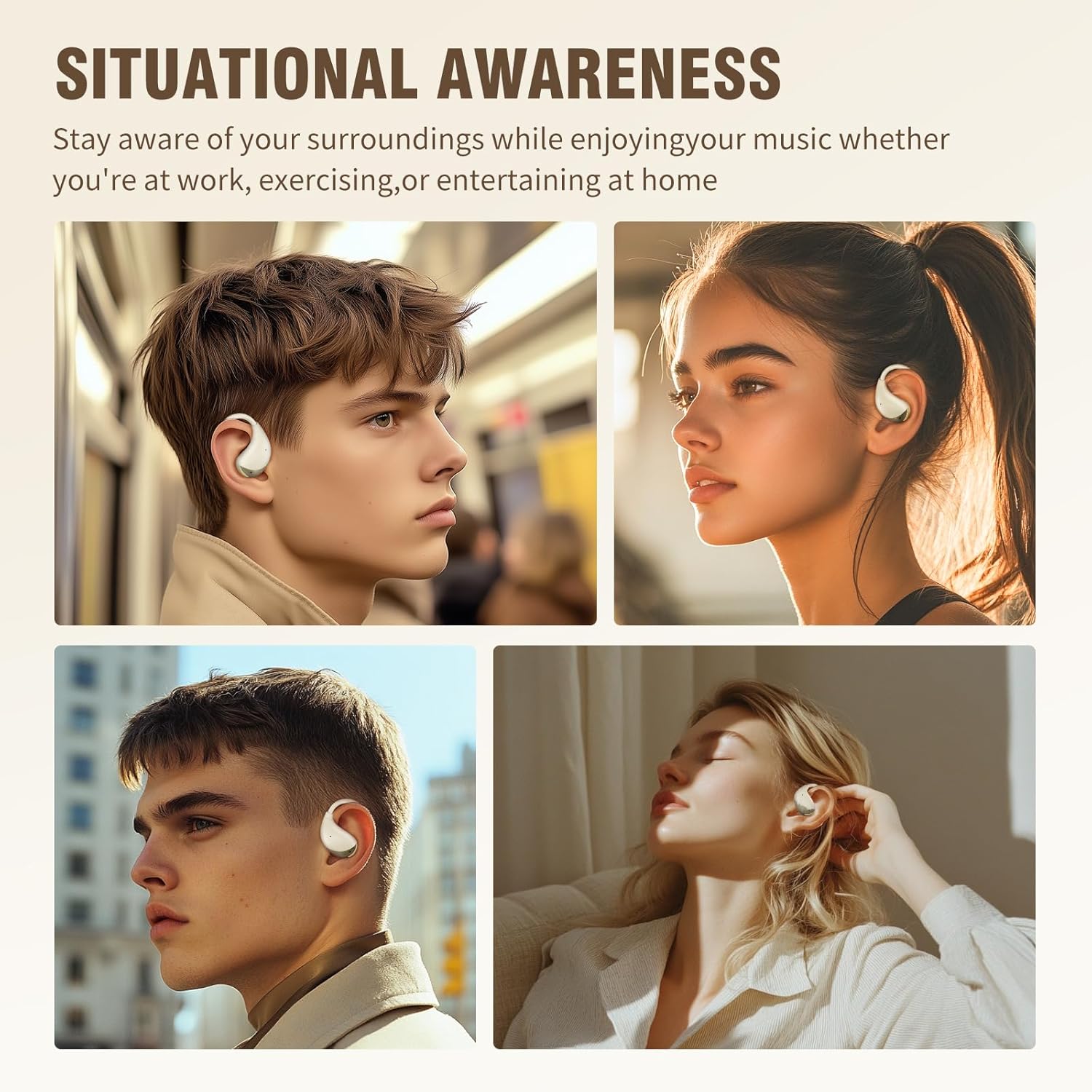
Image: All components included in the EDYELL OWS-C5-Beige package. This includes the beige charging case, the two open-ear earbuds, a black USB-C charging cable, and a small instruction manual.
Setup Guide
1. Charging the Earbuds and Case
Before first use, fully charge the earbuds and the charging case. The case provides multiple recharges for extended listening.
- Connect the provided Type-C charging cable to the charging port on the case and a USB power source.
- The indicator light on the case will show charging status.
- Place the earbuds into the charging case. They will automatically begin charging.
- A full charge provides approximately 6 hours of playtime for the earbuds, and the charging case extends total playtime up to 72 hours.

Image: The beige charging case and one earbud, highlighting the 72-hour total playtime with the case and 6 hours per single charge.
2. Pairing with Your Device
The earbuds utilize Bluetooth 5.4 for a stable and fast connection.
- Open the charging case. The earbuds will automatically enter pairing mode.
- On your device (smartphone, tablet, laptop), enable Bluetooth.
- Search for "C5" or "EDYELL OWS-C5" in the list of available Bluetooth devices.
- Select the earbuds to connect. Once connected, you will hear a confirmation tone.
- The earbuds feature a magnetic suction design, ensuring they securely fit into the charging case for convenient charging and storage.

Image: An earbud and its open charging case positioned next to a smartphone displaying its Bluetooth settings, indicating a successful connection to "C5".
Operating Instructions
Wearing the Earbuds
The EDYELL OWS-C5-Beige earbuds are designed with an ergonomic open-ear fit for comfort and situational awareness.
- Gently place the earbud over your ear, ensuring the speaker portion is positioned near your ear canal without entering it.
- Adjust the ear hook for a secure and comfortable fit. The lightweight design ensures minimal pressure, even during extended wear.
- The open-ear design allows you to hear your audio clearly while remaining aware of ambient sounds, enhancing safety during outdoor activities.

Image: A woman wearing the EDYELL OWS-C5-Beige earbud, showcasing its ergonomic design that rests comfortably over the ear without blocking the ear canal.

Image: A visual comparison illustrating the difference between open-ear and traditional in-ear earbuds, emphasizing the comfortable and lightweight fit of the EDYELL OWS-C5-Beige.
Touch Controls
The earbuds feature intuitive touch-sensitive controls for easy management of music and calls.
- Play/Pause: Single tap on either earbud.
- Next Track: Double tap on the right earbud.
- Previous Track: Double tap on the left earbud.
- Answer/End Call: Single tap on either earbud during an incoming call or active call.
- Reject Call: Press and hold on either earbud for 2 seconds during an incoming call.
- Activate Voice Assistant: Triple tap on either earbud.
Audio Quality and Calls
Experience clear audio and calls with advanced sound technology.
- Hi-Fi Sound: Enjoy rich audio with 14.2mm HD stereo speakers, providing a powerful listening experience.
- Clear Calls: Equipped with ENC (Environmental Noise Cancellation) and wind noise suppression technology, ensuring your voice is clear during calls, even in noisy environments. The earbuds feature 4 microphones for enhanced voice pickup.

Image: An exploded view diagram of the earbud's internal structure, emphasizing the 14.2mm HD stereo speakers and Hi-Fi sound quality.
Maintenance
Proper maintenance ensures the longevity and optimal performance of your EDYELL Open Ear Buds.
- Cleaning: Regularly wipe the earbuds and charging case with a soft, dry cloth. For the charging case, you may use a small amount of alcohol on a cloth to remove dirt and prolong its service life. Ensure no liquid enters the charging ports or speaker grilles.
- Water Resistance: The earbuds have an IPX5 waterproof rating, meaning they are resistant to sweat and light splashes. Do not submerge them in water or expose them to heavy rain. After exposure to sweat or water, wipe them dry before placing them back in the charging case.
- Storage: When not in use, store the earbuds in their charging case to protect them from dust and damage. Store in a cool, dry place away from direct sunlight and extreme temperatures.

Image: A visual representation of the earbuds being splashed with water, demonstrating their IPX5 waterproof capability, suitable for workouts and outdoor activities.
Troubleshooting
If you encounter any issues with your EDYELL Open Ear Buds, please refer to the following common solutions:
| Problem | Possible Cause | Solution |
|---|---|---|
| Earbuds not pairing/connecting. | Bluetooth is off, earbuds are out of charge, or already connected to another device. | Ensure Bluetooth is on. Place earbuds in case, close, then reopen to reset. Forget device on your phone and re-pair. Charge earbuds and case. |
| No sound from one or both earbuds. | Low battery, earbud not properly seated in ear, volume too low, or connection issue. | Check battery level. Adjust earbud position. Increase device volume. Re-pair the earbuds. |
| Charging case not charging. | Faulty cable, power source issue, or dirty charging port. | Try a different Type-C cable and power adapter. Ensure the charging port is clean and free of debris. |
| Poor call quality. | Environmental noise, earbud position, or weak Bluetooth signal. | Ensure earbuds are properly worn. Move closer to your connected device. Avoid very noisy environments if possible. |
If the issue persists, please contact customer support.
Specifications
| Feature | Detail |
|---|---|
| Model Name | EDYELL-OWS-C5-Beige (FM-C5001) |
| Connectivity Technology | Wireless (Bluetooth 5.4) |
| Battery Life | Up to 72 Hours (with charging case) |
| Water Resistance Level | IPX5 (Waterproof) |
| Control Method | Touch |
| Audio Driver Type | Dynamic Driver (14.2mm) |
| Noise Control | Hybrid Noise Cancellation (for calls via ENC) |
| Item Weight | 3 Grams (per earbud) |
| Product Dimensions | 10 x 2 x 2.7 cm |
| Batteries | 3 Lithium Ion batteries required (included) |
| Country of Origin | China |
Warranty and Support
EDYELL products are designed for reliability and performance. For any support needs, please refer to the following information:
- Warranty: This product comes with a standard manufacturer's warranty. Please refer to the warranty card included in your package for specific terms and conditions.
- Extended Warranty: An optional 1-Year Extended Warranty Plan is available for purchase to provide additional coverage.
- Customer Support: For technical assistance, troubleshooting, or warranty claims, please contact EDYELL INDIA customer care.
Contact Information:
- Email: support@fenman.in
- Phone: +91 8882786235
Ask a question about this manual
Ask about setup, troubleshooting, compatibility, parts, safety, or missing instructions. Manuals+ will review the question and use this page’s manual context to help answer it.