
1. Introduction
Thank you for choosing the NP NIGHT PROVISION TX11 Tactical Flashlight and TH2C Premium Holster. This manual provides essential information for the safe and effective use, maintenance, and troubleshooting of your new tactical lighting system. Please read this manual thoroughly before operation.
Included Components:
- TX11 Tactical Flashlight
- TH2C Premium Holster
- USB-C Rechargeable Li-ion Battery (3000 mAh)
- USB Charging Cable
2. Safety Information
Always observe the following safety precautions to prevent injury or damage to the product:
- Do Not Stare Directly into Beam: The TX11 flashlight emits a powerful beam. Direct exposure to the light can cause temporary vision impairment or eye damage.
- Keep Out of Reach of Children: This product is not a toy and should be kept away from children.
- Battery Safety: Use only the specified rechargeable battery. Do not attempt to disassemble, puncture, or expose the battery to extreme temperatures or fire. Dispose of batteries according to local regulations.
- Avoid Disassembly: Do not attempt to disassemble or modify the flashlight beyond the instructions provided in this manual. This may void the warranty and cause damage.
- Hot Surface: The flashlight head may become hot during prolonged use, especially on higher brightness settings. Handle with care.
3. Product Overview
The TX11 Tactical Flashlight is engineered for superior performance and durability, featuring a Luminus LED that delivers 1600 lumens and illuminates up to 268 meters. Paired with the TH2C Premium Holster, it offers convenience and rapid access for various tactical and outdoor applications.

Figure 3.1: Complete TX11 Tactical Edition bundle, including the flashlight, rechargeable battery, USB-C cable, and TH2C holster.
Key Features:
- High Brightness: 1600 Lumens Luminus LED with a beam distance of up to 268 meters.
- Versatile Modes: 6 light modes (Firefly, Low, Mid, High, Turbo, Strobe) with mode memory.
- Dual Switch Operation: Rear Tactical Button for momentary ON and a Metal Side Mode Switch for mode selection.
- USB-C Rechargeable Battery: Integrated charging port on the 3000 mAh Li-ion battery for convenient recharging.
- Smart Circuitry: Features Auto Mode Step Down for battery conservation and a Low Battery Reminder Indicator (3 Flash Warning).
- Military-Grade Durability: Aircraft-grade aluminum body, shock resistance up to 1 meter, and enhanced weather resistance (waterproof).
- Premium Holster: TH2C compact tactical holster with a heavy-duty metal belt clip, fitting 1.4-2.25 inch wide tactical belts.
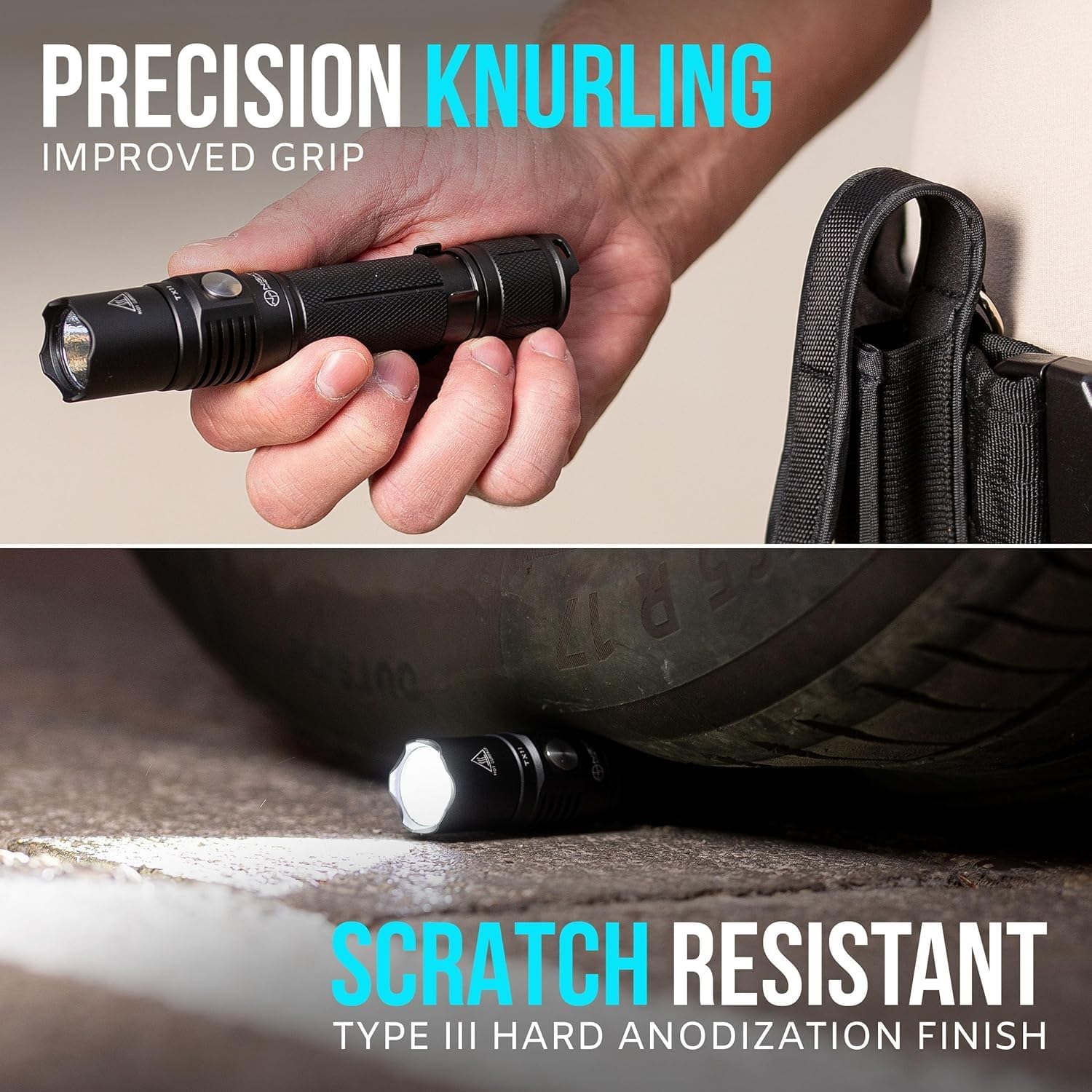
Figure 3.2: The TX11 features precision knurling for enhanced grip and a scratch-resistant Type III hard anodization finish, ensuring durability.
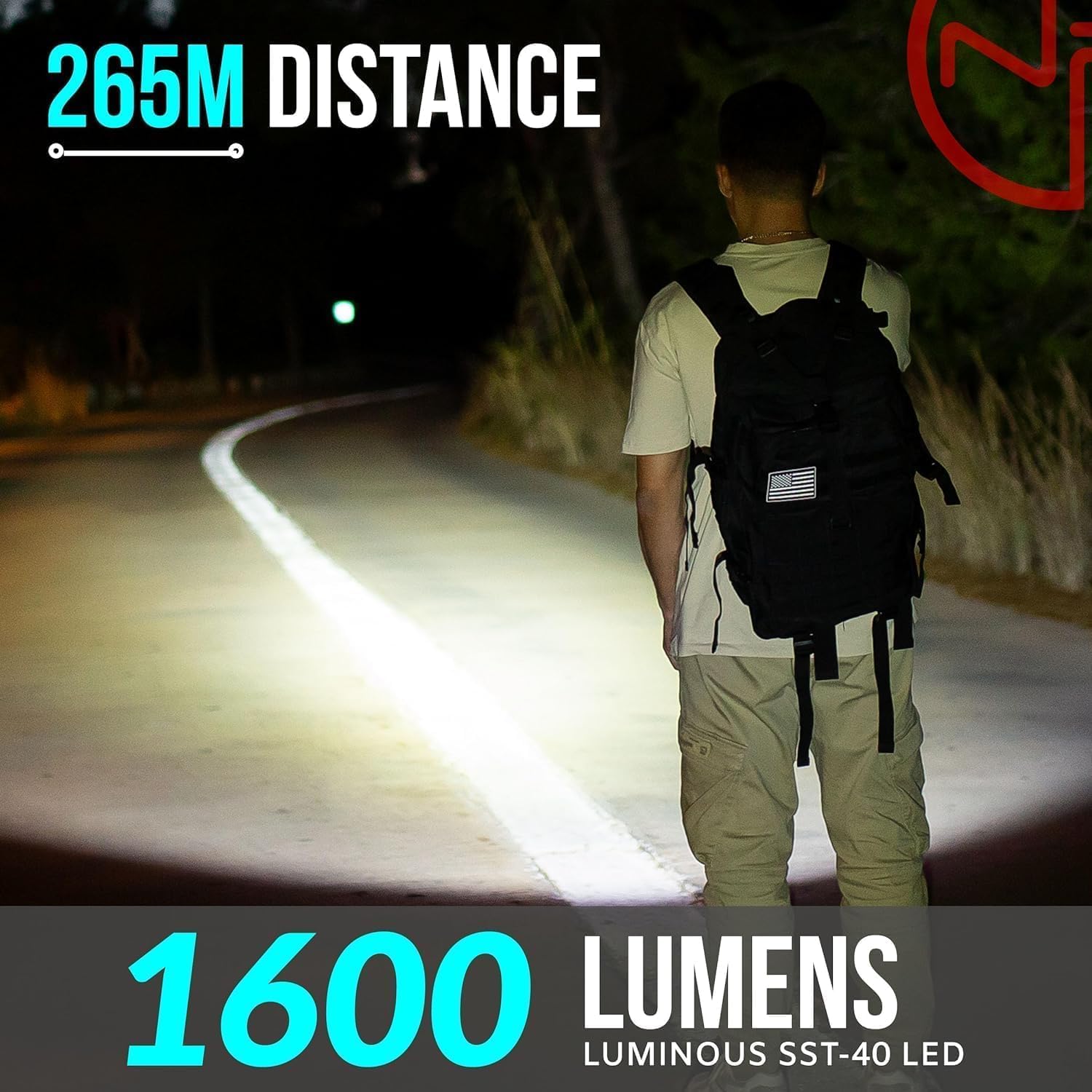
Figure 3.3: The TX11 flashlight provides a powerful 1600 lumens, capable of illuminating distances up to 265 meters, ideal for various nighttime activities.
4. Setup
4.1 Battery Installation
- Unscrew the tail cap of the TX11 flashlight.
- Insert the included 3000 mAh USB-C rechargeable Li-ion battery with the positive (+) end facing towards the flashlight head (towards the LED).
- Screw the tail cap back on securely.
4.2 Charging the Battery
The TX11 battery features a built-in USB-C charging port, eliminating the need for an external charger.
- Remove the battery from the flashlight.
- Locate the USB-C port on the positive (+) end of the battery.
- Connect the provided USB charging cable to the battery's USB-C port.
- Plug the other end of the USB cable into a compatible USB power source (e.g., wall adapter, computer USB port, power bank).
- The indicator light on the battery will show charging status (e.g., red for charging, blue for fully charged).
- Once fully charged, disconnect the cable and reinsert the battery into the flashlight.

Figure 4.1: The TX11's 3000 mAh battery features an integrated USB-C charging port for convenient recharging, ensuring extended run-time.
5. Operating Instructions
5.1 Power On/Off
- Tactical Momentary On: Half-press the Rear Tactical Button (at the tail cap) for momentary illumination. Release to turn off.
- Constant On/Off: Fully press the Rear Tactical Button until it clicks to turn the flashlight on or off.
5.2 Changing Modes
The TX11 features 6 versatile light modes, controlled by the Metal Side Mode Switch, and includes mode memory.
- With the flashlight ON, press the Metal Side Mode Switch to cycle through the brightness levels: Firefly (2 lumens) → Low (35 lumens) → Mid (300 lumens) → High (750 lumens) → Turbo (1600 lumens).
- Strobe Mode: Double-press the Metal Side Mode Switch quickly to activate Strobe mode (1600 lumens). Double-press again to return to the previous brightness mode.
- Mode Memory: The flashlight will remember the last used brightness mode (excluding Strobe) when turned off and back on.

Figure 5.1: The TX11 features a tactile tail power switch for momentary or constant on/off, and a metal side switch for convenient mode selection.

Figure 5.2: The TX11 offers 6 versatile settings, including Firefly (2 lumens, 680 hrs), Low (35 lumens, 70 hrs), Mid (300 lumens, 6 hrs), High (750 lumens, 2 hrs 30 min), Turbo (1600 lumens, 1 hr 10 min), and Strobe (1600 lumens, 2 hrs 30 min).
5.3 Low Battery Reminder Indicator
The smart circuitry includes a low battery reminder. When the battery level is critically low, the flashlight will flash 3 times to warn the user to recharge the battery.

Figure 5.3: The TX11's smart chip maximizes run-time with features like Auto-Step Down, a low-battery indicator (3 flash warning), and extended run-time in Firefly mode.
5.4 Using the TH2C Premium Holster
The TH2C holster is designed for secure and convenient carry of your TX11 flashlight.
- The holster features a heavy-duty metal belt clip that fits tactical belts ranging from 1.4 to 2.25 inches wide.
- Slide the holster onto your belt, ensuring the metal clip is securely fastened.
- Insert the TX11 flashlight into the holster. The design allows for quick and easy access.

Figure 5.4: The TH2C holster is designed to fit most tactical belts, accommodating widths from 1.4 to 2.25 inches, ensuring broad compatibility.

Figure 5.5: The TH2C holster features a heavy-duty metal clip, designed for decades of durable and reliable use.
6. Maintenance
Proper maintenance ensures the longevity and optimal performance of your TX11 flashlight and TH2C holster.
- Cleaning: Wipe the flashlight body with a clean, soft cloth. For stubborn dirt, a slightly damp cloth can be used. Do not use harsh chemicals or abrasive cleaners.
- O-Rings: Periodically inspect the O-rings (seals) for wear and tear. Lubricate them with silicone grease to maintain water resistance. Replace if damaged.
- Battery Care: Recharge the battery regularly, even if not in use, to maintain its health. Store the battery in a cool, dry place. If storing for extended periods, charge the battery to approximately 50% capacity.
- Storage: Store the flashlight and holster in a cool, dry environment away from direct sunlight and extreme temperatures. Remove the battery if storing for several months to prevent potential leakage.
7. Troubleshooting
If you encounter issues with your TX11 Tactical Flashlight, refer to the table below for common problems and solutions.
| Problem | Possible Cause | Solution |
|---|---|---|
| Flashlight does not turn on. | Battery is dead or low. Battery inserted incorrectly. Tail cap or head is loose. | Recharge the battery. Ensure battery is inserted with positive (+) end towards the head. Tighten tail cap and flashlight head securely. |
| Light is dim or flickers. | Low battery. Poor contact between battery and contacts. | Recharge the battery. Clean battery contacts and flashlight contacts with a clean cloth. |
| Flashlight gets hot quickly. | Operating on Turbo/High mode for extended periods. | This is normal for high-power flashlights. The smart circuitry will auto-step down brightness to prevent overheating. Switch to a lower mode if desired. |
| Battery not charging. | USB cable or power source issue. Battery port is dirty. | Try a different USB cable or power source. Ensure the USB-C port on the battery is clean and free of debris. |
8. Specifications
| Feature | Specification |
|---|---|
| Model Number | TX11C-THC |
| Light Source Type | Luminus LED |
| Brightness | 1600 Lumens (Max) |
| Beam Distance | Up to 268 meters |
| Power Source | Battery Powered |
| Battery Type | 1 x 3000 mAh USB-C Rechargeable Lithium Ion (Included) |
| Voltage | 3.7 Volts |
| Material | Aircraft-grade Aluminum |
| Finish Type | Anodized |
| Water Resistance Level | Waterproof |
| Shock Resistance | Up to 1 meter |
| Item Weight | 9.4 ounces |
| Holster Belt Compatibility | 1.4 - 2.25 inches wide |
9. Warranty and Support
NP NIGHT PROVISION is committed to providing high-quality products. For any questions, concerns, or support needs regarding your TX11 Tactical Flashlight and TH2C Premium Holster, please contact our customer support team. Refer to the product packaging or the official NP NIGHT PROVISION website for contact information and detailed warranty terms.
We value your feedback and are here to assist you.