
1. Introduction
This user manual provides comprehensive instructions for the operation, maintenance, and troubleshooting of your MYMAHDI 40GB MP3 Player. Please read this manual thoroughly before using the device to ensure proper functionality and to maximize your user experience.
The MYMAHDI MP3 Player is a versatile portable media device featuring Bluetooth, Wi-Fi connectivity, a 4-inch touch screen, and support for various streaming applications. It is designed for high-fidelity audio and video playback.
2. Package Contents
Verify that all items listed below are included in your product package:
- 1x MYMAHDI Music Player (with 32GB high-speed 3.0 memory card inserted)
- 1x Type-C USB Cable
- 1x Earphones
- 1x Transparent Case
- 1x User Manual (this document)

Figure 2.1: Included accessories with the MYMAHDI MP3 Player.
3. Product Overview and Features
The MYMAHDI MP3 Player is equipped with advanced features for a comprehensive multimedia experience.
- Smart Wi-Fi Connectivity: Supports online streaming and downloading from various media applications.
- Android Operating System: Provides a smooth user interface and access to a wide range of applications.
- Expanded Storage: Built-in 8GB ROM, bundled with a 32GB memory card (total 40GB), expandable up to 1TB via microSD card.
- Bluetooth 5.0: Offers faster and more stable two-way connection with Bluetooth headsets, speakers, and mobile phones.
- HiFi Sound Quality: Built-in lossless sound speaker for direct audio playback and support for LRC lyrics display.
- High-Definition Display: 4-inch 1080P HD full touch screen for clear video playback and intuitive operation.
- Long Battery Life: 2000 mAh battery providing up to 20 hours of continuous playback with Bluetooth earbuds, 35 hours with wired earbuds, and 5-6 hours of video watching.
- Wide Format Support: Compatible with various audio (WMA, OGG, APE, FLAC, WAV, AAC-LC, ACELP) and video (RM, RMVB, AVI, MKV, WMV, VOB, MOV, FLV, ASF, DAT, MP4, 3GP, MPG, MPEG) formats.

Figure 3.1: MYMAHDI MP3 Player with its touch screen interface.

Figure 3.2: Overview of pre-installed and supported applications.

Figure 3.3: Battery capacity and estimated playback times.
4. Setup
4.1 Initial Charging
Before first use, fully charge the device. Connect the provided Type-C USB cable to the player's charging port and the other end to a USB power adapter (not included) or a computer's USB port. The charging indicator will show the charging status.
4.2 Powering On/Off
- To Power On: Press and hold the Power button on the side of the device until the screen lights up.
- To Power Off: Press and hold the Power button, then select "Power off" from the options that appear on the screen.
4.3 Wi-Fi Connection
To access online features and streaming services, connect the device to a Wi-Fi network:
- From the home screen, tap on the "Settings" icon.
- Select "Network & Internet" or "Wi-Fi".
- Toggle Wi-Fi to "On".
- Select your desired Wi-Fi network from the list.
- Enter the network password if prompted, then tap "Connect".
4.4 Bluetooth Pairing
Pair your MYMAHDI MP3 Player with Bluetooth headphones, speakers, or other devices:
- Ensure the Bluetooth device you wish to pair is in pairing mode.
- On the MP3 player, go to "Settings" and select "Connected devices" or "Bluetooth".
- Toggle Bluetooth to "On".
- Tap "Pair new device" or "Search for devices".
- Select your Bluetooth device from the list of available devices.
- Confirm the pairing on both devices if a passkey is displayed.
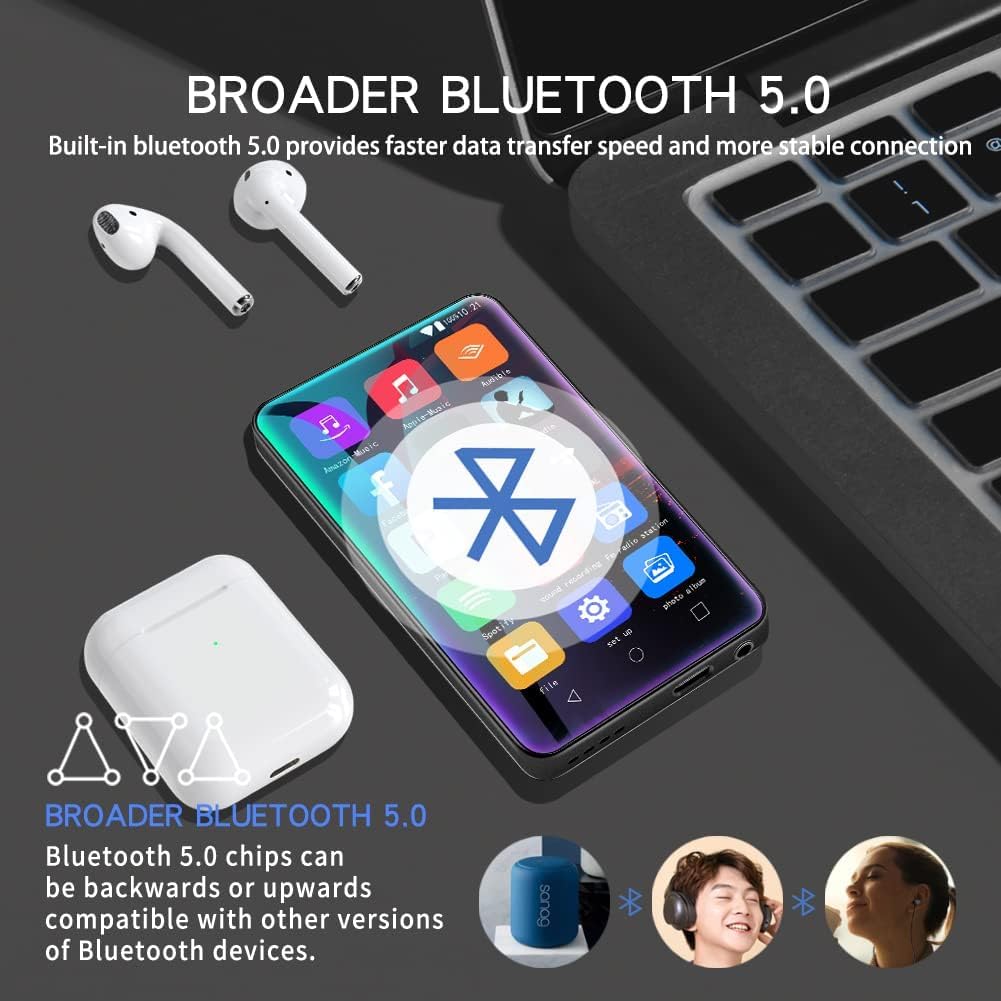
Figure 4.1: Bluetooth 5.0 connectivity features.
4.5 Expanding Storage
The device supports external storage expansion up to 1TB using a microSD card.
- Locate the microSD card slot on the side of the player.
- Gently insert the microSD card into the slot until it clicks into place.
- To remove, gently push the card inward until it springs out.

Figure 4.2: MicroSD card slot for storage expansion.
5. Operating Instructions
5.1 Navigating the Interface
The MYMAHDI MP3 Player features a full touch screen for intuitive navigation. Swipe left/right to browse home screens, tap icons to open applications, and use the navigation buttons at the bottom of the screen (Back, Home, Recent Apps).

Figure 5.1: Touch screen operation and lock screen function.
5.2 Music Playback
To play music:
- Transfer music files to the device's internal storage or microSD card via USB connection to a computer, or download directly using Wi-Fi.
- Open the "Music" application from the home screen.
- Browse your music library by artist, album, song, or playlist.
- Tap on a song to begin playback.
- Use the on-screen controls for play/pause, skip, volume adjustment, and repeat/shuffle modes.
Supported audio formats include WMA, OGG, APE, FLAC, WAV, AAC-LC, ACELP.

Figure 5.2: Music playback interface and supported formats.
5.3 Video Playback
To play videos:
- Transfer video files to the device or use a streaming application.
- Open the "Videos" application or a streaming app like YouTube.
- Select the video you wish to watch.
- Use the on-screen controls for play/pause, skip, and volume.
Supported video formats include 720P/1080P full format HD video playback such as RM, RMVB, AVI, MKV, WMV, VOB, MOV, FLV, ASF, DAT, MP4, 3GP, MPG, MPEG.

Figure 5.3: Video playback capabilities.
5.4 Using Applications
The MYMAHDI MP3 Player comes with several pre-installed applications and supports downloading more via Wi-Fi. These include popular streaming services like Spotify, Pandora, YouTube, Amazon Music, Apple Music, Audible, Deezer, and more.
- Ensure you are connected to a Wi-Fi network.
- Tap on the desired application icon from the home screen.
- Follow the on-screen prompts to log in or create an account for the service.

Figure 5.4: Range of supported applications.
5.5 FM Radio
The device includes an FM radio function. To use it, connect the wired earphones (included) as they act as the antenna.
- Plug in the earphones into the 3.5mm audio jack.
- Open the "FM Radio" application.
- Use the on-screen controls to scan for stations or manually tune to a frequency.
- You can choose to listen through the earphones or the built-in speaker.
6. Maintenance
- Cleaning: Use a soft, dry, lint-free cloth to clean the screen and body of the device. Avoid using abrasive cleaners or solvents.
- Storage: Store the device in a cool, dry place away from direct sunlight and extreme temperatures.
- Battery Care: To prolong battery life, avoid fully discharging the battery frequently. Charge the device regularly, even if not in use for extended periods.
- Software Updates: Periodically check for software updates in the device's settings to ensure optimal performance and access to new features.
- Data Backup: Regularly back up important files and data from your device to a computer or cloud storage to prevent data loss.
7. Troubleshooting
| Problem | Possible Cause | Solution |
|---|---|---|
| Device does not power on. | Low battery; System crash. | Charge the device for at least 30 minutes. Press and hold the power button for 10-15 seconds to force restart. |
| Cannot connect to Wi-Fi. | Incorrect password; Out of range; Router issue. | Verify password. Move closer to the router. Restart your Wi-Fi router. |
| Bluetooth device not pairing. | Device not in pairing mode; Out of range. | Ensure Bluetooth device is in pairing mode. Move devices closer. Restart both devices. |
| No sound from speaker/earphones. | Volume too low; Earphones not properly connected; Corrupt file. | Increase volume. Re-insert earphones. Try a different audio file. |
| Screen is unresponsive or frozen. | Software glitch. | Press and hold the power button for 10-15 seconds to force restart the device. |
| Cannot transfer files. | Incorrect USB mode; Cable issue. | Ensure the device is set to "File Transfer" (MTP) mode when connected to a computer. Try a different USB cable or port. |
8. Specifications
| Feature | Detail |
|---|---|
| Model Name | M400-40GBlack |
| Brand | MYMAHDI |
| Product Dimensions | 0.4 x 2.4 x 4.3 inches |
| Item Weight | 5.4 ounces |
| Memory Storage Capacity | 40 GB (8GB ROM + 32GB MicroSD card included) |
| Max External Storage | 1 TB (MicroSD) |
| Screen Size | 4 Inches |
| Display Resolution | 1080P HD |
| Connectivity Technology | Bluetooth 5.0, USB Type-C, Wi-Fi |
| Battery | 2000 mAh Lithium Ion (included) |
| Audio Formats Supported | WMA, OGG, APE, FLAC, WAV, AAC-LC, ACELP, MP3 |
| Video Formats Supported | RM, RMVB, AVI, MKV, WMV, VOB, MOV, FLV, ASF, DAT, MP4, 3GP, MPG, MPEG |
| Special Features | Equalizer, FM Radio, Video Playback, Touch Screen, Android OS |
| Compatible Devices | Headphones, Personal Computer, Smartphone, Speaker |
9. Warranty and Support
MYMAHDI products are designed for reliability and performance. For any technical or operational issues, please refer to the troubleshooting section of this manual. If the problem persists, contact MYMAHDI customer support for assistance.
Information regarding specific warranty terms and conditions can typically be found on the product packaging or the official MYMAHDI website. Please retain your proof of purchase for warranty claims.
For the most professional technical consultants and after-sales correspondence, please reach out to the seller or manufacturer directly through the platform where the product was purchased.