
PlayBetter Black Instinct 3 Solar - 45 mm
User Manual: PlayBetter Garmin Instinct 3 Solar 45mm Smartwatch Bundle
Model: Instinct 3 Solar 45mm (010-02934-00), PlayBetter Powerbank (Z05)
Product Overview
The Garmin Instinct 3 is a rugged GPS smartwatch designed for outdoor use, featuring a Solar display for extended battery life. It boasts a durable construction with a metal-reinforced bezel and scratch-resistant lens, engineered to MIL-STD-810 standards for thermal and shock resistance, and is 10 ATM water-rated. Key functionalities include a built-in 3-axis compass, barometric altimeter, multi-band GPS with SatIQ technology for precise positioning, and comprehensive 24/7 health and wellness monitoring, including heart rate tracking and advanced sleep monitoring. This bundle also includes a PlayBetter 5000mAh Powerbank and HD Screen Protectors.
Key Features
- Rugged Design: Built with a metal-reinforced bezel and scratch-resistant lens, engineered to MIL-STD-810 standards for thermal and shock resistance, and 10 ATM water-rated.
- Solar Charging: Offers unlimited battery life with solar charging capabilities.
- Built-in Flashlight: A super powerful LED flashlight for convenience in low-light conditions.
- Advanced GPS: Features multi-band GPS with SatIQ technology for superior positioning.
- Health & Wellness Monitoring: Includes 24/7 heart rate tracking, advanced sleep monitoring, HRV status, and more.
- Smart Connectivity: Receive smart notifications, utilize Garmin Pay contactless payments, and Garmin Messenger two-way texting (when paired with a compatible smartphone).
- Sports Apps & Training Tools: Access various sports apps, Garmin Coach plans, VO2 Max insights, and daily workout suggestions.
What's in the Box
- Garmin Instinct 3 Rugged GPS Smartwatch
- PlayBetter #Z05 5000mAh Powerbank
- PlayBetter HD Screen Protectors (4-Pack)
- USB Charging Cable
- Documentation (User Manual)
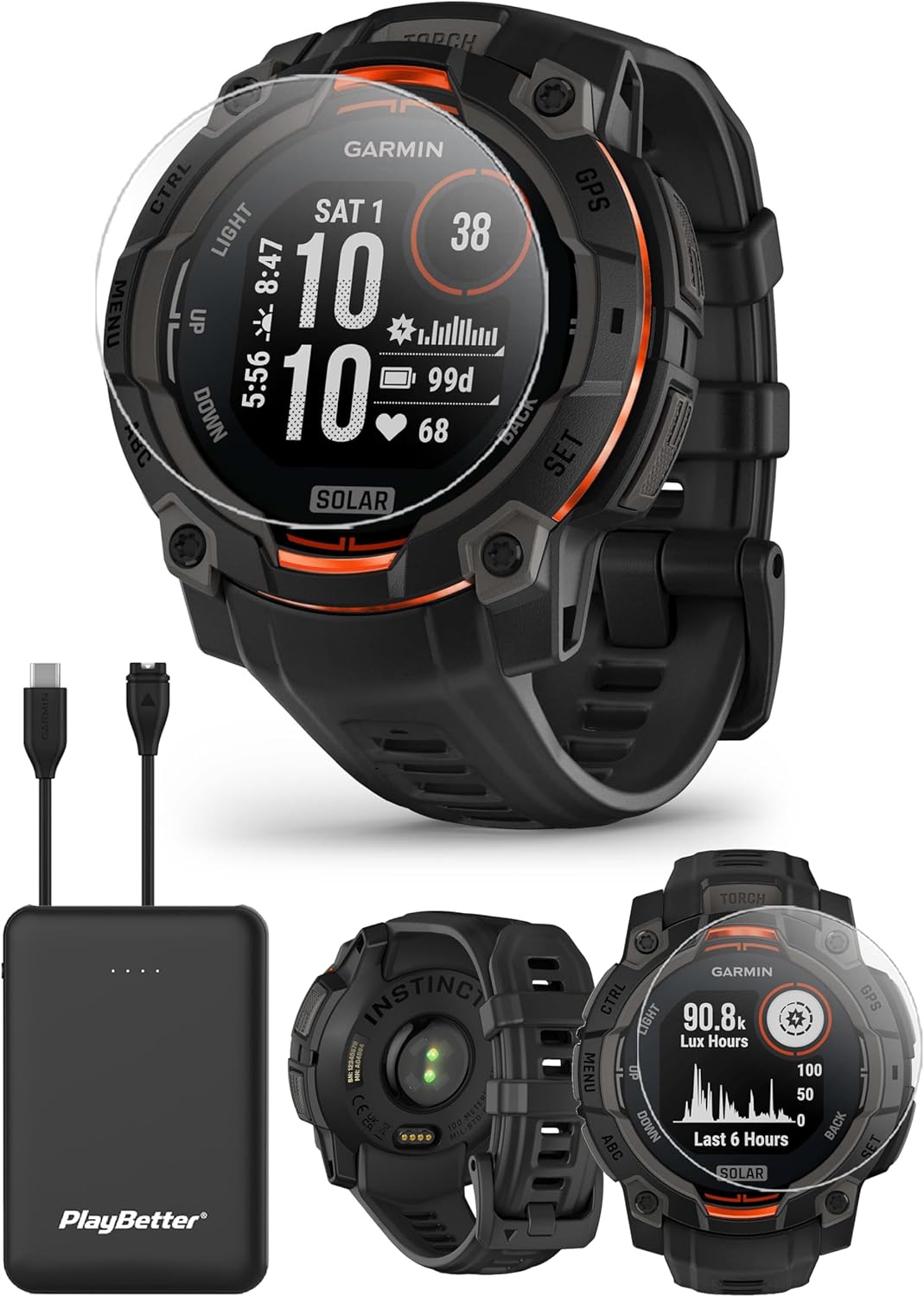
Image: Contents of the PlayBetter Garmin Instinct 3 Solar 45mm Smartwatch Bundle, including the watch, power bank, and screen protectors.
Setup Guide
1. Initial Charging
Before first use, fully charge your Garmin Instinct 3 smartwatch and the PlayBetter Powerbank. Connect the smartwatch to the USB charging cable and plug it into a USB power source. The power bank can be charged using its included USB cable.

Image: The PlayBetter 5000mAh Powerbank with its charging cables, used for portable charging of the smartwatch.
2. Applying Screen Protectors
Carefully clean the watch screen using a microfiber cloth. Align the HD screen protector with the watch face and gently apply it, ensuring no air bubbles are trapped underneath. Refer to the screen protector packaging for detailed application instructions.

Image: A close-up of the Garmin Instinct 3 Solar smartwatch with a clear screen protector covering its display.
3. Pairing with Your Smartphone
Download the Garmin Connect app from your smartphone's app store (available for Android & iOS). Open the app and follow the on-screen instructions to pair your Instinct 3 smartwatch. Ensure Bluetooth is enabled on your phone.

Image: The Garmin Connect app displayed on both a smartphone and a laptop, illustrating its cross-platform compatibility for tracking activities.
4. Initial Configuration
Once paired, the app will guide you through setting up your profile, preferences, and initial watch settings. This includes time zone, units of measurement, and activity tracking goals.
Operating Instructions
Navigating the Watch
The Instinct 3 features a button-operated interface. Use the CTRL, MENU, UP, DOWN, ABC, GPS, and SET buttons to navigate menus, select options, and access features. Refer to the on-screen prompts for specific button functions in different modes.

Image: The Garmin Instinct 3 Solar smartwatch display showing a "Today's Suggestion" for a tempo run, highlighting its training guidance features.
Using GPS and Outdoor Features
Activate GPS for outdoor activities like running, hiking, or cycling. The watch utilizes multi-band GPS with SatIQ technology for enhanced accuracy. Access the compass and altimeter from the main menu for navigation and elevation data.

Image: A visual representation of the Garmin Instinct 3 Solar smartwatch highlighting its Multi-Band GPS with SatIQ Technology, Supertough Design, and Health and Wellness Features.
Health and Wellness Monitoring
The Instinct 3 continuously monitors your heart rate, sleep patterns, and other health metrics. View your data on the watch or in detail within the Garmin Connect app. Morning Reports provide insights into your recovery and daily goals.
Smart Notifications and Payments
When paired with your smartphone, receive call, text, and app notifications directly on your watch. Set up Garmin Pay for convenient contactless payments at supported locations.

Image: The Garmin Instinct 3 Solar smartwatch showcasing its smart notification capabilities and Garmin Pay contactless payment feature.
Using the Built-in Flashlight
The watch includes a powerful LED flashlight. Consult the watch's on-screen instructions or the full Garmin manual for how to activate and adjust its settings.

Image: Features of the Garmin Instinct 3 Solar smartwatch, including its built-in flashlight, solar charging capability, and Pulse Ox and heart rate tracking.
Maintenance
Cleaning Your Device
Regularly clean your smartwatch and band with a soft, damp cloth. Avoid harsh chemicals or abrasive cleaners. For the solar lens, ensure it is clean and unobstructed for optimal charging performance.
Software Updates
Keep your device's software updated through the Garmin Connect app or Garmin Express on your computer. Updates provide new features, performance improvements, and bug fixes.
Battery Care
To maximize battery lifespan, avoid extreme temperatures and store the device with a partial charge if not used for extended periods. Utilize the solar charging feature by exposing the watch face to sunlight.
Troubleshooting
| Issue | Possible Solution |
|---|---|
| Watch not turning on | Ensure the watch is fully charged. Connect it to the USB charging cable and a power source for at least 30 minutes. |
| Cannot pair with smartphone | Make sure Bluetooth is enabled on your phone and the watch is in pairing mode. Restart both devices and try again. Ensure the Garmin Connect app is updated. |
| GPS not acquiring signal | Move to an open area with a clear view of the sky. Ensure the GPS feature is enabled on the watch. Allow several minutes for initial signal acquisition. |
| Inaccurate heart rate readings | Ensure the watch is worn snugly on your wrist, above the wrist bone. Clean the optical heart rate sensor on the back of the watch. |
| Screen protector issues (bubbles, not adhering) | Ensure the screen is thoroughly cleaned before application. Follow the screen protector's specific instructions carefully. If issues persist, consider replacing the screen protector. |
Specifications
| Feature | Detail |
|---|---|
| Model Name | Instinct 3 |
| Brand | PlayBetter (Bundle), Garmin (Watch) |
| Screen Size | 1.1 inches |
| Battery Life (Smartwatch Mode) | Up to 28 days (with solar charging) |
| Connectivity Technology | Bluetooth, Radio Frequency |
| Memory Storage Capacity | 4 GB |
| Operating System Compatibility | Android & iOS |
| Water Rating | 10 ATM |
| Item Weight | 1.83 ounces (52 Grams) |
| Product Dimensions | 1.7 x 0.58 x 1.7 inches |
| Item Model Number | 010-02934-00 (Watch), Z05 (Charger) |
Official Product Video
Video: An official product video from The PlayBetter Store showcasing the features and ruggedness of the Garmin Instinct 3 Smartwatch Series.
Warranty & Support
The Garmin Instinct 3 Smartwatch comes with a Garmin 1 Year Manufacturer Warranty. For warranty claims, technical support, or further assistance, please contact Garmin customer service directly or visit their official support website. For support related to the PlayBetter Powerbank or Screen Protectors, please contact PlayBetter customer service.
You can also visit the PlayBetter Store on Amazon for additional product information and support resources.
Ask a question about this manual
Ask about setup, troubleshooting, compatibility, parts, safety, or missing instructions. Manuals+ will review the question and use this page’s manual context to help answer it.