
1. Introduction
This manual provides comprehensive instructions for the Avisontek Chamberlain 953EV-P2 Security+2.0 Universal Garage Door Opener Remote. This remote is designed for wide compatibility with various Chamberlain, LiftMaster, and Sears Craftsman garage door openers manufactured since 1993. Please read these instructions carefully before use to ensure proper setup and operation.
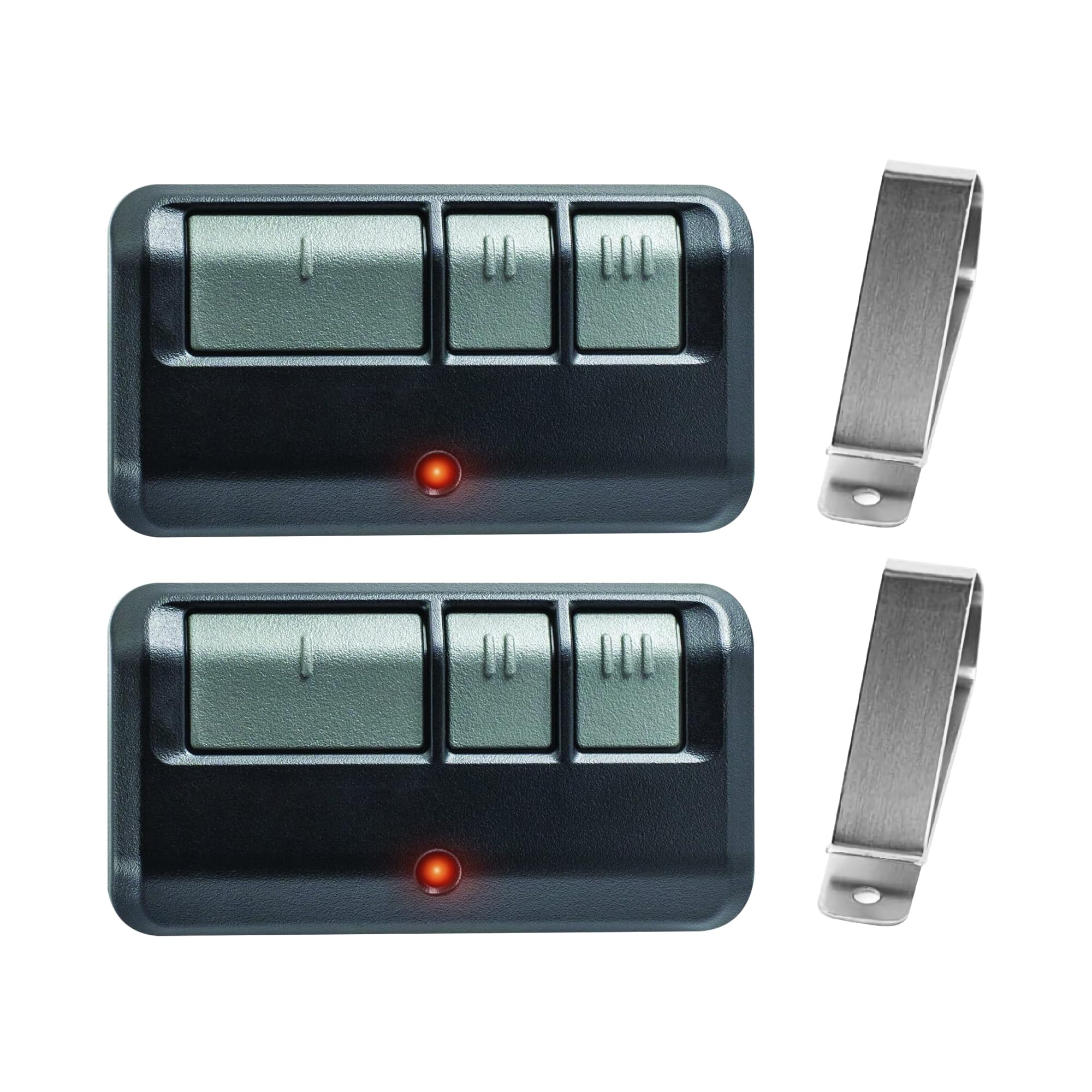
Image 1.1: Avisontek Chamberlain 953EV-P2 Universal Garage Door Opener Remote.
2. Compatibility
The Avisontek 953EV-P2 remote is compatible with Chamberlain, LiftMaster, and Sears Craftsman garage door openers featuring a Purple, Red, Orange, Yellow, or Green Learn Button, manufactured since 1993. It supports Security+ 2.0 rolling code encryption.
Important: This remote does NOT support Security+ 3.0 (White Learn Button) openers produced in 2026, nor does it support DIP switch openers or Craftsman Series 100 models.
Compatible Remote Models include: 950CD, 950CB, 950ESTD, 953ESTD, 956EV, 953EV, 953EV-P2, 953EVC, 371LM, 373LM, 971LM, 973LM, 81LM, 83LM, 891LM, 893LM, 893Max, 890Max, 895Max, etc.

Image 2.1: Wide compatibility with LiftMaster, Chamberlain, and Sears Craftsman, supporting various learn button colors (Yellow, Purple, Red, Orange, Green).
3. Setup and Programming
Follow these steps to program your Avisontek 953EV-P2 universal garage door opener remote:
- Locate the Learn Button: Identify the learn button on your garage door opener motor unit. Note its color (Purple, Red, Orange, Yellow, or Green).
- Activate Programming Mode on Remote: Use a small tool (like a paperclip or the visor clip) to press the "PROG" button located on the back of the remote. The remote's LED will turn on.
- Select Learn Button Color on Remote: While the remote's LED is on, press the corresponding button on the remote (1, 2, or 3) that matches the color of your garage door opener's learn button. Press it multiple times until the remote's LED flashes the correct number of times for your learn button color (e.g., 1 flash for Yellow, 2 for Purple, 3 for Red/Orange, 4 for Green). Release any other button to exit "PROG" mode.
- Activate Learn Mode on Opener: Press and immediately release the learn button on your garage door opener. The learn LED on the opener will glow steadily for 30 seconds, indicating it is ready to receive a signal.
- Program the Remote: Within 30 seconds of activating the opener's learn mode, press and hold the same button on your remote (the one you selected in step 3) until you hear 1 or 2 clicks from the garage door opener. This indicates successful programming.

Image 3.1: Visual guide for programming the remote control.
Video 3.1: Official programming guide for the 893MAX 953EV-P2 Universal Remote by Avisontek. This video demonstrates the programming steps for compatible garage door openers.
To program the remote to control more than one garage door opener, repeat the steps above for each additional opener, selecting a different button (1, 2, or 3) on the remote for each. To erase all codes from the remote, press and hold the "PROG" button until the LED light turns off (approximately 5 seconds).
4. Operating Instructions
Once programmed, simply press the corresponding button on the remote to activate your garage door opener. The remote offers a 164-foot effective range, allowing you to open your garage from a distance.

Image 4.1: Demonstrating the ultra-long remote range of 164 feet.
5. Features
- Security+ 2.0 Rolling Code Encryption: Generates a new encrypted wireless code after every press, preventing code grabbing and hacking for enhanced home security.
- Industrial-Grade Chip: Ensures reliable performance even in sub-zero temperatures, preventing signal loss or battery drain.
- Extended Range: Offers a 164-foot effective operating range.
- Long-Life Lithium Battery: Equipped with a pre-installed 240mAh lithium battery for extended usage.
- Three-Button Design: Allows control of up to three separate garage doors with a single remote.
- Durable Construction: Made from ABS alloy material, providing cold and shock resistance.

Image 5.1: Industrial-grade chip with third-generation intelligent low-power technology and rolling code encryption for security.

Image 5.2: Remote control demonstrating cold and shock resistance, and ease of portability.
6. Specifications
| Feature | Detail |
|---|---|
| Model Name | Chamberlain Garage Door Opener Remote |
| Model Number | 953EV-P2 |
| Brand | Avisontek |
| Connectivity Technology | Radio Frequency |
| Button Quantity | 3 |
| Maximum Supported Devices | 3 |
| Maximum Range | 164 Feet |
| Battery Type | Lithium (2 CR5 batteries included) |
| Shell Material | ABS Alloy |
| Color | Black |
| Product Weight | 0.07 Kilograms (0.096 Lbs) |
| Product Dimensions | 3.18 x 1.77 x 0.6 Inches |
| Frequency | 310/315/390MHz |
| Code Type | Rolling Code |

Image 6.1: Detailed product parameters and dimensions.
7. Troubleshooting
If your remote does not sync successfully with your garage door opener, consider the following solutions:
- Solution 1: Double-check the exact color of the learn button on your garage door opener. Ensure you are pressing the correct corresponding button on the remote during programming.
- Solution 2: Ensure your garage door opener is fully cleared of previous programming before attempting to program the new remote. If programming fails, try moving closer to the garage door opener during the programming process.
- Solution 3: To clear the memory of your opener, press and hold the learn button on the garage door opener for several seconds until the LED turns off. After clearing, re-program the remote following the steps in Section 3.
Image 7.1: Troubleshooting guide for remote synchronization issues.
8. Warranty and Support
This Avisontek garage door opener remote meets North American FCC Safety Standards and is backed by a 5-year warranty for long-term peace of mind. For any technical assistance or support, please contact Avisontek customer service. 24-hour Amazon Online Tech Support is also available.

Image 8.1: Information on FCC certification, warranty, and available technical support.