
Introduction
This manual provides detailed instructions for the installation, operation, and maintenance of your SIXWIN Single DIN Car Stereo. This unit features a 7-inch touchscreen, Apple CarPlay, Android Auto, Mirror Link, Bluetooth connectivity, FM radio, and steering wheel control. Please read this manual thoroughly before using the product to ensure proper function and safety.
Setup and Installation
The SIXWIN Single DIN Car Stereo is designed to fit into standard single DIN slots. Ensure your vehicle has a compatible slot before installation. The package includes the main stereo unit, a power cable, a horn cable, and mounting brackets.
Package Contents:
- SIXWIN Single DIN Car Stereo with 7-inch Touchscreen
- Power Cable
- Horn Cable
- User Manual
- Mounting Bracket
- Remote Control
- Steering Wheel Remote Control
- Rear View Camera (Optional, if included with your purchase)
Wiring and Connections:
Connect the power cable and horn cable to your vehicle's wiring harness according to the wiring diagram provided in the physical manual. Ensure all connections are secure to prevent electrical issues.

Image: Overview of the car stereo dimensions and included accessories for installation.
Rear View Camera Installation (Optional):
If you have purchased a compatible rear view camera, connect it to the designated video input on the stereo unit. The included video cable runs from the front unit to the rear of the vehicle. This feature provides a clear view of the area behind your vehicle, assisting in safe parking and reversing.

Image: The car stereo displaying the view from an optional reversing camera, complete with parking assistance lines.
Operating Instructions
Touchscreen Interface:
The unit features a responsive 7-inch touchscreen. Navigate through menus and functions by tapping or swiping. Physical knobs are also available for convenient operation, such as volume control and mode selection. The unit also features customizable RGB lighting for the buttons.
Apple CarPlay & Android Auto:
Connect your smartphone via a wired USB connection to access Apple CarPlay or Android Auto. This allows you to use navigation, make calls, send messages, and play music directly from your phone's interface displayed on the stereo screen. The unit supports wired CarPlay and Android Auto. Note: Mirror Link functionality may not support all Samsung devices.
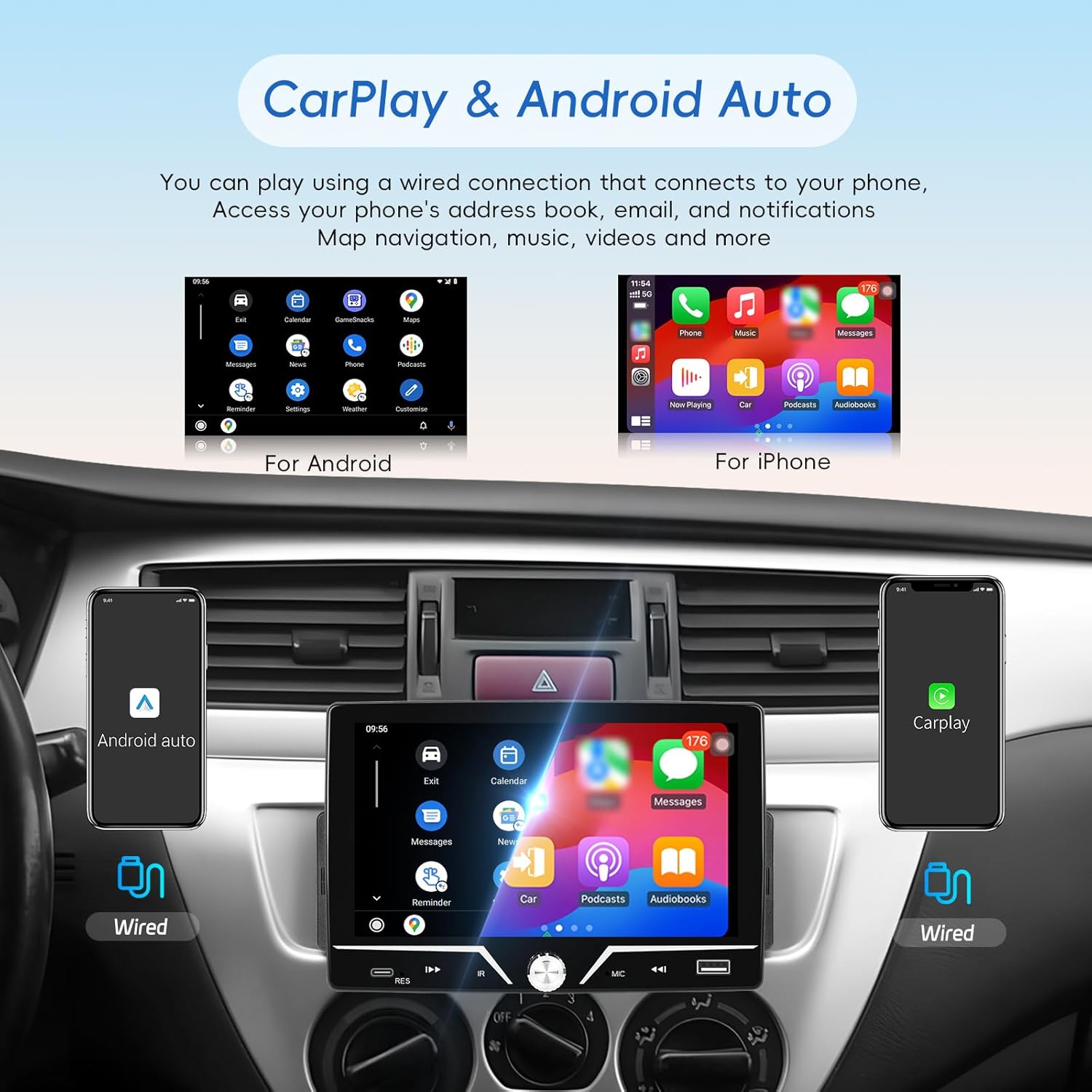
Image: The car stereo's screen displaying the user interfaces for both Apple CarPlay and Android Auto, highlighting wired connection capabilities.
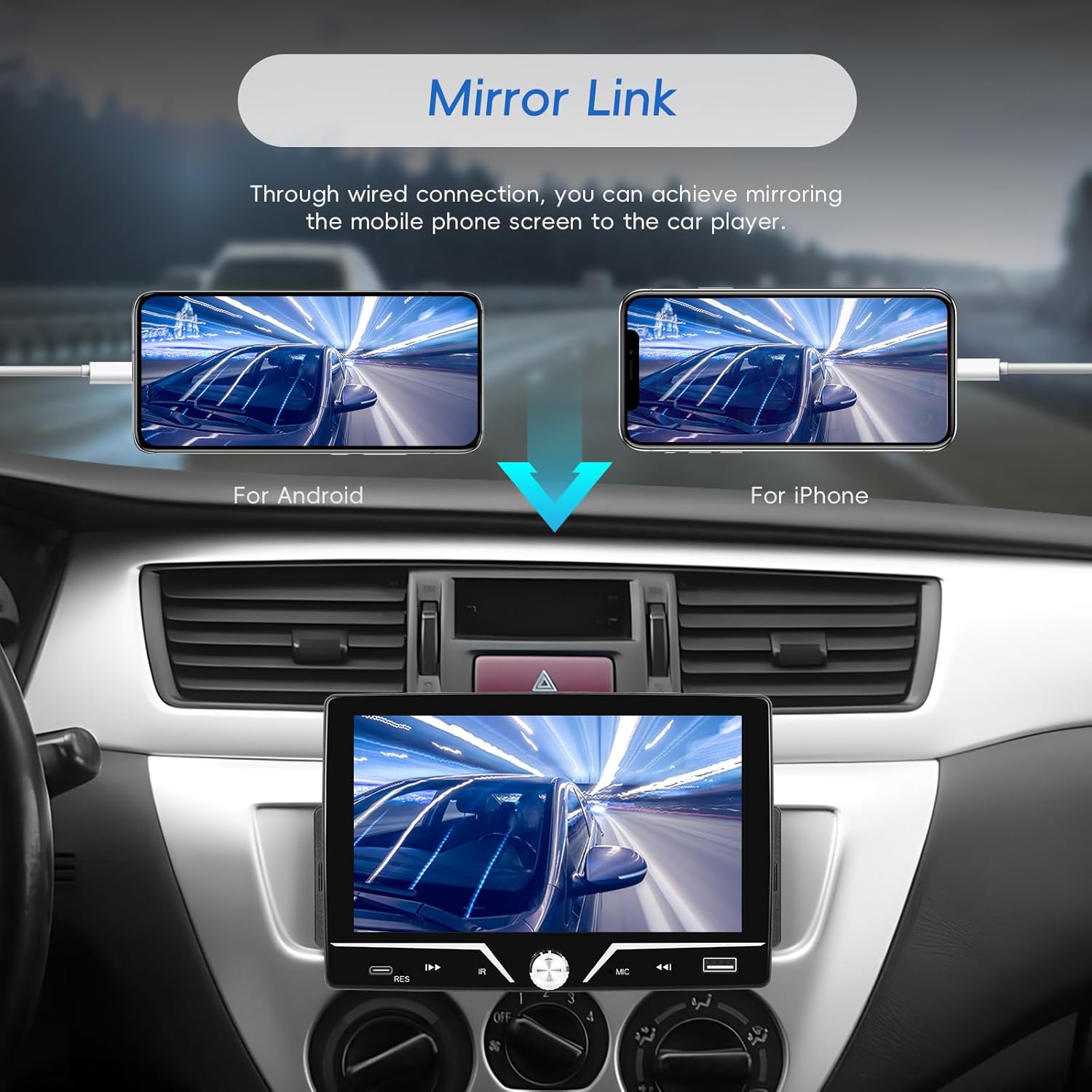
Image: Illustration of Mirror Link functionality, showing how both Android and iPhone screens can be mirrored to the car stereo via a wired connection.
Bluetooth Connectivity:
Pair your smartphone via Bluetooth for hands-free calling, playing Bluetooth music, and downloading phonebooks. This allows for convenient and safe communication while driving.
FM Radio:
The FM radio provides access to 18 preset stations. Tune in to news, music, and entertainment channels for an enhanced driving experience.

Image: The car stereo's screen displaying the FM radio interface, showing current frequency and station presets.
Steering Wheel Control & EQ:
The unit supports steering wheel controls, allowing you to switch songs, adjust volume, and answer calls without taking your hands off the wheel. The integrated EQ function enables you to customize audio settings to your preferred music style.

Image: The car stereo's interface for setting up steering wheel controls, allowing for convenient access to functions while driving.

Image: The car stereo's EQ sound effects interface, offering various audio adjustment options and preset styles.
USB Ports:
The unit includes USB ports for media playback and fast charging of your mobile devices.
Lossless Sound Quality:
Experience high-fidelity audio with support for lossless sound quality, providing an enhanced listening experience.

Image: The car stereo's music playback screen, illustrating its capability for high-quality audio and user-friendly controls.
Product Overview Video:
Video: A detailed overview of the SIXWIN Single DIN Car Stereo, demonstrating its 7-inch touchscreen, various features, and accessories.
Maintenance
To ensure the longevity and optimal performance of your car stereo, follow these maintenance guidelines:
- Cleaning: Use a soft, dry cloth to clean the touchscreen and exterior surfaces. Avoid abrasive cleaners or solvents that may damage the finish.
- Software Updates: Periodically check the manufacturer's website for any available software updates to ensure the unit operates with the latest features and bug fixes.
- Environmental Conditions: Avoid exposing the unit to extreme temperatures, direct sunlight for prolonged periods, or excessive moisture.
Troubleshooting
If you encounter any issues with your SIXWIN Car Stereo, refer to the following common problems and solutions:
- No Power: Check all power connections and ensure the vehicle's ignition is on. Verify the fuse is intact.
- No Sound: Check speaker connections, volume levels, and audio source selection. Ensure the mute function is not activated.
- Touchscreen Unresponsive: Try restarting the unit. If the issue persists, perform a factory reset (refer to the settings menu for this option).
- Bluetooth Connection Issues: Ensure Bluetooth is enabled on both the stereo and your smartphone. Delete previous pairings and attempt to re-pair the devices.
- CarPlay/Android Auto Not Connecting: Ensure your phone is connected via a compatible USB cable. Check your phone's settings for CarPlay/Android Auto permissions.
- Rear View Camera Not Displaying: Verify the camera is properly connected and powered. Ensure the vehicle is in reverse gear (if wired for automatic activation).
For further assistance, please contact customer support.
Specifications
| Feature | Detail |
|---|---|
| Brand | SIXWIN |
| Model Number | A4024-AM33US-C123-0513 |
| Screen Size | 7 Inches |
| Display Type | Touchscreen |
| Connectivity Technology | USB, Bluetooth |
| Compatible Devices | Smartphone |
| Audio Output Mode | Stereo |
| Audio Output Type | Bluetooth, FM radio, RCA |
| Wattage | 45 Watts |
| Item Weight | 1 Kilogram |
| Product Dimensions | 2.54 x 2.54 x 2.54 cm (1 x 1 x 1 inch) |
| Controller Type | Mechanical knob |
Warranty Information
Please refer to the product packaging or the official SIXWIN website for specific warranty details. Typically, products are covered against manufacturing defects for a limited period from the date of purchase. Keep your proof of purchase for warranty claims.
Customer Support
For any questions, technical assistance, or support regarding your SIXWIN Car Stereo, please utilize the online help resources provided by SIXWIN. Contact information can typically be found on the manufacturer's website or within your product packaging.