
Polibi Full Size Metal Gaming Loft Bed
Polibi Full Size Metal Gaming Loft Bed
User Manual
Model: Full Size Metal Gaming Loft Bed
Important Safety Information
Please read and understand all instructions before assembly and use. Keep this manual for future reference.
- Careful when using the upper bunk to prevent falls.
- Assemble according to the instructions to ensure stability.
- Be cautious of pinch points when using the ladder.
- Be careful around sharp edges.
Product Overview
The Polibi Full Size Metal Gaming Loft Bed is designed to maximize space in your room, featuring an integrated desk, open wardrobe, and three linen storage drawers. It also includes LED lighting for enhanced ambiance and functionality.

Figure 1: Overview of the Polibi Full Size Metal Gaming Loft Bed in white, showcasing the integrated desk, open wardrobe, three linen storage drawers, and ambient LED lighting.
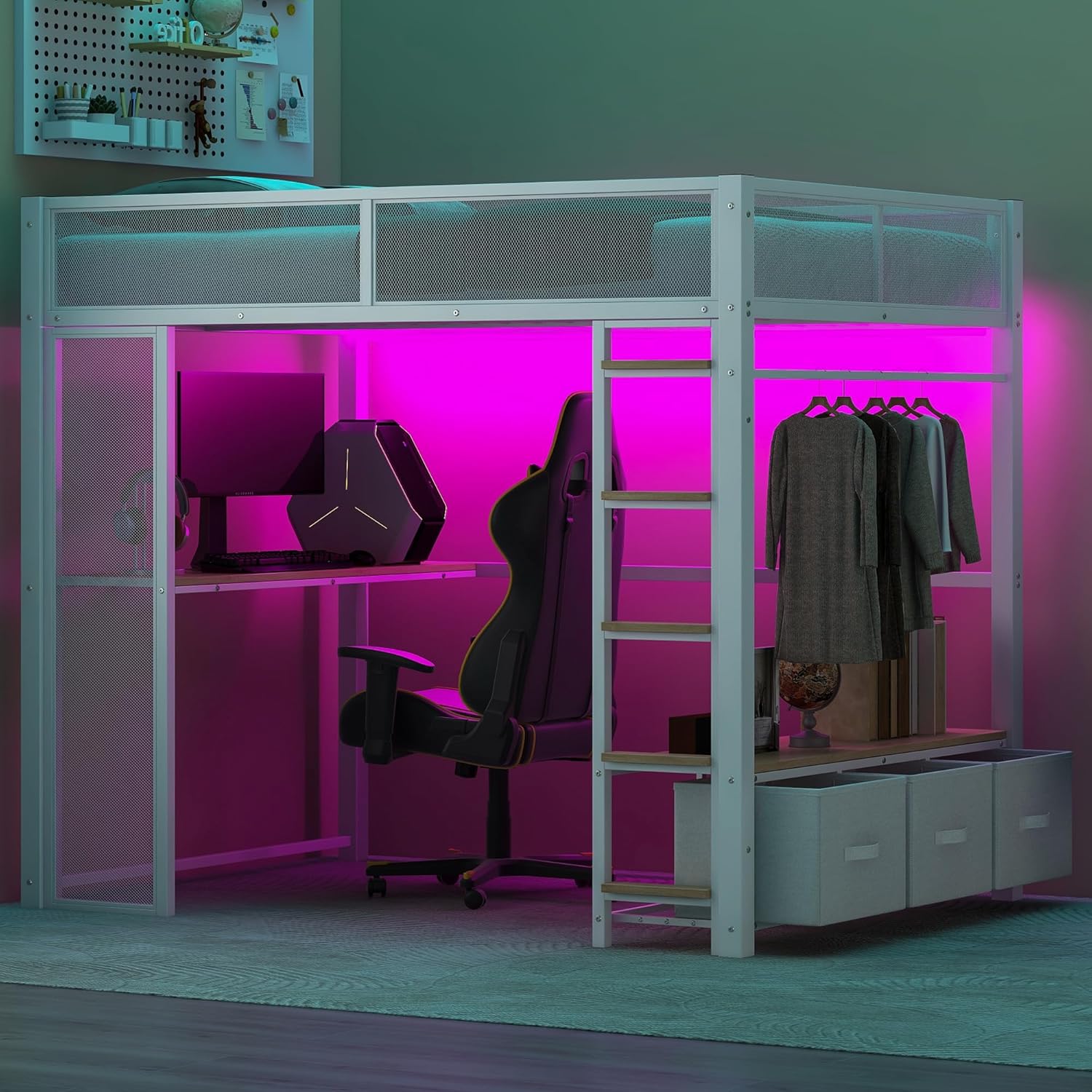
Figure 2: Another perspective of the loft bed, highlighting the spacious desk area suitable for gaming setups and the accessible open wardrobe section.
Setup and Assembly
This Polibi loft bed is designed for straightforward assembly. All necessary parts are clearly indicated, and pre-drilled holes simplify the process. It is recommended to assemble the bed with at least two people.
Before You Begin:
- Unpack all components and verify against the parts list (not provided in this manual, refer to your packaging).
- Ensure you have adequate space for assembly.
- Keep small parts out of reach of children.
Assembly Steps (General Guidelines):
- Begin by assembling the main frame components, ensuring all connections are secure.
- Attach the bed base and guardrails to the upper bunk frame.
- Install the integrated desk and open wardrobe sections.
- Assemble and insert the three linen storage drawers into their designated slots.
- Securely attach the ladder to the bed frame.
- Install the LED light strip according to your preference, either under the desk or under the bed.
- Once assembled, double-check all screws and bolts to ensure they are tightened for stability and safety.

Figure 3: Detailed dimensions of the loft bed, including overall length, width, height, and specific measurements for the desk, wardrobe, and ladder components. This diagram is crucial for understanding the bed's structure during assembly.

Figure 4: An illustration showing various components and parts of the loft bed, useful for identifying pieces during the assembly process.

Figure 5: Illustration of the safety features, specifically the 11.4-inch mesh guardrail on the upper bunk and the secure 5-step ladder, emphasizing their role in preventing falls and ensuring easy access.
Operating Instructions
LED Lighting System:
The integrated LED light strip provides customizable illumination for your loft bed area. It can be positioned under the desk or under the bed frame.
- Power On/Off: Use the provided remote control to turn the LED lights on or off.
- Color Change: The remote allows you to select from 16 different colors to match your mood or room decor.
- Modes: Explore various lighting modes such as static color, fade, strobe, and music sync (if applicable, refer to remote instructions).
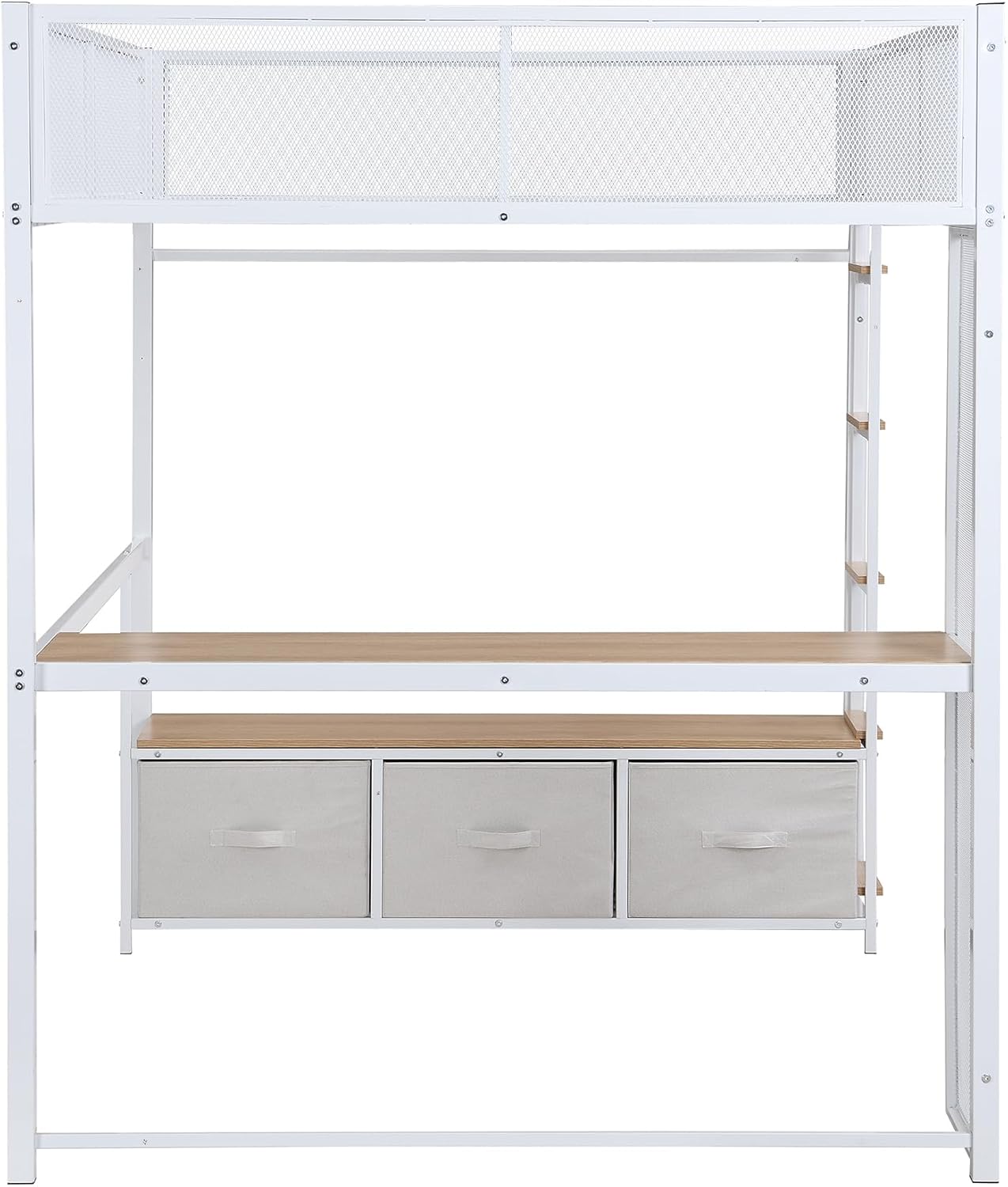
Figure 6: The remote control for the LED lighting system, showing buttons for color selection, brightness adjustment, and various lighting modes.
Desk Usage:
The spacious desk (53.7" long) provides an ideal area for studying, working, or setting up a gaming station. Ensure even weight distribution on the desk surface.
Open Wardrobe and Storage Drawers:
Utilize the open wardrobe with hanging rods for clothes and the three linen storage drawers for bedding, books, or other personal items. The bench above the drawers can be used for temporary storage or seating.
Maintenance
Regular maintenance will help prolong the life and appearance of your Polibi loft bed.
- Cleaning: Wipe metal surfaces with a soft, damp cloth. Avoid abrasive cleaners or harsh chemicals that may damage the finish. For linen drawers, spot clean with a mild detergent as needed.
- Hardware Check: Periodically check all screws, bolts, and connections to ensure they remain tight. Re-tighten if necessary to maintain stability and safety.
- LED Care: Ensure the LED strip and its connections are free from dust. Do not attempt to modify the LED system.
Troubleshooting
| Problem | Possible Cause | Solution |
|---|---|---|
| Bed feels wobbly or unstable. | Loose screws or improper assembly. | Review assembly instructions and re-tighten all bolts and screws. Ensure all parts are correctly aligned. |
| LED lights not turning on. | Power connection issue, remote battery dead, or LED strip malfunction. | Check if the power adapter is securely plugged in. Replace remote control batteries. If problem persists, contact customer support. |
| Drawers are difficult to open/close. | Drawers are overloaded, misaligned, or obstructed. | Reduce contents in drawers. Ensure drawers are properly seated in their tracks. Check for any obstructions. |
| Ladder feels loose. | Ladder attachment bolts are loose. | Re-tighten the bolts securing the ladder to the bed frame. |
Specifications
| Brand | Polibi |
| Model | Full Size Metal Gaming Loft Bed |
| Size | Full |
| Product Dimensions | 77.8"L x 56.1"W x 66.9"H |
| Color | White |
| Finish Type | Painted |
| Special Features | Open Wardrobe, Lighted (LED), Desk |
| Included Components | Ladder, 3 Linen Storage Drawers, Mesh Guardrail |
| Compatible Mattress Size | Full |
| Assembly Required | Yes |
Warranty and Support
For specific warranty information regarding your Polibi Full Size Metal Gaming Loft Bed, please refer to the documentation included with your purchase or contact the retailer/manufacturer directly. Warranty terms may vary.
If you encounter any issues not covered in this manual or require further assistance, please contact Polibi customer support through their official website or the retailer from whom you purchased the product. Please have your model number and purchase date ready when contacting support.
Ask a question about this manual
Ask about setup, troubleshooting, compatibility, parts, safety, or missing instructions. Manuals+ will review the question and use this page’s manual context to help answer it.