
1. Introduction
This manual provides essential information for the safe and efficient operation of your Dawnice 16kWh LiFePO4 Solar Storage Battery. Please read this manual thoroughly before installation and use, and retain it for future reference. This battery system is designed for home energy storage, emergency backup, and various off-grid applications.
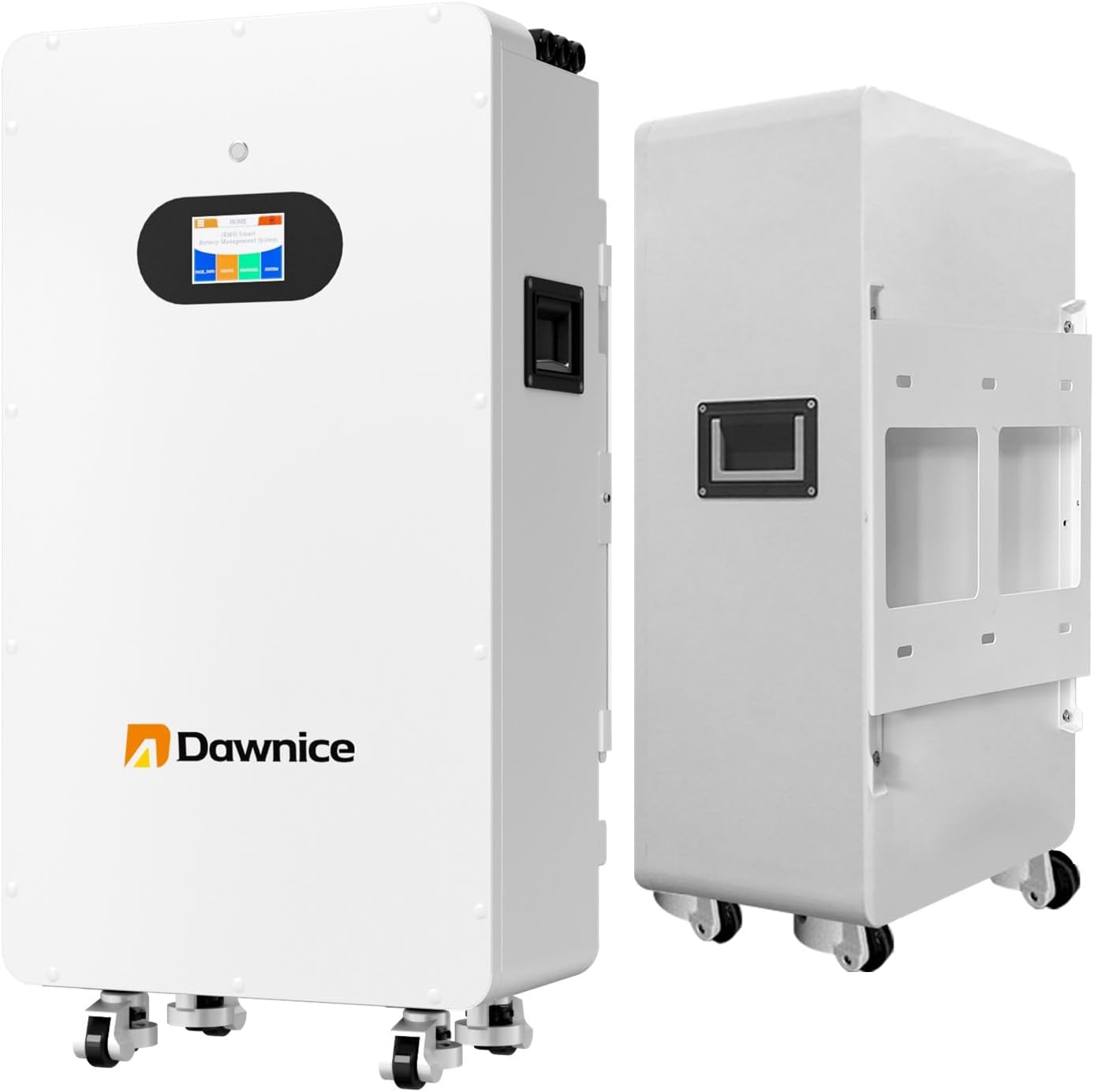
Figure 1: Front and side view of the Dawnice 16kWh LiFePO4 Solar Storage Battery. The unit is white with a black display panel and handles, shown with optional wheels.
2. Safety Information
Always observe the following safety precautions to prevent injury or damage to the battery system:
- Qualified Personnel: Installation and maintenance should only be performed by qualified electricians or technicians.
- Ventilation: Ensure adequate ventilation around the battery to prevent heat buildup.
- Water Exposure: While rated IP54, avoid direct exposure to excessive water or submersion.
- Temperature: Operate within specified temperature ranges. Refer to the specifications section.
- Tools: Use insulated tools to prevent short circuits.
- Emergency Shutdown: Familiarize yourself with the emergency shutdown procedures.
- Inverter Compatibility: This product requires an inverter for operation. Ensure your inverter is compatible with 51.2V battery systems.
3. Product Features
The Dawnice 16kWh LiFePO4 Solar Storage Battery offers advanced features for reliable energy storage:
- High Capacity: 51.2V 314Ah lithium battery with a maximum output power of 16000W.
- Long Lifespan: Utilizes Grade A battery cells, providing over 6000 cycles and a lifespan exceeding 15 years.
- Integrated BMS: Features a built-in 100A Battery Management System (BMS) for protection against overcharging, over-discharging, over-current, overheating, and short circuits.
- Scalability: Capacity can be expanded by connecting up to 15 units in parallel, achieving up to 240KWH for larger power requirements.
- Smart Monitoring: Real-time system monitoring is available via Bluetooth on your smartphone or laptop.
- Flexible Installation: Designed for both wall-mounted and ground-mounted installations.

Figure 2: Key features of the Dawnice battery, highlighting the smart LED touchscreen, fully removable bracket for installation, and freewheeling wheels for mobility during setup.
4. Setup and Installation
Proper installation is crucial for the performance and safety of your battery system.
4.1 Unpacking and Inspection
- Carefully unpack the battery system and inspect for any visible damage. Report any damage to your supplier immediately.
- Verify all components listed in the packing list are present.
4.2 Site Selection
- Choose a location that is dry, well-ventilated, and protected from direct sunlight and extreme temperatures.
- Ensure the mounting surface (for wall-mount) is structurally sound to support the battery's weight (approximately 120 lbs).
- Maintain adequate clearance around the unit for ventilation and maintenance access.
4.3 Mounting
The battery supports both wall-mounted and ground-mounted configurations. Use the provided removable bracket for wall installation.
4.4 Electrical Connections
Refer to the connection panel diagram for proper wiring. Ensure all connections are secure and correctly polarized.

Figure 3: Detailed view of the battery's signal communication panel and battery power interface. Key components include the battery switch indicator, reset button, DIP switch, Dry Contact, Inverter RS485 communication port, Inverter CAN port, Host computer communication port, Battery parallel ports (1 & 2), Battery running indicator, Battery warning indicator, and Battery power indicator.
- Inverter Connection: Connect the battery to a compatible inverter. This system is designed to work with mainstream brand inverters.
- Parallel Connection: For expanded capacity, multiple units can be connected in parallel. Follow the manufacturer's guidelines for parallel wiring and configuration.
- Communication: Utilize the RS485 or CAN communication ports for inverter communication and system monitoring.

Figure 4: Illustration of a typical hybrid solar system setup. It shows solar panels (PV Panel), a generator, and utility grid feeding into a hybrid inverter, which then connects to the Dawnice battery for storage and powers various home appliances.
5. Operating Instructions
5.1 Powering On/Off
- Power On: After all connections are secure, switch on the battery's main power switch. The LED touchscreen will illuminate.
- Power Off: To shut down the system, first disconnect the load from the inverter, then turn off the battery's main power switch.
5.2 Monitoring
The battery system features an integrated smart LED touchscreen and Bluetooth connectivity for comprehensive monitoring.

Figure 5: The LED Touch Screen interface, showing the BMS (Battery Management System) display. It allows users to view cells information, protocol, status, system parameters, and historical data such as State of Charge (SOC), Voltage (V), Current (A), and Capacity (AH).
- LED Touchscreen: Use the touchscreen to access real-time data from the BMS, including State of Charge (SOC), voltage, current, and capacity. Navigate through menus to view system status and historical records.
- Bluetooth Connectivity: Connect your smartphone or laptop via Bluetooth to monitor the solar system remotely. This allows for convenient access to battery health and performance data.
6. Maintenance
The Dawnice LiFePO4 battery system is designed for minimal maintenance, thanks to its robust construction and integrated BMS. However, periodic checks are recommended:
- Visual Inspection: Regularly inspect the battery and connections for any signs of damage, corrosion, or loose wiring.
- Cleaning: Keep the battery unit clean and free from dust and debris. Use a dry cloth for cleaning.
- Ventilation: Ensure that ventilation openings are not obstructed.
- Firmware Updates: Check with Dawnice support for any available firmware updates for the BMS or communication modules.
7. Troubleshooting
If you encounter issues with your Dawnice battery system, refer to the following common troubleshooting steps:
| Problem | Possible Cause | Solution |
|---|---|---|
| Battery not powering on | Main switch off, loose connections, internal fault. | Ensure main switch is ON. Check all power connections. If problem persists, contact support. |
| No power output to inverter | Inverter fault, communication error, battery in protection mode. | Check inverter status. Verify communication cables. Check battery display for error codes. |
| Abnormal readings on display/app | Sensor error, communication issue, software glitch. | Restart the battery system. Ensure Bluetooth connection is stable. Contact support if readings remain incorrect. |
| Battery warning indicator active | Over-voltage, under-voltage, over-current, over-temperature. | Check the specific warning code on the display. Address the underlying cause (e.g., reduce load, check charging source). If persistent, contact support. |
For issues not covered here or if troubleshooting steps do not resolve the problem, please contact Dawnice customer support.
8. Specifications
Detailed technical specifications for the Dawnice 16kWh LiFePO4 Solar Storage Battery (Model DWPF-LCT16N-1N):
| Attribute | Value |
|---|---|
| Brand | Dawnice |
| Model Number | DWPF-LCT16N-1N |
| Material | Lithium Iron Phosphate, Tempered Glass, Polymer, Aluminum |
| Nominal Voltage | 51.2V |
| Capacity (Ah) | 314Ah |
| Rated Energy (kWh) | 16.08kWh |
| Max. Charge/Discharge Current | 150A |
| Maximum Power Output | 16000W |
| Voltage Range | 44.8V - 57.6V |
| Scalability | Up to 15 units parallel |
| Communication | CAN/RS485, Bluetooth |
| Cycle Life (@25°C, 80%DOD) | ≥6000 Cycles |
| Design Life | ≥15 Years (25°C) |
| Product Dimensions (L x W x H) | 27"L x 15"W x 35"H (approx. 686mm x 381mm x 889mm) |
| Item Weight | 120 pounds (approx. 54.4 kg) |
| Installation Mode | Wall / Ground Mounted |
| IP Grade | IP54 |

Figure 6: Product dimensions for various Dawnice energy storage battery models, including the 16kWh unit.
9. Warranty and Support
Dawnice is committed to providing reliable products and customer satisfaction.
- Warranty: This product comes with a 10-Year limited Warranty.
- Technical Support: Lifetime technical support is provided for your Dawnice battery system.
- Contact: For any questions, technical assistance, or warranty claims, please contact Dawnice customer support through the official channels.


