
Fossil FS6099
Fossil Men's Machine Chronograph Watch FS6099 Instruction Manual
Model: FS6099
1. Overview
This manual provides essential information for the proper use and care of your Fossil Men's Machine Chronograph Watch, Model FS6099. This timepiece combines a bold design with reliable quartz chronograph movement.
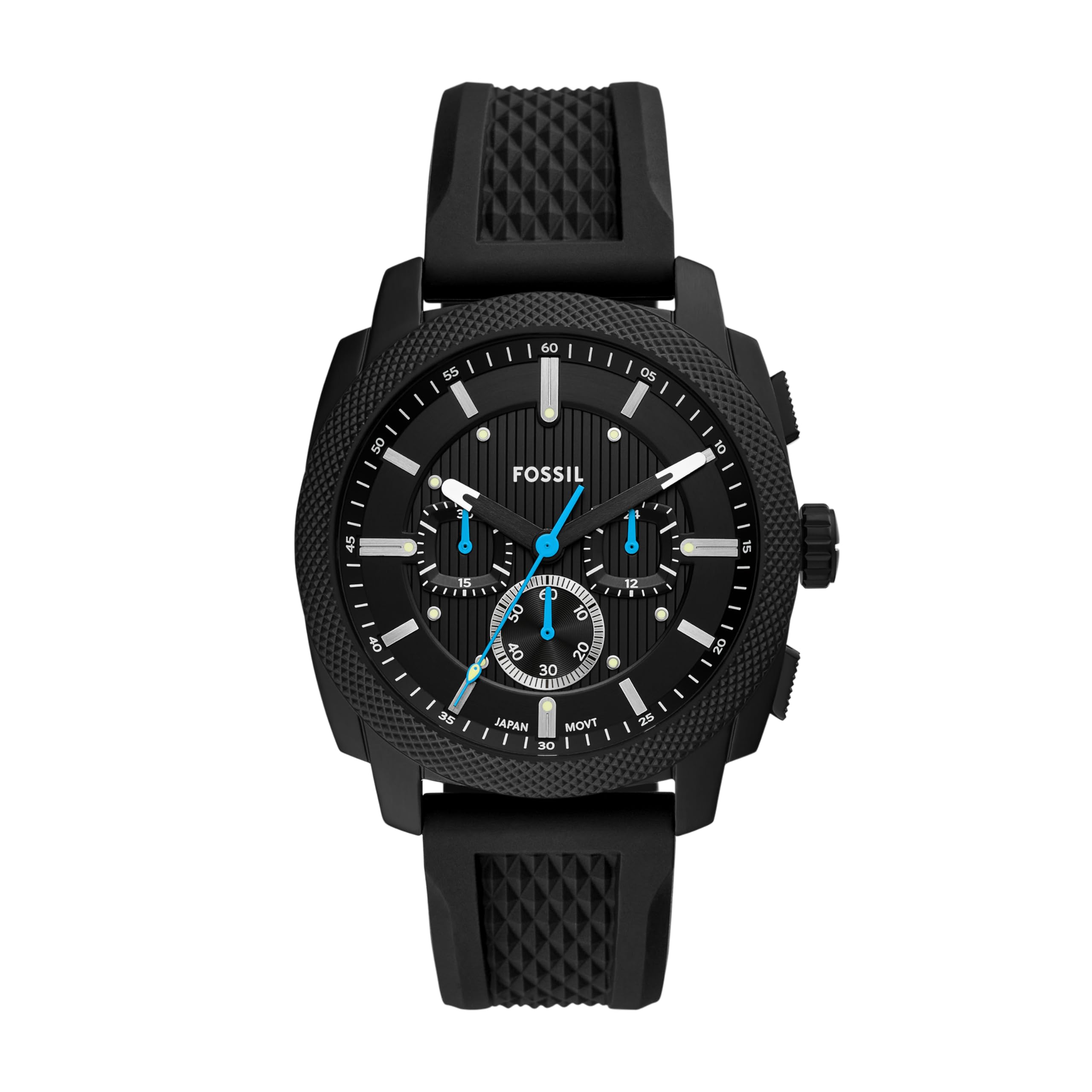
Figure 1: Front view of the Fossil Machine Chronograph Watch (FS6099).
Key Features:
- Chronograph Function: For precise time measurement.
- Durable Construction: Stainless steel case with a scratch-resistant mineral crystal.
- Water Resistance: Up to 50 meters (165 feet), suitable for short periods of recreational swimming and showering. Not for diving or snorkeling.
- Comfortable Band: Black silicone band, self-adjustable for a customized fit.
- Quartz Movement: Ensures accurate timekeeping.
2. Setup
2.1 Setting the Time and Date
- Pull out the crown: Gently pull the crown (located on the right side of the watch case) to position 2 for time setting, or position 1 for date setting.
- Set the date (if applicable): If your watch has a date display, rotate the crown in one direction (usually clockwise) to adjust the date. Avoid setting the date between 9 PM and 3 AM to prevent damage to the movement.
- Set the time: Pull the crown out to position 2. Rotate the crown to move the hour and minute hands to the correct time. Ensure the AM/PM is correctly set if your watch has a 24-hour sub-dial.
- Push in the crown: Once the time and date are set, push the crown back into its original position to start the watch.

Figure 2: Side view illustrating the crown and pushers for time and chronograph adjustments.
2.2 Adjusting the Silicone Band
The black silicone band is designed for a comfortable, customized fit. To adjust, locate the buckle and the series of holes on the strap. Select the hole that provides a snug yet comfortable fit on your wrist. The tang buckle mechanism allows for easy adjustment.

Figure 3: Rear view of the watch, highlighting the silicone band and buckle for adjustment.

Figure 4: Case size guide for men's watches, showing different diameters and case thicknesses for reference.
3. Operating Instructions
3.1 Using the Chronograph Function
The chronograph function allows you to measure elapsed time independently of the main time display. Your Fossil Machine Chronograph features a multi-layered dial with sub-dials for this purpose.
- Start: Press the top pusher (button A) to start the chronograph. The chronograph second hand will begin to move.
- Stop: Press the top pusher (button A) again to stop the chronograph. The elapsed time will be indicated by the chronograph hands on the sub-dials.
- Reset: Press the bottom pusher (button B) to reset the chronograph hands to their zero positions.
Note: Refer to the specific markings on your watch dial for the functions of each sub-dial (e.g., seconds, minutes, 24-hour display).

Figure 5: The watch on a wrist, displaying the chronograph sub-dials and main hands.
4. Maintenance
4.1 Water Resistance
Your watch is water resistant up to 50 meters (5 ATM). This means it is suitable for short periods of recreational swimming and showering. It is not suitable for diving, snorkeling, or high-impact water sports. Always ensure the crown is fully pushed in before any contact with water.
4.2 Cleaning Your Watch
To maintain the appearance of your watch:
- Wipe the case and crystal with a soft, damp cloth.
- For the silicone band, use mild soap and water, then rinse thoroughly and dry.
- Avoid using harsh chemicals or abrasive materials, as these can damage the watch's finish.
4.3 Battery Replacement
The watch uses 1 LR44 battery. When the battery needs replacement, it is recommended to take your watch to an authorized Fossil service center or a reputable watch repair professional. This ensures proper battery installation and maintenance of water resistance.
5. Troubleshooting
| Problem | Possible Cause | Solution |
|---|---|---|
| Watch not running | Battery depleted or crown not pushed in. | Push the crown fully in. If it still doesn't run, the battery may need replacement by a professional. |
| Incorrect time/date | Time/date not set correctly or crown accidentally pulled out. | Refer to Section 2.1 to reset the time and date. Ensure the crown is fully pushed in. |
| Chronograph hands not resetting to zero | Requires chronograph reset. | Press the bottom pusher (button B) to reset the chronograph hands. If they do not align, consult a service center. |
6. Specifications
- Model Number: FS6099
- Case Diameter: 44 mm
- Case Thickness: 11.9 mm
- Band Width: 22 mm
- Band Material: Silicone
- Case Material: Stainless Steel
- Crystal: Mineral
- Movement: Quartz Chronograph
- Water Resistance: 5 ATM (50 meters / 165 feet)
- Battery Type: 1 LR44 (included)
- Item Weight: 95.3 Grams
7. Warranty and Support
7.1 Manufacturer's Warranty
Your Fossil watch is covered by a manufacturer's warranty. Please refer to the warranty card included with your purchase for specific terms and conditions, including coverage duration and what is covered. Keep your proof of purchase for warranty claims.
7.2 Customer Support
For further assistance, service, or to locate an authorized service center, please visit the official Fossil website or contact their customer support. You can find more information and explore other products at the Fossil Store on Amazon.
8. Product Videos
8.1 Fossil Machine Chronograph worn by Nick Jonas
This video showcases the Fossil Machine Chronograph watch being worn, highlighting its style and presence. It provides a visual context of the watch in use.
8.2 Fossil Machine Chronograph Watch for Men
A detailed video presenting the Fossil Machine Chronograph watch, focusing on its design elements and features. This video offers a closer look at the watch's craftsmanship.
Related documentsFS6099

Ask a question about this manual
Ask about setup, troubleshooting, compatibility, parts, safety, or missing instructions. Manuals+ will review the question and use this page’s manual context to help answer it.