
1. Introduction
Thank you for choosing the Conciseer 42 Inch Ceiling Fan with Lights and Remote. This modern flush mount ceiling fan is designed to provide efficient air circulation and adjustable lighting for various indoor and covered outdoor spaces. Featuring a quiet DC motor, 6-speed settings, 3-color temperature dimmable LED light, and reversible blades for year-round comfort, this fan combines functionality with a sleek design. Please read this manual thoroughly before installation and use to ensure safe and optimal operation.
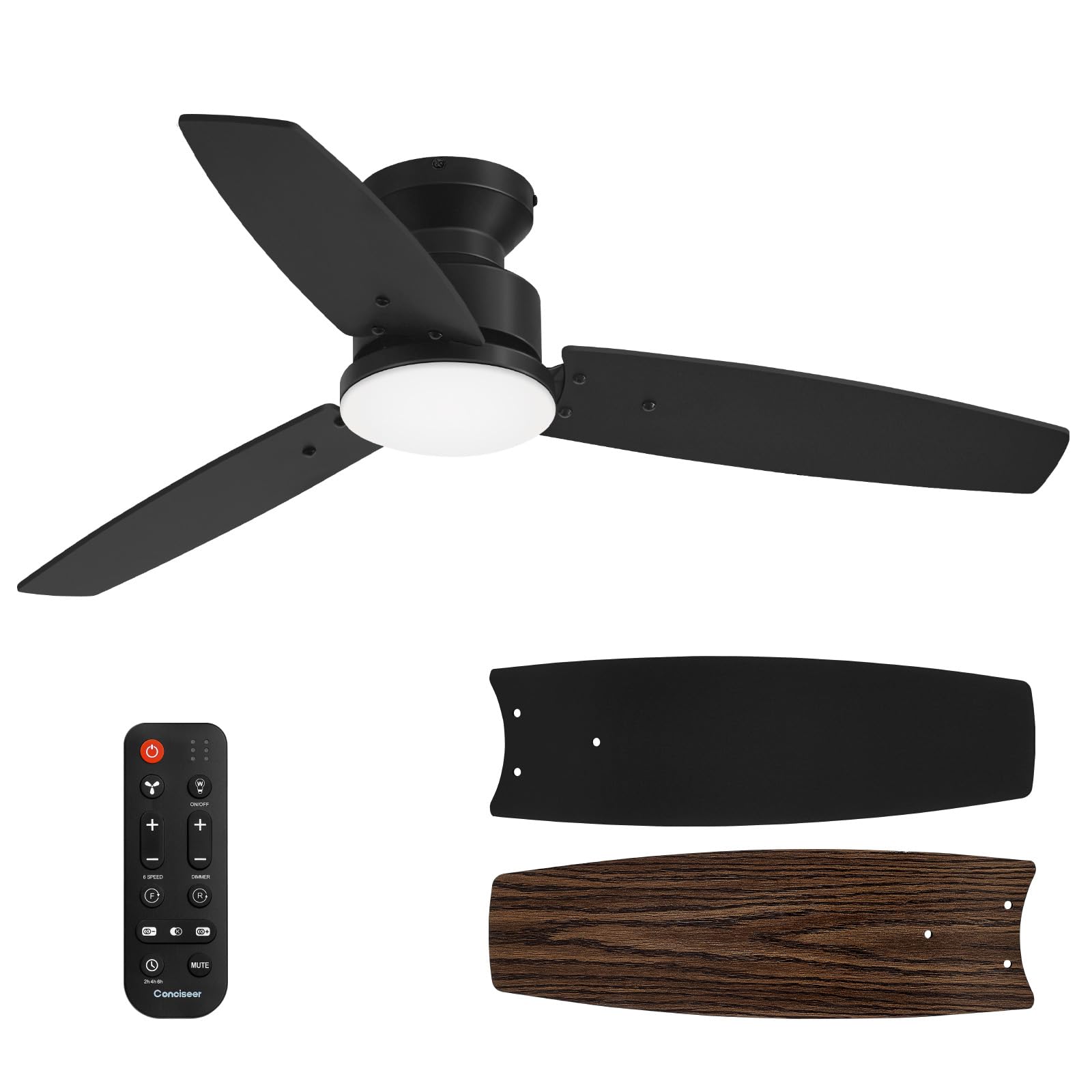
Image: Conciseer 42 Inch Ceiling Fan with Wood Grain Blades. This image shows the fully assembled ceiling fan with its three wood grain blades and integrated LED light, mounted flush to a white ceiling.
2. Safety Information
- Always turn off the power at the circuit breaker before beginning installation or maintenance.
- Ensure all electrical connections comply with local codes and ordinances. If you are unsure, consult a qualified electrician.
- Mount the fan securely to a ceiling joist or a suitable support structure capable of holding the fan's weight.
- This fan is suitable for indoor use or covered outdoor areas. Do not expose directly to rain or excessive moisture.
- Keep hands and objects clear of the fan blades when the fan is operating.
3. Package Contents
Verify that all components are present and undamaged before proceeding with installation.
- Fan Motor Assembly (Motor comes with screws pre-installed)
- 3 Fan Blades (Dual-color: Black/Wood Grain)
- Light Kit (18W 3CCT Dimmable LED)
- Lampshade
- Remote Control (Batteries not included)
- Remote Receiver
- Mounting Bracket and Hardware for Ceiling Installation
- User Manual

Image: Double-sided fan blades, black and wood grain. This image illustrates the dual-color design of the fan blades, showing one side in black and the other in a wood grain finish, allowing for aesthetic customization.
4. Installation
Follow these steps carefully for proper installation. It is recommended to have a second person assist during certain stages.
- Prepare for Installation: Ensure power is off at the circuit breaker. Gather necessary tools (screwdriver, ladder, electric drill).
- Mounting Bracket Installation: Secure the mounting bracket to the ceiling junction box. Ensure it is firmly attached to a structural support.
- Motor Assembly and Wiring: Connect the fan motor wires to the household electrical wires according to the wiring diagram provided in the manual. Use the included remote receiver for remote control functionality.
- Blade Attachment: Attach the fan blades to the motor assembly. This model features dual-color blades (Black/Wood Grain); choose the side that best matches your decor.
- Light Kit Installation: Connect the LED light kit wires and secure it to the fan motor assembly.
- Lampshade Installation: Attach the lampshade to cover the LED light kit.
Video: CS4203 Ceiling Fan Installation. This video provides a detailed, step-by-step guide on how to install the Conciseer CS4203 ceiling fan, covering mounting, wiring, and assembly of components.
5. Operating Instructions
The Conciseer 42 Inch Ceiling Fan is operated using the included remote control. Ensure batteries are installed in the remote.
- Power On/Off: Use the dedicated power button on the remote to turn the fan and light on or off.
- Fan Speed Adjustment: Select from 6 fan speeds using the speed control buttons on the remote.
- Light On/Off & Dimming: Turn the LED light on or off. Use the dimming buttons to adjust the brightness (10% to 100%).
- Color Temperature Adjustment: Cycle through 3 correlated color temperatures (3000K Warm White, 4500K Natural White, 6500K Cool White) to match your preference.
- Reversible Motor: Activate the reversible motor function via the remote. In summer, the fan pushes air downward for a cooling effect. In winter, it circulates warm air upward to improve heating efficiency.
- Timer Function: Set the fan to automatically turn off after 1, 2, or 10 hours using the timer buttons.
- Mute Mode: Activate mute mode to silence remote control beeps.
Video: The Feature of CS4203-MBK-WD Ceiling fan. This video highlights the key features of the Conciseer CS4203-MBK-WD ceiling fan, including its quiet operation, 6-speed settings, 3-color temperature LED light, and reversible motor function, all controllable via remote.
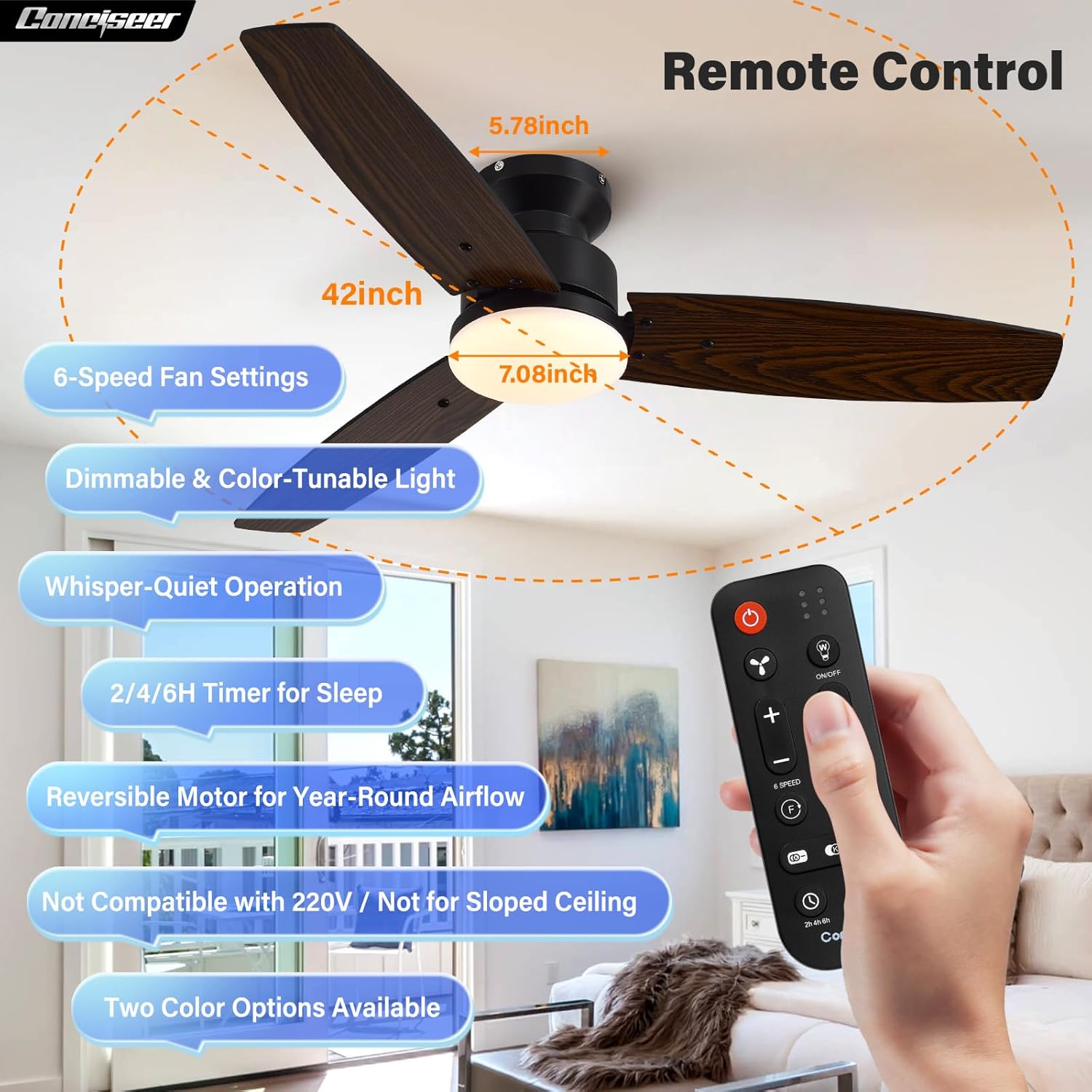
Image: Remote control for Conciseer ceiling fan. This image displays the remote control with buttons for power, fan speed, light on/off, dimming, color temperature, mute, timer, and fan direction (forward/reverse).

Image: Reversible motor function for summer and winter. This image visually explains the reversible motor feature, showing downward airflow for cooling in summer and upward airflow for circulating warm air in winter.

Image: 3-Color Temperature LED light settings. This image demonstrates the three adjustable color temperatures (3000K, 4500K, 6500K) and dimming levels (10% to 100%) of the integrated LED light.
6. Maintenance
- Cleaning: Regularly clean the fan blades and motor housing with a soft, damp cloth. Do not use abrasive cleaners or solvents.
- Tightness Check: Periodically check all screws and connections to ensure they are secure. Loose connections can cause noise or malfunction.
- Blade Balance: If the fan wobbles, check that all blades are securely attached and balanced. A balancing kit (not included) may be used if necessary.
7. Troubleshooting
- Fan Does Not Operate: Check the circuit breaker and wall switch. Ensure all wiring connections are secure. Verify remote control batteries are functional.
- Light Does Not Work: Check the light switch on the remote. Ensure light kit wiring is correctly connected.
- Excessive Noise: Ensure all screws on the motor housing and blade attachments are tight. Check for any obstructions in the fan's path.
- Remote Not Responding: Replace remote batteries. Ensure the remote receiver is properly installed and connected.
8. Specifications
| Feature | Specification |
|---|---|
| Brand | Conciseer |
| Model | MBK-WD 42inch |
| Color | MBK-WD (Black/Wood Grain) |
| Material | Metal, Plastic |
| Style | Modern |
| Room Type | Bedroom, Dining Room, Home Office, Kitchen, Living Room |
| Indoor/Outdoor Usage | Indoor, Covered Outdoor |
| Power Source | DC |
| Special Features | LED Light, Quiet Operation, Remote Controlled, Timer, Reversible Motor |
| Control Method | Remote |
| Light Source | LED |
| Light Color | Warm White, Cool White, Natural White (3CCT) |
| Wattage | 18 watts |
| Brightness | 1650 lumen |
| Mounting Type | Flush Mount |
| Item Weight | 4.32 Kilograms |
9. Warranty and Support
Conciseer products are designed for quality and durability. For any questions, concerns, or assistance with your ceiling fan, please contact our dedicated after-sales support team. Refer to your purchase documentation for specific warranty details.
We are committed to providing reliable support and ensuring your satisfaction.