
1. Introduction
This manual provides essential information for the safe and efficient operation of your Karbeen 6.0 Cu ft Digital Keypad Home Safe Box. Please read all instructions carefully before installation and use. Keep this manual for future reference.
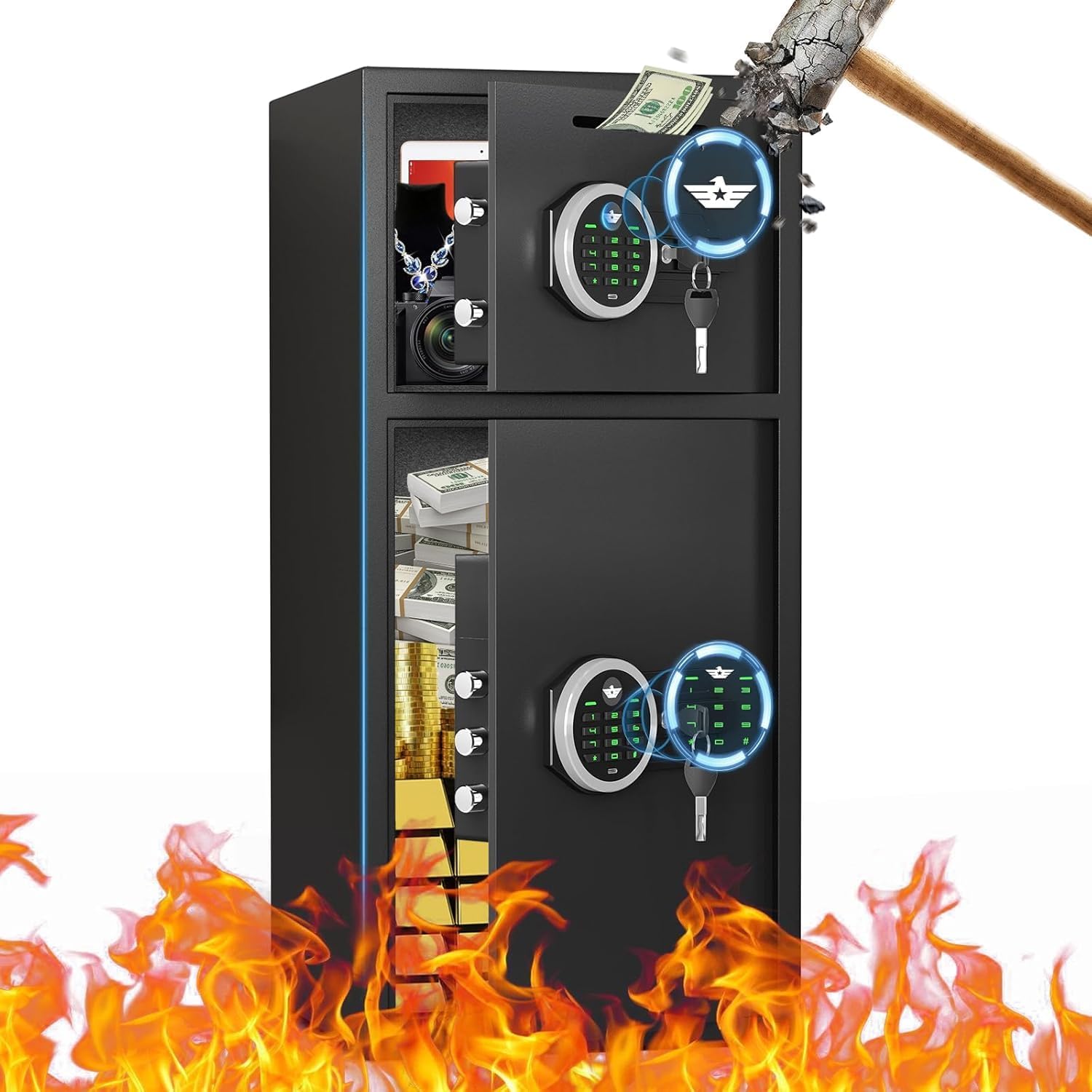
Image: The Karbeen 6.0 Cu ft Digital Keypad Home Safe Box, showcasing its interior capacity filled with various valuables like jewelry, cash, and documents, with visual effects indicating protection against fire and impact.
2. Safety Information
- Do not store the emergency keys inside the safe. Keep them in a secure, separate location.
- Ensure the safe is securely anchored to prevent unauthorized removal.
- The safe is designed for security and storage of valuables. Refer to specifications for material and water resistance details. Note: The product's water resistance level is 'Not Water Resistant' as per specifications.
- Keep the keypad dry and clean. Avoid using abrasive cleaners.
- Do not attempt to force the safe open if the digital keypad fails. Use the emergency key.
3. Package Contents
Verify that all items are present in the package:
- 1 x Karbeen 6.0 Cub Safe Box
- 4 x Emergency Keys
- 6 x Expansion Screws (for mounting)
- 1 x USB Type-C Cable (for emergency power)
- 4 x Non-slip Pads
- 1 x User Manual (this document)

Image: Illustration of the Karbeen safe box and its complete set of included accessories, such as the user manual, expansion screws, emergency battery box, and emergency keys.
4. Product Features
- Large Capacity: 6.0 Cu ft interior, suitable for documents, cash, jewelry, laptops, and pistols.
- Dual Door Design: Allows for separate opening and operation of compartments.
- Digital Keypad: 3D glowing buttons for quick and error-free unlocking.
- Multiple Opening Methods: Password + Knob, Emergency Key + Knob, USB Type-C Emergency Power + Password + Knob.
- Deposit Slot: Convenient front slot for depositing money or coins without opening the main door.
- Internal LED Lights: Two LED lights illuminate the interior for visibility in dark conditions.
- Soft Lining: Interior is lined with flannel to protect valuables from scratches.
- Metal Storage Box: Additional internal storage for smaller items like ammo boxes or pistols.
- Anti-Theft Construction: Reinforced low carbon alloy steel, pry-resistant thickened door, five solid live bolts, micro-slit laser cutting precision.
- Dual Alarm System: Activates after three consecutive incorrect password entries or violent vibrations (70-decibel sound).
- Mute Function: Allows for silent operation of the keypad.

Image: A close-up illustration highlighting various internal and external features of the safe, such as the soft interior lining, the convenient drop slot, the integrated metal storage box, the double door mechanism, the LED lighting, and the robust locking bolts.
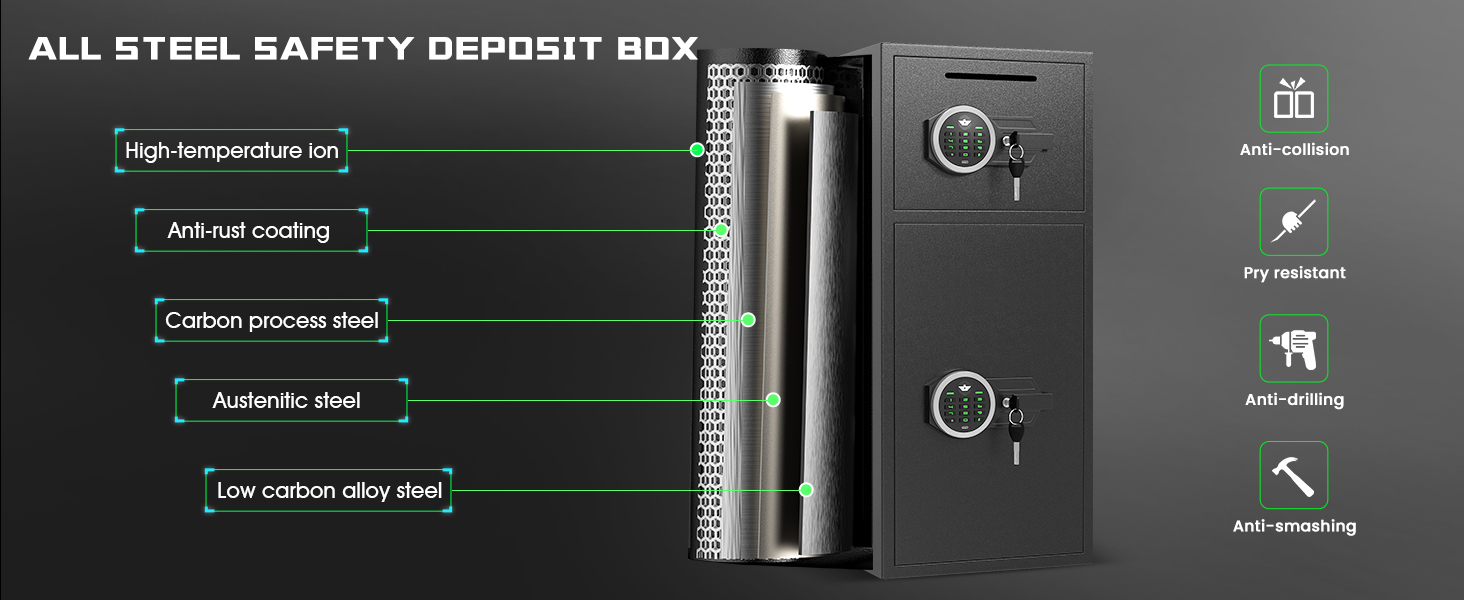
Image: An exploded view diagram illustrating the robust, multi-layered steel construction of the safe box, emphasizing its anti-collision, pry-resistant, anti-drilling, and anti-smashing characteristics for enhanced security.
5. Setup
5.1 Initial Opening
- Locate the emergency keys provided in the package.
- Insert an emergency key into the keyhole on the keypad and turn it clockwise.
- Simultaneously turn the knob clockwise to open the safe door.
5.2 Battery Installation
The safe requires 4 AA batteries (not included) for the digital keypad. Open the battery compartment located on the inside of the safe door and insert the batteries, ensuring correct polarity.
5.3 Anchoring the Safe
For maximum security, it is highly recommended to anchor the safe to a wall or floor. The safe features pre-drilled holes on the back. Use the provided expansion screws to secure the safe to a solid surface.
- Choose a suitable location for the safe.
- Mark the drilling points through the pre-drilled holes on the back of the safe.
- Drill holes into the wall or floor using an appropriate drill bit.
- Align the safe with the drilled holes and insert the expansion screws.
- Tighten the screws firmly to secure the safe in place.
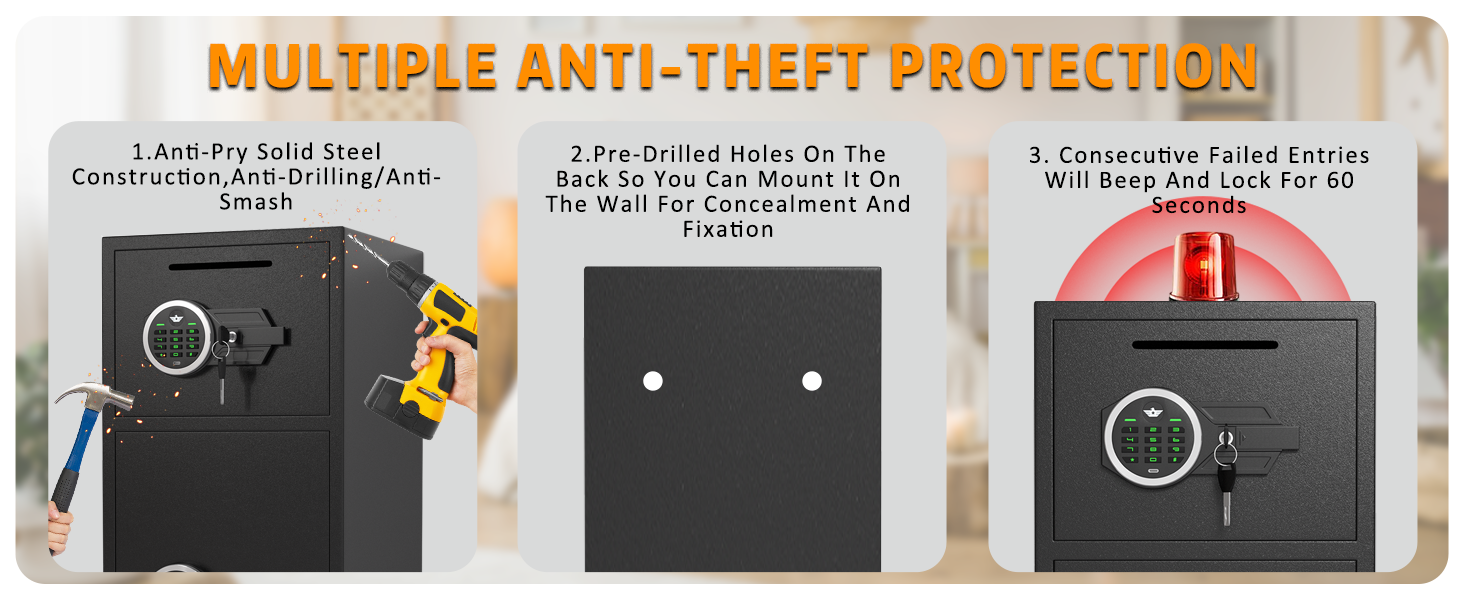
Image: A visual representation of the safe's multiple anti-theft protections, including the process of mounting it to a wall using pre-drilled holes and the activation of the alarm system upon failed entry attempts.
6. Operating Instructions
6.1 Setting Your Personal Code
- With the safe door open, press the red reset button located on the inside of the door. The keypad will beep, and the indicator light will flash.
- Enter your desired 3-8 digit code on the keypad.
- Press the '#' button to confirm. The safe will beep twice, indicating the code has been successfully set.
6.2 Opening the Safe with Your Code
- Enter your 3-8 digit personal code.
- Press the '#' button. The indicator light will turn green.
- Within 5 seconds, turn the knob clockwise to open the safe door.
6.3 Using the Mute Function
To activate or deactivate the mute function, press the '*' button on the keypad. This will silence the keypad beeps for quiet access.

Image: A graphic detailing the safe's smart alarm system, which includes a dual alarm for incorrect password entries or violent vibrations, and a mute function for silent operation.
6.4 Emergency Opening
In case of forgotten code or dead batteries, the safe can be opened using the emergency key or external power.
- Emergency Key: Insert the emergency key into the keyhole and turn it clockwise, then turn the knob to open.
- External Power: Connect the USB Type-C cable to the emergency power jack on the keypad and to a power source. Then, enter your personal code and turn the knob.

Image: An illustration demonstrating the three distinct methods for opening the Karbeen safe: using a digital password combined with the knob, using an emergency key with the knob, and utilizing a USB Type-C cable for emergency power in conjunction with the password and knob.
6.5 Using the Deposit Slot
The front deposit slot allows for quick insertion of cash or small documents without needing to open the main safe door. Simply slide items into the slot.
7. Maintenance
- Cleaning: Wipe the exterior with a soft, damp cloth. Avoid harsh chemicals or abrasive materials.
- Battery Replacement: Replace batteries when the low battery indicator appears on the keypad. Always use 4 new AA batteries.
- Key Storage: Ensure emergency keys are stored safely and separately from the safe.
- Interior Care: The flannel lining can be gently vacuumed or wiped with a dry cloth to remove dust.
8. Troubleshooting
8.1 Keypad Not Responding
- Check if batteries are correctly installed and not depleted. Replace if necessary.
- Use the USB Type-C cable for emergency external power.
- If the keypad is still unresponsive, use the emergency key to open the safe.
8.2 Dual Alarm Activation
- The alarm will sound if three consecutive incorrect passwords are entered or if the safe experiences violent vibrations.
- To silence the alarm, enter the correct password or use the emergency key.
8.3 Door Not Opening After Correct Code
- Ensure you turn the knob clockwise within 5 seconds after entering the correct code and the green light appears.
- Check for any obstructions preventing the door from opening.
- If issues persist, use the emergency key.
9. Specifications
| Feature | Detail |
|---|---|
| Brand | Karbeen |
| Model Number | KM-65 |
| Product Dimensions | 13.8"D x 13.8"W x 25.5"H |
| Lock Type | Electronic Combination Lock |
| Capacity | 6 Cubic Feet |
| Material | Low Carbon Alloy Steel |
| Item Weight | 39.5 Pounds |
| Water Resistance Level | Not Water Resistant |
| Special Features | Combination Lock, Mute Function, Dual Alarm, LED Light, Deposit Slot |
| Mounting Type | Under Counter Mount (can be wall/floor mounted) |

Image: A detailed diagram showcasing the external and internal measurements of the Karbeen safe box, accompanied by icons representing various items such as medicine, pistols, documents, money, cameras, and jewelry that can be securely stored within.
10. Warranty & Support
Karbeen is committed to providing high-quality products and customer satisfaction.
- Lifetime Warranty: The product comes with a lifetime warranty.
- Customer Service: 24-hour online customer service is available to assist with any issues.
- Returns: Enjoy 90-day unconditional returns.
- Key Matching Service: Lifetime key matching service is provided.
If you encounter any problems with your safe, please do not hesitate to contact Karbeen customer service for assistance.

Image: Customer service representatives wearing headsets, symbolizing the availability of support for product inquiries and assistance.