
1. Introduction
This manual provides detailed instructions for the assembly, use, and care of your Max Build More Premium Sushi Bar Collection (Tempura) building set. This set offers a creative building experience, allowing you to construct a detailed model of tempura sushi using high-quality building bricks.
The Max Build More Premium Sushi Bar Collection is designed for enthusiasts and collectors, providing hours of engaging construction fun. Each capsule in the series is a standalone model, capturing the essence of Japanese cuisine.
2. Safety Information
WARNING: CHOKING HAZARD – Small parts. This product contains small parts and is not suitable for children under 3 years of age. Adult supervision is recommended during assembly, especially with younger users (ages 8+ recommended).
Keep all packaging materials away from children to prevent suffocation hazards. Dispose of packaging responsibly.

Image: Rear view of the product capsule, highlighting safety warnings and age recommendations for small parts.
3. What's Included
Your Max Build More Premium Sushi Bar Collection (Tempura) package includes the following components:
- 1x MAX Premium Capsule (packaging)
- Up to 212x Building Bricks (specific count for Tempura model may vary, refer to packaging)
- 1x Instruction Booklet for assembly
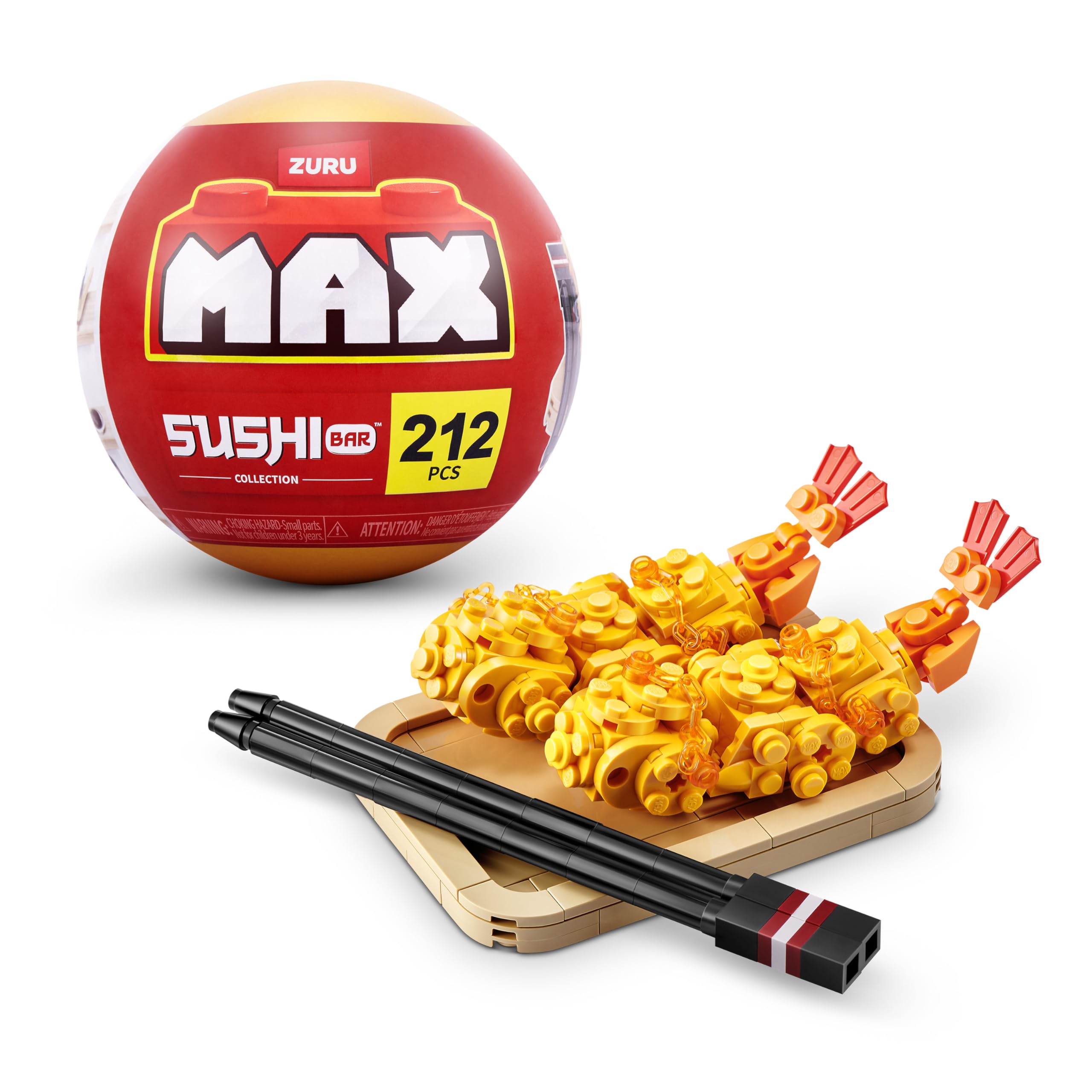
Image: The Max Build More Premium Sushi Bar Collection capsule, indicating the brand and piece count.
4. Setup and Assembly
Follow the step-by-step instructions provided in the included instruction booklet to assemble your Tempura sushi bar model. Ensure you have a clean, flat surface to work on and keep all small parts organized to prevent loss.
- Unpack Components: Carefully open the MAX Premium Capsule and remove all brick bags and the instruction booklet.
- Review Instructions: Before starting, thoroughly read through the entire instruction booklet to familiarize yourself with the assembly steps and part identification.
- Sort Bricks: For easier assembly, sort the bricks by color, size, or type as suggested in the instruction booklet.
- Assemble Model: Follow the numbered steps in the instruction booklet precisely. Ensure each brick is firmly connected to the previous one.
- Verify Completion: Once all steps are completed, compare your assembled model with the images in the booklet to ensure accuracy.

Image: Close-up of the assembled Tempura model, illustrating brick details and connections.

Image: The completed Tempura sushi model, including the serving board and chopsticks, ready for display.
5. Operating and Display
Once assembled, your Max Build More Premium Sushi Bar Collection (Tempura) model is ready for display or imaginative play. These models are designed to be collectible and can be integrated with other Max Build More sets or compatible brick brands.
- Display: Place your assembled model on a stable, flat surface away from direct sunlight or extreme temperatures to preserve its condition.
- Interaction: The model is robust enough for gentle handling and rearrangement of components.
- Collection: This Tempura set is part of a larger Sushi Bar Collection. Collect other sets to expand your sushi restaurant scene.

Image: Individuals engaging with multiple Max Build More Sushi Bar Collection sets, demonstrating typical use and interaction.
6. Maintenance
Proper care will ensure the longevity and appearance of your building brick model.
- Cleaning: To clean the bricks, gently wipe them with a soft, dry cloth. For stubborn dust, a slightly damp cloth can be used, followed by immediate drying. Avoid harsh chemicals or abrasive cleaners.
- Storage: If disassembling for storage, keep all bricks in a sealed container to prevent loss and protect them from dust and damage. Store in a cool, dry place.
- Avoid Extreme Conditions: Do not expose the model to direct sunlight for extended periods or to extreme temperatures, as this may cause discoloration or warping of the plastic bricks.
7. Troubleshooting
While building brick sets are generally straightforward, you may encounter minor issues.
- Missing Pieces: If you discover a missing piece, first double-check all packaging materials and the surrounding area. If a piece is genuinely missing, contact Max Build More customer support (see Section 9).
- Difficulty Connecting Bricks: Ensure bricks are aligned correctly before applying firm, even pressure. Avoid forcing bricks together, as this can cause damage.
- Model Instability: Re-examine the assembly steps in the instruction booklet to ensure all connections are secure and correctly placed. Loose connections can lead to instability.
8. Specifications
| Feature | Detail |
|---|---|
| Brand | Max Build More |
| Model Name | Premium Sushi Bar Collection (Tempura) |
| Model Number | 83199E |
| UPC | 193052085085 |
| Manufacturer | ZURU |
| Material Type | Plastic |
| Number of Pieces | Up to 212 (specific to Tempura model) |
| Item Dimensions (L x W x H) | 4.53 x 4.53 x 4.53 inches (packaging) |
| Item Weight | 0.17 Kilograms |
| Recommended Age | 8+ years |
| Educational Objective | Develop creativity and fine motor skills through construction activities |
| Compatibility | Compatible with leading brick brands |
9. Warranty and Support
For information regarding product warranty, missing parts, or any other support inquiries, please refer to the official ZURU or Max Build More website, or contact their customer service directly. Contact details are typically found on the product packaging or the manufacturer's official website.
Official Brand Website: www.zuru.com
