
1. Product Overview
This manual provides instructions for the ODK L-Shaped Desk, Model ZJZ-SCJWJG. This versatile desk is designed to optimize your workspace with its spacious surface, integrated storage solutions, and convenient power features. Its reversible design allows for flexible configuration to suit various room layouts.
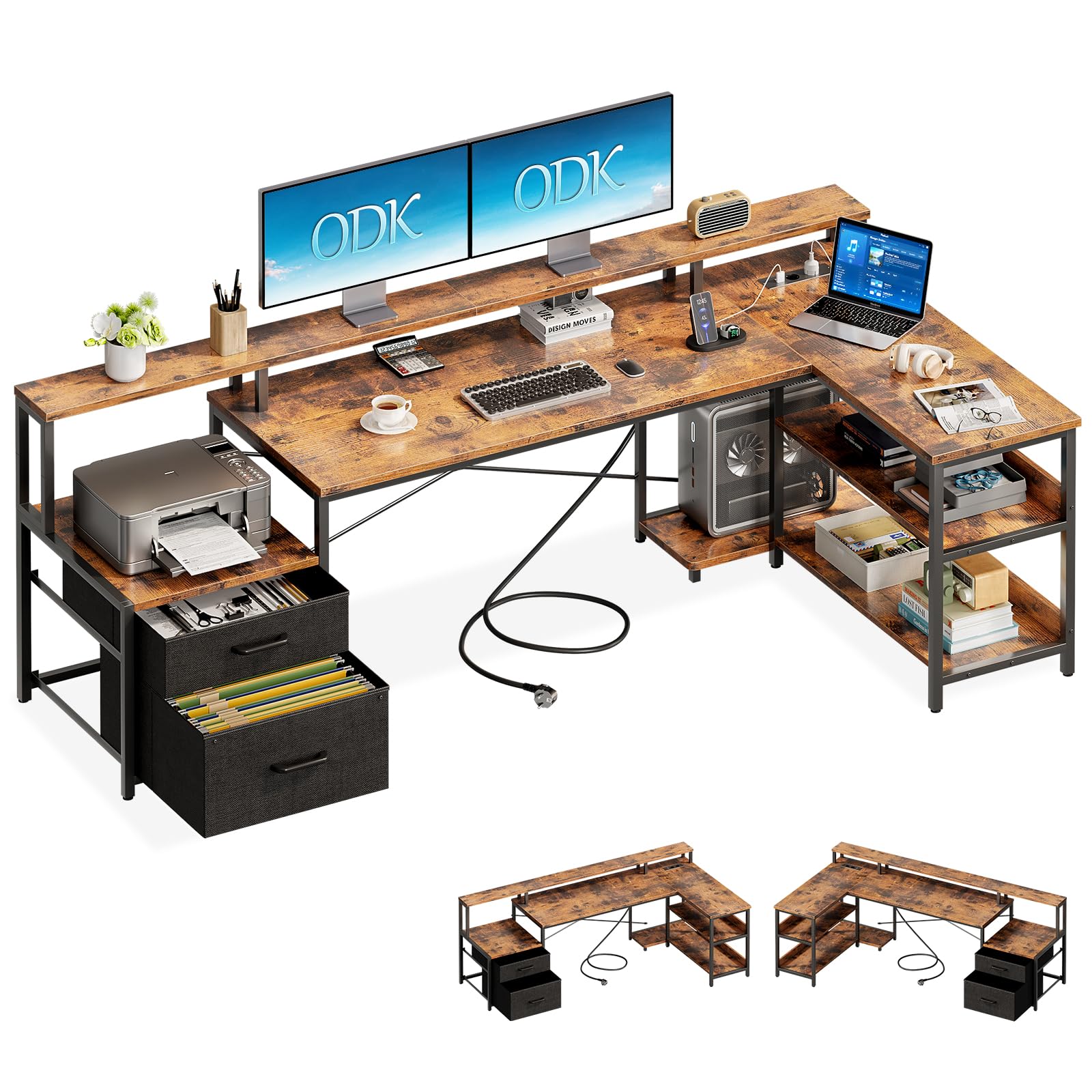
Image 1.1: The ODK L-Shaped Desk configured for a home office, showcasing its ample workspace and integrated storage.
2. Safety Warnings
- This desk requires assembly. Exercise caution during handling due to its weight (approximately 27.2 kg).
- For enhanced stability, it is recommended to secure the desk to a wall or floor using appropriate fasteners (not included).
- Read and follow all instructions carefully to prevent damage to the product or personal injury.
- Do not overload the desk or its shelves beyond their stated weight capacity.
- Keep small parts and packaging materials away from children to prevent choking hazards.
3. Package Contents
Before assembly, verify that all components listed below are present and undamaged. All parts are clearly labeled for easy identification.
- Desk Panels (MDF)
- Metal Frame Components
- Fabric File Drawers (2 units)
- Printer Cabinet Panel
- 2-Tier Lower Shelf Panels
- PC Tower Stand
- Integrated Power Strip (2 AC outlets, 2 USB ports)
- Monitor Stand
- Assembly Hardware (screws, bolts, Allen wrench)
- Detailed Instruction Manual
4. Setup and Assembly Instructions
Follow the detailed step-by-step instructions provided in the included manual. Ensure you have adequate space for assembly and that all parts are correctly oriented before tightening fasteners.
4.1. Reversible Design
The ODK L-Shaped Desk features a reversible design, allowing you to configure the longer desk section and the storage unit on either the left or right side to best fit your room layout. Refer to the manual for specific steps on how to achieve your desired orientation.
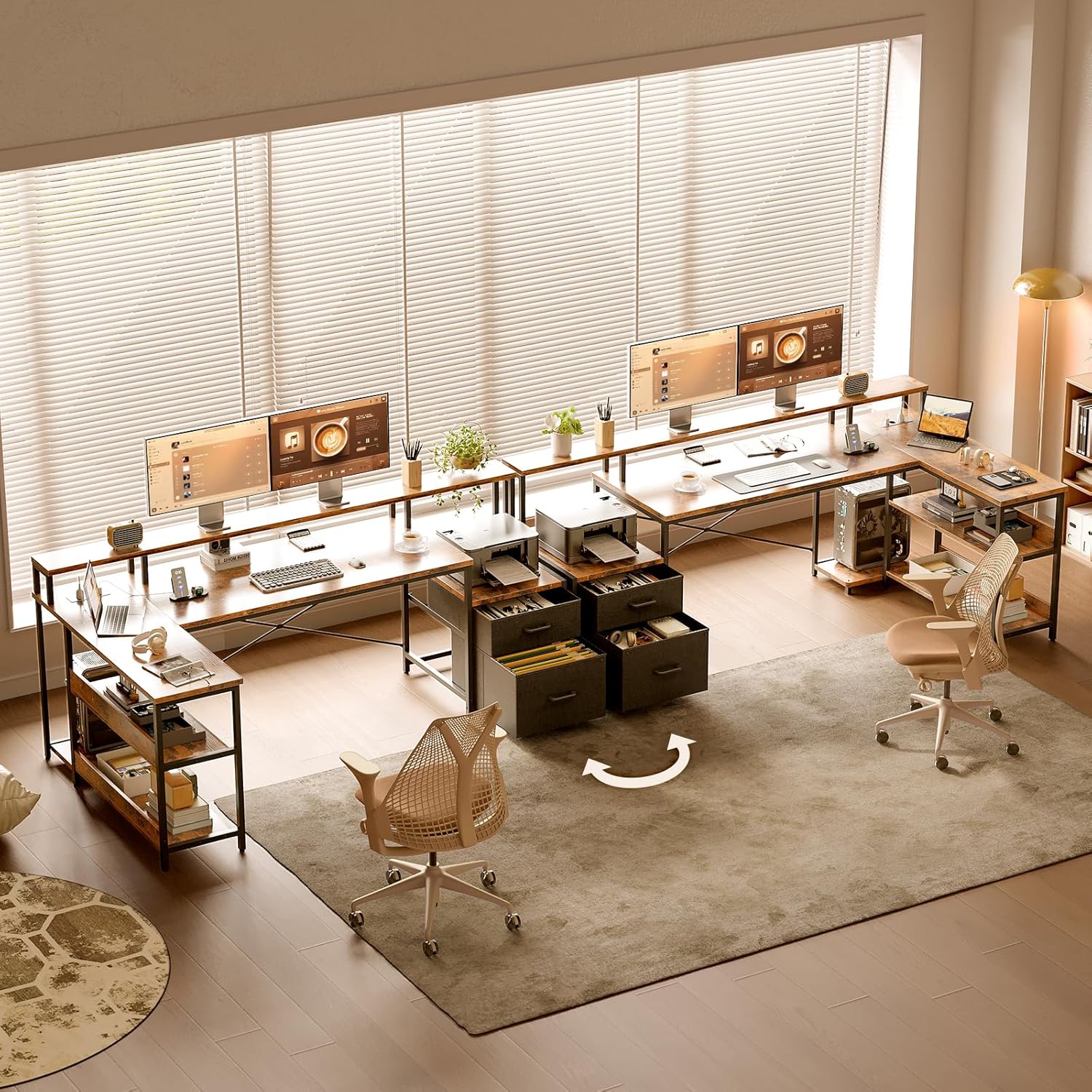
Image 4.1: Illustration of the desk's reversible design, allowing for left or right-hand configuration.
4.2. Dimensions
The overall dimensions of the assembled desk are approximately 189.3 cm (Length) x 100 cm (Width) x 88.7 cm (Height). The main working surface is 117 cm long. Specific dimensions for individual components are detailed in the diagram below.

Image 4.2: Dimensional drawing of the ODK L-Shaped Desk.
5. Operating Instructions
5.1. Integrated Power Outlets and USB Ports
The desk features a built-in power strip with 2 standard AC outlets (220-250V/15A) and 2 USB ports (5V/2.1A). Connect the desk's power cord to a wall outlet to activate these features. Use them to conveniently charge your laptop, phone, and other electronic devices.

Image 5.1: Integrated power strip with AC and USB outlets.
5.2. Monitor Stand
The elevated monitor stand helps position your screen at an ergonomic height, reducing strain on your neck and back. It also creates additional storage space underneath for small items or a keyboard when not in use.
5.3. Storage Features
Utilize the various storage components to keep your workspace organized:
- File Drawers: Two fabric drawers are provided for organizing documents and office supplies. These are designed to accommodate standard file folders.
- Printer Cabinet: A dedicated space for your printer, keeping it off the main desk surface.
- 2-Tier Lower Shelf: Ideal for books, binders, or decorative items.
- PC Tower Stand: A designated area to keep your computer tower off the floor, protecting it from dust and improving airflow.
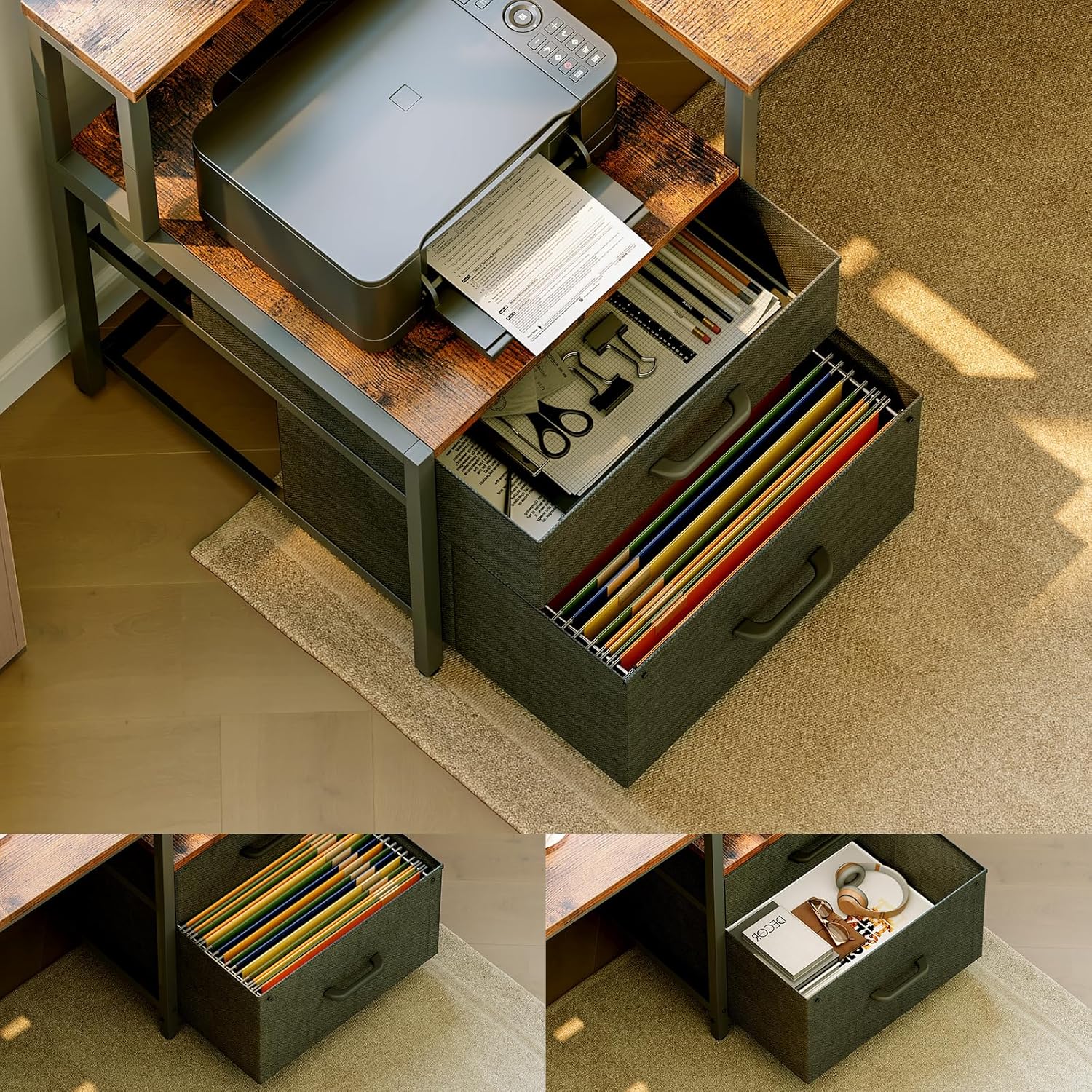
Image 5.2: Fabric file drawers for organized storage.
6. Maintenance
- Cleaning: Wipe all surfaces with a soft, damp cloth. Avoid using abrasive cleaners, harsh chemicals, or solvents that may damage the finish.
- Fasteners: Periodically check all screws, bolts, and other fasteners to ensure they remain tight. Re-tighten if necessary to maintain stability.
- Fabric Drawers: Clean fabric drawers with a mild soap and water solution if needed. Allow them to air dry completely before reinserting.
- Spills: Immediately wipe up any spills to prevent staining or damage to the wood surface.
7. Troubleshooting
- Desk Wobbles:
- Ensure all assembly screws are fully tightened.
- Verify that the desk is placed on a level surface. Adjust floor glides if available.
- Consider securing the desk to a wall or floor as recommended in the safety warnings. - Power Outlets Not Working:
- Check that the desk's power cord is securely plugged into a functional wall outlet.
- Ensure the power strip is not overloaded with too many devices.
- If the issue persists, consult a qualified electrician. - Assembly Difficulties:
- Carefully review the detailed instruction manual, paying close attention to diagrams and part labels.
- Ensure all parts are correctly identified and oriented before attempting to connect them.
- Do not force components together; if parts do not fit, re-check the instructions.
8. Specifications
| Feature | Detail |
|---|---|
| Brand | ODK |
| Model Number | ZJZ-SCJWJG |
| Color | Vintage Brown |
| Product Dimensions (L x W x H) | 189.3 x 100 x 88.7 cm |
| Material | Wood (MDF), Metal Frame |
| Item Weight | 27.2 Kilograms |
| Special Features | Reversible Design, Integrated Power Outlets (2 AC, 2 USB), Monitor Stand, File Drawers |
| Top Material Type | Wood |
| Base Material | Metal |
| Finish Type | Oil Rubbed |
9. Warranty and Support
ODK is committed to providing quality products and customer satisfaction. For any questions, issues, or support needs regarding your L-Shaped Desk, please refer to your purchase documentation for specific warranty details and contact information for ODK customer service. Our professional customer service team is available to assist you.


