
Introduction
This user manual provides detailed instructions for the installation, operation, maintenance, and troubleshooting of the ocioc F0 Ceiling Fan Light Kit. This light kit is specifically designed for compatibility with ocioc F0 22-inch and 32-inch ceiling fans. Please read this manual thoroughly before installation and use to ensure proper function and safety.
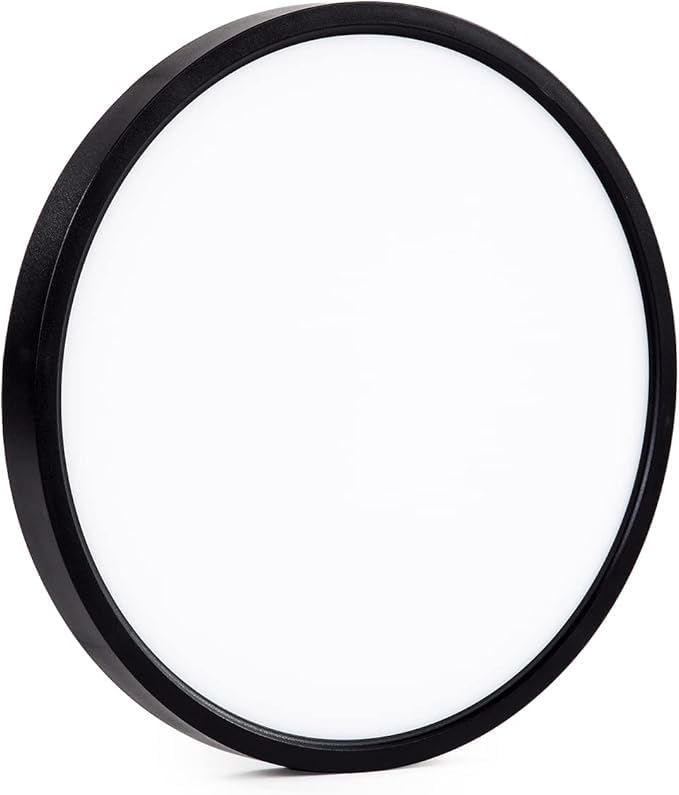
Image: The ocioc F0 Ceiling Fan Light Kit, a black circular unit with an LED lens, designed for specific ocioc ceiling fan models.
Important Safety Information
Always follow basic safety precautions when installing or using electrical products to reduce the risk of fire, electric shock, and personal injury.
- Disconnect Power: Before installation, maintenance, or cleaning, always turn off the power at the main circuit breaker or fuse box.
- Qualified Electrician: If you are unsure about wiring or electrical connections, consult a qualified electrician.
- Compatibility: This light kit is only compatible with ocioc F0 22-inch and 32-inch ceiling fans. Do not attempt to install it on other fan models.
- Secure Installation: Ensure all connections are secure and the light kit is firmly attached to the fan.
- Indoor Use Only: This product is designed for indoor use only. Do not expose to water or high humidity.
Package Contents
Carefully unpack your ocioc F0 Ceiling Fan Light Kit and ensure all items are present and undamaged. If any parts are missing or damaged, contact customer support.
- ocioc F0 Ceiling Fan Light Kit (Main Unit)
- LED Lens
- (Additional mounting hardware or screws may be included depending on the specific fan model, refer to your fan's manual for details.)
Setup and Installation
Follow these steps to install the ocioc F0 Ceiling Fan Light Kit onto your compatible ocioc F0 ceiling fan.
- Power Disconnection: Before beginning, ensure the power to the ceiling fan is completely turned off at the circuit breaker.
- Access Fan Wiring: Depending on your specific ocioc F0 fan model, you may need to remove the existing light cover or bottom plate to access the fan's wiring compartment. Refer to your ocioc F0 ceiling fan's instruction manual for specific disassembly steps.
- Connect Wiring: Carefully connect the wires from the ocioc F0 Light Kit to the corresponding wires in the ceiling fan. Typically, this involves matching live (black), neutral (white), and ground (green/bare copper) wires. Use wire nuts to secure connections.
- Mount Light Kit: Align the light kit with the mounting points on the fan. Secure the light kit using the provided screws or by twisting it into place, depending on the fan's design. Ensure it is firmly attached and does not wobble.
- Install LED Lens: Place the LED lens onto the light kit. This usually involves twisting it into place or securing it with small clips.
- Restore Power: Once installation is complete and all connections are secure, restore power at the circuit breaker.
- Test Functionality: Test the light kit using the fan's pull chain, wall switch, or remote control to ensure it operates correctly.
Operating Instructions
The ocioc F0 Ceiling Fan Light Kit offers three color temperature options. Operation is typically controlled via a push button on the fan or a remote control, depending on your ocioc F0 fan model.
- Turning On/Off: Use the designated light button on your fan's remote control or the wall switch connected to the fan to turn the light on or off.
- Changing Color Temperature:
- If your fan has a remote control, there may be a dedicated button for cycling through color temperatures (e.g., Warm White, Natural White, Cool White).
- Alternatively, some models cycle through color temperatures by quickly turning the light off and on again using the wall switch or a specific button on the fan unit.
Refer to your ocioc F0 ceiling fan's remote control or fan unit manual for precise instructions on changing color temperatures.
Maintenance
Regular maintenance helps ensure the longevity and optimal performance of your light kit.
- Cleaning:
- Always disconnect power before cleaning.
- Wipe the light kit and LED lens with a soft, dry, or slightly damp cloth.
- Do not use abrasive cleaners, solvents, or polishes, as these can damage the finish or electrical components.
- LED Lens: The LED lens is designed for durability. Avoid applying excessive force or impact to prevent damage.
- No User-Serviceable Parts: The LED light source is integrated and not designed to be replaced by the user. If the light source fails, the entire light kit may need replacement.
Troubleshooting
If you encounter issues with your ocioc F0 Ceiling Fan Light Kit, refer to the following common problems and solutions:
| Problem | Possible Cause | Solution |
|---|---|---|
| Light does not turn on. |
|
|
| Light flickers or dims. |
|
|
| Cannot change color temperature. |
|
|
If the problem persists after trying these solutions, please contact ocioc customer support.
Specifications
| Brand | ocioc |
| Model Number | F0 |
| Color | Black |
| Material | Plastic |
| Light Source | LED |
| Lighting Method | LED |
| Control Method | Push Button, Remote |
| Power Source | Corded Electric |
| Indoor/Outdoor Usage | Indoor |
| Item Dimensions (L x W x H) | 8.9"L x 8.9"W x 1"H |
| Included Components | LED Lens |
| Compatibility | ocioc F0 22-inch and 32-inch Ceiling Fans |
Warranty Information
The ocioc F0 Ceiling Fan Light Kit is covered by a 5-year manufacturer's warranty. This warranty covers defects in materials and workmanship under normal use. Please retain your proof of purchase for warranty claims. The warranty does not cover damage caused by improper installation, misuse, accidents, or unauthorized modifications.
Customer Support
For technical assistance, warranty claims, or any questions regarding your ocioc F0 Ceiling Fan Light Kit, please contact ocioc customer support.
You can find more information and contact details by visiting the official ocioc store: ocioc Store on Amazon.


