
OSCAL Hibuds 6
OSCAL Hibuds 6 Wireless Earbuds User Manual
Model: Hibuds 6
Introduction
Thank you for choosing the OSCAL Hibuds 6 Wireless Earbuds. This manual provides detailed instructions for setting up, operating, and maintaining your earbuds to ensure optimal performance and longevity. Please read this manual thoroughly before use.
What's in the Box
Verify that all items are present in your package:
- OSCAL Hibuds 6 Wireless Earbuds (Left and Right)
- Wireless Charging Case
- USB-C Charging Cable
- User Manual
- Two Extra Pairs of Eartips (Small, Medium, Large)

Image: Contents of the OSCAL Hibuds 6 package, showing the earbuds, charging case, USB-C cable, user manual, and additional eartips.
Product Overview
The OSCAL Hibuds 6 are designed for comfort and high-fidelity audio. Key features include 13mm dynamic drivers, Bluetooth 5.4 connectivity, and an IPX7 water-resistant rating.
Earbuds and Charging Case

Image: The OSCAL Hibuds 6 wireless earbuds resting in their charging case. The case features an LED display indicating the battery percentage for both the case and individual earbuds.
Lightweight Design

Image: A person wearing the OSCAL Hibuds 6 earbuds, demonstrating their lightweight and comfortable fit. The image also shows the compact charging case, emphasizing portability.
Dynamic Driver and Noise Cancelling Mic

Image: An exploded view diagram of an earbud, highlighting the 13mm dynamic driver responsible for rich bass and crisp mids. Text also indicates the use of DNS algorithms for clearer calls.
Silicone Ear Tips

Image: A visual representation of an earbud with three different sizes of silicone ear tips (Small, Medium, Large) to ensure a comfortable and secure fit for various ear shapes.
Setup
1. Charging the Earbuds and Case
Before first use, fully charge the earbuds and the charging case. Connect the USB-C charging cable to the charging port on the case and to a power source. The LED display on the case will show the charging status and battery levels.
- A full charge provides up to 8 hours of playtime for the earbuds and a total of 40 hours with the charging case.
- A 10-minute quick charge can provide approximately 50 minutes of listening time.

Image: The OSCAL Hibuds 6 charging case with its LED display showing a full charge (100%), illustrating the extended 40-hour total playtime capability.
2. Pairing with a Device
The OSCAL Hibuds 6 utilize Bluetooth 5.4 for stable and fast connections.
- Open the charging case. The earbuds will automatically enter pairing mode.
- On your device (smartphone, tablet, laptop), enable Bluetooth and search for available devices.
- Select "OSCAL Hibuds 6" from the list of found devices to connect.
- Once paired, the earbuds will automatically connect to your device when taken out of the case.

Image: The OSCAL Hibuds 6 earbuds and charging case shown connecting to both a tablet and a smartphone, demonstrating the multipoint connection feature.
Operating Instructions
Smart Tap Control
The earbuds feature touch controls for easy management of audio playback and calls:
- Play/Pause: Single tap on either earbud.
- Next Track: Double tap on the right earbud.
- Previous Track: Double tap on the left earbud.
- Answer/End Call: Single tap on either earbud.
- Reject Call: Press and hold either earbud for 2 seconds.
- Activate Voice Assistant: Press and hold the right earbud for 2 seconds (in standby or music mode).
Call Functionality
The integrated AI-enhanced ENC microphones suppress ambient noise, ensuring clear voice transmission during calls, gaming chats, or voice recordings.
Multipoint Connection
The Hibuds 6 can connect to two devices simultaneously, allowing for seamless switching between them without manual re-pairing.

Image: A visual representation of the OSCAL Hibuds 6 maintaining simultaneous connections to both a tablet and a smartphone, illustrating the multipoint connection feature for seamless device switching.
Maintenance and Care
Cleaning
Regularly clean your earbuds and charging case to maintain optimal performance and hygiene.
- Use a soft, dry, lint-free cloth to wipe the earbuds and charging case.
- Gently remove any earwax or debris from the ear tips and speaker mesh using a small, soft brush or cotton swab.
- Do not use abrasive cleaners, alcohol, or chemical solvents.
Water Resistance (IPX7)
The earbuds are IPX7 rated, meaning they are protected against immersion in water up to 1 meter for 30 minutes. This makes them suitable for use during sports, light rain, or sweating.
- The charging case is not water-resistant. Avoid exposing the charging case to liquids.
- Ensure earbuds are completely dry before placing them back into the charging case to prevent damage.
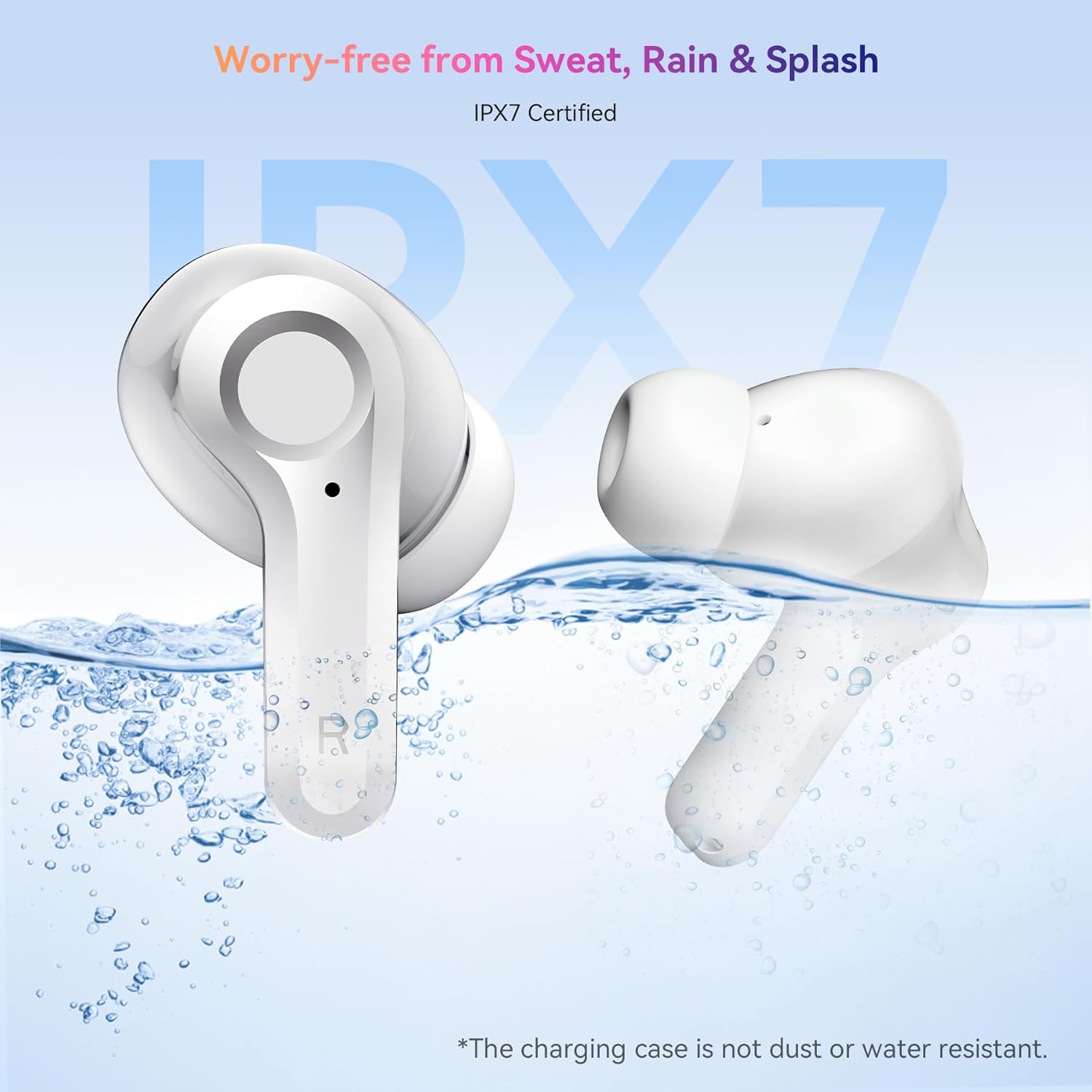
Image: The OSCAL Hibuds 6 earbuds shown partially submerged in water, visually confirming their IPX7 water-resistant certification. A note clarifies that the charging case is not water-resistant.
Troubleshooting
If you encounter issues with your OSCAL Hibuds 6, refer to the following common solutions:
| Problem | Solution |
|---|---|
| Earbuds not pairing | Ensure earbuds are charged. Place them back in the case, close, then reopen. Check your device's Bluetooth settings and try re-pairing. |
| Only one earbud working | Ensure both earbuds are charged. Try placing both back in the case, closing it, and then taking them out again to re-establish the connection. |
| Low volume or poor sound quality | Adjust volume on your device. Clean ear tips and speaker mesh. Ensure ear tips provide a good seal in your ear. |
| Charging case not charging | Check the USB-C cable and power adapter. Ensure the cable is securely connected to both the case and the power source. |
| Earbuds not charging in case | Ensure the charging case has power. Clean the charging contacts on both the earbuds and inside the case. |
Specifications
Detailed technical specifications for the OSCAL Hibuds 6 Wireless Earbuds:
| Feature | Specification |
|---|---|
| Model Name | Hibuds 6 |
| Bluetooth Version | 5.4 |
| Audio Driver Size | 13 mm Dynamic Driver |
| Noise Control | AI-enhanced ENC Microphones |
| Water Resistance | IPX7 (Earbuds only) |
| Battery Life (Earbuds) | Up to 8 hours per charge |
| Total Playtime (with Case) | Up to 40 hours |
| Charging Port | USB-C |
| Control Type | Touch Control |
| Earbud Weight | Approximately 4.15g (0.15oz) each |
| Charging Case Weight | Approximately 35g |
| Compatibility | iOS, Android, Windows devices |
| UPC | 810175529004 |
Warranty and Support
OSCAL products are designed for reliability and performance. For specific warranty details, please refer to the warranty card included in your product packaging or visit the official OSCAL website.
If you require technical assistance or have questions not covered in this manual, please contact OSCAL customer support through their official channels.
Related documentsHibuds 6


Ask a question about this manual
Ask about setup, troubleshooting, compatibility, parts, safety, or missing instructions. Manuals+ will review the question and use this page’s manual context to help answer it.